


 Australia
  FSX Scenery
YOBR Old Bar
Scenery YOBR Old Bar. Old Bar Heritage Airport a small airstrip In New South …
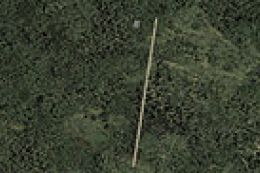
Old Bar Heritage Airstrip scenery refreshes the coastal strip at Tyagarah, New South Wales, with a clay apron and parking, plus clean excludes and added cars and buildings for a more believable approach and ramp environment in FSX. Designed to better match the local setting around Old Bar and nearby Byron Bay.
Old Bar Heritage Airstrip Scenery Updated, Tyagarah, New South Wales, Australia. Changes parking and apron to clay; also has a exclude, cars and buildings. By Nicholas Cole.
Installation Instructions: Place the bgl files into C:\Your Flightsim Directory Goes Here\Addon Scenery\Scenery\ And yor done, the files have been tested.
There you go, now go fly, I recommend voz 1.8 which adds much needed textures.
SOME BRIEF INFORMATION:
Old Bar; is a small public runway, it is a runway because it only has one runway and nothing else. Old Bar is a small town on the coast of New South Wales, the nearest town Taree is 15 minutes away serving a regional services daily, soon to be demolished.
Tyagarah:
Tyagarah is a recreational aerodrome located just a few miles away from Ballina and literally right next to Byron Bay.
No commercial flights operate out of Tyagarah but is used constantly for recreational aircraft such as Cessnas, Gliders, Etc.
Byron Bay is very laid back and has no airport, mainly go to ballina and has lots of beaches and lots of holiday makers go there.
Be looking out for more of my files to come!
Tyagarah - (FS9)
Free for all simmers · 3.45 KB · Scanned clean Oct 2026
Download speed: Free tier is capped at 0.5 Mbps. PRO members download at full line speed.
FSX\Addon Scenery\ containing scenery and texture sub-folders.readme.txt or README file. It tells you exactly where files go, what dependencies are needed, and any quirks specific to this add-on.Use these coordinates to fly directly to this location once the mod is installed.
-31.97000000,152.58000000
Launch FSX or Prepar3D and use Flights → Load to open the downloaded .pln file. Your aircraft will be positioned at this location.
The archive oldbarupdate.zip has 4 files and directories contained within it.
This list displays the first 500 files in the package. If the package has more, you will need to download it to view them.
| Filename/Directory | File Date | File Size |
|---|---|---|
| YOBR_ADEX_N.BGL | 07.27.10 | 6.22 kB |
| Readme.txt | 07.27.10 | 1.34 kB |
| flyawaysimulation.txt | 10.29.13 | 959 B |
| Go to Fly Away Simulation.url | 01.22.16 | 52 B |
Only PRO members can place votes.
More FSX & P3D add-ons hand-picked based on this download.
FSX Scenery
Scenery YOBR Old Bar. Old Bar Heritage Airport a small airstrip In New South …
 FSX Scenery
Delta Heritage Airpark (CAK3), Delta, British Columbia, Canada. By Daniel Lou…
 FSX Scenery
Bar-le-Duc (France) and its LFEU airfield a few miles south of Verdun. Hi res…
 FSX Scenery
Patch for Scenery of Bar-le-Duc (France) LFEU "Hauts-de-Chee" airfield. Requi…
 FSX Scenery
Scenery Banff National Park Airstrip (CYBA), Canada. Runway moved to correct …
 FSX Scenery
(AX78), South Africa. Robben Island is an island in Table Bay, some seven kil…
 FSX Scenery
Sulphur Creek Ranch AIrstrIp, Idaho (ID). MountaIn prIvate aIrstrIp In Idaho.…
 FSX Scenery
A small airstrip in l'Enclave des Papes, south of France between a vineyard a…
Be the first to leave a comment on this download.
Be the first to share your thoughts on this download.