


 France
  FSX Scenery
Bar-le-Duc
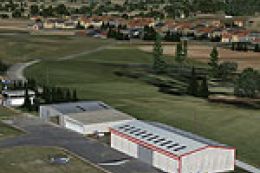
Bar-le-Duc (France) and its LFEU airfield a few miles south of Verdun. Hi res…
Bar-le-Duc “Hauts-de-Chee” (LFEU) scenery patch sharpens the airfield experience by correcting altitude conflicts that can appear with non-default mesh and by resizing wind turbine lights for a more believable night environment in FSX; requires LFEU_FSX.ZIP and includes updated scenery files plus a refreshed wind turbine effect.
Patch for Scenery of Bar-le-Duc (France) LFEU "Hauts-de-Chee" airfield. Requires LFEU_FSX.ZIP. Fixes altitudes problems, reduces the size of wind turbine lights. By D. Bur.
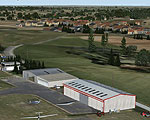
Screenshot of Bar-le-Duc Scenery.
This patch fixes altitudes problems that occured on several systems when other meshes than the default was installed. It also reduces the size of the windturbine lights that were a little too big.
THIS PATCH REQUIRES LFEU_FSX.ZIP INSTALLED ON YOUR SYSTEM !!!
FILES:
- readme.txt: this file.
- file_id.diz: brief description for webmasters
- lfeu_fsx_patch.gif: thumbnail image for webmasters.
- LFEU folder: main scenery folder
- LFEU /scenery folder: the new scenery files.
- Effects folder: the new effects fx_windturbine.fx (see below how to re-install it)
INSTALLATION:
1. Extract the archive in a temporary folder.
2. Move the files of LFEU/scenery folder where you installed the LFEU scenery.
3. Move the Effects/fx_windturbine.fx file to your Effects folder of FSX (usually C:\Program Files\Microsoft Games\Microsoft Flight Simulator X\Effects) and overwrite the old one.
4. You're done.
Happy flying!
Free for all simmers · 223.62 KB · Scanned clean Oct 2026
Download speed: Free tier is capped at 0.5 Mbps. PRO members download at full line speed.
This add-on may require the following files to function properly. If this is a repaint, the dependency below is likely the base aircraft package.
FSX\Addon Scenery\ containing scenery and texture sub-folders.readme.txt or README file. It tells you exactly where files go, what dependencies are needed, and any quirks specific to this add-on.Use these coordinates to fly directly to this location once the mod is installed.
48.77000000,5.16000000
Launch FSX or Prepar3D and use Flights → Load to open the downloaded .pln file. Your aircraft will be positioned at this location.
The archive lfeu_fsx_patch.zip has 10 files and directories contained within it.
This list displays the first 500 files in the package. If the package has more, you will need to download it to view them.
| Filename/Directory | File Date | File Size |
|---|---|---|
| lfeu_fsx_patch.gif | 11.09.11 | 16.99 kB |
| file_id.diz | 12.04.11 | 201 B |
| readme.txt | 12.04.11 | 2.71 kB |
| fx_windturbine.fx | 12.04.11 | 3.58 kB |
| scenery | 12.04.11 | 0 B |
| cvx_LFEU.BGL | 12.03.11 | 544 B |
| LFEU_ADEX_DB.BGL | 12.04.11 | 780.04 kB |
| LFEU_ADEX_DB_CVX.bgl | 12.04.11 | 5.94 kB |
| flyawaysimulation.txt | 10.29.13 | 959 B |
| Go to Fly Away Simulation.url | 01.22.16 | 52 B |
Only PRO members can place votes.
More FSX & P3D add-ons hand-picked based on this download.
FSX Scenery
Bar-le-Duc (France) and its LFEU airfield a few miles south of Verdun. Hi res…
 FSX Scenery
Old Bar Heritage Airstrip Scenery Updated, Tyagarah, New South Wales, Austral…
 FSX Scenery
Scenery YOBR Old Bar. Old Bar Heritage Airport a small airstrip In New South …
 FSX Scenery
Le Touquet International Airport (LFAT). This file replaces the stock Le Touq…
 FSX Scenery
Le Castellet (LFMQ), France. When constructed in 1962, the largest private ai…
 FSX Scenery
Scenery Of LFGW Verdun-Le Rozelier, France. Photoreal ground with seasonal an…
 FSX Scenery
Fontenay le Comte (LFFK), in the south of Vendee, west of France. This intere…
 FSX Scenery
Scenery Le Valdahon AB (LFHX). A military airfield in the east of France, mos…
Be the first to leave a comment on this download.
Be the first to share your thoughts on this download.