

 FSX Scenery
Tarn Farm And Paty's Farm
Tarn Farm And Paty's Farm, UK Tarn Farm and Patty's Farm grass strips; compan…
Beeches Farm airfield scenery refreshes this Newark-area microlight strip in FSX, positioned beside the Newark–Lincoln railway line with runway 10/28 at 517 x 18 m. Updated object placement draws on current model libraries and UK VFR Libraries, and requires Northern/Midlands and Southern Microlights plus Southern Microlights.
 Rate
Rate
 United Kingdom
Beeches-Farm Update. This is an update for owners of Northern/Midlands and Southern Microlights. Uses the latest model libraries and also the UK VFR Libraries. By Neil Birch.
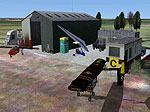
Screenshot of Beeches-Farm Scenery.
Located near Newark right next to the Newark-Lincoln railway line. Runway 10/28 (517 x 18m) Nice smooth field no obsctuctions, no fuel.
All you have to do is copy the bgl into Neil's Microlights\scenery folder. You obviously need Northern/Midlands and Southern Microlights.
Cheers. Neil Birch
Free for all simmers · 125.93 KB · Scanned clean Oct 2026
Download speed: Free tier is capped at 0.5 Mbps. PRO members download at full line speed.
FSX\Addon Scenery\ containing scenery and texture sub-folders.readme.txt or README file. It tells you exactly where files go, what dependencies are needed, and any quirks specific to this add-on.Use these coordinates to fly directly to this location once the mod is installed.
53.07360000,-0.80500000
Launch FSX or Prepar3D and use Flights → Load to open the downloaded .pln file. Your aircraft will be positioned at this location.
The archive beeches-farm.zip has 10 files and directories contained within it.
This list displays the first 500 files in the package. If the package has more, you will need to download it to view them.
| Filename/Directory | File Date | File Size |
|---|---|---|
| Beeches-Farm.DIZ | 11.12.10 | 486 B |
| README.txt | 11.12.10 | 573 B |
| SCENERY | 11.12.10 | 0 B |
| Beeches-Farm.bgl | 11.12.10 | 150 B |
| Beeches-Farm2004.BGL | 11.12.10 | 572 B |
| is-beeches-farm.bgl | 11.12.10 | 6.65 kB |
| sounds-Beeches-Farm.BGL | 11.12.10 | 342 B |
| ss.bmp | 11.12.10 | 192.05 kB |
| flyawaysimulation.txt | 10.29.13 | 959 B |
| Go to Fly Away Simulation.url | 01.22.16 | 52 B |
Only PRO members can place votes.
More FSX & P3D add-ons hand-picked based on this download.
FSX Scenery
Tarn Farm And Paty's Farm, UK Tarn Farm and Patty's Farm grass strips; compan…
 FSX Scenery
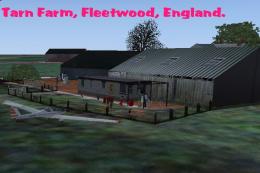
Tarn Farm Update. For users of Neil's Microlights this is an update for Tarn …
 FSX Scenery
A Day On The Farm Update. An update to the original A Day on the Farm for FSX…
 FSX Scenery
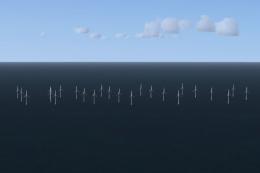
Llandudno Wind Farm, North Wales, UK. Situated approximately 8 km off the coa…
 FSX Scenery
North Pickenham Wind Farm for Neil's Microlights. Situated near Swaffham in N…
 FSX Scenery
Clipgate And Pent Farm Grass Strips. Clipgate and Pent Farm Grass Strips, com…
 FSX Scenery
East-Lochlane-Farm, Crieff, Scotland, UK. A farm strip taken from Bryan Locky…
 FSX Scenery
Millom Wind Farm for Neil's Microlights UK. This wind farm is located just no…
Be the first to leave a comment on this download.
Be the first to share your thoughts on this download.