

 FSX Scenery
Princess Juliana International Airport
Princess Juliana International Airport (TNCM) in Saint Marteen, Netherlands A…
Lugano-Agno Airport (LSZA) scenery refreshes the default field with accurate taxiways and tarmac, custom Gmax-built buildings, and added life such as car parks, people, vehicles, local static aircraft, objects, and vegetation, highlighting the dramatic valley-and-lake setting and steep approach. Designed for FSX and pairs well with Europe terrain mesh and WOAI traffic.
 Rate
Rate
 Switzerland
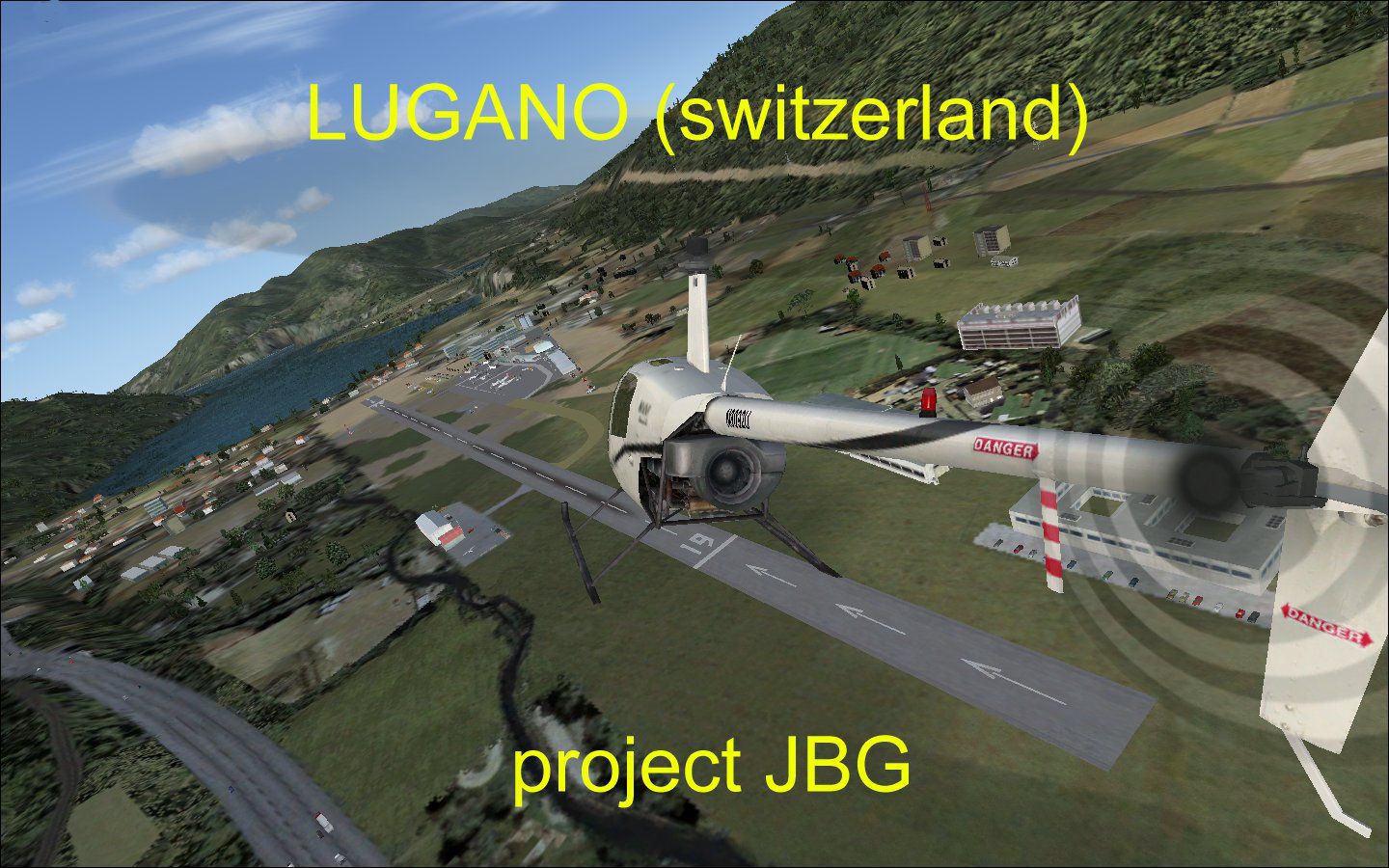
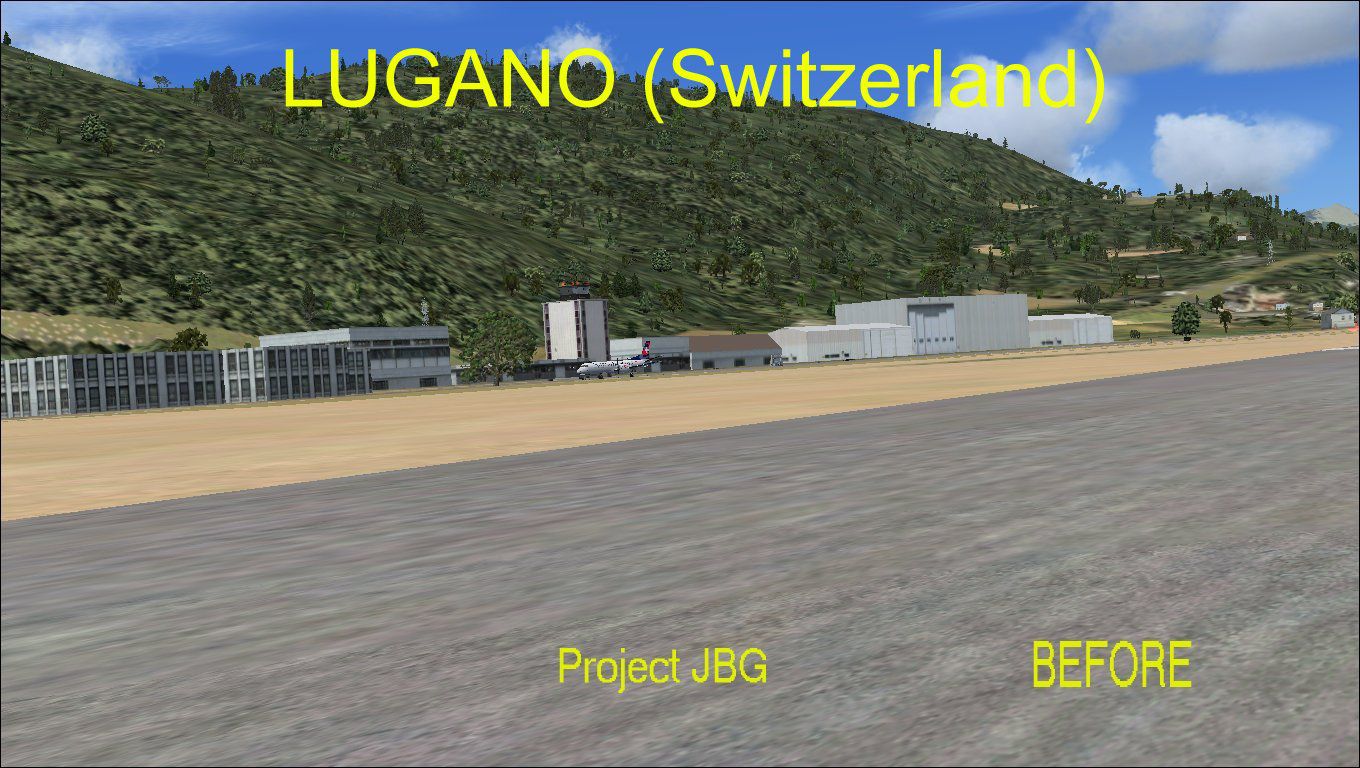
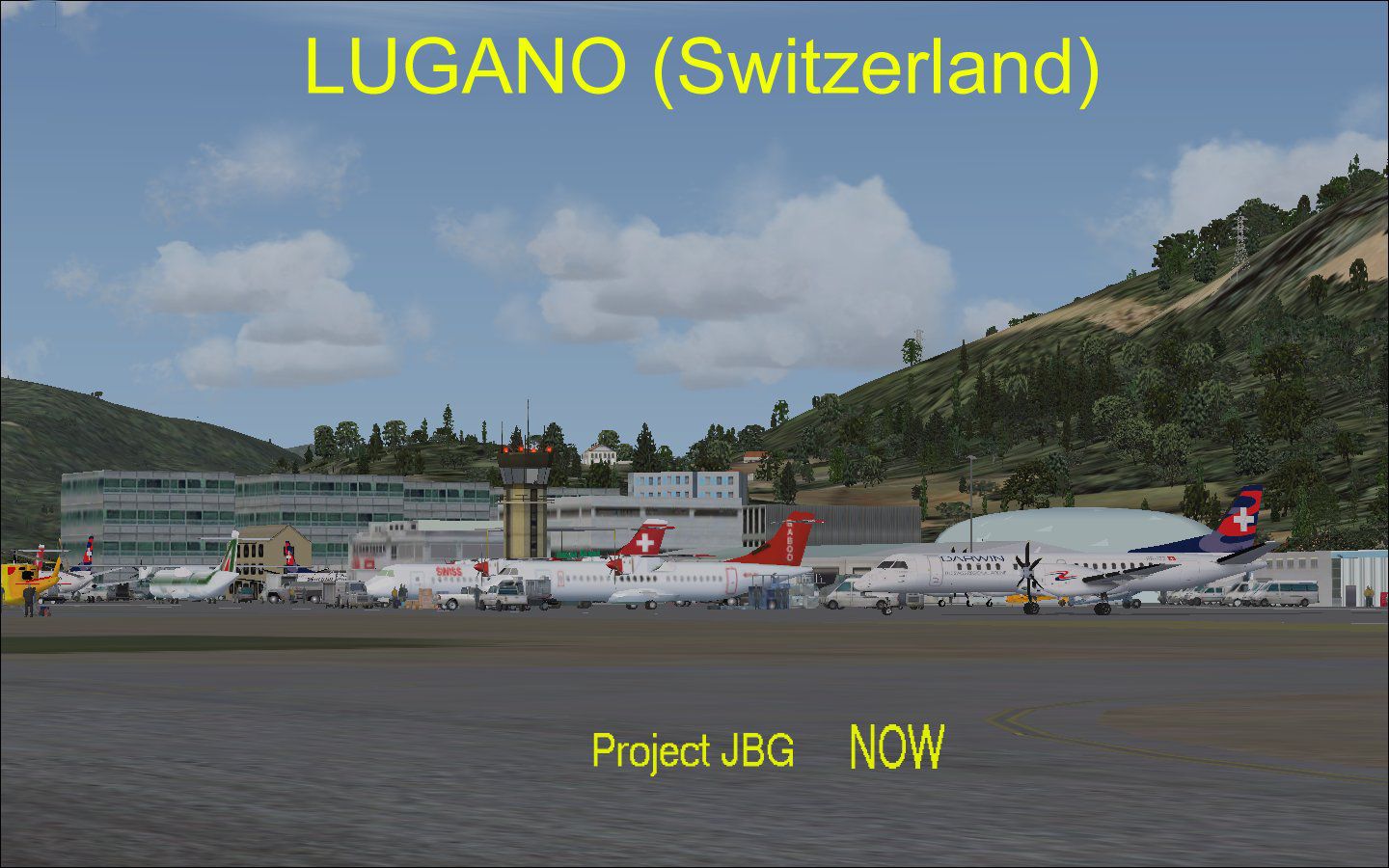
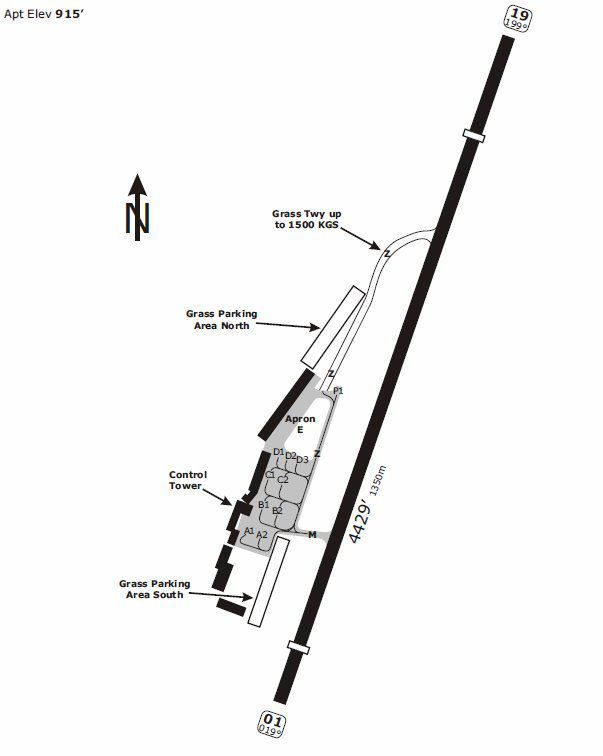
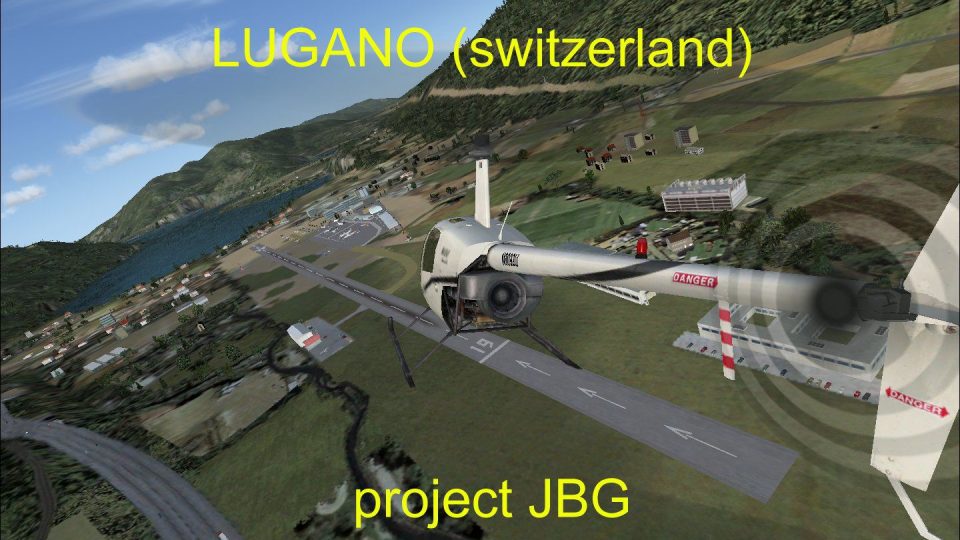
Lugano Airport. Another default FSX airport brought to life for your enjoyment by "Project JBG". This is an update of the default FSX airport LSZA of Lugano, Switzerland one of the most dangerous airports in the world. Lugano-Agno's airport is located at the mouth of a valley and on the edge of a huge lake and the approach navigates around the mountain finishing with a very steep descent before hitting the tarmac, which makes it very difficult for pilots, but it also has breathtaking scenery. All taxiways and tarmac have been redone to true airport configuration including most of the buildings generated from Gmax. Car parks, people, vehicles, static aircraft from local airlines, various objects and vegetation were added. Recommended also is the terrain mesh of Europe by Raimondo Taburet and J. De Ferranti and the traffic from WOAI. This compilation was made using ADE 9x version 1.47 with FSX. By Joe Garcia.
Screenshot of Lugano Airport Scenery.
INSTALLATION:
1. Extract all files to a temporary folder.
2. Copy and paste the folder lugano_jbg_v1 and its content to the directory: .../Microsoft flightsimulator X/addon scenery.
3. Start your FSX and go to "settings".
4. Click "add scenery" then go the the lugano_jbg_v1 folder and should add it at the top of the list of sceneries.
Enjoy it!
Joe Garcia
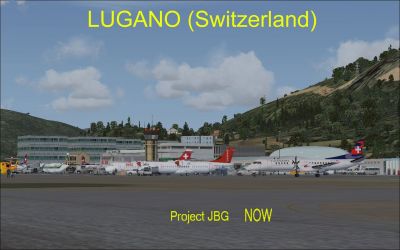
Screenshot of Lugano Airport Scenery.
Free for all simmers · 2.22 MB · Scanned clean Oct 2026
Download speed: Free tier is capped at 0.5 Mbps. PRO members download at full line speed.
FSX\Addon Scenery\ containing scenery and texture sub-folders.readme.txt or README file. It tells you exactly where files go, what dependencies are needed, and any quirks specific to this add-on.Use these coordinates to fly directly to this location once the mod is installed.
46.00430000,8.91100000
Launch FSX or Prepar3D and use Flights → Load to open the downloaded .pln file. Your aircraft will be positioned at this location.
The archive lugano_jbg_v1.zip has 33 files and directories contained within it.
This list displays the first 500 files in the package. If the package has more, you will need to download it to view them.
| Filename/Directory | File Date | File Size |
|---|---|---|
| scenery | 03.25.11 | 0 B |
| LSZA_ADEX_JBG.BGL | 03.27.11 | 983.70 kB |
| LSZA_ADEX_JBG_CVX.bgl | 03.27.11 | 535 B |
| texture | 03.27.11 | 0 B |
| 212.bmp | 02.26.11 | 682.75 kB |
| 212_2.bmp | 02.26.11 | 341.42 kB |
| atr72 baboo.bmp | 03.03.11 | 682.75 kB |
| atr72_swisst.bmp | 03.18.11 | 682.75 kB |
| atr722_alitalia.bmp | 03.19.11 | 682.75 kB |
| b4 all other faces.bmp | 03.23.11 | 2.77 kB |
| B5 front colour.bmp | 03.23.11 | 10.77 kB |
| cessna_bluegold.bmp | 03.04.11 | 170.75 kB |
| cessna_bluegold.dds | 03.10.11 | 170.79 kB |
| cessna_orange.dds | 03.11.11 | 170.79 kB |
| cessna_yellowgreen.bmp | 03.04.11 | 170.75 kB |
| luganoB1 sheet.bmp | 03.13.11 | 682.75 kB |
| luganoB2 sheet.bmp | 03.13.11 | 682.75 kB |
| luganoB3 sheet.bmp | 03.13.11 | 682.75 kB |
| luganoB4 sheet.bmp | 03.13.11 | 170.75 kB |
| luganoB5 sheet.bmp | 03.16.11 | 682.75 kB |
| luganoB6sheet.bmp | 03.15.11 | 682.75 kB |
| luganoB7 sheet.bmp | 03.17.11 | 682.75 kB |
| luganoB8sheet.bmp | 03.20.11 | 682.75 kB |
| LuganoTennisCourt.bmp | 03.20.11 | 42.75 kB |
| pspbrwse.jbf | 03.20.11 | 35.94 kB |
| ROUE.dds | 03.10.11 | 2.79 kB |
| readme.txt | 03.27.11 | 1.58 kB |
| LuganoChart.jpg | 03.26.11 | 29.96 kB |
| luganofromtheair.jpg | 03.27.11 | 253.13 kB |
| luganonow.jpg | 03.27.11 | 191.06 kB |
| luganobefore.jpg | 03.27.11 | 214.94 kB |
| flyawaysimulation.txt | 10.29.13 | 959 B |
| Go to Fly Away Simulation.url | 01.22.16 | 52 B |
Only PRO members can place votes.
More FSX & P3D add-ons hand-picked based on this download.
FSX Scenery
Princess Juliana International Airport (TNCM) in Saint Marteen, Netherlands A…
 FSX Scenery
Los Angeles Airport Scenery v3, California (CA). This photoreal scenery is a …
 FSX Scenery
Barbados International Airport (TBPB). Grantley Adams International Airport f…
 FSX Scenery
Paris Charles de Gaulle Airport (CDG, LFPG), France. The entire airport has b…
 FSX Scenery
John F. Kennedy Airport (KJFK), New York, NYU. This is a photoreal scenery re…
 FSX Scenery
Dubai International Airport (OMDB), Dubai. Includes a new passenger terminal …
 FSX Scenery
Soekarno-Hatta International Airport (WIII), Jakarta, Indonesia. An update to…
 FSX Scenery
San Diego International Airport, California (CA), USA. This photoreal scenery…
Read what other simmers think, or add your own.

This is by far one of the best freeware scenery in the market. Thank you for sharing.