


 Germany
  FSX Scenery
Brandenburg Airfields
Brandenburg Airfields, Germany, v1.0. This pack includes EDAY - Strausberg; E…
Berlin Brandenburg Airport (EDDB) scenery updates FSX with a detailed midfield layout, placing terminal buildings between parallel runways for realistic airline operations. The package enhances the expanded Schönefeld site with modern terminal structures, apron and airside detailing, and an accurate two-runway configuration that fits Berlin’s consolidated hub concept.
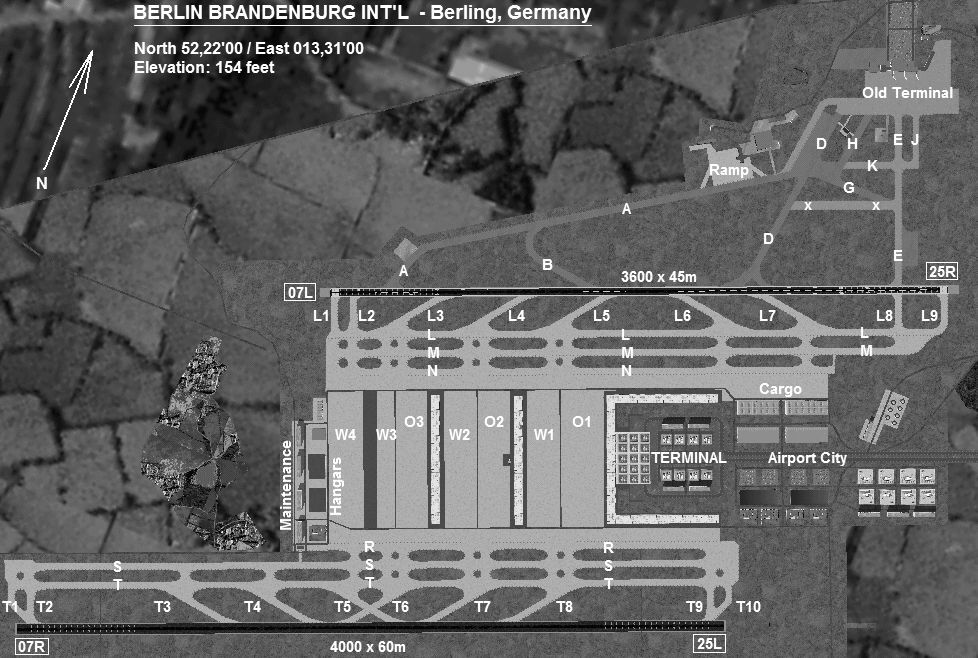
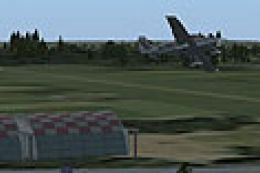
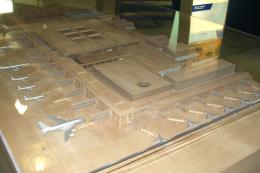
Berlin Brandenburg Airport, Germany. A major upadate for EDDB. The terminal buildings are situated between the two runways, creating a midfield airport. It will have an initial capacity of up to 30 million passengers, with the option of expanding the capacity through the construction of additional satellite terminals parallel to the initial building.
Overview of Berlin Brandenburg Airport Scenery.
This is another upload of the jamaican kid bgl for berlin germany third busiest Airport.
Berlin-Brandenburg International will replace the three airports in Berlin. Tempelhof Airport closed in 2008, and Tegel Airport will also close, in 2012 at the latest. The existing airport in Schönefeld will be greatly expanded to the south from its current state to allow this, thus becoming the third busiest airport in Germany.
Berlin Brandenburg Airport
Flughafen Berlin Brandenburg "Willy Brandt"
IATA: BER (planned) – ICAO: EDDB (planned)
BER
Location of airport in Berlin
Summary
Airport type Public
Serves Berlin, Germany
Location Schönefeld, Brandenburg
Hub for
Air Berlin
EasyJet
Lufthansa[1]
Germanwings
Elevation AMSL 154 ft / 48 m
Coordinates 52°22'00?N 13°30'12?E
Website Berlin Airports
Runways
Direction Length Surface
07L/25R 3,600 11,881 Asphalt
07R/25L 4,000 13,123 Concrete
Panorama view of the construction site for the terminal buildings in July 2010. The terminal buildings will be situated between the two runways, creating a midfield airport. It will have an initial capacity of up to 30 million passengers, with the option of expanding the capacity through the construction of additional satellite terminals parallel to the initial building. With all additions, the final capacity will be 50 million passengers. (By comparison: Munich Airport had 34.5 million passengers in 2008). In the first phase the terminal will have 25 jet bridges as well as 12 "walk-boarding-gates" for rapid passenger movement. Due to the high demand in Low-cost airlines, an additional third building featuring walk-boarding-gates will be added during the initial phase. The new terminal building will also feature gates able to handle the Airbus A380. The first module of the midfield cargo facilities will have a capacity of 60,000 tonnes (59,000 long tons; 66,000 short tons) of cargo per year. With the completion of all planned expansions this can be expanded to handle up to 600,000 tonnes.
Free for all simmers · 317.96 KB · Scanned clean Oct 2026
Download speed: Free tier is capped at 0.5 Mbps. PRO members download at full line speed.
FSX\Addon Scenery\ containing scenery and texture sub-folders.readme.txt or README file. It tells you exactly where files go, what dependencies are needed, and any quirks specific to this add-on.Use these coordinates to fly directly to this location once the mod is installed.
52.36666700,13.50333300
Launch FSX or Prepar3D and use Flights → Load to open the downloaded .pln file. Your aircraft will be positioned at this location.
The archive eddb_v2-1.zip has 9 files and directories contained within it.
This list displays the first 500 files in the package. If the package has more, you will need to download it to view them.
| Filename/Directory | File Date | File Size |
|---|---|---|
| Readme.txt | 08.02.11 | 2.49 kB |
| Scenery | 08.02.11 | 0 B |
| EDDB_ADE_YL.BGL | 06.26.11 | 59.56 kB |
| EDDB_ADE_YL_CVX.bgl | 01.09.11 | 511 B |
| Texture | 08.02.11 | 0 B |
| BBI_Diagram.jpg | 12.21.08 | 140.70 kB |
| EDDB 27.Bmp | 08.02.11 | 3.05 MB |
| flyawaysimulation.txt | 10.29.13 | 959 B |
| Go to Fly Away Simulation.url | 01.22.16 | 52 B |
Only PRO members can place votes.
More FSX & P3D add-ons hand-picked based on this download.
FSX Scenery
Brandenburg Airfields, Germany, v1.0. This pack includes EDAY - Strausberg; E…
 FSX Scenery
This is an update of my FS2004 freeware scenery for EDDB, BER (former Berlin …
 FSX Scenery
FSX Berlin Landmarks, Germany. Fixes the location and size of some default bu…
 FSX Scenery
Berlin Landmarks. Fixes the location and size of some of the default building…
 FSX Scenery
Princess Juliana International Airport (TNCM) in Saint Marteen, Netherlands A…
 FSX Scenery
Los Angeles Airport Scenery v3, California (CA). This photoreal scenery is a …
 FSX Scenery
Barbados International Airport (TBPB). Grantley Adams International Airport f…
 FSX Scenery
Paris Charles de Gaulle Airport (CDG, LFPG), France. The entire airport has b…
Read what other simmers think, or add your own.

Nah, It's good scenery but there are no taxiways being drawn. I've checked your BGL file and found out that you didn't check"Draw Surface" and "Draw Detail". Would you mind uploading a fix for this so others won't complain anymore about this?
