


 Australia
  FSX Scenery
Princess Juliana International Airport
Princess Juliana International Airport (TNCM) in Saint Marteen, Netherlands A…
Parafield Airport in South Australia comes alive with enhanced runway and taxiway geometry, custom buildings, hangars, and airfield objects laid out to reflect real-world spacing for convincing training and general aviation operations. Built for Microsoft Flight Simulator X, it aligns key structures using satellite-style references to improve approach and ground immersion.
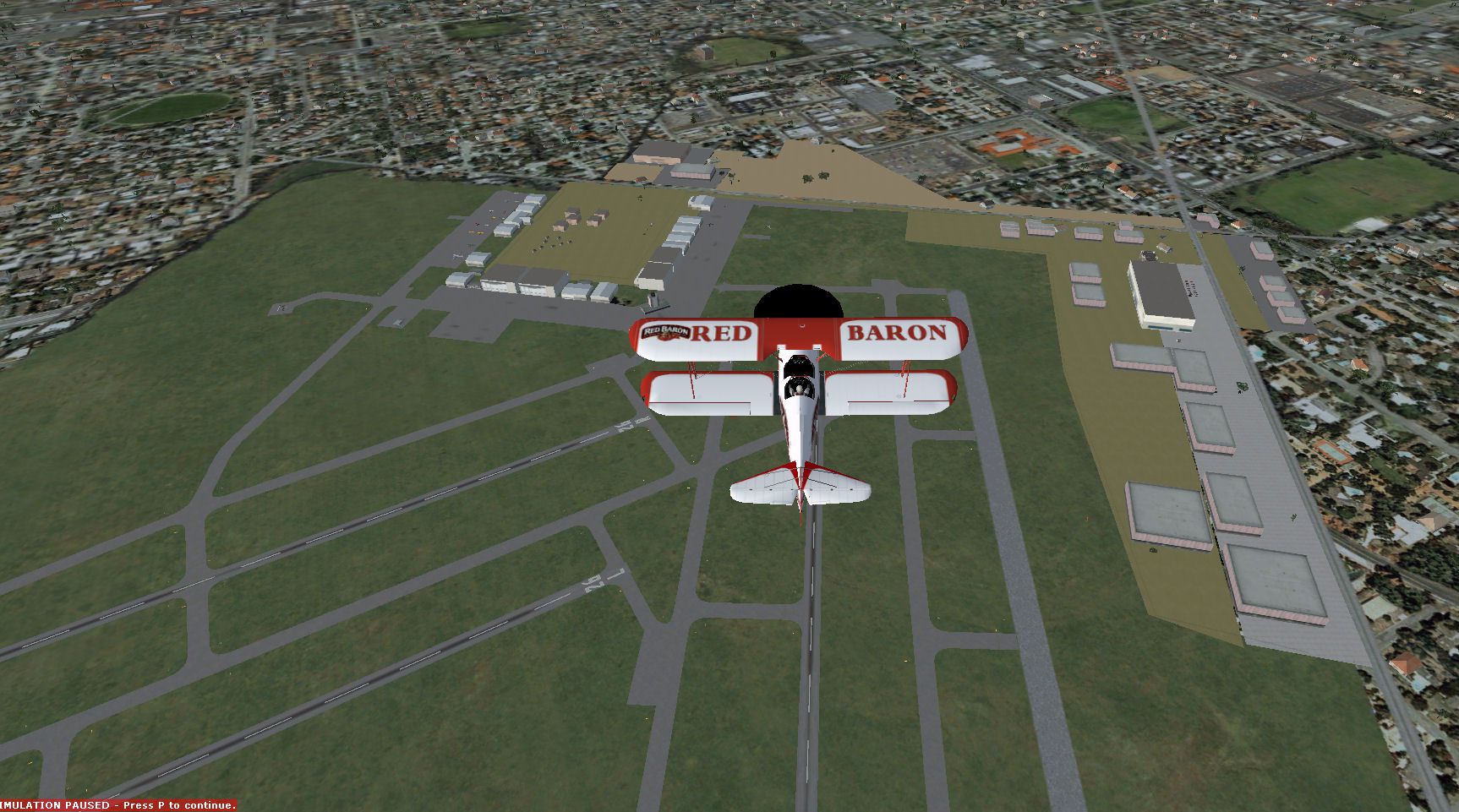
Parafield Airport in South Australia is known for its extensive flight training activities and busy general aviation traffic. This add-on scenery by Roger’s Aussie Scenery, created by the developer Roger Leupold, offers a custom enhancement for Microsoft Flight Simulator X and has been tested under Windows XP with FSX Acceleration installed. It incorporates carefully placed buildings, runways, and surrounding objects to capture the airport’s real-world spacing as closely as possible, although exact replicates of certain hangars or infrastructure may differ slightly from the real counterparts.
Within this package, runway layouts and adjacent structures have been aligned using references from Google Earth. This approach provides more accurate airport geometry and ensures that taxiways, aprons, and hangars sit in logical positions that mirror Parafield’s operational flow. Transitional details are added throughout the airfield to maintain a sense of immersion on final approach or while taxiing.
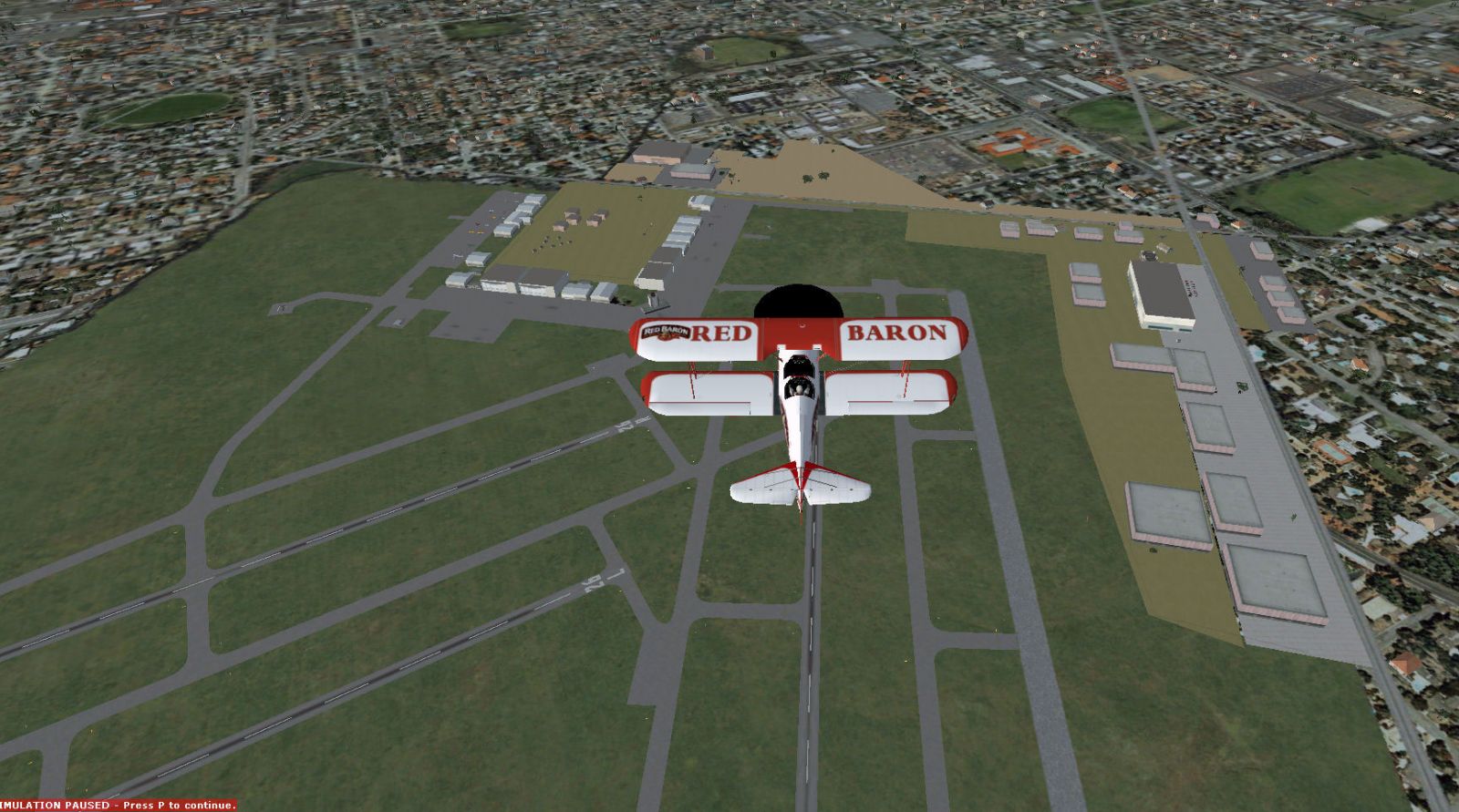
Screenshot of Parafield Airport Scenery.
This release will be updated periodically to maintain compatibility and possibly introduce additional refinements. Although most users enjoy stable performance, temporary deactivation of antivirus software during simulator sessions can occasionally improve frame rates. The author welcomes suggestions for future updates or potential improvements.
Parafield Airport, situated around 18 kilometers north of the Adelaide city center, is one of Australia’s oldest aerodromes still in use. It handles a high volume of general aviation, particularly training flights, due to its multiple parallel runways and specialized facilities. In this scenery add-on, the distributed hangars and terminal areas are intended to approximate the real airport footprint, giving simulator pilots a creation that resonates with actual flight patterns and ground operations.
Created by Roger Leupold of Roger’s Aussie Scenery, this freeware upgrade enriches flight simulation by offering a detailed rendition of Parafield Airport’s busy environment. Whether you specialize in touch-and-go training or prefer cross-country charter flights, the customized features aim to deliver both realism and practicality. Feedback about any discovered anomalies or performance issues is always welcome, helping shape future enhancements to this downloadable package.
Free for all simmers · 347.46 KB · Scanned clean Oct 2026
Download speed: Free tier is capped at 0.5 Mbps. PRO members download at full line speed.
FSX\Addon Scenery\ containing scenery and texture sub-folders.readme.txt or README file. It tells you exactly where files go, what dependencies are needed, and any quirks specific to this add-on.Use these coordinates to fly directly to this location once the mod is installed.
-34.79000000,138.63000000
Launch FSX or Prepar3D and use Flights → Load to open the downloaded .pln file. Your aircraft will be positioned at this location.
The archive parafield.zip has 10 files and directories contained within it.
This list displays the first 500 files in the package. If the package has more, you will need to download it to view them.
| Filename/Directory | File Date | File Size |
|---|---|---|
| Parafield | 03.06.12 | 0 B |
| Doc | 03.06.12 | 0 B |
| Parafield SA.jpg | 10.28.10 | 326.76 kB |
| Readme.txt | 03.06.12 | 1.74 kB |
| Scenery | 03.06.12 | 0 B |
| Parafield.BGL | 01.28.11 | 13.46 kB |
| Parafield_CVX.bgl | 01.28.11 | 8.71 kB |
| Parafield_OBJ.BGL | 01.28.11 | 34.31 kB |
| flyawaysimulation.txt | 10.29.13 | 959 B |
| Go to Fly Away Simulation.url | 01.22.16 | 52 B |
Only PRO members can place votes.
More FSX & P3D add-ons hand-picked based on this download.
FSX Scenery
Princess Juliana International Airport (TNCM) in Saint Marteen, Netherlands A…
 FSX Scenery
Los Angeles Airport Scenery v3, California (CA). This photoreal scenery is a …
 FSX Scenery
Barbados International Airport (TBPB). Grantley Adams International Airport f…
 FSX Scenery
Paris Charles de Gaulle Airport (CDG, LFPG), France. The entire airport has b…
 FSX Scenery
John F. Kennedy Airport (KJFK), New York, NYU. This is a photoreal scenery re…
 FSX Scenery
Dubai International Airport (OMDB), Dubai. Includes a new passenger terminal …
 FSX Scenery
Soekarno-Hatta International Airport (WIII), Jakarta, Indonesia. An update to…
 FSX Scenery
San Diego International Airport, California (CA), USA. This photoreal scenery…
Be the first to leave a comment on this download.
Be the first to share your thoughts on this download.