


 Germany
  FSX Scenery
Kassel Calden Airport
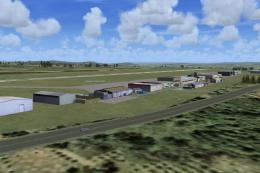
Kassel Calden Airport, Germany, with wind farms and TV tower. Replaces defaul…
Calden Airport scenery refresh for FSX enhances the Kassel-Calden area with added city landmarks, including a West-end office building, a hotel, and St. John’s Church in Calden, all assembled from library objects for improved visual context on approach. Designed as an upgrade, it also works stand-alone and requires CALDEN2.ZIP only for the earlier base version.
Calden Airport, Germany. This is the second in a series of planned updates and improvements of the Calden scenery. The update adds representations of an office building and hotel in Kassel's West-end and St.John's church in Calden. All built from library objects. Although intended as an upgrade of the existing scenery (CALDEN2.ZIP) it should also work without it. By Christian Grimsel.
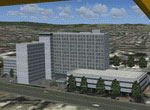
Screenshot of Calden Airport scenery.
Free for all simmers · 206.34 KB · Scanned clean Oct 2026
Download speed: Free tier is capped at 0.5 Mbps. PRO members download at full line speed.
This add-on may require the following files to function properly. If this is a repaint, the dependency below is likely the base aircraft package.
FSX\Addon Scenery\ containing scenery and texture sub-folders.readme.txt or README file. It tells you exactly where files go, what dependencies are needed, and any quirks specific to this add-on.Use these coordinates to fly directly to this location once the mod is installed.
51.40940000,9.37760000
Launch FSX or Prepar3D and use Flights → Load to open the downloaded .pln file. Your aircraft will be positioned at this location.
The archive calden2_2.zip has 5 files and directories contained within it.
This list displays the first 500 files in the package. If the package has more, you will need to download it to view them.
| Filename/Directory | File Date | File Size |
|---|---|---|
| Calden2_2.gif | 03.04.12 | 14.37 kB |
| Calden2_2.zip | 03.04.12 | 191.76 kB |
| FILE_ID.DIZ | 03.04.12 | 404 B |
| flyawaysimulation.txt | 10.29.13 | 959 B |
| Go to Fly Away Simulation.url | 01.22.16 | 52 B |
Only PRO members can place votes.
More FSX & P3D add-ons hand-picked based on this download.
FSX Scenery
Kassel Calden Airport, Germany, with wind farms and TV tower. Replaces defaul…
 FSX Scenery
Scenery Calden Wind Farms And TV Tower, Germany. Places windfarms and Essigbe…
 FSX Scenery
Airport EDDS Stuttgart / Germany. The gates have gate signs to show the numbe…
 FSX Scenery
Indira Gandhi International Airport (VIDP), Delhi, India, v2. Runway 11-29 in…
 FSX Scenery
Scenery Orlando International Airport (KMCO), Orlando, Florida (FL), v2.0. Th…
 FSX Scenery
Zurich Airport (LSZH), Switzerland. This is a puristic, frame rate friendly s…
 FSX Scenery
Barra Airport (also known as Barra Beachport) is the unique airport which ope…
 FSX Scenery
Flores Airport (LPFL), Azores Islands, Portugal, v2. By Lets Fly Association …
Be the first to leave a comment on this download.
Be the first to share your thoughts on this download.