

 FSX Historic & Vintage Aircraft
SP2 Waco UPF-7
Waco UPF-7. An FSX rebuild of the earlier Waco UPF7 biplane. Includes updated…
Waco UPF-7 NC39738 brings a period-accurate 1937 biplane finish to your hangar, matching authentic civil registration markings and classic color tones for a believable sport and trainer look. Built for Microsoft Flight Simulator X, this repaint requires Tim Conrad’s freeware Waco UPF-7 base model and complements its vintage open-cockpit character.
 Rate
Rate
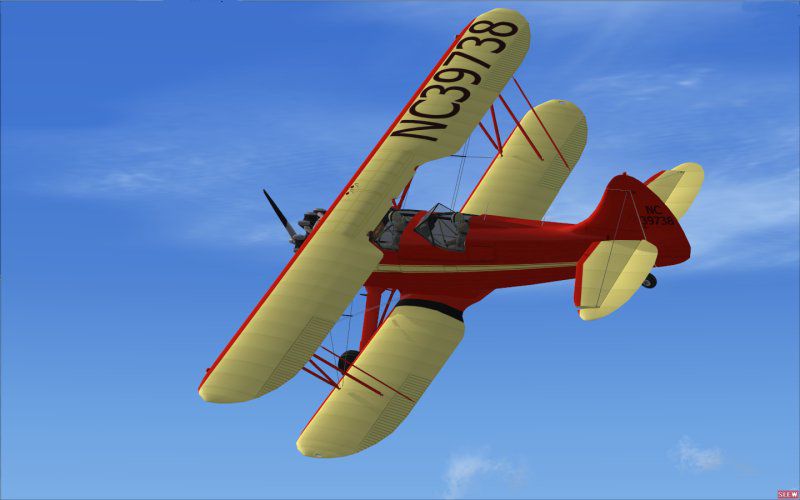
Immerse yourself in a faithful representation of the classic 1937 Waco UPF-7 biplane with these custom textures by John Barner, applied to the freeware model crafted by Tim Conrad. This repaint reflects the authentic markings of NC39738, offering enthusiasts of Microsoft Flight Simulator X a detailed historical recreation of an American sport and trainer aircraft once adopted by the Army Air Corps as the PT-14. The base model by Tim Conrad is freeware and is available separately in the Fly Away Simulation mod library.
The Waco UPF-7 embodies a unique era of aviation, characterized by its two-to-three-seat configuration, open-cockpit biplane structure, and robust trainer capabilities. This repaint draws from the real-world NC39738 airframe, showcasing classic registration lettering and period-accurate color schemes. Iconic in look and feel, this aircraft design highlights Waco’s dedication to advanced sports flying and professional flight training.
-fsx1.jpg)
Screenshot of Waco UPF-7 (NC39738) in flight.
[fltsim.xx]
title = UPF-7 NC39738
sim = UPF-7
model =
panel =
sound =
texture = rd
panel_alias =
sound_alias =
kb_checklists =
kb_reference =
atc_id = NC39738
atc_id_color =
atc_parking_types =
atc_parking_code =
atc_airline=
atc_flight_number=
ui_variation = U.S. Civil Register 5
ui_createdby="Piglet's Peculiar Planes"
ui_manufacturer = WACO
prop_anim_ratio = 1
ui_type = UPF-7
description =2-3 Seat Sport/Trainer Biplane, first built in 1937. The UPF-7 was the latest in Waco's famous line of sport/training biplanes. Also used by the Army Air Corps as the PT-14, with about 600 made. Many are still airworthy, and on the civil register of several countries.
Adjust any sequential numbering if necessary, and keep the file structure consistent. Once done, launch the simulator to see your new updated livery in action.
Authors/Developers/Creators: Tim Conrad and John Barner (Barnyard Repaints)
Free for all simmers · 892.76 KB · Scanned clean Oct 2026
Download speed: Free tier is capped at 0.5 Mbps. PRO members download at full line speed.
This file is a repaint — the package below is the base model it paints onto. Install it first, or the textures will have nothing to load onto.
texture.{airline}) inside FSX\SimObjects\Airplanes\{base-aircraft}\.aircraft.cfg in Notepad. Add a new [fltsim.X] section per the readme.readme.txt or README file. It tells you exactly where files go, what dependencies are needed, and any quirks specific to this add-on.The archive upf7rd.zip has 10 files and directories contained within it.
This list displays the first 500 files in the package. If the package has more, you will need to download it to view them.
| Filename/Directory | File Date | File Size |
|---|---|---|
| upf7_02_T.bmp | 03.27.08 | 4.00 MB |
| 300.jpg | 03.27.08 | 9.52 kB |
| FILE_ID.DIZ | 03.27.08 | 148 B |
| Read Me First.txt | 03.27.08 | 2.50 kB |
| thumbnail.jpg | 03.27.08 | 41.14 kB |
| Thumbs.db | 03.27.08 | 13.50 kB |
| upf7.gif | 03.27.08 | 9.03 kB |
| upf7_01_T.bmp | 03.27.08 | 4.00 MB |
| flyawaysimulation.txt | 10.29.13 | 959 B |
| Go to Fly Away Simulation.url | 01.22.16 | 52 B |
Only PRO members can place votes.
More FSX & P3D add-ons hand-picked based on this download.
FSX Historic & Vintage Aircraft
Waco UPF-7. An FSX rebuild of the earlier Waco UPF7 biplane. Includes updated…
 FSX Historic & Vintage Aircraft
This release provides a meticulous repaint for Tim Conrad’s Waco UPF-7, tailo…
 FSX Historic & Vintage Aircraft
Immerse yourself in a classic aviation adventure with this repaint package cr…
 FSX Historic & Vintage Aircraft
This is a "what if" concept for the Golden Age Simulations WACO ATO Taperwing…
 FSX Historic & Vintage Aircraft
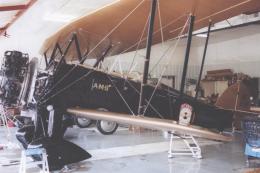
This package includes the Golden Age Simulations CTO models represented as th…
 FSX Historic & Vintage Aircraft
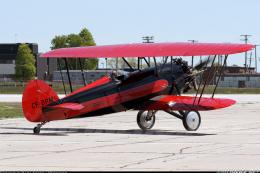
This is the freeware Golden Age Simulations WACO CTO Mailwing in the livery o…
 FSX Historic & Vintage Aircraft
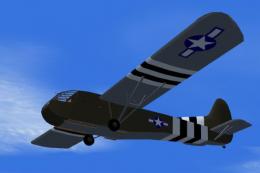
This model flies equally well in both FS2004 and FS.X as a stand alone glider…
 FSX Historic & Vintage Aircraft
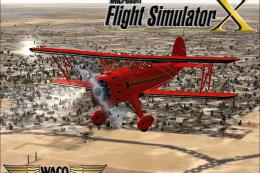
The Waco Classic biplane brings authentic Golden Age aviation flair into Micr…
Be the first to leave a comment on this download.
Be the first to share your thoughts on this download.