

 FSX Historic & Vintage Aircraft
Soviet Air Force Junkers W-34
This is a repaint of Lionhearth creations Junkers W34 in the colors of the So…
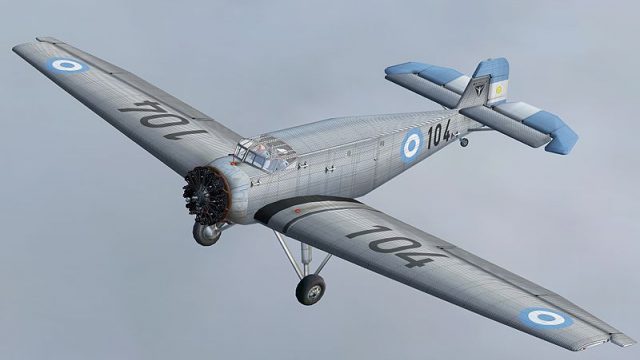
Argentinian Air Force livery for the Lionheart Creations Junkers W-34 brings authentic military markings and a period look to the classic radial transport in Microsoft Flight Simulator X. Painted using the official kit, it adds a clean thumbnail and matching textures for a cohesive hangar presentation and vintage bush-flying atmosphere.
 Rate
Rate

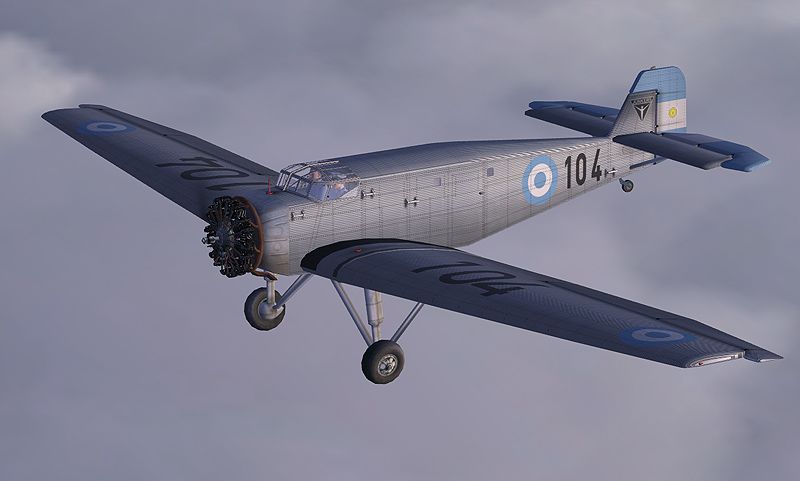
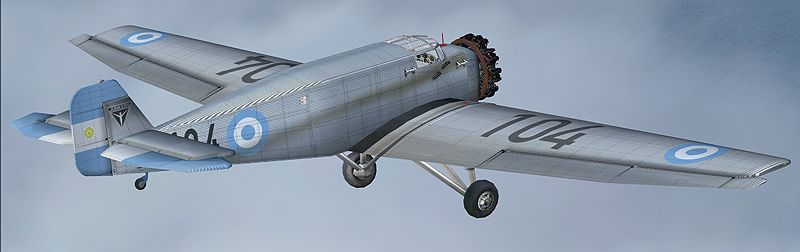

A repaint of Lionhearth creations Junkers W34 in the colors of the Argentinian air force utilizing the paint kit provided with the plane. By Henry William.
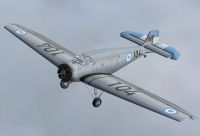
Screenshot of FAA Junkers W-34 in flight.
Instructions:
A) Extract the content of this file on your prefered location.
B) Copy and paste the texture.faa and the "thumbnail32" in the folder where you have the Junkers Ju W34. Usually this path: C:\Program Files\Microsoft Games\Microsoft Flight Simulator X\SimObjects\Airplanes\Junkers_JU_W34
C) Copy all the content from the default "texture.Luftwaffe" folder except "W34_StrutsPontoons_T.bmp", "W34_WaterRudder_t.bmp", "W34_Wings_T.bmp" and "W34_Fuselage_T.bmp" into the "texture.faa" folder.
D) Open the aircraft.cfg file and paste the following after the last number in your entry. Where you se an XX, reemplace this with a number as said after the previous number:
[fltsim.xx]

title=Junkers Ju-W34 FAA

sim=Junkers_JU_W34

model=Cargo R Model

panel=W34

sound=Radial

texture=faa

kb_checklists=

kb_reference=

prop_anim_ratio=1.03

atc_id=

ui_manufacturer=Junkers

ui_type="Ju W-34 C FAA"

ui_variation="FAA"

ui_typerole="Single Engine Prop"

ui_thumbnailfile=thumbnail32.jpg

atc_id_color=0x00000000

atc_heavy=0

atc_id_font=Verdana,-11,1,600,0

visual_damage=0

atc_parking_types=RAMP

description="With years of success from the W-33, Junkers refits the airframe with a larger powerplant and refines the airframe and features. The airframe and landing gear are strengthened, and a larger, more modern radial engine is fitted. Power for the new W-34 series Junkers came from either the BMW Wasp (licensed from Pratt and Whitney), or the French Nome-Rhone engine, featuring moderate power to lift the sturdy craft from remote, short airfields with ease. "
Repaint by Henry William
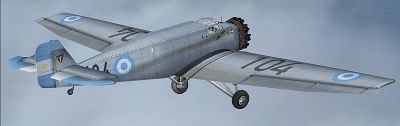
Screenshot of FAA Junkers W-34 in flight.
Free for all simmers · 10.88 MB · Scanned clean Oct 2026
Download speed: Free tier is capped at 0.5 Mbps (this file takes approximately 3 mins at the cap). PRO members download at full line speed.
texture.{airline}) inside FSX\SimObjects\Airplanes\{base-aircraft}\.aircraft.cfg in Notepad. Add a new [fltsim.X] section per the readme.readme.txt or README file. It tells you exactly where files go, what dependencies are needed, and any quirks specific to this add-on.The archive juw34_fa.zip has 15 files and directories contained within it.
This list displays the first 500 files in the package. If the package has more, you will need to download it to view them.
| Filename/Directory | File Date | File Size |
|---|---|---|
| 1.jpg | 03.29.09 | 141.32 kB |
| 2.jpg | 03.29.09 | 100.31 kB |
| 3.jpg | 03.29.09 | 127.32 kB |
| ReadMe.txt | 03.30.09 | 2.05 kB |
| small.gif | 03.29.09 | 9.75 kB |
| texture.faa | 03.29.09 | 0 B |
| Thumbs.db | 03.29.09 | 43.00 kB |
| W34_Fuselage_T.bmp | 03.29.09 | 16.00 MB |
| W34_WaterRudder_t.bmp | 03.29.09 | 16.00 MB |
| W34_Wings_T.bmp | 03.29.09 | 16.00 MB |
| thumbnail32.jpg | 03.29.09 | 30.49 kB |
| Thumbs.db | 03.29.09 | 26.00 kB |
| Juw34_fa | 03.29.09 | 0 B |
| flyawaysimulation.txt | 10.29.13 | 959 B |
| Go to Fly Away Simulation.url | 01.22.16 | 52 B |
Only PRO members can place votes.
More FSX & P3D add-ons hand-picked based on this download.
FSX Historic & Vintage Aircraft
This is a repaint of Lionhearth creations Junkers W34 in the colors of the So…
 FSX Historic & Vintage Aircraft
FSX Junkers Ju 52. A Junkers Ju52 which has been refurbished and can be found…
 FSX Historic & Vintage Aircraft
Junkers Ju52 IWC, registration HB-HOS. This aircraft is simply a revision of …
 FSX Historic & Vintage Aircraft
Junkers Ju52 Float Plane. Simply revisions of the FS2004 Passenger In The Cab…
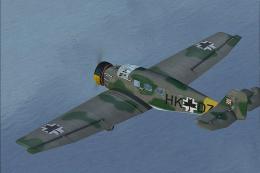 FSX Historic & Vintage Aircraft
A repaint of Lionhearth creations Junkers W34 in the colors of the Croatian A…
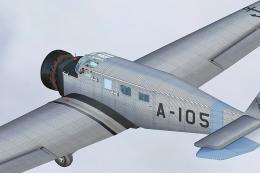 FSX Historic & Vintage Aircraft
A repaint of Lionhearth creations Junkers W34 in the colors of the Argentinia…
 FSX Historic & Vintage Aircraft
Now version 3.14 (V3.1406). This package includes the latest Douglas C-47 Sky…
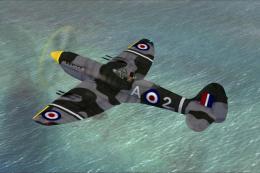 FSX Historic & Vintage Aircraft
This is A.F. Scrub's Submarine MK-22 Spitfire Updated For Flight Simulator X.…
Be the first to leave a comment on this download.
Be the first to share your thoughts on this download.