

 FSX Turboprops
Embraer 120ER Brasilia
The Brasilia went into service in 1985 and is still giving good service acros…
Orbit Airlines livery brings a fresh, believable look to the Embraer EMB 120 Brasilia, adding crisp airline markings for regional turboprop operations in Microsoft Flight Simulator X. Textures only, it requires Erick Cantu’s EMB120 base model and drops neatly into the existing aircraft folder for immediate use in the virtual cockpit and exterior views.
 Rate
Rate
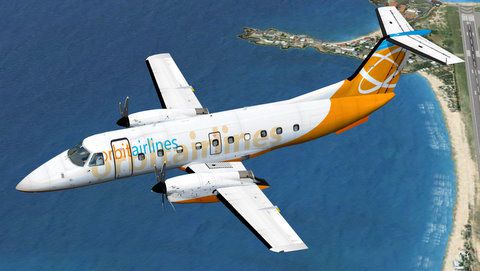
This is a repaint of Erick Cantu's EMB120 Brasilia into Orbit Airlines colors. Textures only. By Stephen Hulme.
Screenshot of Orbit Airlines Embraer EMB 120 Brasilia in flight.
To install, extract the zip file and put a copy of 'texture.orbit' into '...\Microsoft Flight Simulator X\SimObjects\Airplanes\EMB120\'. Copy the text below and paste it into 'EMB120\aircraft.cfg', changing the 'x' to the next number in the series. If you are still confused, stare at aircraft.cfg until it makes sense, Google how to install repaints.
[fltsim.x]

	title=EMB120 Orbit Airlines

	sim=EMB120RT

	model=

	panel=

	sound=

	texture=orbit

	kb_checklists=

	atc_id=PJ-EMB

	visual_damage=1

	atc_parking_types=GATE,RAMP

	atc_parking_codes=

	ui_manufacturer="Embraer"

	ui_type="EMB120 Brasilia"

	ui_variation="Orbit Airlines"

	ui_typerole="Twin Engine TurboProp"

	ui_createdby="Erick Cantu/Eagle Rotorcraft Simulations"

	description="Embraer EMB120 model by Erick Cantu - Paintkit by Martoni."
This aircraft is freeware.
Stephen Hulme
Free for all simmers · 6.97 MB · Scanned clean Oct 2026
Download speed: Free tier is capped at 0.5 Mbps (this file takes approximately 2 mins at the cap). PRO members download at full line speed.
SimObjects\Airplanes\, Addon Scenery\, Effects\, or Gauges\.readme.txt or README file. It tells you exactly where files go, what dependencies are needed, and any quirks specific to this add-on.The archive emb120_orbitairlines.zip has 11 files and directories contained within it.
This list displays the first 500 files in the package. If the package has more, you will need to download it to view them.
| Filename/Directory | File Date | File Size |
|---|---|---|
| emb120_orbitairlines.gif | 07.30.11 | 7.72 kB |
| Readme.txt | 07.30.11 | 1.54 kB |
| EMB120_A_T.dds | 07.28.11 | 5.33 MB |
| EMB120_B_T.dds | 07.28.11 | 5.33 MB |
| ENGINES_T.dds | 07.28.11 | 5.33 MB |
| fresnel_ramp.dds | 09.05.06 | 640 B |
| texture.cfg | 01.02.11 | 137 B |
| thumbnail.jpg | 07.28.11 | 35.31 kB |
| WINGS_T.dds | 07.26.11 | 5.33 MB |
| flyawaysimulation.txt | 10.29.13 | 959 B |
| Go to Fly Away Simulation.url | 01.22.16 | 52 B |
Only PRO members can place votes.
More FSX & P3D add-ons hand-picked based on this download.
FSX Turboprops
The Brasilia went into service in 1985 and is still giving good service acros…
 FSX Turboprops
Acceleration version of Erick Cantu's Embraer EMB120 Brasilia. Everything abo…
 FSX Turboprops
EMB-110 "Bandeirante" R3.0 Freeware for FSX/P3D. The 3.0 version is a much-up…
 FSX Turboprops
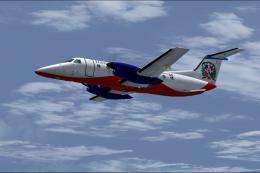
Dominican Connection Embraer E-120. Model by Erick Cantu. Repaint by Orlandy …
 FSX Turboprops
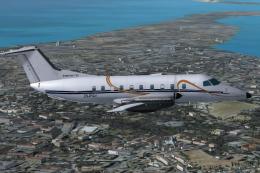
Repaint of the AI Aardvark Embraer 120 in Naturelink colors. Prop texture is …
 FSX Turboprops
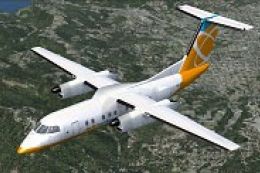
Textures only for the default FSX AI Dash 8. Includes files to make it flyabl…
 FSX Turboprops
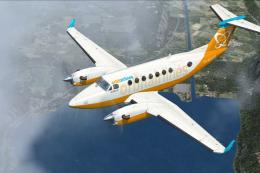
This is a repaint of the default Beechcraft King Air 350 into Orbit Airlines …
 FSX Turboprops
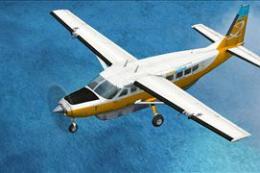
This is a repaint of the default FSX Cessna Caravan into the much liked Orbit…
Be the first to leave a comment on this download.
Be the first to share your thoughts on this download.