

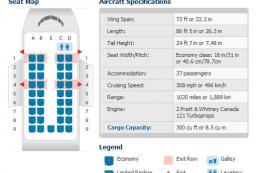
 FSX Turboprops
DeHavilland Dash 8-100
An FS2004 to FSX conversion of the default Dash 8-100. Also includes 39 liver…
LC Peru’s DeHavilland Dash 8-200 repaint for FSX depicts aircraft N454YV with crisp airline markings, a matching thumbnail, and both DXT3 and 32-bit texture options to suit different performance needs. Designed for AI traffic use, it requires the The Fruit Stand Dash 8-200 base model (tfsdh1-2.zip).
 Rate
Rate
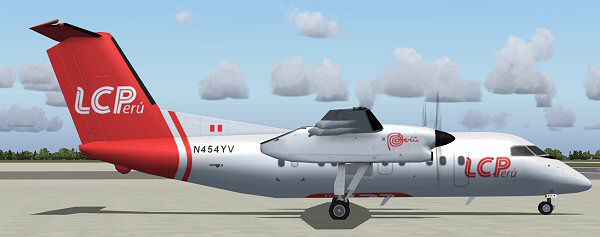
LC Peru DeHavilland Dash 8-200, registration N454YV. Includes both DXT3 and 32 bit textures. The Fruit Stand base model required (TFSDH1-2.ZIP) By Symon Long.
Screenshot of LC Peru DeHavilland Dash 8-200 on the ground.
Textures only. TFS (The Fruit Stand) Dash 8-200 base model required. File name:tfsdh1-2.zip. To use the 32bit texture just replace the texture file from the 32bit folder. Thumbnail for FSX also included.
Add the folder Texture.lcperu to your Dash8-200 folder. Add the following to your aircraft .cfg replacing xx with the next consecutive number.
[fltsim.xx]

	title=TFS Dash8-200 LCPeru

	sim=TFS_Dash8-100-200

	model=

	texture=lcperu

	atc_airline=N454YV

	ui_manufacturer=The Fruit Stand

	ui_type=Dash 8-200

	ui_variation=TFS Dash8-200 LC Peru

	description=The Fruit Stand Dash 8-200

	atc_parking_codes=

	atc_parking_types=

	prop_anim_ratio=-0.2
For AI Traffic.
Repaint by Symon Long.
No responsibility is accepted for anything that may adversely affect your computer.
Free for all simmers · 715.96 KB · Scanned clean Oct 2026
Download speed: Free tier is capped at 0.5 Mbps. PRO members download at full line speed.
SimObjects\Airplanes\, Addon Scenery\, Effects\, or Gauges\.readme.txt or README file. It tells you exactly where files go, what dependencies are needed, and any quirks specific to this add-on.The archive tfs_dash8-200_lcperu_sl.zip has 9 files and directories contained within it.
This list displays the first 500 files in the package. If the package has more, you will need to download it to view them.
| Filename/Directory | File Date | File Size |
|---|---|---|
| readme.txt | 05.28.12 | 931 B |
| TFS_Dash8_Q100-200_T.bmp | 05.29.12 | 4.00 MB |
| TFS_Dash8_Q100-200_L.bmp | 05.28.12 | 1.00 MB |
| TFS_Dash8_Q100-200_Prop.bmp | 04.20.12 | 256.07 kB |
| TFS_Dash8_Q100-200_T.bmp | 05.29.12 | 1.00 MB |
| thumbnail.jpg | 05.28.12 | 7.26 kB |
| lcp_sm.jpg | 05.28.12 | 26.31 kB |
| flyawaysimulation.txt | 10.29.13 | 959 B |
| Go to Fly Away Simulation.url | 01.22.16 | 52 B |
Only PRO members can place votes.
More FSX & P3D add-ons hand-picked based on this download.
FSX Turboprops
An FS2004 to FSX conversion of the default Dash 8-100. Also includes 39 liver…
 FSX Turboprops
Not compatible with FS2004. With backing from the Canadian government, de Hav…
 FSX Turboprops
The Dash8-Q202 39 seat regional airliner is a development of the earlier Dash…
 FSX Turboprops
Air Canada Jazz DeHavilland Dash-8 DHC8-Q102; four liveries. A 37-39 seat twi…
 FSX Turboprops
Aiwave DeHavilland Dash 8-100. This is a repaint of the Premier Aircraft Desi…
 FSX Turboprops
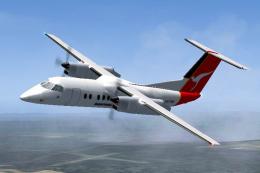
Qantas Link DeHavilland Dash 8-102, registration YH-TND. A 37 seat twin turbo…
 FSX Turboprops
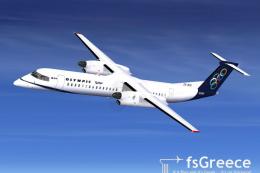
Olympic Air DeHavilland Dash 8Q-400, registration SX-BIU. Model by Dreamwings…
 FSX Turboprops
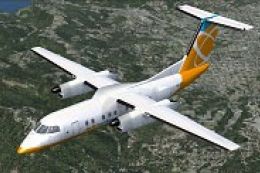
Textures only for the default FSX AI Dash 8. Includes files to make it flyabl…
Be the first to leave a comment on this download.
Be the first to share your thoughts on this download.