


 Ireland
  FSX AFCAD Files
VHHH Hong Kong International Airport
This is part of the tenth round of airports issued by Alpha India Group. AIG …
Dublin Airport (EIDW) gets a smarter FSX AFCAD that eases peak-time congestion with an added taxiway, expanded parking with airline codes, and cleaner access to runway 16/34 and crosswind operations. Updated vehicle paths reduce ground conflicts, helping AI and user traffic taxi smoothly while keeping the overall layout close to default.
Dublin Airport (EIDW), Ireland. By Colin Dietrich.
Installation:
Copy and paste/drag and drop the AFCAD file 'EIDW_ADE_FSX.bgl' into the 'Addon Scenery/Scenery' folder of your FSX installation. It should then require no further activation and the new airport layout will subsequently appear by default. Experienced AFCAD users may have their own folder into which they place additional AFCAD's, in which case, simply install it there. To remove the AFCADdelete the same file from the same folder.
Dublin airport is a busy airport with, in addition to the default AI, most of the traffic movements being by Aer Lingus, Ryanair and Aer Arann. As a consequence there are times when a 'Mexican standoff' situation often develops when runway 10 is in use. To relieve this congestion another short taxiway has been added which provides a better path for incoming aircraft to get to parking. There are additional parking spots but the rest of the airport is more or less as default with just some tidying up and better access to the crosswind (16-34) runway. R16 will be used if you set the wind direction appropriately but R34 will only be used if the wind speed is 16 knots or greater as it has no ILS. The third runway, 11-29, is, in theory, available but in all the testing was never called into use by ATC. Many airline codes have been added to the jetway parking spots. Vehicle paths have been added to stop any interaction with aircraft taxiways thus eliminating hold ups due to vehicles. I couldn't resist flying between the two tall chimneys to the south of the airport on final for R34!
I hope you find this AFCADan improvement but if not simply delete it and the default airport will be back.
Acknowledgements:
All of the modifications to this airport were done using ADE by Jon Masterson which uses the Microsoft Flight Simulator X SDK. ADE is currently under development and is continually improving. A public release version is anticipated at the end this month (November 2007).
My thanks also to the various members of the ADE testing group for their help. Additional thanks to WOAI and PAI for their aircraft and flight plans and to all who make their talents freely available to us.
Colin Dietrich
Free for all simmers · 14.29 KB · Scanned clean Oct 2026
Download speed: Free tier is capped at 0.5 Mbps. PRO members download at full line speed.
FSX\Addon Scenery\ containing scenery and texture sub-folders.readme.txt or README file. It tells you exactly where files go, what dependencies are needed, and any quirks specific to this add-on.Use these coordinates to fly directly to this location once the mod is installed.
53.42138900,-6.27000000
Launch FSX or Prepar3D and use Flights → Load to open the downloaded .pln file. Your aircraft will be positioned at this location.
The archive fsx_eidw.zip has 5 files and directories contained within it.
This list displays the first 500 files in the package. If the package has more, you will need to download it to view them.
| Filename/Directory | File Date | File Size |
|---|---|---|
| EIDW_ADE_FSX.BGL | 11.05.07 | 28.30 kB |
| EIDW_readme.txt | 11.05.07 | 2.17 kB |
| FILE_ID.DIZ | 11.18.07 | 67 B |
| flyawaysimulation.txt | 10.29.13 | 959 B |
| Go to Fly Away Simulation.url | 01.22.16 | 52 B |
Only PRO members can place votes.
More FSX & P3D add-ons hand-picked based on this download.
FSX AFCAD Files
This is part of the tenth round of airports issued by Alpha India Group. AIG …
 FSX AFCAD Files
Charles-De-Gaulle International Airport (LFPG), Paris, France. This airport u…
 FSX AFCAD Files
Incheon International Airport (RKSI), South Korea. A total makeover designed …
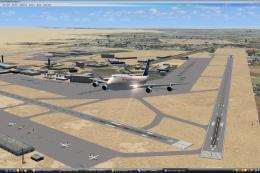 FSX AFCAD Files
CaThis is part of the ninth round of airports issued by Alpha India Group. AI…
 FSX AFCAD Files
Geneva International Airport (IATA: GVA, ICAO: LSGG), commonly known as Coint…
FSX AFCAD Files
Innsbruck Airport (LOWI) runway 08 ILS, Austria. An ILS approach for runway 8…
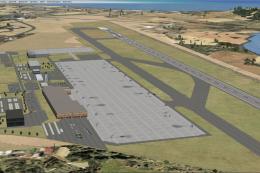 FSX AFCAD Files
Ibiza Airport, Spain. This is part of the ninth round of airports issued by A…
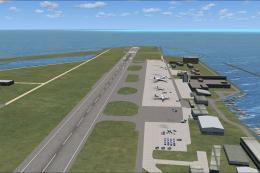 FSX AFCAD Files
This is part of the ninth round of airports issued by Alpha India Group. AIG …
Be the first to leave a comment on this download.
Be the first to share your thoughts on this download.