

 FS2004 Civil Jet Aircraft
United Airlines Boeing 777-200 Repaints
Includes N206UA (normal color, weathering clean), N775US (new color), N777UA …
United Airlines Boeing 777-200 in modern colors brings crisp 32-bit textures and an efficient FSPainter model to Microsoft Flight Simulator 2004 for sharp visuals and smooth frame rates. Use it as authentic AI traffic or fly it yourself, with clear control-surface animations and a stable long-haul feel for domestic and oceanic routes.
 Rate
Rate

This freeware Boeing 777-200 rendition, originally authored by FSPainter and repainted by Mike Pearson, showcases United Airlines’ latest branding in Microsoft Flight Simulator 2004. Its detailed visual textures, colored in 32-bit format, deliver sharp and vivid liveries that stand out even on lower-end systems. Enthusiasts can incorporate this twin-engine widebody into their AI traffic configurations or pilot it themselves if they prefer. The result is a highly flexible package that enhances long-haul operations and domestic flight plans alike.
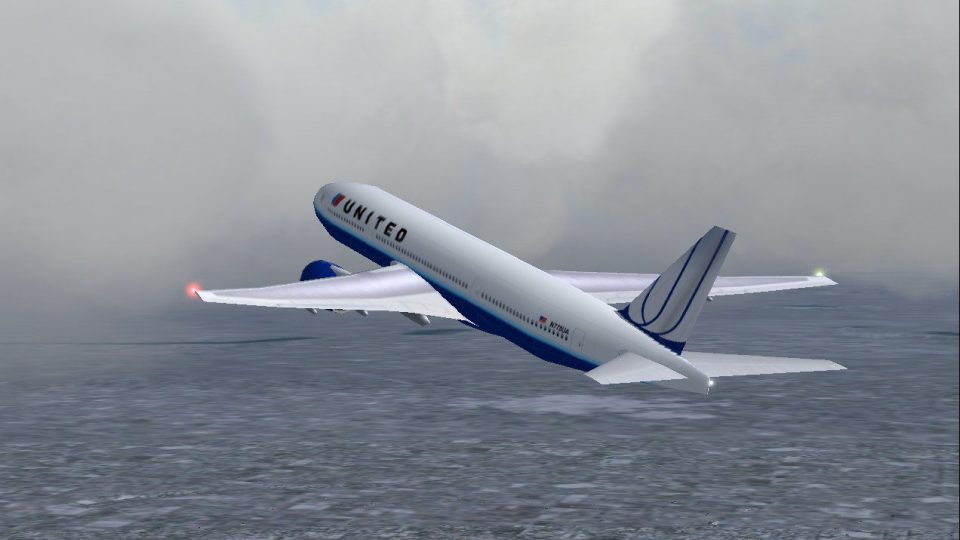
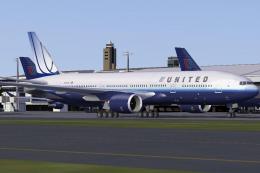
The Boeing 777-200 presented here highlights the new United Airlines livery in striking clarity. The aircraft model benefits from efficient use of polygons, preserving smooth contours along the entire fuselage. Specifically, 32-bit textures help maintain crisp lines on the tail and fuselage striping, while also avoiding heavy performance impacts. Whether you are cruising at high altitude or positioning at the terminal gate, reflective effects brilliantly portray the curvature of the airframe.
United’s updated aesthetic is immediately noticeable on the vertical stabilizer, which maintains the airline’s globally recognized logo in modernized form. Equally notable is the streamlined stripe along the upper fuselage that boldly displays the carrier’s name. This repaint respects every curve of the aircraft’s bodywork and includes subtle shading to emphasize individual panels when exposed to different lighting conditions.
Although developed with AI flight plans in mind, this 777-200 can be flyable for simmers seeking manual control. Some pilots may prefer customizing flight routes around transoceanic travel, taking advantage of the efficient twin-engine layout that delivers both long-range capability and cost-effective performance. The flight model remains stable and responsive at typical cruising altitudes, which is ideal for extended flights reflecting real-world airline schedules. Sim pilots who appreciate high-fidelity details will appreciate the visual representation of control surfaces, including flaps and spoilers, during every phase of flight.
By design, the aircraft maintains respectable frame rates during busy flight simulator sessions. FSPainter’s approach to balancing visual appeal with smooth performance allows virtual aviators to populate the skies with authentic United Airlines traffic without overloading the system. The 32-bit paint scheme highlights finer grain details without compromising stability, making it suitable even for enthusiasts who run demanding scenery or weather add-ons in parallel.
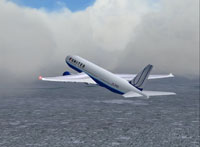
Screenshot of United Airlines Boeing 777-200 in flight.
This freeware release packages the complete base model from FSPainter and includes the full United Airlines repaint by Mike Pearson. For simmers seeking a modern livery on the Boeing 777-200 or those who want to reinforce realistic airline traffic in Microsoft Flight Simulator 2004, this add-on provides a comprehensive and visually appealing solution.
Free for all simmers · 775.35 KB · Scanned clean Oct 2026
Download speed: Free tier is capped at 0.5 Mbps. PRO members download at full line speed.
FS9\Aircraft\, FS9\Addon Scenery\, FS9\Gauges\, or FS9\Effects\.readme.txt or README file. It tells you exactly where files go, what dependencies are needed, and any quirks specific to this add-on.The archive fs72ualn.zip has 19 files and directories contained within it.
This list displays the first 500 files in the package. If the package has more, you will need to download it to view them.
| Filename/Directory | File Date | File Size |
|---|---|---|
| aircraft.cfg | 02.22.04 | 14.70 kB |
| Boeing777-300.air | 06.28.03 | 9.05 kB |
| fsp b772 ual nc readme.txt | 02.22.04 | 345 B |
| fsp b772 ual nc small.gif | 02.22.04 | 10.72 kB |
| fsp b772 ual nc.jpg | 02.22.04 | 131.64 kB |
| model.pw | 02.22.04 | 0 B |
| fsp_772pw.mdl | 06.28.03 | 224.49 kB |
| model.cfg | 06.28.03 | 28 B |
| panel | 02.22.04 | 0 B |
| panel.cfg | 06.14.03 | 40 B |
| sound.pw | 02.22.04 | 0 B |
| Sound.cfg | 06.14.03 | 40 B |
| texture.ual nc | 02.22.04 | 0 B |
| fsp_772_l.bmp | 03.31.03 | 1.00 MB |
| fsp_772_t.bmp | 02.22.04 | 4.00 MB |
| Thumbs.db | 02.22.04 | 25.50 kB |
| Thumbs.db | 02.22.04 | 13.50 kB |
| flyawaysimulation.txt | 10.29.13 | 959 B |
| Go to Fly Away Simulation.url | 01.22.16 | 52 B |
Only PRO members can place votes.
More FS2004 add-ons hand-picked based on this download.
FS2004 Civil Jet Aircraft
Includes N206UA (normal color, weathering clean), N775US (new color), N777UA …
 FS2004 Civil Jet Aircraft
This package contains 32 bit reflective and no mipmaps day/night textures onl…
 FS2004 Civil Jet Aircraft
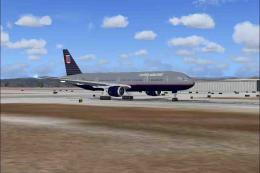
A repaint of the default B777-300 in United Airlines livery. Includes reflect…
 FS2004 Civil Jet Aircraft
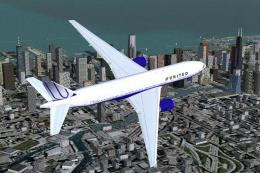
Custom United Airlines paint scheme in new livery colors. Includes reflective…
 FS2004 Civil Jet Aircraft
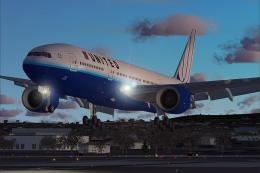
A repaint of Melvin Rafi's Gmax B777-200 in the brand new United livery The n…
 FS2004 Civil Jet Aircraft
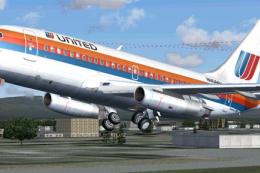
This is a repaint of Erick Cantu's new Boeing 737-200 in the colors of United…
 FS2004 Civil Jet Aircraft
This specialized freeware package recreates United Airlines' iconic Boeing 73…
 FS2004 Civil Jet Aircraft
This complete freeware package offers a meticulously repainted Boeing 757-200…
Be the first to leave a comment on this download.
Be the first to share your thoughts on this download.