

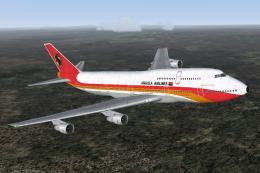
 FS2004 Civil Jet Aircraft
Boeing 747-312, TAAG Angola Airlines, D2-TEA
Construction number 23410, Line number 653 - delivered to Singapore Airlines …
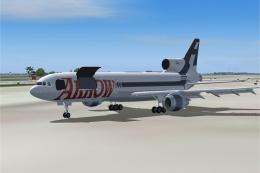
TAAG Angola Airlines’ 1970s-era paint scheme brings classic African flair to the Lockheed L-1011-500 TriStar, with crisp textures that look right in the virtual cockpit and on the ramp in Microsoft Flight Simulator 2004. Designed for Mike Stone’s TriStar model, it requires the MOZ-L105.ZIP base package.
 Rate
Rate

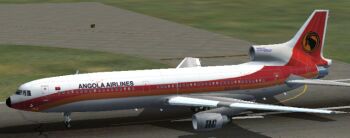
Improve your collection in Microsoft Flight Simulator 2004 with this specialized livery representing TAAG Angola Airlines, meticulously crafted by Mario Coelho for Lockheed’s tri-jet L-1011-500 design. This repaint captures the essence of a 1970s African aviation aesthetic and provides a vintage flair without sacrificing system fidelity. Although the textures are exclusively included here, the original base package by Mike Stone (MOZ-L105.ZIP) is required for proper functionality.
The Lockheed L-1011-500 is a shortened, long-range derivative of the TriStar airframe, originally produced in the 1970s. Its three-engine layout, particularly the center intake on the tail, gave it remarkable reliability for transoceanic flights. Many carriers in Africa found the L-1011 family well-suited to longer segments and challenging conditions. TAAG Angola Airlines, the national carrier of Angola, operated various large-capacity aircraft for its regional and international routes, making this repaint an authentic homage to a significant period in African aviation.
Screenshot showcasing the tri-jet on an African runway.
FS2004\aircraft\L-1011_Africa directory.aircraft.cfg located in FS2004\aircraft\L-1011_Africa. This ensures the simulator properly references the TAAG Angola Airlines repaint.Mario Coelho masterfully produced this repaint, bringing vivid realism to an African carrier’s historical scheme, while Mike Stone provided the core L-1011 structural model that underpins this add-on. Both developers’ contributions combine to yield an engaging TriStar experience rooted in authentic 1970s styling.
Free for all simmers · 1.46 MB · Scanned clean Oct 2026
Download speed: Free tier is capped at 0.5 Mbps. PRO members download at full line speed.
This file is a repaint — the package below is the base model it paints onto. Install it first, or the textures will have nothing to load onto.
FS9\Aircraft\, FS9\Addon Scenery\, FS9\Gauges\, or FS9\Effects\.readme.txt or README file. It tells you exactly where files go, what dependencies are needed, and any quirks specific to this add-on.The archive ang-l105.zip has 45 files and directories contained within it.
This list displays the first 500 files in the package. If the package has more, you will need to download it to view them.
| Filename/Directory | File Date | File Size |
|---|---|---|
| file_id.diz.txt | 07.31.04 | 160 B |
| INSTALL.txt | 07.31.04 | 238 B |
| ang.jpg | 07.31.04 | 8.75 kB |
| aircraft.cfg | 07.31.04 | 13.30 kB |
| ceng_l.bmp | 10.20.02 | 17.05 kB |
| ceng_t.bmp | 07.16.04 | 64.07 kB |
| cowl_l.BMP | 10.20.02 | 65.05 kB |
| cowl_T.bmp | 07.24.04 | 1.00 MB |
| elev_l.bmp | 10.20.02 | 65.05 kB |
| elev_t.bmp | 08.11.02 | 21.40 kB |
| eng_l.bmp | 10.20.02 | 17.05 kB |
| eng_t.bmp | 07.23.04 | 64.07 kB |
| flaps_l.bmp | 10.20.02 | 257.05 kB |
| flaps_t.bmp | 10.15.02 | 85.43 kB |
| fuslg_l.bmp | 10.20.02 | 1.00 MB |
| fuslg_T.bmp | 07.24.04 | 4.00 MB |
| lwing_bottom_l.bmp | 10.20.02 | 257.05 kB |
| lwing_bottom_T.bmp | 07.23.04 | 1.00 MB |
| lwing_top_l.bmp | 10.20.02 | 257.05 kB |
| lwing_top_T.bmp | 07.23.04 | 1.00 MB |
| ndoor_l.bmp | 10.20.02 | 17.05 kB |
| ndoor_T.bmp | 07.23.04 | 64.07 kB |
| pods_l.bmp | 10.20.02 | 17.05 kB |
| pods_t.bmp | 07.16.04 | 64.07 kB |
| pylon_l.bmp | 10.20.02 | 65.05 kB |
| pylon_T.bmp | 07.23.04 | 256.07 kB |
| root_l.bmp | 10.20.02 | 257.05 kB |
| root_T.bmp | 07.23.04 | 1.00 MB |
| rwing_bottom_l.bmp | 10.20.02 | 257.05 kB |
| rwing_bottom_T.bmp | 07.23.04 | 1.00 MB |
| rwing_top_l.bmp | 10.20.02 | 257.05 kB |
| rwing_top_T.bmp | 07.23.04 | 1.00 MB |
| sroot_l.bmp | 10.20.02 | 17.05 kB |
| sroot_t.bmp | 07.23.04 | 64.07 kB |
| stab_l.bmp | 10.20.02 | 257.05 kB |
| stab_T.bmp | 07.23.04 | 1.00 MB |
| tail_l.bmp | 10.21.02 | 257.05 kB |
| tail_T.bmp | 07.24.04 | 1.00 MB |
| Thumbs.db | 07.24.04 | 110.00 kB |
| wheel_l.bmp | 10.20.02 | 5.05 kB |
| wheel_t.bmp | 07.16.04 | 2.74 kB |
| texture.tag | 07.31.04 | 0 B |
| 70-S.jpg | 07.31.04 | 26.69 kB |
| flyawaysimulation.txt | 10.29.13 | 959 B |
| Go to Fly Away Simulation.url | 01.22.16 | 52 B |
Only PRO members can place votes.
More FS2004 add-ons hand-picked based on this download.
FS2004 Civil Jet Aircraft
Construction number 23410, Line number 653 - delivered to Singapore Airlines …
 FS2004 Civil Jet Aircraft
Experience an immersive simulation of the Boeing 747-300 adorned with TAAG An…
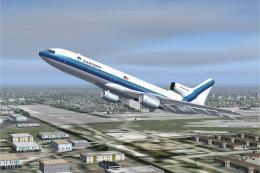 FS2004 Civil Jet Aircraft
This add-on provides a carefully crafted Eastern Airlines livery for the Lock…
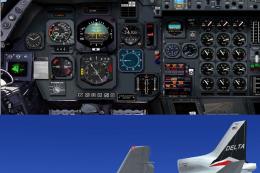 FS2004 Civil Jet Aircraft
A PhotoTex Pro repaint of Mike Stone's L-1011. Requires SL10115.ZIP. Features…
 FS2004 Civil Jet Aircraft
This package offers a precise rendition of the Lockheed L-1011 TriStar in a c…
 FS2004 Civil Jet Aircraft
This repaint showcases an authentic 1970s Tanzania Airlines livery, meticulou…
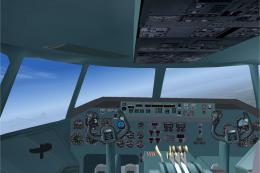 FS2004 Civil Jet Aircraft
Designed to cut into the 747 market share, the Lockheed L-1011 did so in the …
 FS2004 Civil Jet Aircraft
This file just contains the model file, texture file for the Arrow cargo vers…
Be the first to leave a comment on this download.
Be the first to share your thoughts on this download.