

 FSX Turboprops
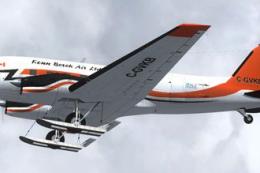
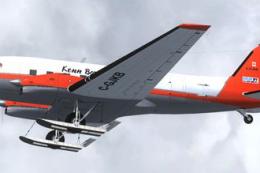
Kenn Borek Air Basler BT-67 C-GVKB
This freeware repaint package highlights a custom Kenn Borek Air livery desig…
Kenn Borek Air’s Basler BT-67 C-FMKB “Polar 5” livery brings authentic expedition character to the modernized turboprop DC-3, with crisp registration markings and faithful color layout for ski and wheeled variants. Built for Microsoft Flight Simulator X, it requires the freeware Basler BT-67 base pack to display correctly.
 Rate
Rate
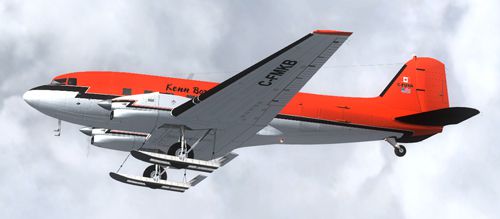
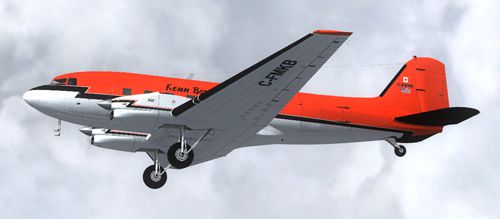
This repaint package brings a detailed Kenn Borek Air Basler BT-67 (C-FMKB) to Microsoft Flight Simulator X. The included textures, crafted by Daniel Fuernkaess (Cheese-Strike Repaints), are designed for the freeware Basler BT-67 Base Pack from Daniel Fuernkaess, Manfred Jahn, Alexander M. Metzger, and Hansjoerg Naegele. Enthusiasts seeking accurate polar operations will appreciate the authentic look of the “Polar 5” scheme and the unique adaptation of a modernized Douglas DC-3 airframe.
The Basler BT-67, often regarded as a versatile turboprop remaster of the classic DC-3, offers better performance in extreme regions. Kenn Borek Air, well known for its specialized polar missions, frequently uses these enhanced airframes to deliver dependable service in remote environments. With this repaint, sim pilots can immerse themselves in the same conditions that real aviators face when flying cargo runs or scientific expeditions across the ice.
Preview of Kenn Borek Air Basler BT-67 C-FMKB cruising overhead
This content involves texture files only and does not include the necessary Basler BT-67 core model. The core package, developed by Fuernkaess, Jahn, Metzger, and Naegele, must be installed before placing these additional files. Once installed, each livery delivers a precise interpretation of Kenn Borek Air’s iconic paintwork, complete with high-resolution markings, color layouts, and authentic registration labels.
[fltsim.x]
title=Basler BT67 Kenn Borek Air Ltd. (C-FMKB) ski
sim=Basler_BT67_v1.7
model=bt67_ski
panel=
sound=
texture=C-FMKB_ski
kb_checklists=Douglas_DC3_check
kb_reference=Douglas_DC3_ref
atc_id=C-FMKB
ui_manufacturer="Basler"
ui_type="Turbo DC-3"
ui_variation="Kenn Borek Air Ltd. (C-FMKB) (ski)"
ui_typerole="Twin Engine Prop"
ui_createdby=
description="Kenn Borek Air Ltd. - Reg. (C-FMKB)
Paint by Daniel Fuernkaess (Cheese-Strike Repaints). Project BT-67 developers: Daniel Fuernkaess, Manfred Jahn, Alexander M. Metzger, Hansjoerg Naegele."

[fltsim.x+1]
title=Basler BT67 Kenn Borek Air Ltd. (C-FMKB) no ski
sim=Basler_BT67_v1.7
model=bt67_1
panel=
sound=
texture=C-FMKB
kb_checklists=Douglas_DC3_check
kb_reference=Douglas_DC3_ref
atc_id=C-FMKB
ui_manufacturer="Basler"
ui_type="Turbo DC-3"
ui_variation="Kenn Borek Air Ltd. - (C-FMKB) (no ski)"
ui_typerole="Twin Engine Prop"
ui_createdby=
description="Kenn Borek Air Ltd. - Reg. (C-FMKB)
Paint by Daniel Fuernkaess (Cheese-Strike Repaints). Project BT-67 developers: Daniel Fuernkaess, Manfred Jahn, Alexander M. Metzger, Hansjoerg Naegele."
This Kenn Borek Air texture set remains a freeware product. It aims to let you try out real-world livery details during your simulated polar or scientific flights in Microsoft Flight Simulator X. Expand your hangar with this repaint and explore challenging environments, just as Kenn Borek Air’s crews do. Remember, the base aircraft files are essential and located in the Fly Away Simulation library.
Free for all simmers · 2.41 MB · Scanned clean Oct 2026
Download speed: Free tier is capped at 0.5 Mbps. PRO members download at full line speed.
This file is a repaint — the package below is the base model it paints onto. Install it first, or the textures will have nothing to load onto.
texture.{airline}) inside FSX\SimObjects\Airplanes\{base-aircraft}\.aircraft.cfg in Notepad. Add a new [fltsim.X] section per the readme.readme.txt or README file. It tells you exactly where files go, what dependencies are needed, and any quirks specific to this add-on.The archive bt-67_kba_c-fmkb.zip has 20 files and directories contained within it.
This list displays the first 500 files in the package. If the package has more, you will need to download it to view them.
| Filename/Directory | File Date | File Size |
|---|---|---|
| BT-67_KBA_C-FMKB | 08.20.12 | 0 B |
| Cheese-Strike Repaints.url | 12.06.11 | 123 B |
| Install.txt | 08.20.12 | 2.92 kB |
| texture.C-FMKB | 08.20.12 | 0 B |
| bt67_1_T.dds | 06.28.12 | 4.00 MB |
| bt67_1_T_spec.dds | 06.28.12 | 1.00 MB |
| bt67_2_T.dds | 07.19.12 | 4.00 MB |
| bt67_2_T_spec.dds | 06.28.12 | 1.00 MB |
| bt67_4_T.dds | 07.21.12 | 1.00 MB |
| bt67_4_T_spec.dds | 06.27.11 | 1.00 MB |
| propdisk.dds | 06.28.12 | 256.12 kB |
| texture.cfg | 02.14.11 | 133 B |
| thumbnail.jpg | 07.19.12 | 78.87 kB |
| VC_nose.dds | 07.01.12 | 256.12 kB |
| texture.C-FMKB_ski | 08.20.12 | 0 B |
| bt67_skis.dds | 01.21.12 | 256.12 kB |
| texture.cfg | 07.17.12 | 163 B |
| thumbnail.jpg | 07.19.12 | 81.04 kB |
| flyawaysimulation.txt | 10.29.13 | 959 B |
| Go to Fly Away Simulation.url | 01.22.16 | 52 B |
Only PRO members can place votes.
More FSX & P3D add-ons hand-picked based on this download.
FSX Turboprops
This freeware repaint package highlights a custom Kenn Borek Air livery desig…
 FSX Turboprops
This repaint set adds an authentic Kenn Borek Air livery to the Basler BT-67,…
 FSX Turboprops
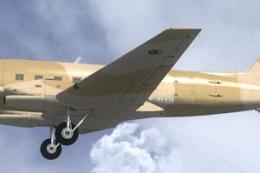
This repaint showcases a detailed Mauritania Air Force Basler BT-67 (registra…
 FSX Turboprops
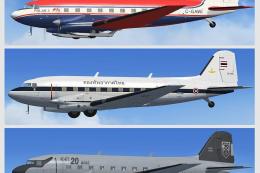
The BT67 is a turboprop conversion of the classic Douglas DC-3/C-47. Version …
 FSX Turboprops
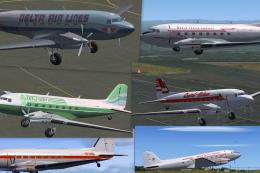
This Repaint Pack is for the FSX Basler BT-67. By Michael Mannschreck. Screen…
 FSX Turboprops
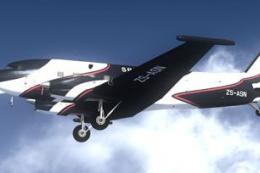
The "Spectrem" Basler BT-67 is a single specially modified aircraft used worl…
 FSX Turboprops
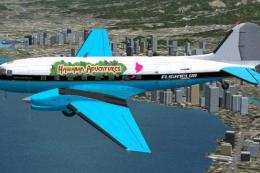
FlightClub International textures for the Basler BT67 by Daniel Fuernkaess, M…
 FSX Turboprops
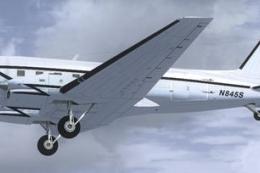
Experience a vibrant repaint crafted for the Basler BT-67 in Microsoft Flight…
Be the first to leave a comment on this download.
Be the first to share your thoughts on this download.