

 FS2004 AFCAD Files
EDDF, AFCAD2 File
Frankfurt/Main Airport, Germany, for use with AMEDDF11.ZIP. Should solve most…
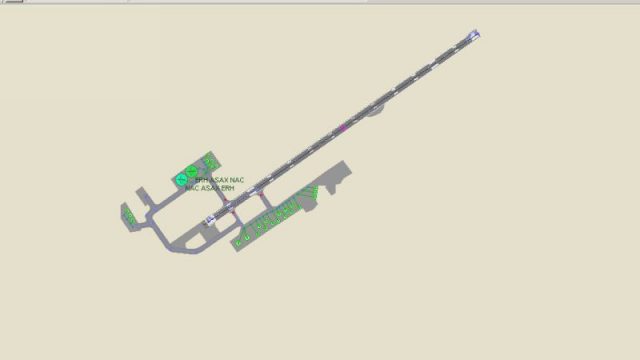
Homer Airport (PAHO) gets a refined AFCAD2 layout with updated parking spots, ramp positions, and gate assignments that better reflect real-world operations in Microsoft Flight Simulator 2004. Tweaked taxiway alignments improve AI traffic flow and ground handling, supporting everything from light general aviation to regional turboprops.
 Rate
Rate
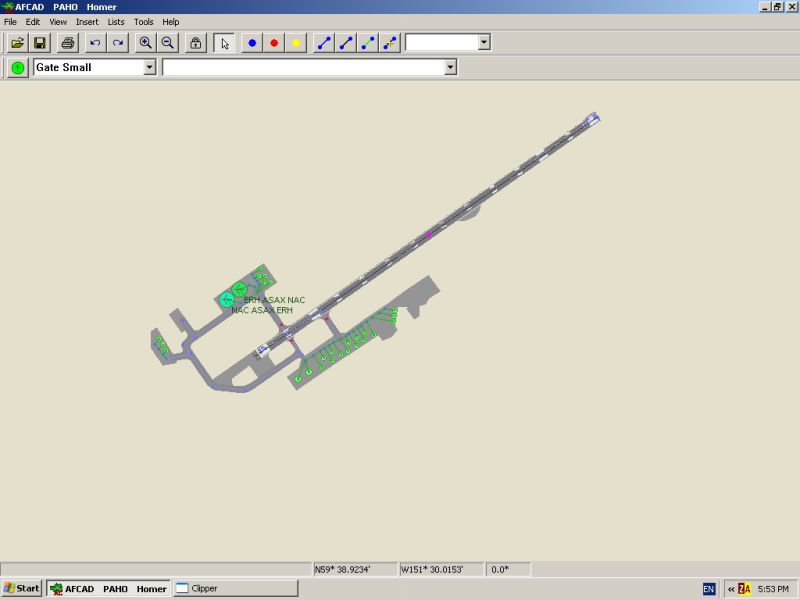
This AFCAD update refines the parking configuration at Homer Airport (PAHO) in Alaska’s rugged landscape, delivering enhanced realism within Microsoft Flight Simulator 2004. Created by Dave, this freeware add-on adjusts ramp positions and gate assignments to more faithfully mimic actual airport operations. The reworked layout helps virtual pilots experience a smoother ground handling routine, especially when transitioning to the picturesque approaches that Homer is known for.
By incorporating this AFCAD file, you will notice carefully revised placement of parking stands along with accurate taxiway alignments. These modifications improve AI aircraft traffic flow and ensure that general aviation spots accommodate both smaller single-engine aircraft and larger regional turboprops. Furthermore, the relocated parking nodes aim to reduce potential AI traffic congestion, thereby granting more realistic interpretations of day-to-day activity at Homer Airport.
Homer sits on the stunning Kachemak Bay at the southwestern edge of the Kenai Peninsula. Its dramatic coastal views, mountain backdrops, and proximity to glacial landscapes have made it a favorite destination for local flight networks. This AFCAD enhancement ensures that the in-sim representation of Homer’s airfield stays consistent with real-world references, offering a detailed environment for both IFR and VFR procedures. Emphasis on the main apron and the streamlined taxi routes makes ground navigation more intuitive, particularly for those who enjoy regular commuter hops in and out of the region.
Overview of Homer Airport.
To integrate this custom AFCAD into your setup, locate the BGL file in the download package and copy it into the Addon Scenery folder in FS9. The simulator will automatically apply the updated airport layout during your next start-up. If you decide to restore the stock scenery, simply remove this file, and the default depiction of Homer Airport will return.
All credit goes to Dave for creating this meticulous layout upgrade. Homer Airport’s unique location and active maritime community provide an immersive realm for flight enthusiasts, and this AFCAD file further refines that experience within Microsoft Flight Simulator 2004.
Enjoy the enhancements and take the opportunity to explore Alaska’s coastal frontiers with improved gate alignment and realistic parking assignments. Safe flights!
Free for all simmers · 29.15 KB · Scanned clean Oct 2026
Download speed: Free tier is capped at 0.5 Mbps. PRO members download at full line speed.
FS9\Aircraft\, FS9\Addon Scenery\, FS9\Gauges\, or FS9\Effects\.readme.txt or README file. It tells you exactly where files go, what dependencies are needed, and any quirks specific to this add-on.The archive homer_af.zip has 6 files and directories contained within it.
This list displays the first 500 files in the package. If the package has more, you will need to download it to view them.
| Filename/Directory | File Date | File Size |
|---|---|---|
| Homer.gif | 12.04.03 | 1.26 kB |
| Homer.jpg | 12.04.03 | 33.79 kB |
| HomerAFCAD readme.txt | 12.04.03 | 322 B |
| AF2_PAHO.bgl | 12.04.03 | 5.82 kB |
| flyawaysimulation.txt | 10.29.13 | 959 B |
| Go to Fly Away Simulation.url | 01.22.16 | 52 B |
Only PRO members can place votes.
More FS2004 add-ons hand-picked based on this download.
FS2004 AFCAD Files
Frankfurt/Main Airport, Germany, for use with AMEDDF11.ZIP. Should solve most…
 FS2004 AFCAD Files
FS2004 AFCAD2 File For RCKH and RCSS, Taipei Sungshan Airport and Kaohsiung A…
 FS2004 AFCAD Files
Tokyo Narita Airport (RJAA), Japan (not for the default FS2004 airport; detai…
 FS2004 AFCAD Files
Updated gates and taxiways for Amsterdam Schiphol Int'l Airport, The Netherla…
 FS2004 AFCAD Files
WSSS for Samsoft's Singapore Changi scenery (not for the default FS2004 airpo…
 FS2004 AFCAD Files
An AFCAD2 file for Soekarno-Hatta Airport, Jakarta, Indonesia (WIII) for use …
 FS2004 AFCAD Files
An AFCAD2 file for Ngurah Rai Int'l Airport, Denpasar Bali, Indonesia (WRRR),…
FS2004 AFCAD Files
Dubai Int'l Airport, United Arab Emirates. Upgrades the stock airport to prov…
Be the first to leave a comment on this download.
Be the first to share your thoughts on this download.