

 FSX Military Aircraft
IRIS Raptor Driver 43FS
This freeware repaint is designed for the IRIS Raptor Driver payware add-on i…
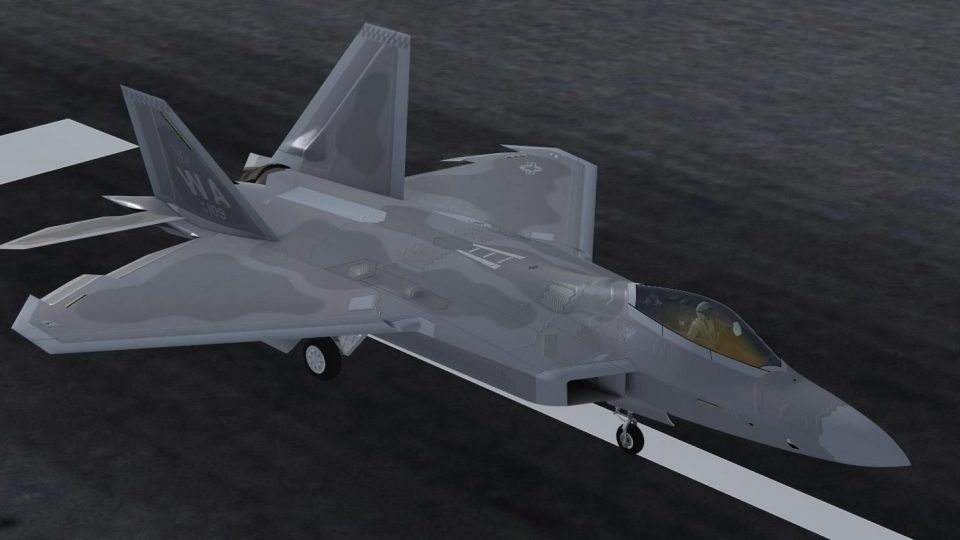
Bring the IRIS Raptor Driver to life with a meticulously detailed 433rd Weapons Squadron livery inspired by Nellis AFB, featuring accurate tail art, unit stenciling, and stealth-toned panel shading with subtle weathering. Built for Microsoft Flight Simulator X, it requires the payware IRIS Raptor Driver model and uses the official paint kit for clean alignment.
 Rate
Rate



This enhanced repaint offers a meticulously crafted 433rd Weapons Squadron texture set for the IRIS Raptor Driver, originally created by S. Peterson. It has been designed for Microsoft Flight Simulator X enthusiasts seeking authentic, high-fidelity visual representation of the 433rd’s distinct markings at Nellis Air Force Base (often referred to as AFB), and it requires the payware IRIS Raptor Driver model from IRIS Flight Simulation Software.
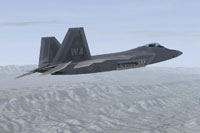
Screenshot showcasing the newly applied 433rd Weapons Squadron artwork.
This livery emphasizes the unique insignia and colors associated with the 433rd’s operational role. The real F-22 (Lockheed Martin’s advanced twin-engine stealth fighter) boasts supermaneuverability, radar-evading surfaces, and extensive sensor integration. This repaint aims to reflect those elements through precise shaders, panel gradients, and subtle weathering effects. S. Peterson used the official IRIS paint kit as a foundational framework, ensuring alignment with the fighter’s recognizable lines.
Before integrating this repaint, ensure you own and have installed the payware IRIS Raptor Driver from IRIS Flight Simulation Software. Next, follow these steps:
texture.Nellis folder into your IRIS Raptor Driver’s directory.[fltsim.XX] title=F-22 Raptor - 433rd Weapons Squadron sim=Raptor model= panel= sound= texture=Nellis checklists= ui_manufacturer=Lockheed Martin ui_type=F-22 Raptor ui_variation=WA-109 ui_typerole=Twin Engine Jet ui_createdby=IRIS Flight Simulation Software visual_damage=0 atc_parking_types= description=The Lockheed Martin F-22 Raptor is a single-seat, twin-engine fifth-generation supermaneuverable fighter aircraft that uses stealth technology. It was designed primarily as an air superiority fighter, but has additional capabilities that include ground attack, electronic warfare, and signals intelligence roles. atc_heavy=0 atc_id=109 atc_airline=RAPTOR atc_flight_number=109
Your final step is to save the aircraft.cfg file and relaunch Microsoft Flight Simulator X to access the new scheme.
This complementary package retains fidelity to the 433rd Weapons Squadron’s real-world aesthetic while making use of the original IRIS paint kit. Its aim is to deliver a realistic impression of the advanced jet’s operational markings at Nellis. S. Peterson devoted considerable effort to reproducing subtle details, such as matching stenciling and approximate roughness levels.
All credit for the underlying IRIS Raptor Driver rests with IRIS Flight Simulation Software, and this livery alone does not include their payware model. Ensure the IRIS package is installed to see these enhanced textures in action.
Free for all simmers · 9.21 MB · Scanned clean Oct 2026
Download speed: Free tier is capped at 0.5 Mbps (this file takes approximately 3 mins at the cap). PRO members download at full line speed.
texture.{airline}) inside FSX\SimObjects\Airplanes\{base-aircraft}\.aircraft.cfg in Notepad. Add a new [fltsim.X] section per the readme.readme.txt or README file. It tells you exactly where files go, what dependencies are needed, and any quirks specific to this add-on.The archive 433ws.zip has 24 files and directories contained within it.
This list displays the first 500 files in the package. If the package has more, you will need to download it to view them.
| Filename/Directory | File Date | File Size |
|---|---|---|
| WA | 12.14.14 | 0 B |
| Add to aircraft.cfg.txt | 12.14.14 | 1.07 kB |
| FILE_ID.DIZ.txt | 12.14.14 | 137 B |
| Texture.Nellis | 12.14.14 | 0 B |
| 433WS.jpg | 12.13.14 | 38.44 kB |
| F22_1_S.dds | 11.21.13 | 2.00 MB |
| F22_1_T.dds | 11.21.13 | 2.00 MB |
| F22_2_S.dds | 11.21.13 | 2.00 MB |
| F22_2_T.dds | 12.13.14 | 4.00 MB |
| F22_3_T.dds | 11.21.13 | 2.00 MB |
| F22_4_S.dds | 11.21.13 | 2.00 MB |
| F22_4_T.dds | 12.13.14 | 4.00 MB |
| F22_5_S.dds | 11.21.13 | 2.00 MB |
| F22_5_T.dds | 12.13.14 | 4.00 MB |
| F22_7_T.dds | 11.21.13 | 256.12 kB |
| F22_8_T.dds | 11.21.13 | 256.12 kB |
| F22_9_T.dds | 11.21.13 | 128.12 kB |
| PILOT_T.dds | 06.04.14 | 512.12 kB |
| texture.cfg | 11.21.13 | 156 B |
| thumbnail.jpg | 12.14.14 | 92.92 kB |
| WA.gif | 12.14.14 | 87.54 kB |
| WA.jpg | 12.14.14 | 61.22 kB |
| flyawaysimulation.txt | 10.29.13 | 959 B |
| Go to Fly Away Simulation.url | 01.22.16 | 52 B |
Only PRO members can place votes.
More FSX & P3D add-ons hand-picked based on this download.
FSX Military Aircraft
This freeware repaint is designed for the IRIS Raptor Driver payware add-on i…
 FSX Military Aircraft
This freeware repaint enhances the IRIS Raptor Driver payware model with the …
 FSX Military Aircraft
This repaint adds a detailed 90th Fighter Squadron livery for the IRIS Raptor…
 FSX Military Aircraft
This add-on provides a detailed repaint for the payware IRIS Raptor Driver, s…
 FSX Military Aircraft
This repaint package provides a customized 3rd Wing Flagship livery for the I…
 FSX Military Aircraft
Pulled from best publicly available data online, this is an attempt to create…
 FSX Military Aircraft
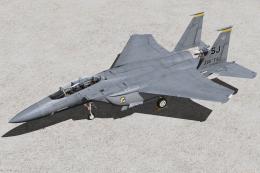
336th Fighter Squadron Squadron "Rocketeers" / 4th Fighter Wing Seymour Johns…
 FSX Military Aircraft
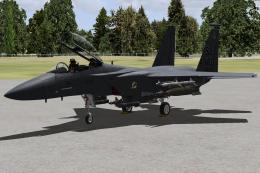
4th Fighter Wing Flag Ship Seymour Johnson. Model by Iris Simulation. Repaint…
Be the first to leave a comment on this download.
Be the first to share your thoughts on this download.