

 Ground Vehicles (Cars), Seacraft & Boats
Mitsubishi Pajero/Shogun Drivable Car
A first for MSFS (2020) - a drivable car that can be driven around an airfiel…
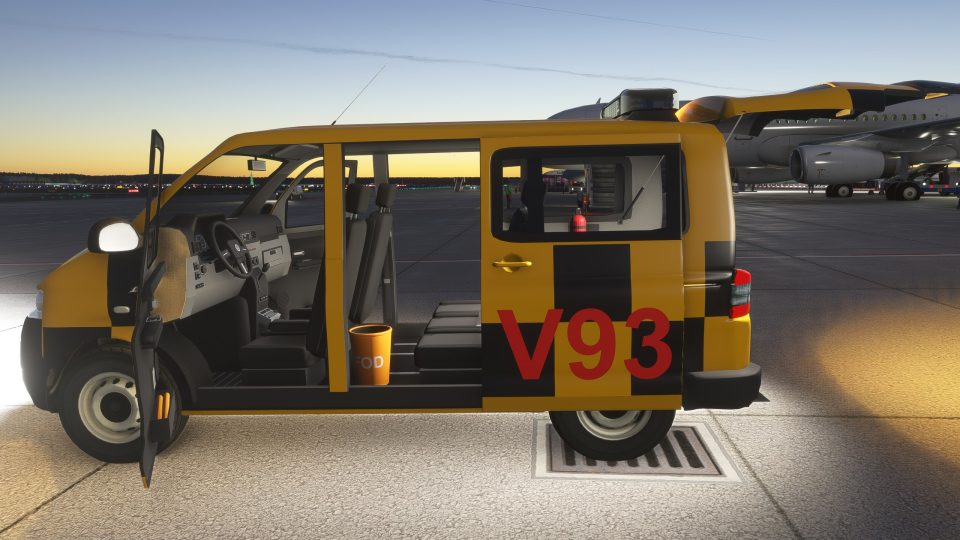
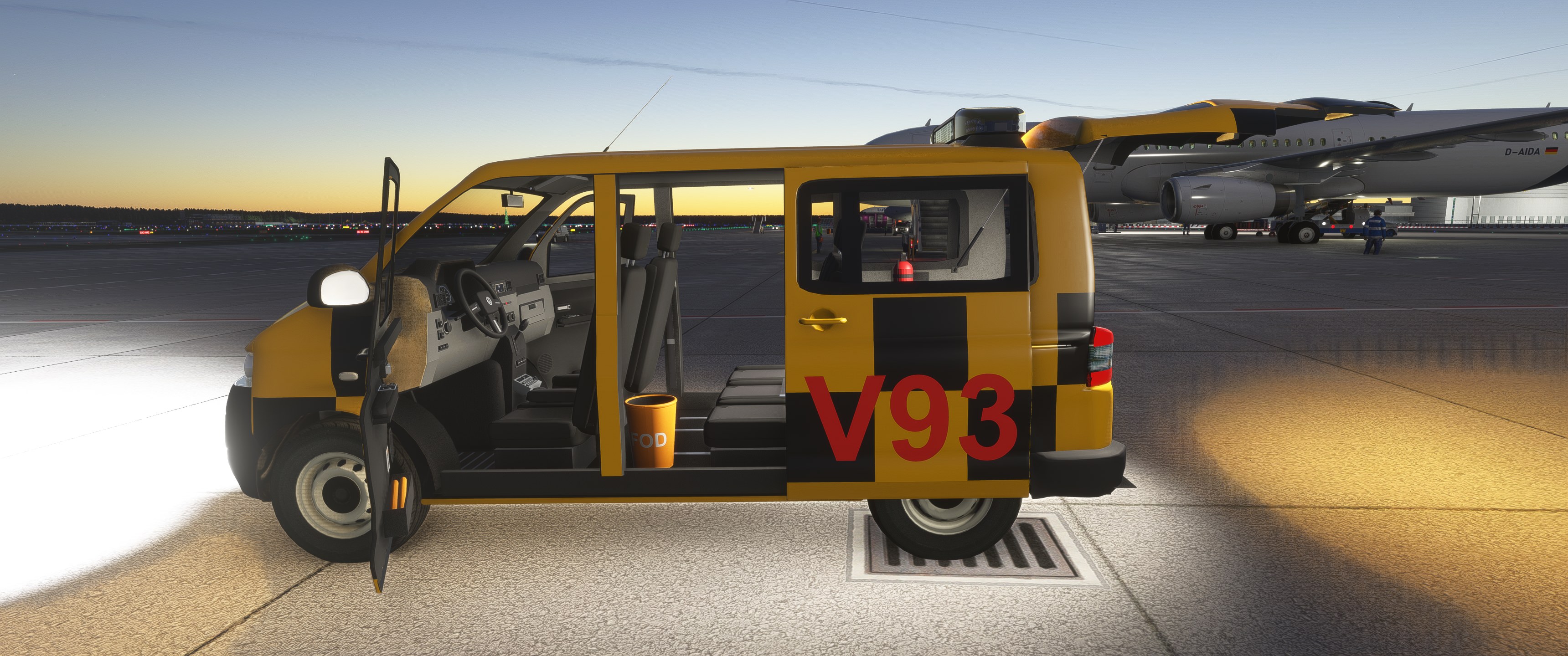
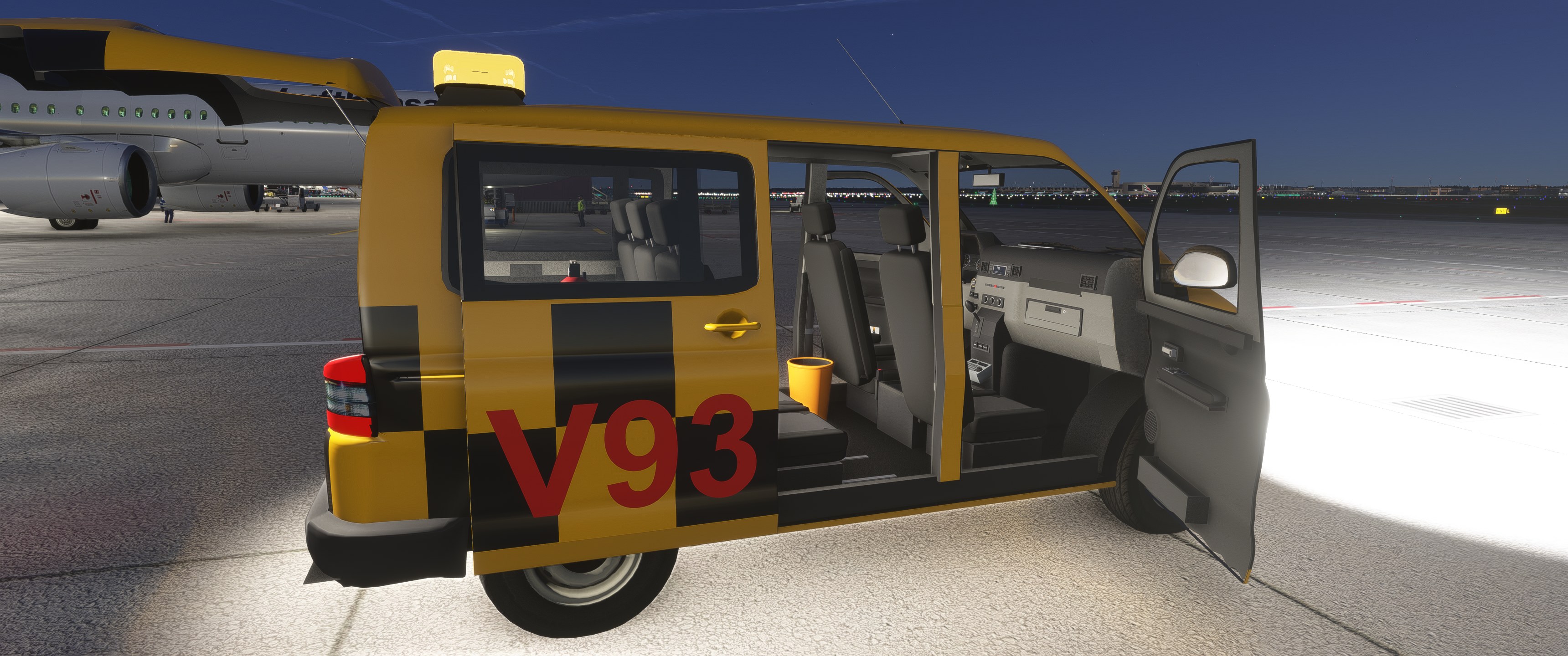
A drivable Volkswagen Transporter T5-style follow-me van brings electric ground transport to Microsoft Flight Simulator 2024, with regenerative braking and battery monitoring. Its working virtual cockpit, COM1 radio, responsive LED roof sign, extensive lighting, animated doors and wipers, detailed airside supervisor’s workspace and vehicle sounds support airport exploration and simulated ground operations.
 Rate
By Mauro331144
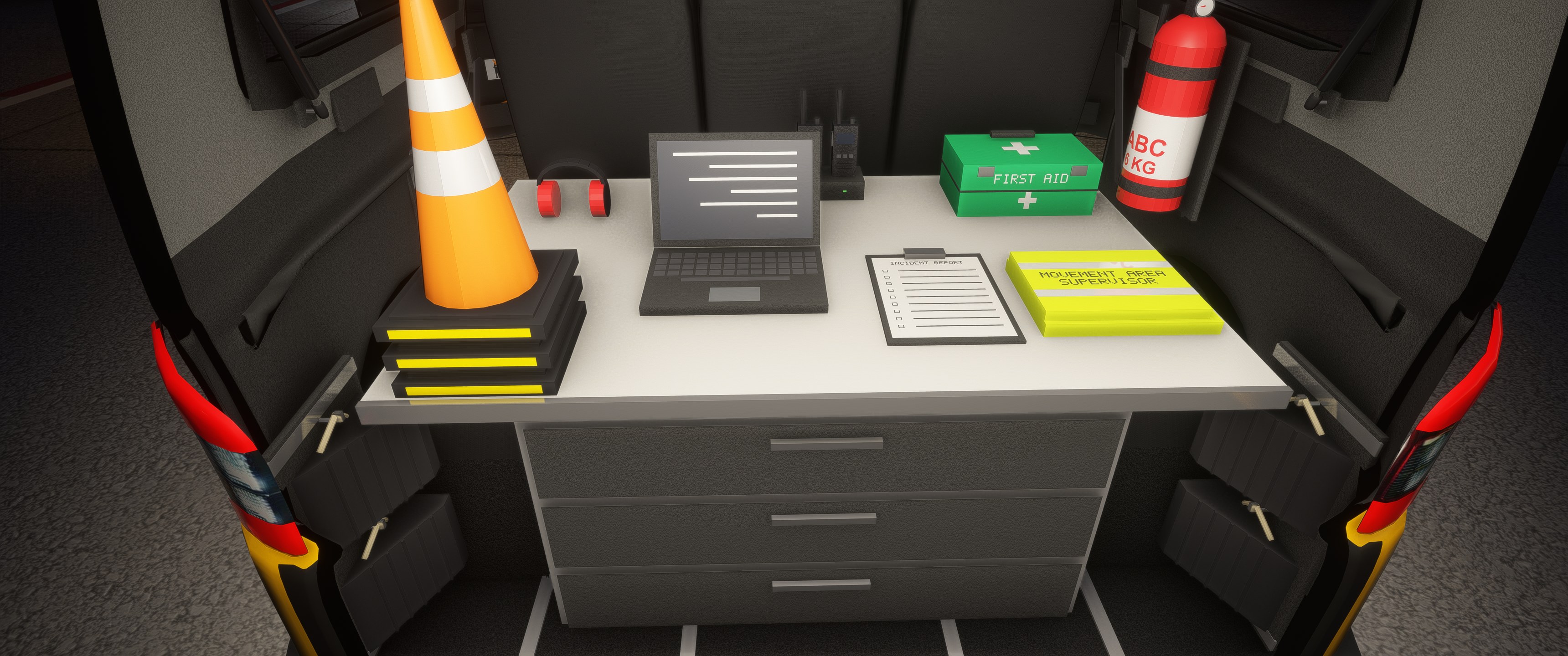
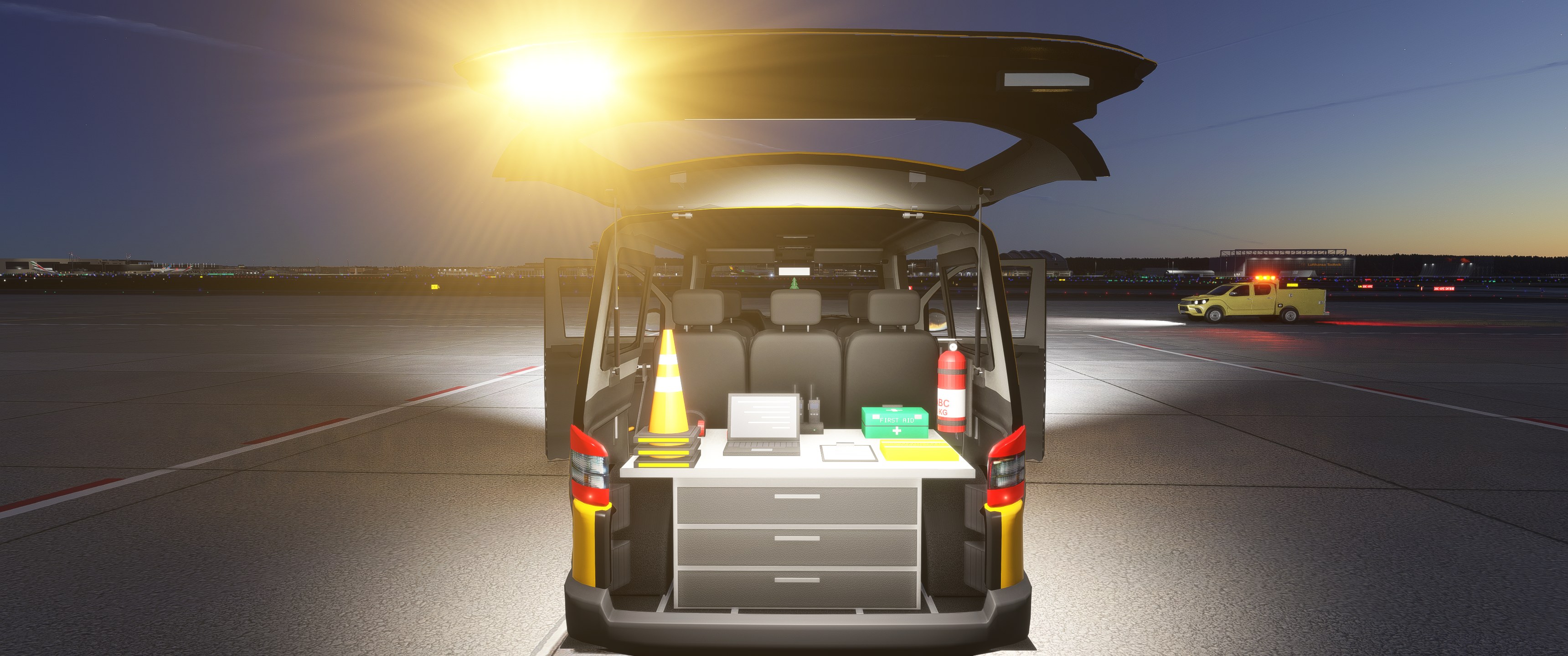
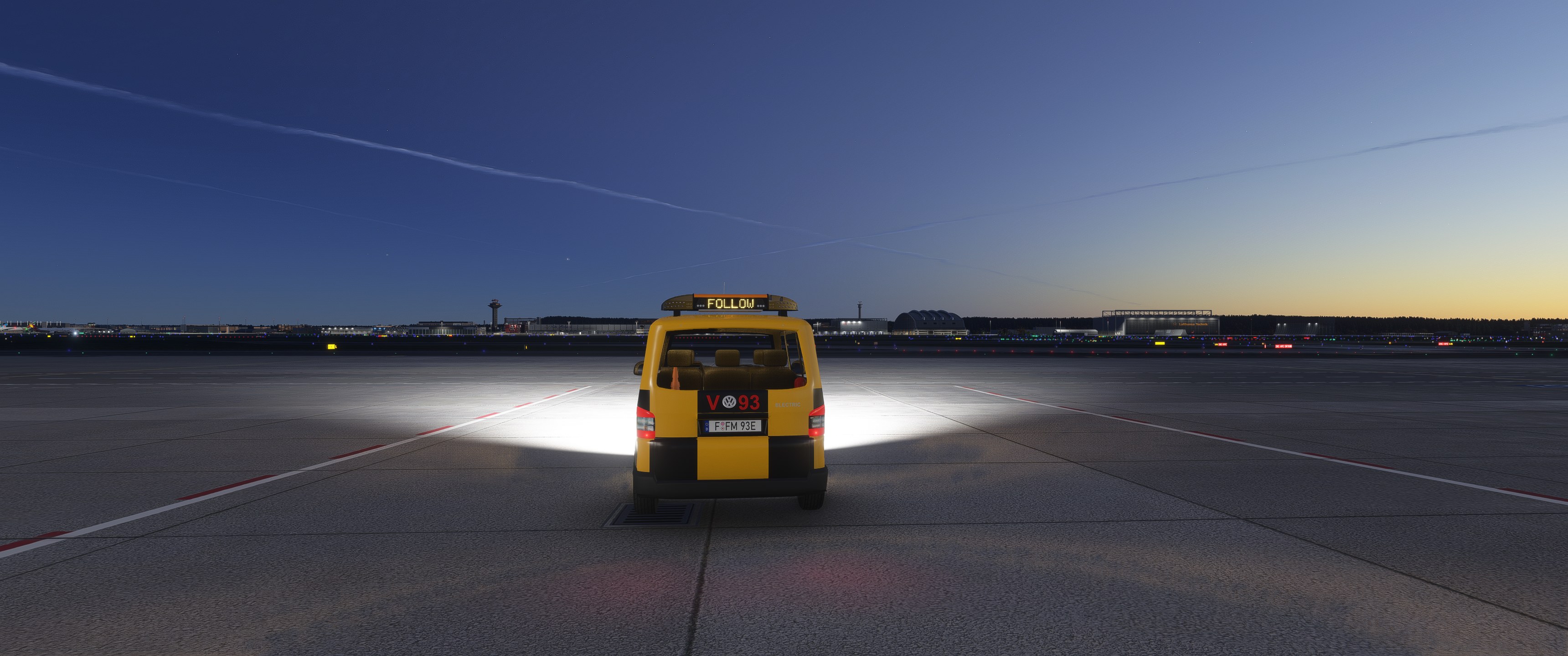
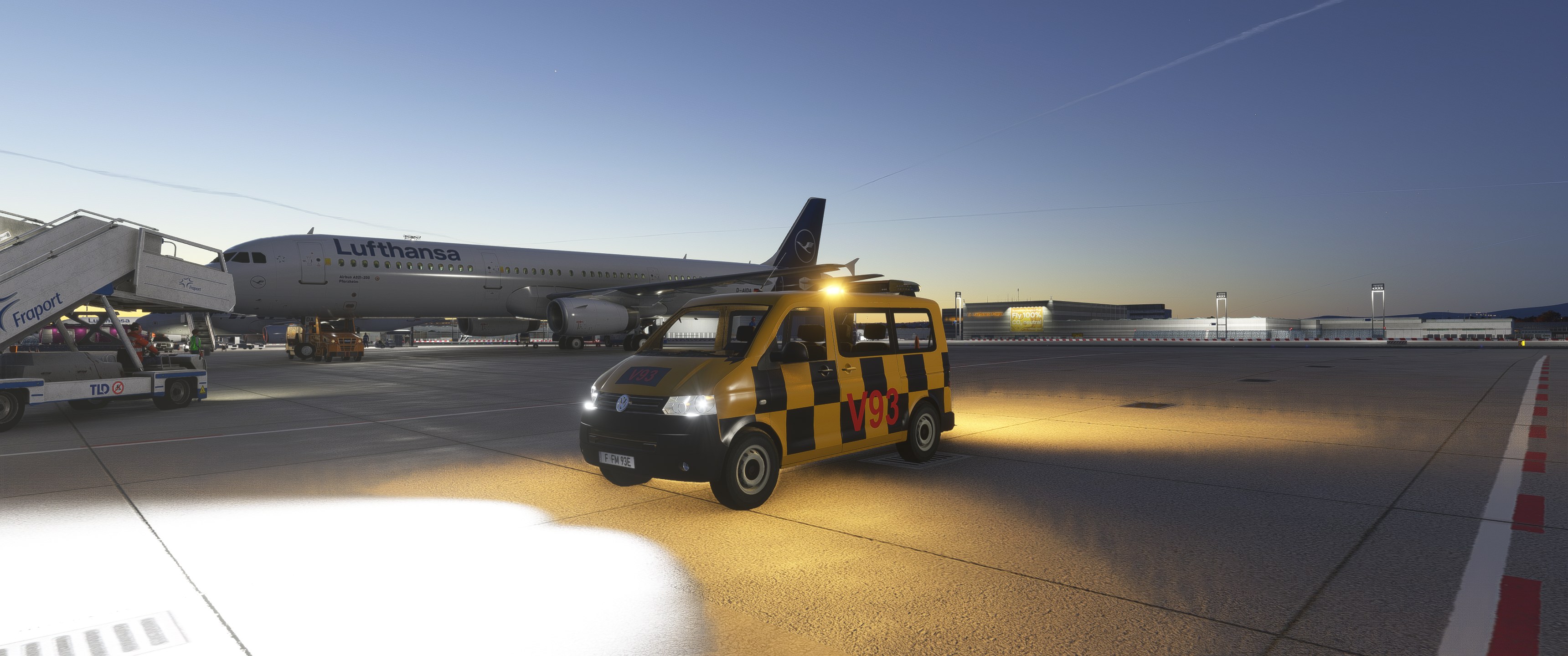
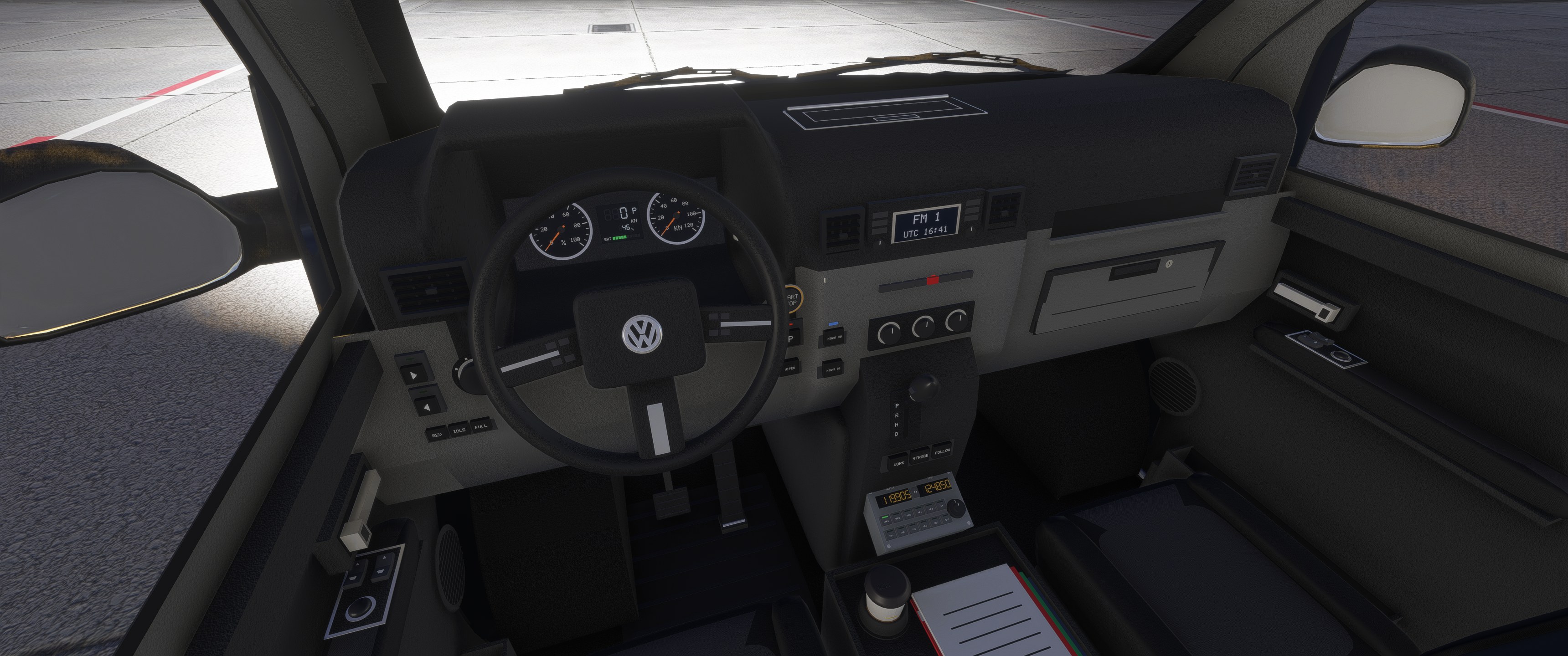

The tailgate’s LED strip told me how much care went into this van: it lights the supervisor’s work surface, exactly where it belongs. I opened the tailgate at dusk and looked into the load bay; the laptop and incident clipboard sat above the drawer cabinet under that light. That’s a convincing little mobile office. The equipment has a purpose, and I like that Mauro331144 gave the parked van something worth exploring as well as giving it driving controls.
Out on the apron, braking changed the roof display to STOP without a separate command from me. That automatic response is the part I value most for simulated follow-me work; there’s already enough to manage with throttle, steering and aircraft light bindings doing unfamiliar jobs. The 100-knot forward limit feels excessive for my airport rounds, but the sign’s 50% and 25% brightness settings are sensible provisions for night use. This is MSFS 2024 only. If COM1 integration matters to your online ground operations, check it with your client—the developer explicitly leaves that verification to users.
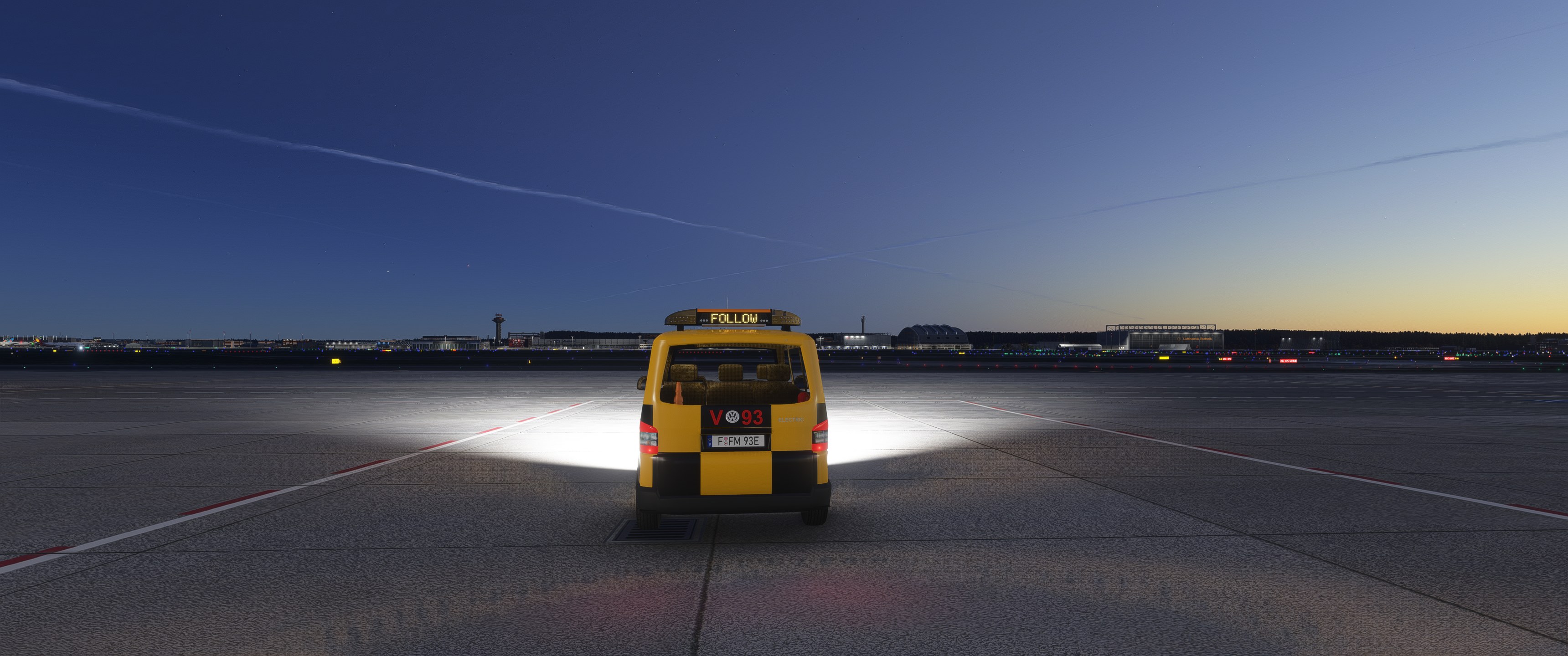
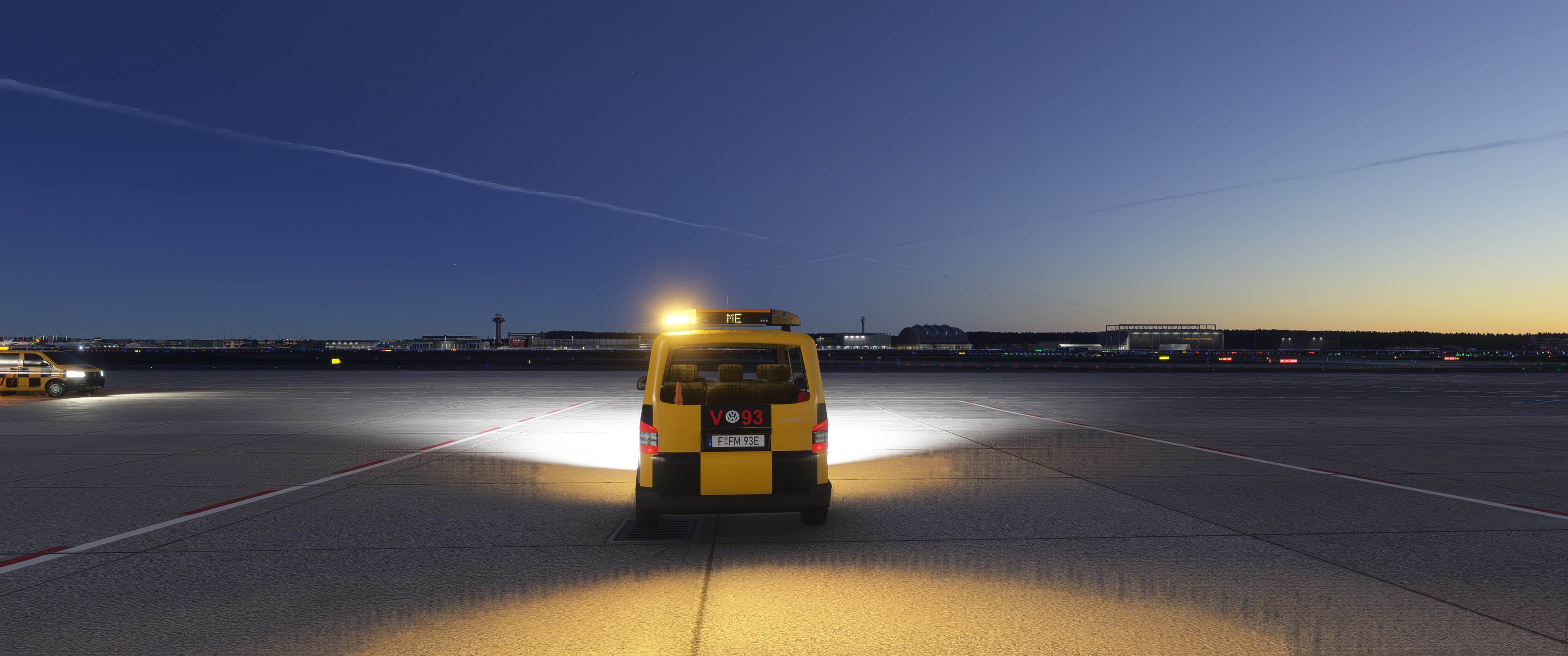
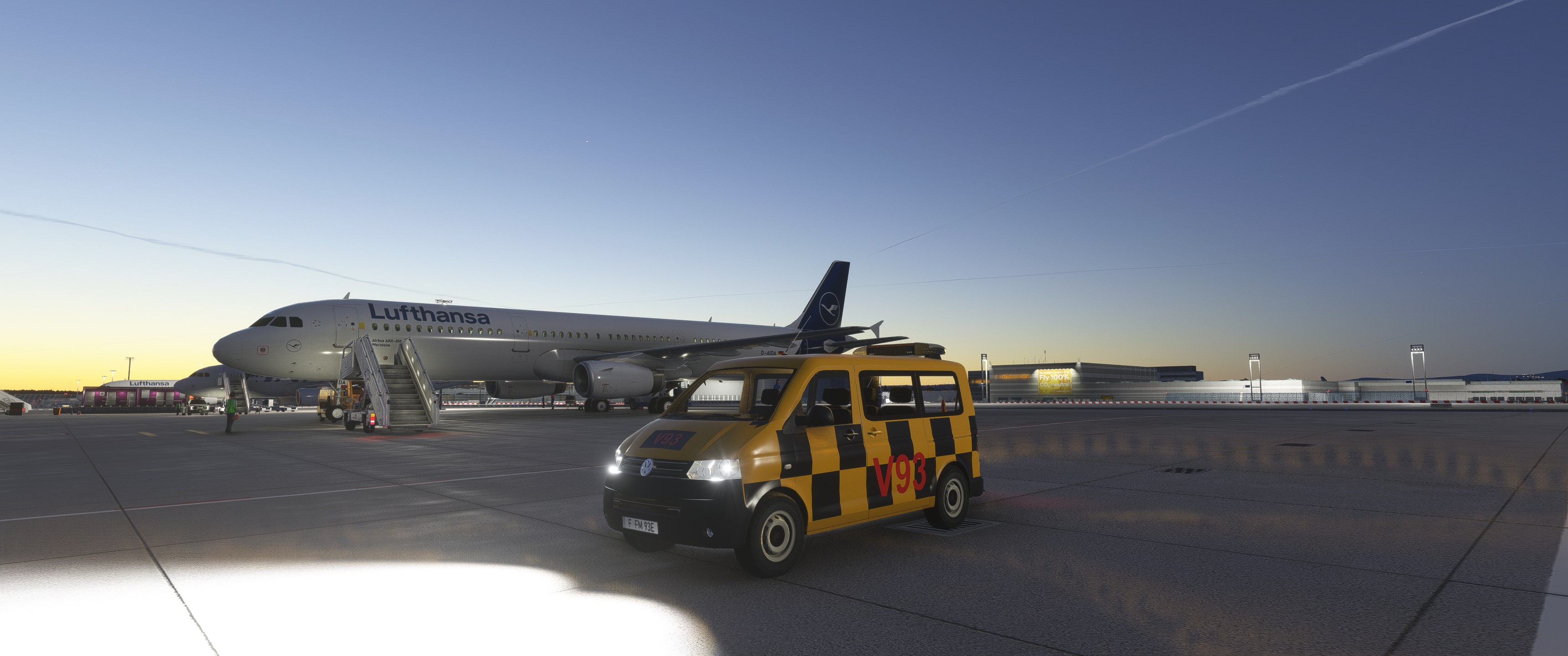
Mauro331144’s Follow Me V93 puts you behind the wheel of a Volkswagen Transporter T5-style airport van in Microsoft Flight Simulator 2024. This complete freeware package includes electric drive, a working cockpit, a programmable-looking LED roof display and a fully modeled interior. It’s a drivable ground vehicle, not a static airport prop.
Follow-me vehicles guide aircraft crews along airport taxiways and aprons to their assigned positions. Here, the van uses familiar aircraft controls to get around. Press START/STOP to enable the electric drive, use throttle for forward motion and reverse thrust (default F2) to back up. Rudder or nose-wheel steering controls direction; the brakes and P parking-brake button handle stopping and parking.
The stated maximum speeds are 100 kn forward and 10 kn in reverse. Regenerative braking is modeled, and the 77 kWh battery is linked to the simulator’s fuel tank. Charge appears as both a bar graph and a percentage; below 15%, drive power is reduced.
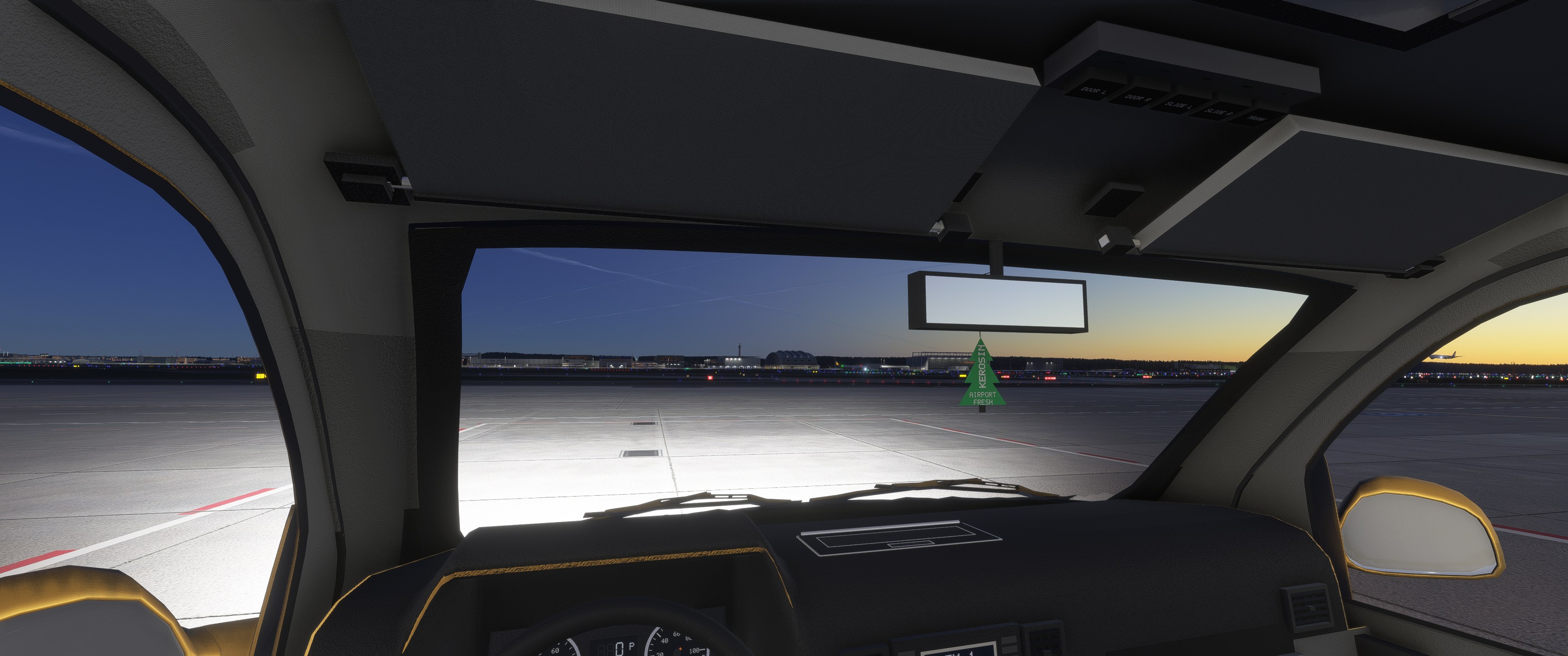
The instrument cluster combines analog speed and power gauges with digital speed and battery readouts. There’s a P R N D selector, turn-signal indicators and a UTC clock. The COM1 radio panel has active and standby frequencies, a transfer button and two knobs, with 8.33 kHz channel spacing. It controls the simulator’s standard COM1, so clients such as IVAO Altitude should see the same frequency. Mauro331144 asks users to verify that behavior with their client.
The van repurposes the following simulator bindings for its driving controls and lights.
The LED roof bar displays FOLLOW ME / ME, changes to STOP under braking, and has animated turn arrows and alternating strobes. For night driving, brightness can be reduced to 50% or 25%.
Exterior lighting covers low beams, tail, brake and reverse lights, work lights, side alley lights, turn signals and hazards. Rear warning lights flash with the tailgate open. Inside are a front dome light, a rear-bench light and two load-bay side lights. An LED strip in the open tailgate illuminates the work surface.
The modeled cabin has a driver’s seat with a folding armrest, a single passenger seat, rear bench, seat belts, dashboard and door panels. Folders and papers occupy the center console, alongside a coffee cup in its holder.
The load bay is fitted out as an airside supervisor’s workspace. It contains a work surface, drawer cabinet, laptop, handheld radios in a charging cradle and a clipboard with an incident report. Cones, a first-aid kit, fire extinguisher, “Movement Area Supervisor” high-visibility vest, hearing protection, wheel chocks in holders and a FOD bin complete the equipment.
Animated parts include the wheels, steering wheel, wipers, doors, sliding doors and tailgate with gas struts. The roof antenna sways under acceleration and through turns. Sounds cover the electric motor, AVAS pedestrian warning tone, tire noise, reversing beeper and turn-signal clicks.
Extract the downloaded ZIP and place the extracted mod package in your Community folder. The complete freeware base model ships with the download, so there’s no separate vehicle model to obtain. Compatibility is limited to MSFS 2024.
Free for all simmers · 16.44 MB · Scanned clean Nov 2026
Download speed: Free tier is capped at 2 Mbps (this file takes approximately 1 min at the cap). PRO members download at full line speed.
Initial release.
%LOCALAPPDATA%\Packages\Microsoft.FlightSimulator_8wekyb3d8bbwe\LocalCache\Packages\Community\. Steam version: %APPDATA%\Microsoft Flight Simulator\Packages\Community\. Tip: enable Developer Mode in MSFS to see your exact Community folder path.readme.txt or README file. It tells you exactly where files go, what dependencies are needed, and any quirks specific to this add-on.Are you Mauro331144? Sign in to Fly Away Creators for download stats, comment replies and updates. Make add-ons? Publish them here.
Only PRO members can place votes.
More MSFS add-ons hand-picked based on this download.
Ground Vehicles (Cars), Seacraft & Boats
A first for MSFS (2020) - a drivable car that can be driven around an airfiel…
 X-Plane Scenery Libraries
This is a highly detailed airport 'Follow Me Truck' for use in any scenery. T…
 FS2002
 Follow-Me-Car Gauge. The Follow-Me-Gauge is a .gau file that adds a fo…
 FSX Panels & Gauges
only original panel for military transporter Airbus A400. Photorealistic bitm…
 FSX Panels & Gauges
Boeing 777 Style PFD, Nav, EICAS And Chart Glass Instruments. These instrumen…
 FSX Civil Aircraft
The payware Feelthere ERJ 145 v2 for Privilege Style with Air Europa titles. …
 FSX Misc
This FSX tutorial is to understand how we send SimConnect nearby waypoints to…
 MSFS General Aviation Aircraft
A complete freeware aircraft pack featuring the Van's RV-7 and RV-7A in accur…
Be the first to leave a comment on this download.
Be the first to share your thoughts on this download.