

 FSX Civil Aircraft
Aurigny Cessna Bombardier CRJ-700
FSX Aurigny Cessna Bombardier CRJ-700. Aurigny "Channel Islands and Aurigny.c…
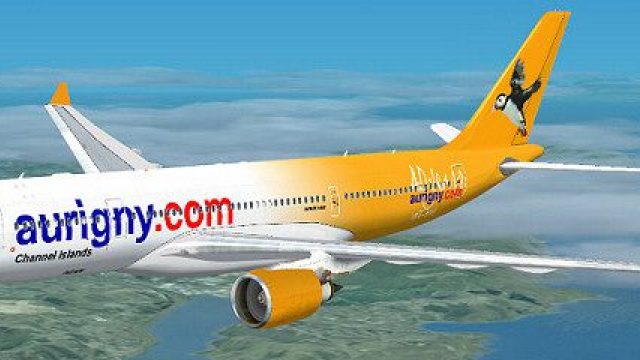
Aurigny Airbus A330-200 livery brings Guernsey’s regional airline branding to a wide-body jet with crisp logos, tail art, and careful alignment around windows and doors. Built for Microsoft Flight Simulator X with lighting-friendly textures and subtle shading that suits Thomas Ruth’s A330-200 model, it requires the TOM330.ZIP freeware base package.
 Rate
Rate

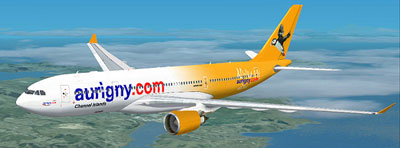
This repaint package delivers an Aurigny-themed Airbus A330-200 for Microsoft Flight Simulator X, capturing a unique fusion of Guernsey’s long-standing regional airline branding with the wide-body design of the A330. You will find authentic logos emblazoned on the fuselage and a fictional reference to the carrier’s milestone anniversary, merging aesthetic detail with accurate proportions.
Although Aurigny typically operates smaller turboprop and regional jet equipment in reality, this repaint imagines how the airline’s livery would appear on a much larger Airbus A330-200 airframe. Created by Jon Murchison, this texture set places recognizable Aurigny branding across the sleek fuselage, making it a distinct option for virtual flights beyond the Channel Islands.
The foundation of this add-on rests on Thomas Ruth’s demonstrably detailed Airbus A330-200 model. His freeware rendition includes advanced animations and an accurate cockpit layout, which ensures an immersive experience. Jon Murchison has precisely reworked the exterior surfaces to match the fictional Aurigny color scheme, illustrating everything from the airline’s titles to the emblematic tail design. In doing so, the repaint retains proper alignments around cabin windows and cargo doors for an extra layer of realism.
Texture.AURIGNY folder into your “...\SimObjects\Airplanes\Tom_A330-200” directory.Tom_A330-200 folder. Insert the following segment right after the last [fltsim.X] entry, ensuring you replace “[fltsim.X]” with the correct sequence number, such as “[fltsim.9]”:[fltsim.X] title=Aurigny A330-200 sim=TomA332 model=GE panel= sound= texture=AURIGNY kb_checklists= kb_reference= atc_id= atc_airline=Aurigny atc_flight_number=1124 atc_heavy=1 ui_manufacturer=Airbus ui_type="A330-200" ui_variation="Aurigny - 40 Years" description=
This repaint works exclusively with the freeware Airbus A330-200 base model from Thomas Ruth, so ensure you have acquired TOM330.ZIP before installation. By combining it with this Aurigny-inspired skin, you can simulate mid to long-haul routes in a fresh fictional context, honoring Guernsey’s regional airline aesthetic on a modern long-range jet.
Free for all simmers · 2.06 MB · Scanned clean Oct 2026
Download speed: Free tier is capped at 0.5 Mbps. PRO members download at full line speed.
This file is a repaint — the package below is the base model it paints onto. Install it first, or the textures will have nothing to load onto.
texture.{airline}) inside FSX\SimObjects\Airplanes\{base-aircraft}\.aircraft.cfg in Notepad. Add a new [fltsim.X] section per the readme.readme.txt or README file. It tells you exactly where files go, what dependencies are needed, and any quirks specific to this add-on.The archive aurigny-1.zip has 26 files and directories contained within it.
This list displays the first 500 files in the package. If the package has more, you will need to download it to view them.
| Filename/Directory | File Date | File Size |
|---|---|---|
| AURIGNY.jpg | 03.17.09 | 55.37 kB |
| README _INSTALL.txt | 03.17.09 | 1.35 kB |
| A321_1_L.dds | 03.12.09 | 1.00 MB |
| A321_2_L.dds | 03.12.09 | 256.12 kB |
| A330_VC01.dds | 03.12.09 | 1.00 MB |
| A330_VC01L.dds | 03.12.09 | 1.00 MB |
| Airbus_A321_1_L.dds | 03.12.09 | 1.00 MB |
| Airbus_A321_2_L.dds | 03.12.09 | 1.00 MB |
| Airbus_A321_3_L.dds | 03.12.09 | 4.12 kB |
| Airbus_A321_4_L.dds | 03.12.09 | 1.00 MB |
| glass.dds | 03.12.09 | 64.12 kB |
| glass_spec.dds | 03.12.09 | 4.12 kB |
| main.dds | 03.14.09 | 4.00 MB |
| main_bump.dds | 03.12.09 | 4.00 MB |
| main_light.dds | 03.12.09 | 1.00 MB |
| main_spec.dds | 03.12.09 | 64.12 kB |
| texture.cfg | 03.12.09 | 165 B |
| thumbnail.jpg | 03.14.09 | 12.38 kB |
| Thumbs.db | 03.12.09 | 7.00 kB |
| VCblend.dds | 03.12.09 | 1.12 kB |
| wing_bump.dds | 03.12.09 | 1.00 MB |
| wing_l.dds | 03.14.09 | 1.00 MB |
| wing_r.dds | 03.14.09 | 1.00 MB |
| wing_spec.dds | 03.12.09 | 64.12 kB |
| flyawaysimulation.txt | 10.29.13 | 959 B |
| Go to Fly Away Simulation.url | 01.22.16 | 52 B |
Only PRO members can place votes.
More FSX & P3D add-ons hand-picked based on this download.
FSX Civil Aircraft
FSX Aurigny Cessna Bombardier CRJ-700. Aurigny "Channel Islands and Aurigny.c…
 FSX Civil Aircraft
This freeware release features a meticulously designed fictitious Aurigny liv…
 FSX Civil Aircraft
Airbus NEO livery for the payware Blackbox Simulations A330 Prologue. This is…
 FSX Civil Aircraft
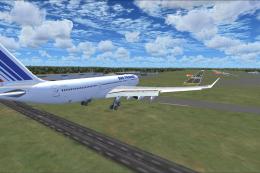
This freeware Airbus A330-200 package offers an all-in-one solution for Micro…
 FSX Civil Aircraft
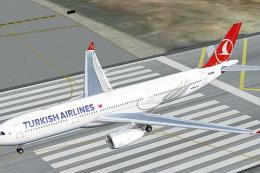
Turkish Airlines Airbus A330-200 GE (new colors). Model by CLS. Repaint by Se…
 FSX Civil Aircraft
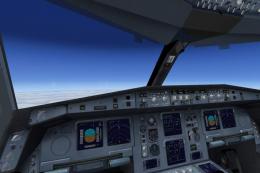
Includes RR, GE and PW engine versions for FSX only. FSX model with diffuse, …
 FSX Civil Aircraft
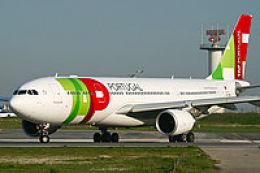
TAP Portugal Airbus A330-200, registration CS-TON. A TAP Portugal repaint for…
 FSX Civil Aircraft
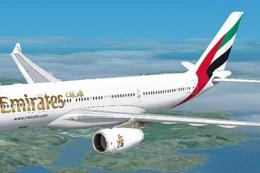
Immerse yourself in a detailed Emirates-themed aircraft repaint designed for …
Be the first to leave a comment on this download.
Be the first to share your thoughts on this download.