

 FSX General Aviation Aircraft
Cessna 182 Skylane
Cessna 182 Skylane. This is the default Flight Simulator 2004 Cessna 182 Skyl…
Cessna 182 Skylane “Used Trainer” brings a convincingly weathered four-seat single to Microsoft Flight Simulator X, pairing scuffed, faded exterior textures with an updated virtual cockpit layout geared for VFR and basic IFR practice. Refined flight dynamics and engine tuning deliver responsive handling for takeoff, cruise, and landing drills.
 Rate
Rate
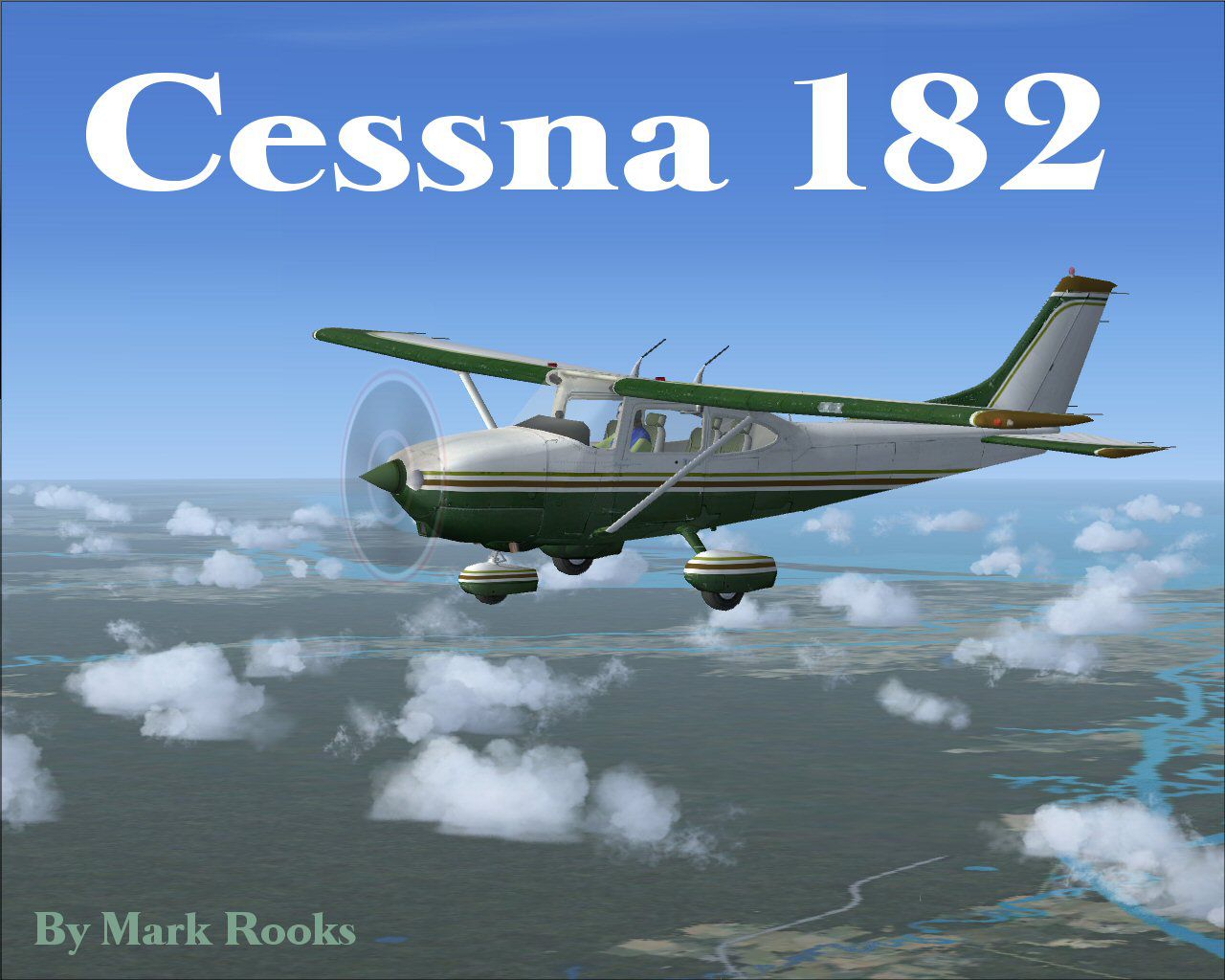
This freeware release offers a custom rendition of the Cessna 182 Skylane—originally from Microsoft Flight Simulator 2004—adapted for Microsoft Flight Simulator X. It features a worn, weathered trainer fuselage and comes with notable enhancements by Mark Rooks of RSDG Aircraft. The entire package, including a fully working base model, is included for ease of use and installation.
The Cessna 182 Skylane remains a staple single-engine, four-seat option for flight training and personal flights. This particular model showcases a weather-beaten exterior, inspired by many real-world trainers still in service today. By capturing realistic scuffing, fading, and subtle panel deterioration, the creator emphasizes an authentic “used” look.
Mark Rooks has integrated an updated cockpit layout that reflects authentic flight instruments often found on older, well-used trainers. Important readouts—like the altimeter, attitude indicator, and VOR displays—are organized to facilitate efficient training operations. This revised panel helps users practice essential navigation techniques and circuit procedures within FSX.
The flight dynamics, overhauled by the RSDG Aircraft team, give a more responsive control feel compared to default setups. Adjusted weight distribution, tweaked aerodynamic coefficients, and updated engine performance specifics faithfully capture how a seasoned Cessna 182 can behave, helping virtual pilots sharpen takeoff, cruise, and landing skills.

Cessna 182 Used Trainer in flight.
Mark Rooks encourages support of angel flight organizations worldwide. In line with this spirit, the aircraft is freely available, allowing virtual aviators to enjoy the Cessna 182 without additional costs. This model builds on the default FS2004 Skylane framework, with modifications tailored specifically for FSX.
By default, the main simulator folder can be found under C:\Program Files\Microsoft Games\Microsoft Flight Simulator X\SimObjects\Airplanes. Once placed, ensure the folder structure contains the CFG, AIR, Sound, Model, Texture, and Panel subdirectories.
This comprehensive adaptation by Mark Rooks and RSDG Aircraft delivers a reliable trainer suited for virtual beginners and enthusiasts alike. The faithful texturing and tuned aerodynamics should serve as a practical training platform in Microsoft Flight Simulator X.
Free for all simmers · 22.14 MB · Scanned clean Oct 2026
Download speed: Free tier is capped at 0.5 Mbps (this file takes approximately 6 mins at the cap). PRO members download at full line speed.
FSX\SimObjects\Airplanes\. The folder must contain an aircraft.cfg file. Effects go into FSX\Effects\; gauges go into FSX\Gauges\.readme.txt or README file. It tells you exactly where files go, what dependencies are needed, and any quirks specific to this add-on.The archive utc182x.zip has 7 files and directories contained within it.
This list displays the first 500 files in the package. If the package has more, you will need to download it to view them.
| Filename/Directory | File Date | File Size |
|---|---|---|
| Cessna 182 Used Trainer.zip | 05.24.08 | 12.39 MB |
| Pictures.zip | 05.24.08 | 9.60 MB |
| Read Me First.txt | 05.24.08 | 1.97 kB |
| Screen Trainer C182.jpg | 05.24.08 | 157.97 kB |
| Text.txt | 05.24.08 | 242 B |
| flyawaysimulation.txt | 10.29.13 | 959 B |
| Go to Fly Away Simulation.url | 01.22.16 | 52 B |
Only PRO members can place votes.
More FSX & P3D add-ons hand-picked based on this download.
FSX General Aviation Aircraft
Cessna 182 Skylane. This is the default Flight Simulator 2004 Cessna 182 Skyl…
 FSX General Aviation Aircraft
The Cessna 182 Skylane is an American four-seat, single-engined light airplan…
 FSX General Aviation Aircraft
Cessna 182 Skylane Update. This is an update for FSX Acceleration of the Cess…
 FSX General Aviation Aircraft
This freeware package integrates the classic Cessna 182 Skylane from Microsof…
 FSX General Aviation Aircraft
Replacement .air file for the payware Carenado C182RG to correct reversed pro…
 FSX General Aviation Aircraft
Red And White Cessna 182. A repaint of the default C182. By Ahmetandtolga Oza…
 FSX General Aviation Aircraft
Cessna 182 Project. This is a 2004 default Cessna 182 Skylane modified for Fl…
 FSX General Aviation Aircraft
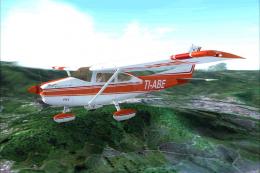
Tico Sim's Carenado 182 TI-ABE texture for FSX. TI-ABE is a private Cessna in…
Be the first to leave a comment on this download.
Be the first to share your thoughts on this download.