

 FSX Military Aircraft
RNoAF Grumman HU-16B ASW Albatross
A repaint of the payware Virtavia Grumman Albatross. It is painted as HU-16B …
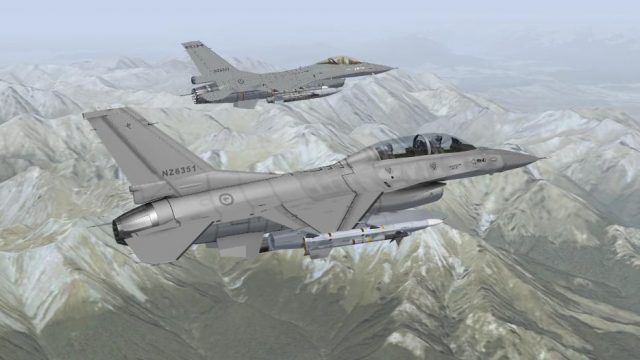
RNZAF F-16B textures bring a believable No. 2 Squadron low-vis grey scheme to the Fighting Falcon, complete with tail flash and fictional serial NZ6351, reflecting the air combat wing that never flew. Designed for FSX, it requires the IRIS F-16D model and supports multiple loadout variants, including clean, CAP, CAS, training, and ferry.
 Rate
Rate
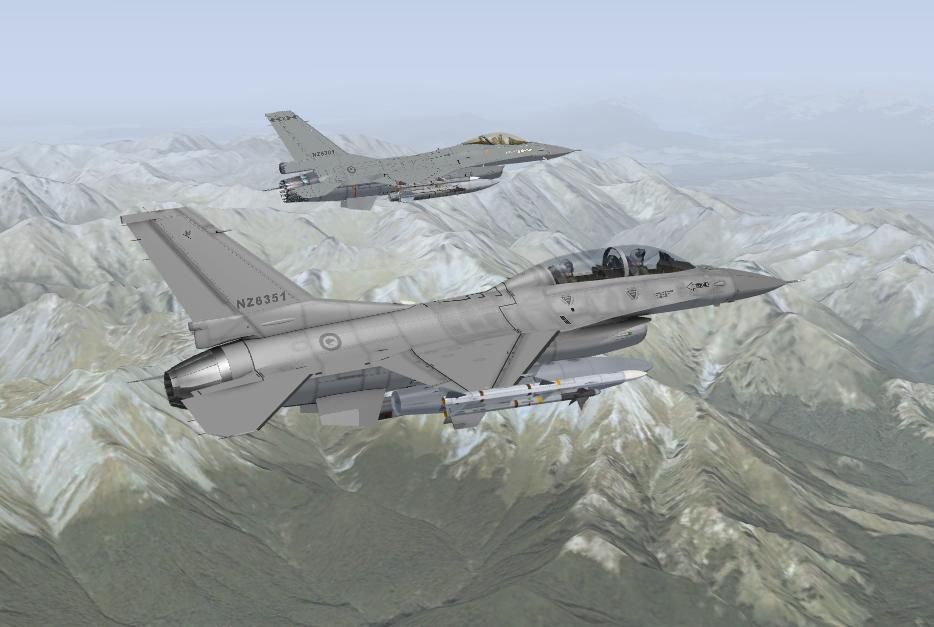
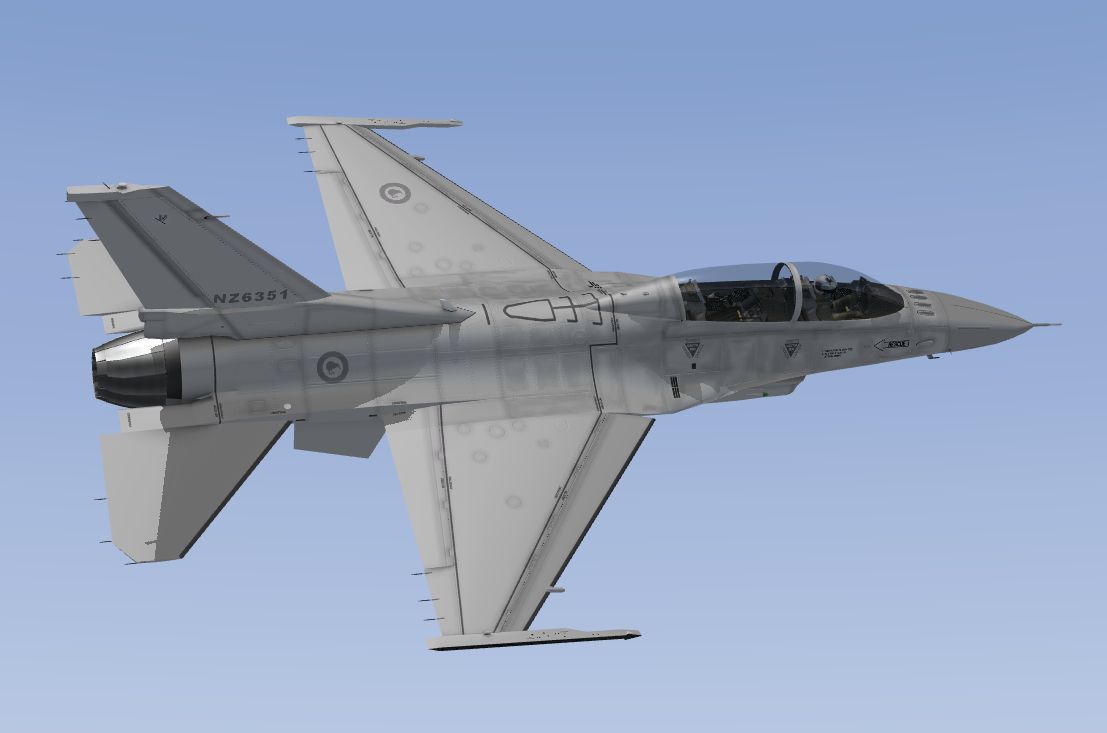
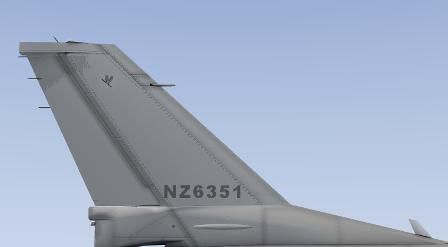
RNZAF F-16B. A fictional repaint of a Lockheed Martin F-16B in 2 Sqn RNZAF livery for the Iris F-16 model. Textures only. By S. Peterson.
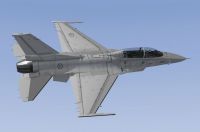
RNZAF F-16B in flight.
BACKGROUND:
In 1998 the Royal New Zealand Air Force selected the F-16 to replace it's aging fleet of A-4K Skyhawks in the air combat wing. The RNZAF sought 28 F-16A/B variants which, at the time, had been destined for Pakistan but were embargoed by the US government. In 2001, however, the newly-elected government of New Zealand abandoned the acquisition of the F-16s and disbanded the RNZAF's air combat wing altogether.
Had the F-16s seen service with the RNZAF, they would have served with No. 75 Squadron and No.2 Squadron, both based at RNZAF Base Ohakea near Palmerston North in the North Island. The repaint included is not based on any particular reference material, as no F-16s actually entered service with the RNZAF, but is in line with the RNZAF's current low-vis grey paint schemes, with a rendition of the 2 Squadron tail flash and carrying the fictional serial NZ6351.
While IRIS have designed an F-16D, these repaints have been re-labelled F-16B (even though the models are not).
INSTALLING:
1. There are two texture folders included - one for the CL model and the other for all other models. The CL one has all the base textures and the other folder has only a texture.cfg and thumbnail.
2. Extract the texture folder in the "CL" directory to your \...\SimObjects\Airplanes\IRIS F-16D Fighting Falcon CL folder.
3. Extract the texture folder in the "Other" directory to the following folders:
SimObjects\Airplanes\IRIS F-16D Fighting Falcon AG
SimObjects\Airplanes\IRIS F-16D Fighting Falcon CAP
SimObjects\Airplanes\IRIS F-16D Fighting Falcon CAS
SimObjects\Airplanes\IRIS F-16D Fighting Falcon F
SimObjects\Airplanes\IRIS F-16D Fighting Falcon TR
AIRCRAFT.CFG ENTRIES:
Copy and paste the following text into the aircraft.cfg file for each model, replacing the "X" with the next number in sequence:
1. CL entry:
[fltsim.X]

	title=666 F-16D RNZAF CL

	sim=F16D-DI000

	model=CL

	panel=

	sound=

	texture=RNZAF

	kb_checklists=

	kb_reference=

	ui_manufacturer=Lockheed Martin

	ui_type=F-16B Fighting Falcon

	ui_variation=CLEAN - Royal New Zealand Air Force

	ui_typerole="Fighter"

	ui_createdby="IRIS Flight Simulation Software"

	atc_id_color=0x00000000

	visual_damage=0

	atc_parking_types=MIL_COMBAT

	description=F-16D Block 50 Fighting Falcon by\n\n Michael Haegele\nTRIPLESIX DESIGN STUDIO.

	atc_heavy=0

	atc_id=0

	atc_airline=Kiwi

	atc_flight_number=6351

	atc_id_font=Verdana,-11,1,600,0
2. AG entry:
[fltsim.X]

	title=666 F-16D RNZAF AG

	sim=F16D-DI215

	model=AG

	panel=

	sound=

	texture=RNZAF

	kb_checklists=

	kb_reference=

	ui_manufacturer=Lockheed Martin

	ui_type=F-16B Fighting Falcon

	ui_variation=AIR-GROUND - Royal New Zealand Air Force

	ui_typerole="Fighter"

	ui_createdby="IRIS Flight Simulation Software"

	atc_id_color=0x00000000

	visual_damage=0

	atc_parking_types=MIL_COMBAT

	description=F-16D Block 50 Fighting Falcon by\n\n Michael Haegele\nTRIPLESIX DESIGN STUDIO.

	atc_heavy=0

	atc_id=0

	atc_airline=Kiwi

	atc_flight_number=6351

	atc_id_font=Verdana,-11,1,600,0
3. CAP entry:
[fltsim.X]

	title=666 F-16D RNZAF CAP

	sim=F16D-DI102

	model=CAP

	panel=

	sound=

	texture=RNZAF

	kb_checklists=

	kb_reference=

	ui_manufacturer=Lockheed Martin

	ui_type=F-16B Fighting Falcon

	ui_variation=CAP - Royal New Zealand Air Force

	ui_typerole="Fighter"

	ui_createdby="IRIS Flight Simulation Software"

	atc_id_color=0x00000000

	visual_damage=0

	atc_parking_types=MIL_COMBAT

	description=F-16D Block 50 Fighting Falcon by\n\n Michael Haegele\nTRIPLESIX DESIGN STUDIO.

	atc_heavy=0

	atc_id=0

	atc_airline=Kiwi

	atc_flight_number=6351

	atc_id_font=Verdana,-11,1,600,0
4. CAS entry:
[fltsim.X]

	title=666 F-16D RNZAF CAS

	sim=F16D-DI215

	model=CAS

	panel=

	sound=

	texture=RNZAF

	kb_checklists=

	kb_reference=

	ui_manufacturer=Lockheed Martin

	ui_type=F-16B Fighting Falcon

	ui_variation=CAS - Royal New Zealand Air Force

	ui_typerole="Fighter"

	ui_createdby="IRIS Flight Simulation Software"

	atc_id_color=0x00000000

	visual_damage=0

	atc_parking_types=MIL_COMBAT

	description=F-16D Block 50 Fighting Falcon by\n\n Michael Haegele\nTRIPLESIX DESIGN STUDIO.

	atc_heavy=0

	atc_id=0

	atc_airline=Kiwi

	atc_flight_number=6351

	atc_id_font=Verdana,-11,1,600,0
5. F entry:
[fltsim.X]

	title=666 F-16D RNZAF F

	sim=F16D-DI113

	model=F

	panel=

	sound=

	texture=RNZAF

	kb_checklists=

	kb_reference=

	ui_manufacturer=Lockheed Martin

	ui_type=F-16B Fighting Falcon

	ui_variation=FERRY - Royal New Zealand Air Force

	ui_typerole="Fighter"

	ui_createdby="IRIS Flight Simulation Software"

	atc_id_color=0x00000000

	visual_damage=0

	atc_parking_types=MIL_COMBAT

	description=F-16D Block 50 Fighting Falcon by\n\n Michael Haegele\nTRIPLESIX DESIGN STUDIO.

	atc_heavy=0

	atc_id=0

	atc_airline=Kiwi

	atc_flight_number=6351

	atc_id_font=Verdana,-11,1,600,0
6. TR entry:
[fltsim.X]

	title=666 F-16D RNZAF TR

	sim=F16D-DI064

	model=TR

	panel=

	sound=

	texture=RNZAF

	kb_checklists=

	kb_reference=

	ui_manufacturer=Lockheed Martin

	ui_type=F-16B Fighting Falcon

	ui_variation=TRAINING - Royal New Zealand Air Force

	ui_typerole="Fighter"

	ui_createdby="IRIS Flight Simulation Software"

	atc_id_color=0x00000000

	visual_damage=0

	atc_parking_types=MIL_COMBAT

	description=F-16D Block 50 Fighting Falcon by\n\n Michael Haegele\nTRIPLESIX DESIGN STUDIO.

	atc_heavy=0

	atc_id=0

	atc_airline=Kiwi

	atc_flight_number=6351

	atc_id_font=Verdana,-11,1,600,0
FINALLY:
It's not the flashest of repaints, but it's what I could manage with my limited knowledge and time. Hopefully it works and you like it. If it buggers your computer up, I'm sorry - use these at your own risk.
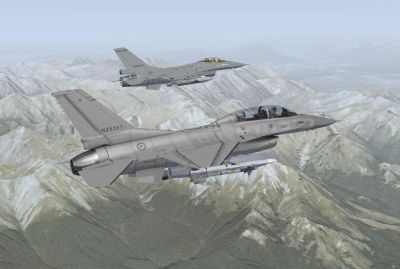
Two RNZAF F-16B in flight.
Free for all simmers · 12.09 MB · Scanned clean Oct 2026
Download speed: Free tier is capped at 0.5 Mbps (this file takes approximately 3 mins at the cap). PRO members download at full line speed.
SimObjects\Airplanes\, Addon Scenery\, Effects\, or Gauges\.readme.txt or README file. It tells you exactly where files go, what dependencies are needed, and any quirks specific to this add-on.The archive 2sqnf16b.zip has 28 files and directories contained within it.
This list displays the first 500 files in the package. If the package has more, you will need to download it to view them.
| Filename/Directory | File Date | File Size |
|---|---|---|
| 2SqnF16B | 05.08.11 | 0 B |
| A and B.jpg | 08.31.09 | 64.45 kB |
| CL | 08.30.09 | 0 B |
| Texture.RNZAF | 08.30.09 | 0 B |
| F16D_01_T.dds | 08.30.09 | 1.00 MB |
| F16D_02_T.dds | 08.29.09 | 1.00 MB |
| F16D_03_T.dds | 08.30.09 | 1.00 MB |
| F16D_04_T.dds | 08.29.09 | 1.00 MB |
| F16D_05_T.dds | 08.30.09 | 1.00 MB |
| F16D_Load_T.dds | 07.25.09 | 4.00 MB |
| F16D_PILOT.dds | 08.21.09 | 1.00 MB |
| texture.cfg | 07.10.09 | 126 B |
| thumbnail.jpg | 08.30.09 | 7.38 kB |
| FILE_ID.DIZ | 08.30.09 | 129 B |
| Other | 08.30.09 | 0 B |
| Texture.RNZAF | 08.30.09 | 0 B |
| texture.cfg | 08.30.09 | 320 B |
| thumbnail.jpg | 08.30.09 | 7.38 kB |
| psd files | 05.08.11 | 0 B |
| 02_T.psd | 08.29.09 | 2.15 MB |
| 1_T.psd | 08.30.09 | 1.87 MB |
| 3_T.psd | 08.30.09 | 5.13 MB |
| 4_T.psd | 08.29.09 | 3.90 MB |
| 5_T.psd | 08.30.09 | 3.45 MB |
| Readme.txt | 08.30.09 | 5.70 kB |
| screenshot.jpg | 08.30.09 | 44.64 kB |
| flyawaysimulation.txt | 10.29.13 | 959 B |
| Go to Fly Away Simulation.url | 01.22.16 | 52 B |
Only PRO members can place votes.
More FSX & P3D add-ons hand-picked based on this download.
FSX Military Aircraft
A repaint of the payware Virtavia Grumman Albatross. It is painted as HU-16B …
 FSX Military Aircraft
Experience a richly detailed representation of the Royal New Zealand Air Forc…
 FSX Military Aircraft
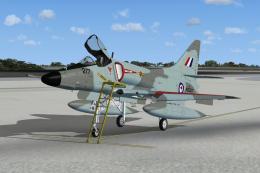
No. 75 Squadron. This repaint for the Virtavia "A-4 Skyhawk for FSX" package …
 FSX Military Aircraft
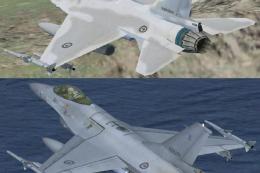
RNZAF F-16 Viper Repaints. Two fictional Royal New Zealand Airforce repaints …
 FSX Military Aircraft
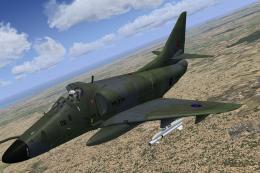
The Royal New Zealand Air Force obtained ten A-4F and four TA-4F Skyhawks fro…
 FSX Military Aircraft
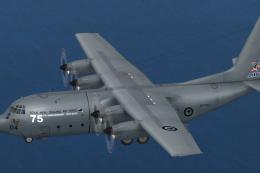
This package provides a distinctive 75th Anniversary livery honoring the Roya…
 FSX Military Aircraft
This freeware repaint brings the Royal New Zealand Air Force (RNZAF) DeHavill…
 FSX Military Aircraft
A skin for the Aerosoft DeHavilland Twin Otter. RNZAF de Havilland Canada DHC…
Be the first to leave a comment on this download.
Be the first to share your thoughts on this download.