


 France
  FSX Scenery
Nancy V2
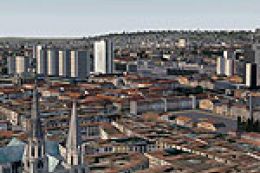
Nancy, France, version 2. Major update of v1 of LFSN airport landclass redraw…
Nancy-Ochey BA133 (LFSO) brings a detailed French military airbase to life, complete with the former Toul-Rosières BA136 and the Pont Saint Vincent strip for varied training hops. Designed for FSX, the scenery captures the airfield layout and atmosphere of northeastern France for fast-jet style operations.
Military Airport Of Nancy-Ochey (LFSO), France. This pack contains the military airbase of Nancy-Ochey BA133, and includes BA136 of Toul-rosieres closed since 1994, and Pont Saint Vincent LFSV. By Alexandre Remy.
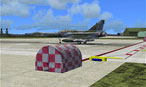
Nancy-Ochey Scenery.
Location:
The BA133 of Nancy-Ochey is located in the North-East of France , departement 54.
N48* 34.9833'
E5* 57.2667'
Squadrons :
The 1/3 Navarre
The 2/3 Champagne
The 3/3 Ardennes
Installation:
Click .exe files for installation;
Then start FS2004 go to your scenery library and validate the scenery like all others scenery that you already have.
Known Bugs :
At this moment, any bugs are reported in this scenery but if you have a problem don't hesitate to contact me via e-mail.
Credits to:
Thank you with all those which have to give to me councils/easy ways for the realization of this scene:
Pierre Marchadier for his councils and its formidable Mirage 2000D
Guillaume (Grim_reAper68)
Jacky Giraud
Patrick Renaudin
Pascal Plumat
Jacques Bollard for his military cars
All members of the GMAX AC
All members of the forums of Libertysim and FranceSim
And all those which I would have to forget to quote. ; O)
Also thanks to TEAM FAF (French Air Force) and FMF (French Mili Force)
Alexandre
Free for all simmers · 5.43 MB · Scanned clean Oct 2026
Download speed: Free tier is capped at 0.5 Mbps (this file takes approximately 2 mins at the cap). PRO members download at full line speed.
FSX\Addon Scenery\ containing scenery and texture sub-folders.readme.txt or README file. It tells you exactly where files go, what dependencies are needed, and any quirks specific to this add-on.Use these coordinates to fly directly to this location once the mod is installed.
48.58305000,5.95445000
Launch FSX or Prepar3D and use Flights → Load to open the downloaded .pln file. Your aircraft will be positioned at this location.
The archive lfso08sx.zip has 6 files and directories contained within it.
This list displays the first 500 files in the package. If the package has more, you will need to download it to view them.
| Filename/Directory | File Date | File Size |
|---|---|---|
| LFSO2008vFSX | 01.19.08 | 0 B |
| LFSO2008FSX.exe | 01.19.08 | 5.51 MB |
| LISEZ-MOI.txt | 01.15.08 | 4.19 kB |
| README.txt | 01.15.08 | 1.77 kB |
| flyawaysimulation.txt | 10.29.13 | 959 B |
| Go to Fly Away Simulation.url | 01.22.16 | 52 B |
Only PRO members can place votes.
More FSX & P3D add-ons hand-picked based on this download.
FSX Scenery
Nancy, France, version 2. Major update of v1 of LFSN airport landclass redraw…
 FSX Scenery
Metz Nancy Lorraine (LFJL), France, v3. By Alexandre Remy. Installation: Befo…
 FSX Scenery
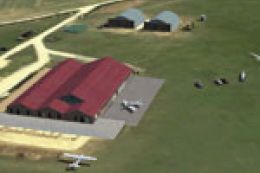
Nancy-Pont Saint-Vincent, France, and airfield LFSV that is not part of FSX s…
 FSX Scenery
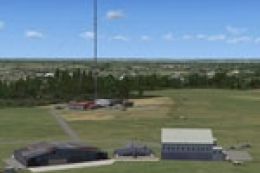
Aerodrome de Nancy-Malzeville (LFEZ), Malzeville, France. This scenery adds o…
 FSX Scenery
Nancy-Azelot Airfield, France, a few miles south of Nancy, that is not in FSX…
FSX Scenery
Skara Scenery Bonaire X. Flamingo International Airport or Bonaire Internatio…
 FSX Scenery
Iwo Jima Scenery 1945 Update. This is a complete scenery with added effects a…
FSX Scenery
Kjeller Area Scenery X, Norway. Scenery around Kjeller airport with photoreal…
Be the first to leave a comment on this download.
Be the first to share your thoughts on this download.