


 Italy
Italy  FSX Scenery
Nauru Island Update 1
Nauru Island Scenery Update. Here is the first update for Nauru X (NAURU_X.ZI…
Montecristo Island returns to the map with a corrected coastline and restored landmass at 42.34 N, 10.32 E, midway between Corsica and Italy. Designed for FSX, this scenery update refines the island’s rugged granite character with improved rocky landclass and sharper coastal definition for more believable low-level and VFR flying.
Montecristo Island Scenery Update. The island is mountainous with several rocky ledges overlooking the sea and consists almost exclusively of granite. Montecristo Island is located halfway between Corsica and Italy at 42.34 N, 10.32 E. Volcano type unknown. This file corrects the default data that excludes the island and replaces coastline. By Giovanni Miduri.
This software is freeware and cannot be sold. Use it at your own risk. Try it, enjoy it or destroy it.
The island is mountainous with several rocky ledges overlooking the sea and consists almost exclusively of granite. 42.34 N, 10.32 E. Volcano type unknown
Montecristo Island is located halfway between Corsica and Italy.
Montecristo Island, consists of two files:
cvxMONTECRISTO.bgl -This file corrects the default data that exclude the island and replace coastline.
MONTECRISTO_LandClass.bgl. This file update the landclass (rock)
-----------------------------------------------------------------
INSTALLATION:
Put these two files in \ Addon Scenery \ Scenery or in some other scenario active (such as mesh ground for Italy).
Remember of make ADD area in Settings Scenery.
Have a good flight. Enjoy.
If you want, make search "miduri" in File Library of Avsim for all my work.
ItalianCharter Team
Join me: Giovanni Miduri I-GIMI
Free for all simmers · 9.39 KB · Scanned clean Oct 2026
Download speed: Free tier is capped at 0.5 Mbps. PRO members download at full line speed.
FSX\Addon Scenery\ containing scenery and texture sub-folders.readme.txt or README file. It tells you exactly where files go, what dependencies are needed, and any quirks specific to this add-on.Use these coordinates to fly directly to this location once the mod is installed.
42.34000000,10.32000000
Launch FSX or Prepar3D and use Flights → Load to open the downloaded .pln file. Your aircraft will be positioned at this location.
The archive montecristo.zip has 5 files and directories contained within it.
This list displays the first 500 files in the package. If the package has more, you will need to download it to view them.
| Filename/Directory | File Date | File Size |
|---|---|---|
| MONTECRISTO_LandClass.bgl | 09.27.09 | 324 B |
| cvxMONTECRISTO.BGL | 09.27.09 | 9.89 kB |
| Isola di Montecristo.txt | 09.29.09 | 1.31 kB |
| flyawaysimulation.txt | 10.29.13 | 959 B |
| Go to Fly Away Simulation.url | 01.22.16 | 52 B |
Only PRO members can place votes.
More FSX & P3D add-ons hand-picked based on this download.
FSX Scenery
Nauru Island Scenery Update. Here is the first update for Nauru X (NAURU_X.ZI…
 FSX Scenery
St Barthelemy island (TFFJ) is situated in the Caribbean Sea. It's small slop…
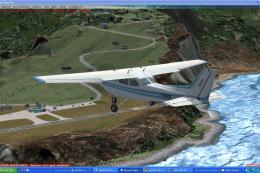 FSX Scenery
Island Of Saba. Includes redesign of all coasts and land class; SABA airport;…
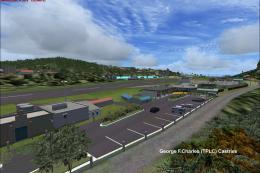 FSX Scenery
(Caraibes). Saint Lucia Island scenery including the correct redefinition of …
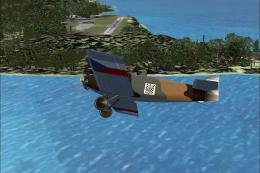 FSX Scenery
Saba Island (TNCS). Saba island in FSX is much improved over the flat island …
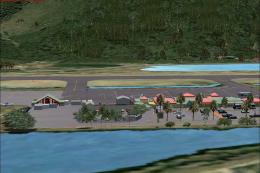 FSX Scenery
Grande Case Island, St Marteen (TFFG). This scenery is fully compatible with …
 FSX Scenery
NAS North Island (KNZY), v1.01. After a hard day of trapping it's nice to hav…
 FSX Scenery
FSX Corse Island Scenery version I. Know as Corse to the French, Corsica to t…
Be the first to leave a comment on this download.
Be the first to share your thoughts on this download.