


 Colombia
  FSX Scenery
Aeropuerto La Chinita
Aeropuerto La Chinita (SVMC), Maracaibo, Venezuela. By Adalberto Fernandez.
Matecaña International Airport (SKPE/PEI) brings Pereira, Colombia to life in FSX with updated runway alignment, terminal buildings, and a layout based on Google Maps reference. The scenery reflects the field’s two-level terminal, two gates, cargo ramp area, and regional role serving Risaralda and nearby cities during diversions.
Scenery Aeropuerto International Matecana, Pereira, Colombia, (SKPE). By Anwar Gonzalez.
SKPE (AEROPUERTO INTERNATIONAL MATECANA, PEREIRA, COLOMBIA).
Matecaña International Airport (Spanish: Aeropuerto Internacional de Matecaña) (IATA: PEI, ICAO: SKPE) is an airport located in the city of Pereira, Colombia. It connects the Risaralda department of Colombia. It also serves the cities of Armenia, Cartago, and Manizales in emergency situations.
The airport was constructed in 1945. The runway was expanded between 1966 and 1968. It has one cargo ramp built in 1978. The Airport Consists of 2 levels and 2 gates. The airport is operated by Aerocivil. The airport has 25 daily departures and arrivals.
Domestic departures:
Aerolínea de Antioquia (Medellín - Olaya Herrera)
AeroRepública (San Andrés)
Aexpa (Condoto, Quibdó)
AIRES (Bogotá, Cartagena, Medellín-Olaya Herrera)
Avianca (Bogotá, Cartagena)
EasyFly (Bogotá, Cali, Medellín-Olaya Herrera)
Satena (San Andrés) Seasonal
International departures
AIRES (Panama City, Fort Lauderdale)
Avianca (Miami, New York-JFK)
AeroRepública (Panama City)
IATA: PEI ICAO: SKPE
Airport type: Public
Operator: Aerocivil
Location: Pereira, Risaralda, Colombia
Elevation AMSL: 1.346 m / 4.416 ft
Coordinates: N 04°48'45" W 75°44'22"
Runways:
Direction Length m Length ft Surface
08/26 2.020 6.627 Asphalt
INSTALATION:
Please copy the ADEX and AFX files to the folder FSX Addon Scenery (subfolder Scenary). This file is the airpor with the runway with the current direction and airport buildings. It is done using google map.
Feel free to add anything you want.
Thank you for using this file.
THIS IS A FREEWARE FOR FSX
Anwar Gonzalez
Free for all simmers · 10.98 KB · Scanned clean Oct 2026
Download speed: Free tier is capped at 0.5 Mbps. PRO members download at full line speed.
FSX\Addon Scenery\ containing scenery and texture sub-folders.readme.txt or README file. It tells you exactly where files go, what dependencies are needed, and any quirks specific to this add-on.Use these coordinates to fly directly to this location once the mod is installed.
4.81250000,-75.73940000
Launch FSX or Prepar3D and use Flights → Load to open the downloaded .pln file. Your aircraft will be positioned at this location.
The archive skpe.zip has 5 files and directories contained within it.
This list displays the first 500 files in the package. If the package has more, you will need to download it to view them.
| Filename/Directory | File Date | File Size |
|---|---|---|
| AFX_SKPE.bgl | 06.13.10 | 10.44 kB |
| Please Read First.txt | 06.19.10 | 1.63 kB |
| SKPE_ADEX_AG.BGL | 06.13.10 | 11.19 kB |
| flyawaysimulation.txt | 10.29.13 | 959 B |
| Go to Fly Away Simulation.url | 01.22.16 | 52 B |
Only PRO members can place votes.
More FSX & P3D add-ons hand-picked based on this download.
FSX Scenery
Aeropuerto La Chinita (SVMC), Maracaibo, Venezuela. By Adalberto Fernandez.
 FSX Scenery
Aeropuerto Federico Garcia Lorca Granada-Jaen (LEGR), Granada, Spain. Another…
 FSX Scenery
El Plumerillo/Aeropuerto Internacional Gabrielli FJ, Mendoza, Argentina (SAME…
 FSX Scenery
Scenery Aeropuerto Santiago Perez Quiroz Arauca Colombia (SKUC). By Andres Ra…
FSX Scenery
Scenery Aeropuerto Almirante Padilla, Riohacha, Colombia (SKRH). By Anwar Gon…
 FSX Scenery
(MPCH), Changuinola, Bocas del Toro, Panama. Requires VLC libraries. By Victo…
 FSX Scenery
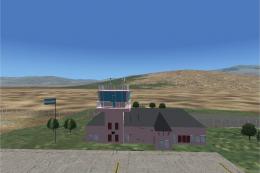
(SANO), Chilecito, La Rioja, Argentina. Includes realistic control tower and …
 FSX Scenery
Princess Juliana International Airport (TNCM) in Saint Marteen, Netherlands A…
Be the first to leave a comment on this download.
Be the first to share your thoughts on this download.