

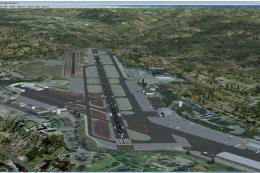
 FSX Scenery
Monterey Peninsula Airport
Scenery Monterey Peninsula Airport (KMRY), CA, v2, located on the coast in ce…
Monterey Peninsula Airport (KMRY) scenery v2 update restores two missing hangars and refines the animated windsock for correct scale and placement, eliminating oversized sock and grounded pole glitches. Designed for Microsoft Flight Simulator X users who installed the original v2 package, it brings cleaner, more accurate airfield visuals around Monterey, California.
 Rate
Rate
 United States of America
Scenery Monterey Peninsula Airport (KMRY), California (CA), v2 update. This update is for users who downloaded the MONTEREYAIRPORTKMRYVERSION2.ZIP file. This will fix 2 missing hangars, and correct any visual issue with the animated windsock. It has been reported that the windsock is extremely large and/or the pole is lying on the ground. By Eric McCloud.
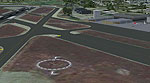
Screenshot of Monterey Peninsula Airport.
Installation is fairly basic.
1) Copy the Monterey Peninsula KMRY folder into your main Microsoft Flight Simulator X\Addon Scenery folder and overwrite if/when asked.
2) Copy the scenery and texture folders into your main Microsoft Flight Simulator X\Addon Scenery folder and overwrite if/when asked.
Or simply copy the Addon Scenery folder to your main Flight Simulator X folder.
This will fix the issue with 2 missing hangars and any possible visual issues with the Animated Windsock. Some people are reporting the sock is extremely large and/or the pole is lying on the ground.
Regards,
Eric McCloud
Free for all simmers · 306.57 KB · Scanned clean Oct 2026
Download speed: Free tier is capped at 0.5 Mbps. PRO members download at full line speed.
This add-on may require the following files to function properly. If this is a repaint, the dependency below is likely the base aircraft package.
FSX\Addon Scenery\ containing scenery and texture sub-folders.readme.txt or README file. It tells you exactly where files go, what dependencies are needed, and any quirks specific to this add-on.Use these coordinates to fly directly to this location once the mod is installed.
36.58700000,-121.84300000
Launch FSX or Prepar3D and use Flights → Load to open the downloaded .pln file. Your aircraft will be positioned at this location.
The archive montereypeninsulakmryversion2update.zip has 17 files and directories contained within it.
This list displays the first 500 files in the package. If the package has more, you will need to download it to view them.
| Filename/Directory | File Date | File Size |
|---|---|---|
| Addon Scenery | 09.08.10 | 0 B |
| Installation Read Me!!!.txt | 09.08.10 | 665 B |
| Monterey Peninsula KMRY | 09.07.10 | 0 B |
| Scenery | 09.07.10 | 0 B |
| kmryhgr.bgl | 09.07.10 | 503.24 kB |
| texture | 09.07.10 | 0 B |
| hanger large 2 a.dds | 09.07.10 | 341.45 kB |
| hanger large 2 b.dds | 09.07.10 | 341.45 kB |
| hanger large 2 b_LM.dds | 09.07.10 | 341.45 kB |
| zinc.dds | 09.07.10 | 21.45 kB |
| scenery | 09.07.10 | 0 B |
| WindsockJDB.bgl | 05.07.08 | 59.88 kB |
| texture | 09.07.10 | 0 B |
| windsock.dds | 08.23.10 | 85.45 kB |
| windsock_LM.bmp | 10.20.06 | 42.75 kB |
| flyawaysimulation.txt | 10.29.13 | 959 B |
| Go to Fly Away Simulation.url | 01.22.16 | 52 B |
Only PRO members can place votes.
More FSX & P3D add-ons hand-picked based on this download.
FSX Scenery
Scenery Monterey Peninsula Airport (KMRY), CA, v2, located on the coast in ce…
 FSX Scenery
Airport EDDS Stuttgart / Germany. The gates have gate signs to show the numbe…
 FSX Scenery
Indira Gandhi International Airport (VIDP), Delhi, India, v2. Runway 11-29 in…
 FSX Scenery
Scenery Orlando International Airport (KMCO), Orlando, Florida (FL), v2.0. Th…
 FSX Scenery
Zurich Airport (LSZH), Switzerland. This is a puristic, frame rate friendly s…
 FSX Scenery
Barra Airport (also known as Barra Beachport) is the unique airport which ope…
 FSX Scenery
Flores Airport (LPFL), Azores Islands, Portugal, v2. By Lets Fly Association …
 FSX Scenery
Scenery Indianapolis International Airport (KIND), Indiana (IN), v2.1. Update…
Be the first to leave a comment on this download.
Be the first to share your thoughts on this download.