

 FSX Scenery
NL2000 V4.02 Rotterdam,The Hague Airport
Enhance your simulator’s portrayal of one of the Netherlands’ busiest regiona…
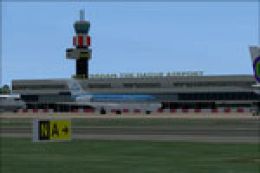
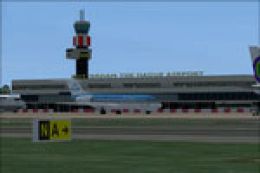
Rotterdam The Hague Airport (EHRD) scenery refresh brings the default field closer to current real-world layouts in FSX, with rebuilt taxiways, apron paths, signage, and correctly positioned gates and stands. Custom airside objects add apron life, and the design follows Jeppesen charts for believable ground operations and AI traffic flow.
 Rate
Rate
 Netherlands
Scenery Rotterdam Airport The Hague (EHRD), The Netherlands. Refurbished to match the real world. All gates are present correct taxiway and lots of object. For FSX default only. By Victor Nauta.
DETAILS:
Developed By: Victor Nauta
For FS Version: FSX (Default Airport)
Airport: EHRD - Rotterdam The Haque Airport - Rotterdam, The Netherlands
Main Changes:
1. Removed and changed all taxiway, apronpaths and taxisigns to take it all to a higher standard consistent throughout.
2. Correct gates and stands.
3. (custom)Airside objects placed.
Preparation, Verification and Testing:
1. Made according to drawings and charts of Jeppesen.
2. Tested with WOAI, UGA and custom AI (AIG).
Credits:
ADE (Airport Design Editor) by Jon Masterson is an invaluable freeware utility for developing Afcads.
Installation:
1. Remove any existing LIME AFD/Afcad file in your FSX installation.
2. Place the file EHRD_ADEX_VIC.BGL and EHRD_ADEX_VIC_CVX.bgl in your Addon Scenery/scenery folder and re-start FSX.
Uninstall:
1. Remove or delete the file EHRD_ADEX_VIC.BGL and EHRD_ADEX_VIC_CVX.bgl from your Addon Scenery/scenery folder and re-start FSX.
Tip:
Try the program Airport Scanner from Scruffyduck to eliminate duplicate aiport afcad installed. This results in not loading one of the two afcad. With Airport scanneryou can easily scan out those duplicates and delete one of them.
Happy flying,
Victor
Free for all simmers · 204.18 KB · Scanned clean Oct 2026
Download speed: Free tier is capped at 0.5 Mbps. PRO members download at full line speed.
FSX\Addon Scenery\ containing scenery and texture sub-folders.readme.txt or README file. It tells you exactly where files go, what dependencies are needed, and any quirks specific to this add-on.Use these coordinates to fly directly to this location once the mod is installed.
51.95690000,4.43720000
Launch FSX or Prepar3D and use Flights → Load to open the downloaded .pln file. Your aircraft will be positioned at this location.
The archive ehrd_adex_fsx.zip has 5 files and directories contained within it.
This list displays the first 500 files in the package. If the package has more, you will need to download it to view them.
| Filename/Directory | File Date | File Size |
|---|---|---|
| EHRD_ADEX_VIC_CVX.bgl | 09.26.10 | 7.09 kB |
| EHRD_ADEX_VIC.BGL | 09.26.10 | 1005.52 kB |
| readme_EHRD.txt | 09.24.10 | 2.00 kB |
| flyawaysimulation.txt | 10.29.13 | 959 B |
| Go to Fly Away Simulation.url | 01.22.16 | 52 B |
Only PRO members can place votes.
More FSX & P3D add-ons hand-picked based on this download.
FSX Scenery
Enhance your simulator’s portrayal of one of the Netherlands’ busiest regiona…
 FSX Scenery
Enhance your virtual journey in FSX by adding a meticulously detailed renditi…
 FSX Scenery
Immerse yourself in a meticulously crafted rendition of EHRD Rotterdam The Ha…
 FSX Scenery
Princess Juliana International Airport (TNCM) in Saint Marteen, Netherlands A…
 FSX Scenery
Los Angeles Airport Scenery v3, California (CA). This photoreal scenery is a …
 FSX Scenery
Barbados International Airport (TBPB). Grantley Adams International Airport f…
 FSX Scenery
Paris Charles de Gaulle Airport (CDG, LFPG), France. The entire airport has b…
 FSX Scenery
John F. Kennedy Airport (KJFK), New York, NYU. This is a photoreal scenery re…
Be the first to leave a comment on this download.
Be the first to share your thoughts on this download.