

 FSX Scenery
NL2000 V4.0 Ameland Package
This freeware release introduces a high-fidelity rendition of EHAL Ameland fo…
EHAL Ameland Airport scenery brings the Wadden Islands to life with photoreal coastal ground textures, crisp runway 09/27 markings, and well-matched buildings, trees, and fields for convincing VFR hops and sightseeing. Built to blend seamlessly into the NL2000 v4 landscape for Flight Simulator X, it requires the NL2000 v4.0.20 installer.
 Rate
Rate
 Netherlands
Experience a meticulously crafted rendition of EHAL Ameland Airport that integrates seamlessly with the broader NL2000 v4 environment. This freeware add-on, developed by The Netherlands 2000 Scenery Design Team, employs a modular design to capture key Dutch landscapes and airports for FSX. Ameland Airport itself is positioned in the Wadden Islands region, offering a single runway (09/27) that caters to both general aviation flights and sightseeing journeys above the scenic coastal terrain.
Within this localized package, runway markings and surrounding fields are portrayed with attention to detail. Trees, buildings, and other airport structures are textured to blend smoothly with the island’s distinctive atmosphere. The visual fidelity is further refined through photoreal imagery, delivering a realistic depiction of the North Sea coast and the adjacent Wadden Sea zone.
Satellite-based ground textures envelop the airfield, capturing essential details around the runways and aprons. The elevated resolution level aids in VFR navigation across the island, while also enhancing immersion for low-altitude flight operations such as approach practice or hover checks in light aircraft.
The NL2000 project adopts a block-by-block structure, meaning each segment of Dutch territory (including coastal regions and major airports) can be installed independently. By integrating EHAL Ameland Airport with other modules, flight sim pilots gain the freedom to explore the rest of the Netherlands in consistent quality and style.
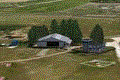
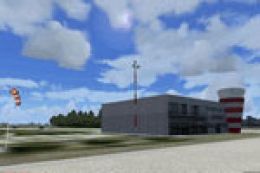
Screenshot of Ameland Airport Scenery.
With its focus on localized accuracy, this add-on enriches any FSX session involving practice flights over the North Sea coastline or casual hops between Dutch isles. The result is a refined depiction of Ameland Airport that integrates into a larger scenic framework of the Netherlands while maintaining modularity for user convenience.
Free for all simmers · 21.97 MB · Scanned clean Oct 2026
Download speed: Free tier is capped at 0.5 Mbps (this file takes approximately 6 mins at the cap). PRO members download at full line speed.
FSX\Addon Scenery\ containing scenery and texture sub-folders.readme.txt or README file. It tells you exactly where files go, what dependencies are needed, and any quirks specific to this add-on.Use these coordinates to fly directly to this location once the mod is installed.
53.45610000,5.69220000
Launch FSX or Prepar3D and use Flights → Load to open the downloaded .pln file. Your aircraft will be positioned at this location.
The archive nl2k_v4_02_ehal.zip has 8 files and directories contained within it.
This list displays the first 500 files in the package. If the package has more, you will need to download it to view them.
| Filename/Directory | File Date | File Size |
|---|---|---|
| FILE_ID.DIZ | 12.22.11 | 356 B |
| nl2k_v4.02_ehal.gif | 12.22.11 | 5.07 kB |
| nl2k_v4.02_ehal.nl2 | 12.15.11 | 21.96 MB |
| nl2k_v4.02_ehal.txt | 12.22.11 | 356 B |
| auteursrecht.txt | 05.24.10 | 5.06 kB |
| copyright.txt | 05.24.10 | 4.43 kB |
| flyawaysimulation.txt | 10.29.13 | 959 B |
| Go to Fly Away Simulation.url | 01.22.16 | 52 B |
Only PRO members can place votes.
More FSX & P3D add-ons hand-picked based on this download.
FSX Scenery
This freeware release introduces a high-fidelity rendition of EHAL Ameland fo…
 FSX Scenery
Enhance your simulator’s portrayal of one of the Netherlands’ busiest regiona…
 FSX Scenery
This free add-on offers a precisely modeled depiction of EHEH Eindhoven Airpo…
 FSX Scenery
This comprehensive package brings an updated rendition of Maastricht Aachen A…
 FSX Scenery
This airport enhancement transforms Groningen Airport Eelde (EHGG) within Mic…
 FSX Scenery
Experience the intricacies of Den Helder Airport (EHKD) with this free FSX sc…
 FSX Scenery
This add-on enhances Microsoft Flight Simulator X with a finely detailed rend…
 FSX Scenery
This freeware add-on brings a fully updated rendition of Teuge Airport (EHTE)…
Be the first to leave a comment on this download.
Be the first to share your thoughts on this download.