

 FSX Turboprops
Avro C-91 Update Correction
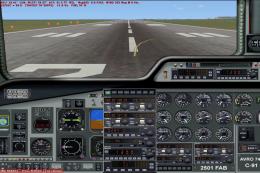
This is a correction for the panel of the Avro C-91 update (C91UPXA.ZIP). You…
Avro C-91 fans can sharpen handling and cockpit usability with this FSX Acceleration update, refining flight dynamics, panel configuration, and reference operating speeds for a smoother classic transport experience. It requires the original Avro C-91 package by J.R. Lucariny, and includes updated configuration files plus sound setup support.
 Rate
Rate
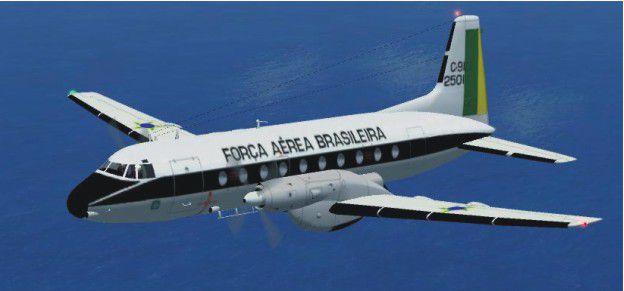
An update for FSX Acceleration of the Avro C-91 by J.R. Lucariny. It just needed minor flight dynamics and panel adjustments. You need the original aircraft for this update to work (AVROC91.ZIP). By Bob Chicilo. (See also PAN91CXA.ZIP)
Screenshot of Avro C-91 in flight.
This is an update for FS X acceleration of the Avro C-91 by JRLUCARINY. It just needed minor flight dynamics and panel adjustments. You need the original aircraft for this update to work.
Unzip to a folder of your choice. After backing up your air, aircraft.cfg, and panel.cfg files, replace them with the ones in this update. Copy the picture to the aircraft folder and the sound.cfg file to the aircraft sound folder so you can have sound.
See the [reference speeds] section of the aircraft.cfg file for operating speeds.
Anyone: You have my permission to use any of my updates with the following conditions: One, you don't try to make money with them. Two, you don't try to hurt, or take something from anyone by using them.
Bob Chicilo.
Free for all simmers · 45.76 KB · Scanned clean Oct 2026
Download speed: Free tier is capped at 0.5 Mbps. PRO members download at full line speed.
This add-on may require the following files to function properly. If this is a repaint, the dependency below is likely the base aircraft package.
SimObjects\Airplanes\, Addon Scenery\, Effects\, or Gauges\.readme.txt or README file. It tells you exactly where files go, what dependencies are needed, and any quirks specific to this add-on.The archive c91upxa.zip has 9 files and directories contained within it.
This list displays the first 500 files in the package. If the package has more, you will need to download it to view them.
| Filename/Directory | File Date | File Size |
|---|---|---|
| AvroC91.jpg | 09.16.08 | 32.30 kB |
| PANEL.CFG | 09.16.08 | 3.55 kB |
| read me.txt | 09.16.08 | 782 B |
| Sound.cfg | 09.16.08 | 42 B |
| file_id.diz | 09.16.08 | 234 B |
| Aircraft.cfg | 09.16.08 | 10.87 kB |
| AvroC91.air | 09.16.08 | 14.63 kB |
| flyawaysimulation.txt | 10.29.13 | 959 B |
| Go to Fly Away Simulation.url | 01.22.16 | 52 B |
Only PRO members can place votes.
More FSX & P3D add-ons hand-picked based on this download.
FSX Turboprops
This is a correction for the panel of the Avro C-91 update (C91UPXA.ZIP). You…
 FSX Turboprops
This is an update for FSX Acceleration of the Cessna 208 Caravan Amphibian fr…
 FSX Turboprops
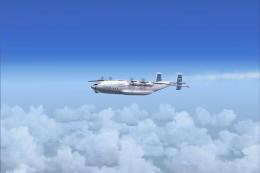
This update includes corrections to make this aircraft work better than the o…
 FSX Turboprops
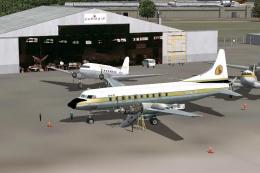
The Convair 640 was an American twin-engined medium-range airliner first flow…
 FSX Turboprops
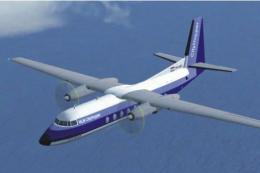
Fokker F27 200 Update for FSX Acceleration. An update of the Fokker F-27 200 …
 FSX Turboprops
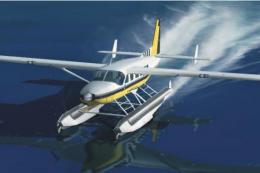
Cessna 208 Amphibian Update. The second update for FSX of the C208 amphibian.…
 FSX Turboprops
This is an update for FSX Acceleration of the Beechcraft Starship by Mike Sto…
 FSX Turboprops
This is an update for FSX acceleration of the Lockheed L188 Electra by Mike S…
Be the first to leave a comment on this download.
Be the first to share your thoughts on this download.