

 FSX Turboprops
DeHavilland DHC6-300 Twin Otter
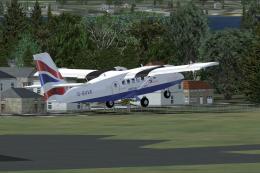
Two aircraft pack, with BA (Loganair) G-BVVK and Scilly Skybus G-BIHO. Includ…
Scenic Airlines “Vista Liner” livery brings Grand Canyon sightseeing colors to the de Havilland DHC-6 Twin Otter in FSX, with crisp exterior textures and authentic registration details for a classic tour look. Textures only; requires the Aerosoft Twin Otter 300 model to fly canyon routes in matching scheme.
 Rate
Rate
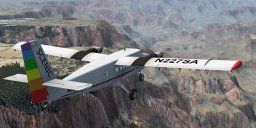
These are the colors used by Scenic Airlines on their "Vista Liner" aircraft that do sightseeings trips around the Grand Canyon. The windows are not really large enough but its a good excuse to cruise around the Grand Canyon! Textures only for the Aerosoft model. Repaint by Geoff Shipton.
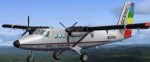
Screenshot of Scenic Airlines DeHavilland Twin Otter in flight.
Place the folder [texture.n227sa] in the folder [SimObjects\Airplanes\Aerosoft Twin Otter 300] and add these lines to the aircraft.cfg file for that folder.
[FLTSIM.X]

	title=de Havilland Canadian Twin Otter Canyon

	sim=DHC6

	model=300

	panel=org

	sound=

	texture=n227sa

	kb_checklists=dhc6-300-wheel_check

	kb_reference=dhc6-300-wheel_ref

	atc_id=N227SA

	atc_parking_types=RAMP

	ui_manufacturer="de Havilland Canada"

	ui_type="DHC-6-300"

	ui_variation="Vista Liner"

	ui_typerole="Twin Engine TurboProp"

	ui_createdby="Aerosoft"
I know the windows are not big enough - but it gives you an excuse to fly around the Grand Canyon...
Geoff Shipton

Screenshot of Scenic Airlines DeHavilland Twin Otter flying over canyons.
Free for all simmers · 1.51 MB · Scanned clean Oct 2026
Download speed: Free tier is capped at 0.5 Mbps. PRO members download at full line speed.
SimObjects\Airplanes\, Addon Scenery\, Effects\, or Gauges\.readme.txt or README file. It tells you exactly where files go, what dependencies are needed, and any quirks specific to this add-on.The archive txn227sa.zip has 16 files and directories contained within it.
This list displays the first 500 files in the package. If the package has more, you will need to download it to view them.
| Filename/Directory | File Date | File Size |
|---|---|---|
| DHC6_pilot01.dds | 01.29.08 | 128.12 kB |
| DHC6_pilot02.dds | 01.29.08 | 128.12 kB |
| DHC6_prop.dds | 01.07.08 | 64.12 kB |
| DHC6_texture_1_T.dds | 02.24.09 | 1.00 MB |
| DHC6_texture_2_T.dds | 02.24.09 | 1.00 MB |
| DHC6_texture_3_T.dds | 02.25.09 | 1.00 MB |
| DHC6_texture_4_T.dds | 02.24.09 | 1.00 MB |
| DHC6_texture_6_T.dds | 02.24.09 | 1.00 MB |
| readme.txt | 03.03.09 | 693 B |
| texture.cfg | 12.21.07 | 161 B |
| thumbnail.jpg | 02.24.09 | 10.61 kB |
| texture.n227sa | 03.03.09 | 0 B |
| FILE_ID.DIZ | 03.03.09 | 272 B |
| Image1.gif | 03.03.09 | 8.31 kB |
| flyawaysimulation.txt | 10.29.13 | 959 B |
| Go to Fly Away Simulation.url | 01.22.16 | 52 B |
Only PRO members can place votes.
More FSX & P3D add-ons hand-picked based on this download.
FSX Turboprops
Two aircraft pack, with BA (Loganair) G-BVVK and Scilly Skybus G-BIHO. Includ…
 FSX Turboprops
Full package with model, custom panel and VC, custom sound, and check lists. …
 FSX Turboprops
Two aircraft pack, Paradise Island Airlines reflective and non-reflective. In…
 FSX Turboprops
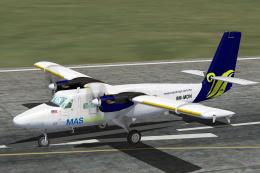
MASwings DeHavilland Twin Otter, registration 9M-MDN. Model by Aerosoft. Repa…
 FSX Turboprops
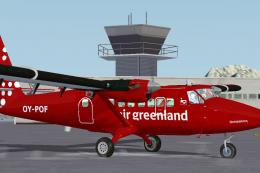
Air Greenland DeHavilland Twin Otter 300, registration OY-POF, based in Sondr…
 FSX Turboprops
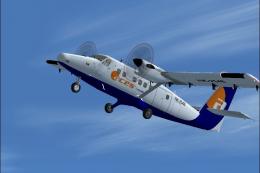
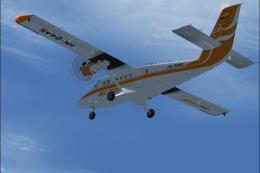
Model by Aerosim. Repaint by Cristian Camilo Bonilla. Screenshot of Aces Colo…
 FSX Turboprops
Model by Aerosim. By Cristian Camilo Bonilla. Screenshot of Aces Colombia DeH…
 FSX Turboprops
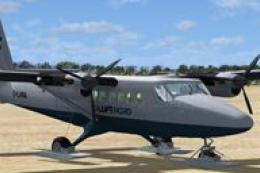
A repaint of the Aerosoft Twin Otter. Luft Nord is a fictional VA flying from…
Be the first to leave a comment on this download.
Be the first to share your thoughts on this download.