

 FSX Turboprops
DeHavilland Dash 8-100
An FS2004 to FSX conversion of the default Dash 8-100. Also includes 39 liver…
Air Berlin livery textures refresh the default DeHavilland Dash 8-100 with accurate airline markings and a clean, cohesive finish for regional turboprop flying in FSX. The repaint targets the stock aircraft and requires the default Dash 8-100, delivering an easy way to add Air Berlin flavor to the virtual cockpit.
 Rate
Rate
Air Berlin DeHavilland Dash 8-100 v2. Textures only for the default Dash 8-100. By Joris Peier.
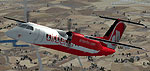
Screenshot of Air Berlin DeHavilland Dash 8-100 in flight.
Hi everybody, this is a Air Berlin repaint for the default DH Dash 8-100. In normal is it a Dash 8-Q400. Dreamwings has designed the Air Berlin for the Q400 but it don't run in my FSX, so I think I'll make a Air Berlin for the Default Dash 8. This is my first repaint and it has as well some little mistakes. I hope it's good for my first time and that I make more and better repaints.
Install in three easy steps:
1. Extract the File and copy the texture.ab folder into the Default Dash 8-100 folder.
2. Open the airberlin.txt and put the fltsim.xx text into the aircraft.cfg folder in the Dash 8-100 folder.
3. Change only fltsim.xx into fltsim.4. The standards are, for example fltsim.0, fltsim.1, fltsim.2 and fltsim.3 (the fltsim.4 in the description is an example, but when you got fltsim.0 - fltsim.3 then's fltsim.4 must have) change only the fltsim.xx.
It is done. Open FSX and enjoy the flight.
Free for all simmers · 3.13 MB · Scanned clean Oct 2026
Download speed: Free tier is capped at 0.5 Mbps. PRO members download at full line speed.
SimObjects\Airplanes\, Addon Scenery\, Effects\, or Gauges\.readme.txt or README file. It tells you exactly where files go, what dependencies are needed, and any quirks specific to this add-on.The archive dehavillanddash8airberlinv2.zip has 17 files and directories contained within it.
This list displays the first 500 files in the package. If the package has more, you will need to download it to view them.
| Filename/Directory | File Date | File Size |
|---|---|---|
| Air Berlin fltsim.xx.txt | 02.10.10 | 538 B |
| AirBerlin in Air.bmp | 11.15.10 | 1022.28 kB |
| AirBerlin on Ground.bmp | 11.15.10 | 1015.66 kB |
| Read me.txt | 11.15.10 | 1.18 kB |
| texture.ab | 11.15.10 | 0 B |
| Damage.bmp | 02.10.10 | 256.05 kB |
| dh_dash8_100_l.bmp | 02.10.10 | 4.00 MB |
| DH_Dash8_100_t.bmp | 02.10.10 | 4.00 MB |
| DH_Dash8_100_t.mif | 11.08.10 | 601.80 kB |
| Prop_wazig.bmp | 11.08.10 | 85.40 kB |
| thumbnail.bmp | 11.15.10 | 1022.28 kB |
| Thumbs.db | 11.08.10 | 21.00 kB |
| UL_DHC8_PAD_L.bmp | 02.10.10 | 4.00 MB |
| UL_DHC8_PAD_T.bmp | 02.10.10 | 4.00 MB |
| UL_DHC8_PAD_T.mif | 11.08.10 | 247.44 kB |
| flyawaysimulation.txt | 10.29.13 | 959 B |
| Go to Fly Away Simulation.url | 01.22.16 | 52 B |
Only PRO members can place votes.
More FSX & P3D add-ons hand-picked based on this download.
FSX Turboprops
An FS2004 to FSX conversion of the default Dash 8-100. Also includes 39 liver…
 FSX Turboprops
Aiwave DeHavilland Dash 8-100. This is a repaint of the Premier Aircraft Desi…
 FSX Turboprops
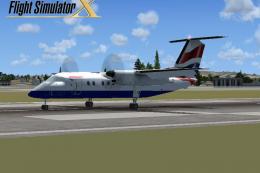
British Airways DeHavilland Dash 8-100. A repaint for the FSX AI default Dash…
 FSX Turboprops
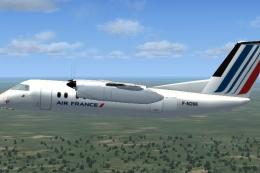
Textures only. Model by Premier Aircraft Design (D8LIAT24.ZIP). By Joris Peie…
 FSX Turboprops
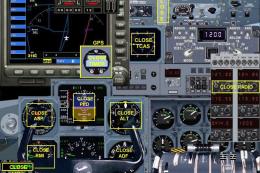
Air Berlin Dash 8 Update, now with model and sound. Model by Premier Aircraft…
 FSX Turboprops
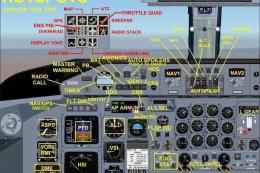
Air Canada Jazz DeHavilland Dash-8 DHC8-Q102; four liveries. A 37-39 seat twi…
 FSX Turboprops
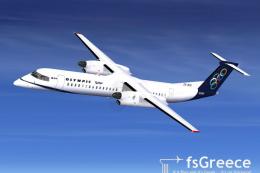
Olympic Air DeHavilland Dash 8Q-400, registration SX-BIU. Model by Dreamwings…
 FSX Turboprops
Registration OY-GRF, "Sululik". Highly detailed model. New HD textures (2048x…
Be the first to leave a comment on this download.
Be the first to share your thoughts on this download.