

 FSX AFCAD Files
AFCAD File For KSFO CA
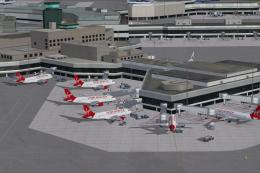
This freeware modification brings an upgraded San Francisco International Air…
KACV Arcata/Eureka Airport gets a refreshed AFCAD layout for more accurate taxiways, aprons, parking, and approach flow, improving ground operations in Humboldt County’s frequently low-visibility coastal weather in Microsoft Flight Simulator X. The BGLs use default library objects and require scenery complexity set to at least Normal for full detail.
 Rate
Rate
 United States of America
Experience fresh modifications at Arcata Airport in Arcata/Eureka, California, courtesy of Clear Sky Simulations. These enhancements restructure the airport’s AFCAD layout within Microsoft Flight Simulator X for better accuracy and more realistic ground operations, particularly in this coastal region of Humboldt County where frequent low-visibility conditions test pilots and controllers alike.
Clear Sky Simulations prepared each BGL file using Airport Design Editor (a specialized software tool for customizing airport elements such as runways, taxiways, and aprons). The rendered objects stem from the default FSX libraries. To ensure complete object visibility, set your scenery display to at least Normal. If you keep these parameters in mind, you will see the airport’s reworked surfaces, improved parking spots, and refined approach paths, all designed to better depict Arcata/Eureka’s operational intricacies.
Integrating these airport enhancements is straightforward:
Should you need to revert to the original airfield layout, the process is similarly effortless:
This freeware package is supplied by Clear Sky Simulations on an as-is basis. All usage is at your own risk. The creators will not be responsible for any damages to your setup arising from the deployment of these files. Arcata Airport’s terrain and layout were modeled with care to bring more immersion to your flights, especially when exploring California’s scenic Redwood Coast.
Free for all simmers · 6.83 KB · Scanned clean Oct 2026
Download speed: Free tier is capped at 0.5 Mbps. PRO members download at full line speed.
AF2_*.bgl or AFX_*.bgl) go into FSX\Addon Scenery\Scenery\ or a dedicated AFCAD folder you create.readme.txt or README file. It tells you exactly where files go, what dependencies are needed, and any quirks specific to this add-on.Use these coordinates to fly directly to this location once the mod is installed.
40.97810000,-124.10860000
Launch FSX or Prepar3D and use Flights → Load to open the downloaded .pln file. Your aircraft will be positioned at this location.
The archive kacv-1.zip has 5 files and directories contained within it.
This list displays the first 500 files in the package. If the package has more, you will need to download it to view them.
| Filename/Directory | File Date | File Size |
|---|---|---|
| KACV_CSS.BGL | 06.24.09 | 9.32 kB |
| KACV_CSS_CVX.bgl | 06.24.09 | 434 B |
| Readme.txt | 06.25.09 | 1.88 kB |
| flyawaysimulation.txt | 10.29.13 | 959 B |
| Go to Fly Away Simulation.url | 01.22.16 | 52 B |
Only PRO members can place votes.
More FSX & P3D add-ons hand-picked based on this download.
FSX AFCAD Files
This freeware modification brings an upgraded San Francisco International Air…
 FSX AFCAD Files
Enhance the layout of Auburn Municipal Airport in Auburn, California, with an…
 FSX AFCAD Files
Elevate Microsoft Flight Simulator X with a refined rendition of Lisbon Inter…
 FSX AFCAD Files
John F. Kennedy International Airport, New York, NY, USA, v2. This airport up…
 FSX AFCAD Files
Dubai International Airport, United Arab Emirates (UAE). This airport update …
 FSX AFCAD Files
Los Angeles International Airport (LAX), California (CA), USA. This airport u…
 FSX AFCAD Files
This freeware package modernizes Zurich International Airport (LSZH) in Micro…
 FSX AFCAD Files
Lic Benito Juarez International Airport, Mexico City, Mexico. This airport up…
Be the first to leave a comment on this download.
Be the first to share your thoughts on this download.