

 FSX Turboprops
Basler BT-67 Base Pack V2
The BT67 is a turboprop conversion of the classic Douglas DC-3/C-47. Version …
Airborne Support livery for the Basler BT-67 N932H recreates distinctive Clean Gulf Associates markings with bold stripes and high-contrast colors, complementing the turboprop DC-3 conversion’s modern avionics and mission-ready character. Built for Microsoft Flight Simulator X, it requires the freeware Basler BT-67 base pack for full compatibility.
 Rate
Rate

This repaint showcases a specialized Airborne Support scheme for the Basler BT-67, originally designed to reflect the distinctive Clean Gulf Associates markings. Created by Daniel Fuernkaess (Cheese-Strike Repaints) alongside the talented development team of Manfred Jahn, Alexander M. Metzger, and Hansjoerg Naegele, this add-on brings a notable twist to those flying the converted Basler variant within Microsoft Flight Simulator X. The unique livery enhances immersion while respecting the historical Douglas DC-3 roots from which the BT-67 originates.
Beyond the Clean Gulf Associates graphics, this repaint features distinct stripes and high-contrast coloration, all intended to amplify the aircraft’s role in airborne support operations. The BT-67, still recognizable for its DC-3 heritage, incorporates turboprop engines, upgraded avionics, and performance enhancements. These modernizations help it excel in diverse missions, including short runway operations and specialized environmental support tasks.
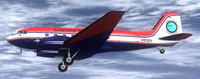
Screenshot of Airborne Support Basler BT-67 in flight.
The developer team recommends installing the official Basler BT-67 freeware pack before adding these textures. That essential base model—co-developed by Daniel Fuernkaess, Manfred Jahn, Alexander M. Metzger, and Hansjoerg Naegele—is available in the Fly Away Simulation library. Once the base aircraft is fully set up, you can proceed with integrating the new repaint files.
[fltsim] entry. Replace any .x with the next sequential number to maintain proper ordering.[fltsim.x] title=Basler BT67 Airborne Support sim=Basler_BT67_v1.7 model=bt67_1 panel= sound= texture=N932H kb_checklists=Douglas_DC3_check kb_reference=Douglas_DC3_ref atc_id=N932H ui_manufacturer="Basler" ui_type="Turbo DC-3" ui_variation="Airborne Support" ui_typerole="Twin Engine Prop" ui_createdby= description="Airborne Support (Clean Gulf Associates) Paint by Daniel Fuernkaess (Cheese-Strike Repaints). Project BT-67 developers: Daniel Fuernkaess, Manfred Jahn, Alexander M. Metzger, Hansjoerg Naegele."
This repaint is freeware and does not include the BT-67 model itself. It is strictly intended for non-commercial use. For full compatibility, continue using the baseline package from the original authors. By following these guidelines, enthusiasts can seamlessly add the Clean Gulf Associates look to their BT-67, enriching their flight simulation experience without altering the underlying aircraft dynamics.
Free for all simmers · 2.35 MB · Scanned clean Oct 2026
Download speed: Free tier is capped at 0.5 Mbps. PRO members download at full line speed.
This file is a repaint — the package below is the base model it paints onto. Install it first, or the textures will have nothing to load onto.
texture.{airline}) inside FSX\SimObjects\Airplanes\{base-aircraft}\.aircraft.cfg in Notepad. Add a new [fltsim.X] section per the readme.readme.txt or README file. It tells you exactly where files go, what dependencies are needed, and any quirks specific to this add-on.The archive bt-67_ascg_n932h.zip has 16 files and directories contained within it.
This list displays the first 500 files in the package. If the package has more, you will need to download it to view them.
| Filename/Directory | File Date | File Size |
|---|---|---|
| BT-67_ASCG_N932H | 07.26.12 | 0 B |
| Cheese-Strike Repaints.url | 12.06.11 | 123 B |
| Install.txt | 07.26.12 | 2.27 kB |
| texture.N932H | 07.26.12 | 0 B |
| bt67_1_T.dds | 07.09.12 | 4.00 MB |
| bt67_1_T_spec.dds | 06.28.12 | 1.00 MB |
| bt67_2_T.dds | 07.26.12 | 4.00 MB |
| bt67_2_T_spec.dds | 06.28.12 | 1.00 MB |
| bt67_4_T.dds | 07.26.12 | 1.00 MB |
| bt67_4_T_spec.dds | 06.27.11 | 1.00 MB |
| propdisk.dds | 04.13.12 | 256.12 kB |
| texture.cfg | 02.14.11 | 133 B |
| thumbnail.jpg | 07.26.12 | 94.87 kB |
| VC_nose.dds | 07.01.12 | 256.12 kB |
| flyawaysimulation.txt | 10.29.13 | 959 B |
| Go to Fly Away Simulation.url | 01.22.16 | 52 B |
Only PRO members can place votes.
More FSX & P3D add-ons hand-picked based on this download.
FSX Turboprops
The BT67 is a turboprop conversion of the classic Douglas DC-3/C-47. Version …
 FSX Turboprops
This Repaint Pack is for the FSX Basler BT-67. By Michael Mannschreck. Screen…
 FSX Turboprops
The "Spectrem" Basler BT-67 is a single specially modified aircraft used worl…
 FSX Turboprops
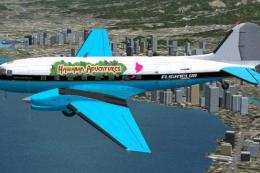
FlightClub International textures for the Basler BT67 by Daniel Fuernkaess, M…
 FSX Turboprops
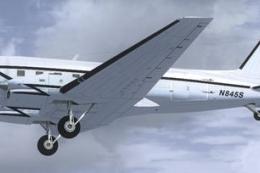
Experience a vibrant repaint crafted for the Basler BT-67 in Microsoft Flight…
 FSX Turboprops
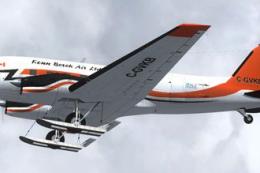
This freeware repaint package highlights a custom Kenn Borek Air livery desig…
 FSX Turboprops
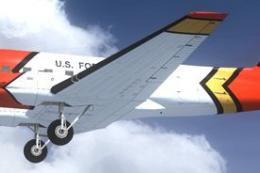
This repaint package introduces the United States Forest Service (USFS) liver…
 FSX Turboprops
Layered PSD files for the FSX Basler BT67. By Manfred Jahn. Section of Basler…
Be the first to leave a comment on this download.
Be the first to share your thoughts on this download.