

 FS2004 Civil Jet Aircraft
Swissair Douglas DC-9-30
This add-on brings back the time-honored Swissair DC-9-30 paint scheme for Mi…
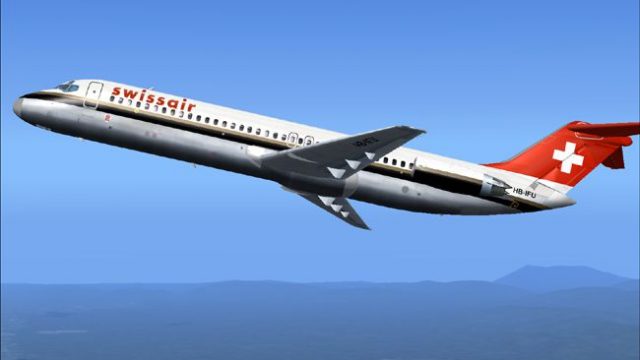
Swissair’s updated Douglas DC-9-30 livery brings crisp tail markings, logos, and refined color accents to your fleet in Microsoft Flight Simulator 2004, while keeping the classic jet’s character intact. The repaint targets authentic visual details and requires the SGA930 base model, delivering a period-correct look for short- to medium-haul routes.
 Rate
Rate
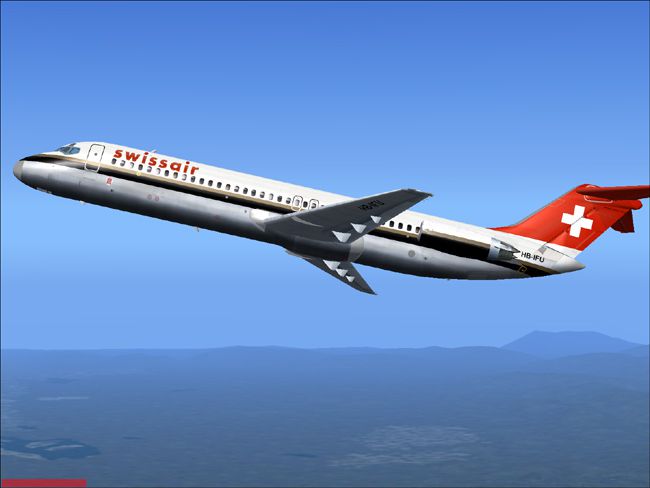
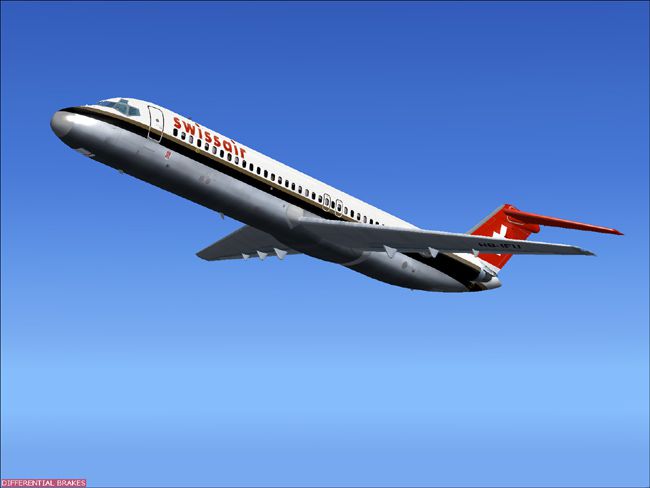
Enhance your Microsoft Flight Simulator 2004 setup with this freeware texture pack designed to replicate Swissair’s updated color scheme on the DC-9-30 airframe. This repaint focuses on the airline’s refined livery elements while preserving the flight characteristics and overall design integrity. It only includes the texture files and requires the SGA930 base model by Henry William, which can be found in the Fly Away Simulation library.
Douglas developed the DC-9 series to handle short- to medium-haul operations, relying on JT8D turbofan engines for reliable performance. Swissair, recognized for its meticulous service standards, deployed these aircraft for efficient European connections. This repaint presents the carrier’s later color style, showcasing subtle yet noticeable design adjustments.
-fs9-1.jpg)
Screenshot of the Douglas DC-9 in Swissair’s modernized paint scheme.
Erick Cantu’s model underpins the external shape and animations, while the flight dynamics by Fraser W. Turner refine in-simulator handling. This texture set reproduces Swissair’s branding details, including eye-catching logos and tail markings optimized to match the real-world appearance. As a result, you experience the authentic look of Swissair’s DC-9-30 whenever you switch to this repaint in FS2004.
[fltsim.X]

title=SGA DC-9-30 Swissair NC

sim=SGA DC9_30

model=

panel=

sound=

texture=swissnc

checklists=

atc_id=N940N

atc_id_color=0xffffffff

atc_airline=swissair

atc_flight_number=935

ui_manufacturer=Douglas

ui_type=DC-9-31

ui_variation=Swissair Newer Colors

description=Model: Erick Cantu\nFlight Dynamics V9.1.0: Fraser W. Turner\n\n

visual_damage=0

atc_heavy=0

atc_id_font=Verdana,-11,1,600,0

atc_parking_codes=

atc_parking_types=
All credits go to the respective creators. Henry William made the base model available, while Erick Cantu is responsible for the detailed DC-9-30 3D model. Fraser W. Turner’s flight dynamics further refine this classic jet’s behavior within the simulator environment. Together, this cooperative effort guarantees a highly immersive representation of the Swissair fleet.
Free for all simmers · 1.96 MB · Scanned clean Oct 2026
Download speed: Free tier is capped at 0.5 Mbps. PRO members download at full line speed.
This file is a repaint — the package below is the base model it paints onto. Install it first, or the textures will have nothing to load onto.
FS9\Aircraft\, FS9\Addon Scenery\, FS9\Gauges\, or FS9\Effects\.readme.txt or README file. It tells you exactly where files go, what dependencies are needed, and any quirks specific to this add-on.The archive srndc9hw.zip has 24 files and directories contained within it.
This list displays the first 500 files in the package. If the package has more, you will need to download it to view them.
| Filename/Directory | File Date | File Size |
|---|---|---|
| readme.txt | 10.30.04 | 1.58 kB |
| 1.jpg | 10.31.04 | 93.40 kB |
| 2.jpg | 10.31.04 | 74.53 kB |
| small.gif | 10.31.04 | 3.36 kB |
| texture.swissnc | 10.31.04 | 0 B |
| 30FUSE_L.BMP | 10.28.04 | 4.00 MB |
| CONE_L.BMP | 08.08.03 | 5.43 kB |
| CONE_T.BMP | 08.08.03 | 5.43 kB |
| DC9_B_L.BMP | 05.19.04 | 256.07 kB |
| DC9xINTERIOR_L.BMP | 05.19.04 | 256.07 kB |
| DC9xINTERIOR_T.BMP | 01.28.04 | 1.00 MB |
| ENGINES_L.BMP | 05.19.04 | 256.07 kB |
| INTAKE_L.bmp | 08.08.03 | 5.43 kB |
| INTAKE_t.BMP | 08.10.03 | 42.78 kB |
| WING_LEFT_L.BMP | 05.19.04 | 256.07 kB |
| WING_RIGHT_L.BMP | 05.19.04 | 256.07 kB |
| WING_RIGHT_T.BMP | 09.24.03 | 1.00 MB |
| engines_t.bmp | 10.24.04 | 4.00 MB |
| wing_left_t.bmp | 10.24.04 | 4.00 MB |
| 30fuse_t.bmp | 10.27.04 | 4.00 MB |
| dc9_b_t.bmp | 10.28.04 | 4.00 MB |
| DC-9-30 Swissair new colors | 10.30.04 | 0 B |
| flyawaysimulation.txt | 10.29.13 | 959 B |
| Go to Fly Away Simulation.url | 01.22.16 | 52 B |
Only PRO members can place votes.
More FS2004 add-ons hand-picked based on this download.
FS2004 Civil Jet Aircraft
This add-on brings back the time-honored Swissair DC-9-30 paint scheme for Mi…
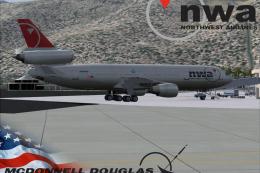 FS2004 Civil Jet Aircraft
This complete freeware package brings the iconic tri-jet design of the Dougla…
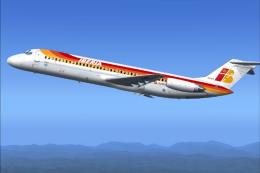 FS2004 Civil Jet Aircraft
This repaint faithfully represents the Iberia Douglas DC-9-30, rendered for M…
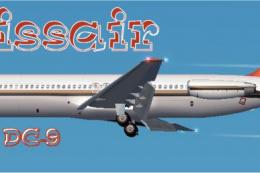 FS2004 Civil Jet Aircraft
Swissair Douglas DC-9-51, registration HB-ISP (old colors). Model by FFX/SGA.…
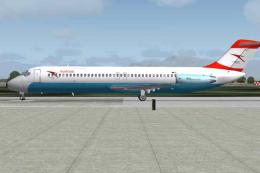 FS2004 Civil Jet Aircraft
New colors. A repaint of Flight One's Iron Knuckles DC9 in the new color form…
 FS2004 Civil Jet Aircraft
This freeware release brings fresh updates to a classic tri-engine wide-body …
 FS2004 Civil Jet Aircraft
Experience a thoroughly detailed Swissair tri-engine experience with this fre…
 FS2004 Civil Jet Aircraft
This freeware package offers a full-featured Swissair McDonnell Douglas MD-11…
Be the first to leave a comment on this download.
Be the first to share your thoughts on this download.