

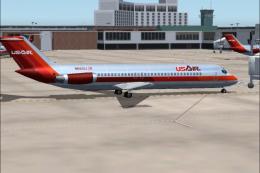
 FS2004 Civil Jet Aircraft
USAir Douglas DC-9-30 1980 Bare Metal V2.1
Experience a classic example of USAir’s early 1980s livery in Microsoft Fligh…
USAir Douglas DC-9-30 N940N textures recreate a classic transitional scheme with accurate registration markings, period-correct palette, and a subtle metallic look that suits the SGA model’s geometry and shading. Built for Microsoft Flight Simulator 2004, it integrates cleanly into the virtual cockpit experience and requires the SGA930.zip base package.
 Rate
Rate
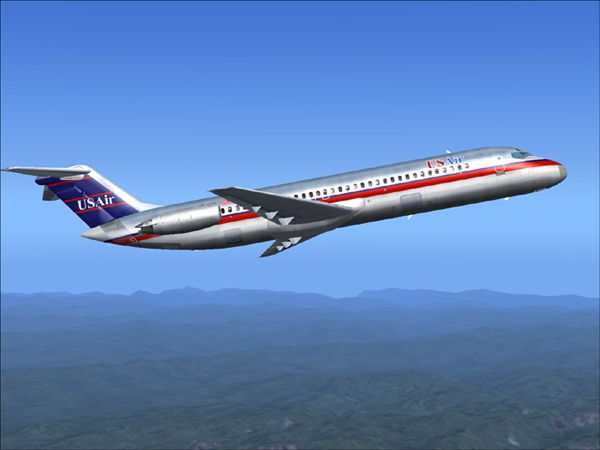
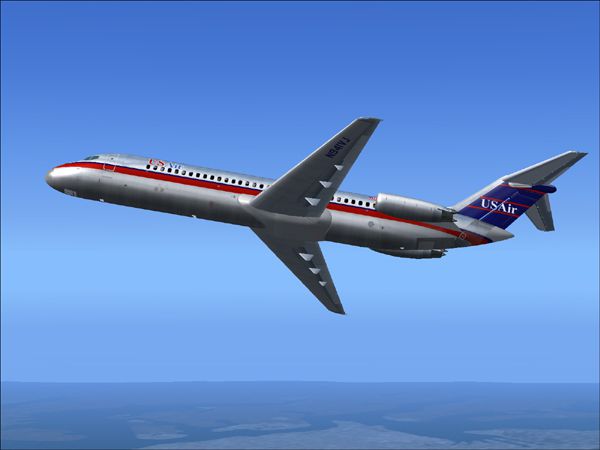
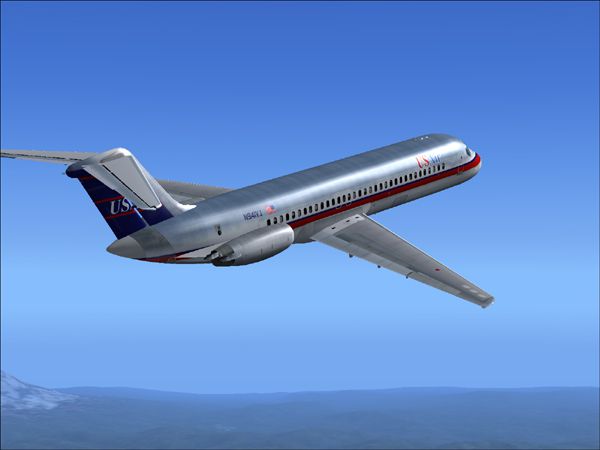
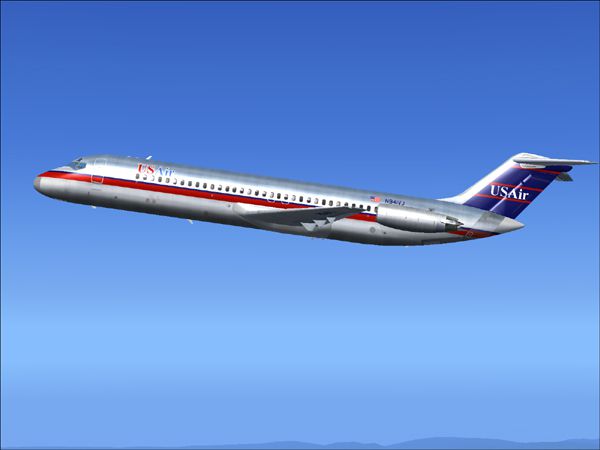
This freeware release provides detailed USAir textures for the classic SGA DC-9-30 in Microsoft Flight Simulator 2004. Created by Henry William, this repaint brings the historical livery of USAir to life while remaining faithful to the Douglas DC-9’s characteristic lines. Users will need the original SGA930.zip base package (available in the Fly Away Simulation library) before adding these textures.
The Douglas DC-9-30, introduced in the mid-1960s, is known for its twin rear-mounted engines and T-tail configuration. This USAir repaint reflects a transitional color scheme from the carrier’s earlier branding, featuring the registration N940N on the fuselage. The design highlights the airline's evolution during an era when it was shifting its image and network.
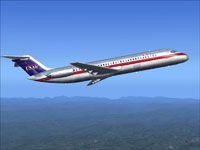
UsAir DC-9-30 repaint showcasing its mid-fuselage logo and subtle metallic finish.
Before applying these textures, ensure that you have installed the SGA930.zip base model. If you have not acquired it, it should be downloadable from the Fly Away Simulation file library. This model, designed by Erick Cantu with flight dynamics by Fraser W. Turner, is necessary for correct loading and flight behavior in Microsoft Flight Simulator 2004.
[fltsim.X]
title=SGA DC-9-30 US Air
sim=SGA DC9_30
model=
panel=
sound=
texture=usair
checklists=
atc_id=N940N
atc_id_color=0xffffffff
atc_airline=usair
atc_flight_number=935
ui_manufacturer=Douglas
ui_type=DC-9-31
ui_variation=USAir
description=Model: Erick Cantu\nFlight Dynamics V9.1.0: Fraser W. Turner\n\n
visual_damage=0
atc_heavy=0
atc_id_font=Verdana,-11,1,600,0
atc_parking_codes=
atc_parking_types=
Free for all simmers · 2.8 MB · Scanned clean Oct 2026
Download speed: Free tier is capped at 0.5 Mbps. PRO members download at full line speed.
This file is a repaint — the package below is the base model it paints onto. Install it first, or the textures will have nothing to load onto.
FS9\Aircraft\, FS9\Addon Scenery\, FS9\Gauges\, or FS9\Effects\.readme.txt or README file. It tells you exactly where files go, what dependencies are needed, and any quirks specific to this add-on.The archive usadc9hw.zip has 26 files and directories contained within it.
This list displays the first 500 files in the package. If the package has more, you will need to download it to view them.
| Filename/Directory | File Date | File Size |
|---|---|---|
| texture.usair | 11.02.04 | 0 B |
| CONE_L.BMP | 08.08.03 | 5.43 kB |
| CONE_T.BMP | 08.08.03 | 5.43 kB |
| DC9_B_L.BMP | 05.19.04 | 256.07 kB |
| DC9xINTERIOR_L.BMP | 05.19.04 | 256.07 kB |
| DC9xINTERIOR_T.BMP | 01.28.04 | 1.00 MB |
| ENGINES_L.BMP | 05.19.04 | 256.07 kB |
| INTAKE_L.bmp | 08.08.03 | 5.43 kB |
| INTAKE_t.BMP | 08.10.03 | 42.78 kB |
| WING_LEFT_L.BMP | 05.19.04 | 256.07 kB |
| WING_RIGHT_L.BMP | 05.19.04 | 256.07 kB |
| WING_RIGHT_T.BMP | 09.24.03 | 1.00 MB |
| 30fuse_l.bmp | 10.28.04 | 4.00 MB |
| dc9_b_t.bmp | 11.02.04 | 4.00 MB |
| engines_t.bmp | 11.02.04 | 4.00 MB |
| wing_left_t.bmp | 11.02.04 | 4.00 MB |
| 30fuse_t.bmp | 11.02.04 | 4.00 MB |
| readme.txt | 11.02.04 | 1.54 kB |
| 1.jpg | 11.02.04 | 87.25 kB |
| 2.jpg | 11.02.04 | 97.90 kB |
| 3.jpg | 11.02.04 | 100.03 kB |
| 4.jpg | 11.02.04 | 82.91 kB |
| small.gif | 11.02.04 | 2.88 kB |
| SGA-DC9-30 USair | 11.02.04 | 0 B |
| flyawaysimulation.txt | 10.29.13 | 959 B |
| Go to Fly Away Simulation.url | 01.22.16 | 52 B |
Only PRO members can place votes.
More FS2004 add-ons hand-picked based on this download.
FS2004 Civil Jet Aircraft
Experience a classic example of USAir’s early 1980s livery in Microsoft Fligh…
 FS2004 Civil Jet Aircraft
This freeware release features a classic USAir DC-9-30 repaint designed for M…
 FS2004 Civil Jet Aircraft
This freeware release brings fresh updates to a classic tri-engine wide-body …
 FS2004 Civil Jet Aircraft
This freeware package offers a meticulously recreated Boeing 737-200 wearing …
 FS2004 Civil Jet Aircraft
A repaint of the FFX B737-300 in the old colors of US Air. This package inclu…
 FS2004 Civil Jet Aircraft
This freeware package features USAir’s classic Boeing 737-200 (registered N24…
 FS2004 Civil Jet Aircraft
A repaint of Vistaliners B727-200 in the colors of USAir. Model by Erick Cant…
 FS2004 Civil Jet Aircraft
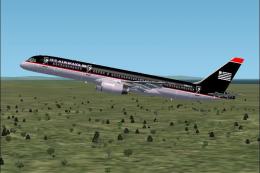
This aircraft is made by Project OpenSky. Livery by Daniel Counahan. Screensh…
Be the first to leave a comment on this download.
Be the first to share your thoughts on this download.