

 FS2004 Propeller Aircraft
Iberia Douglas DC-2 EC-AAA
Based on original textures by Gerard Kranenbarg and Jan Visser, this texture …
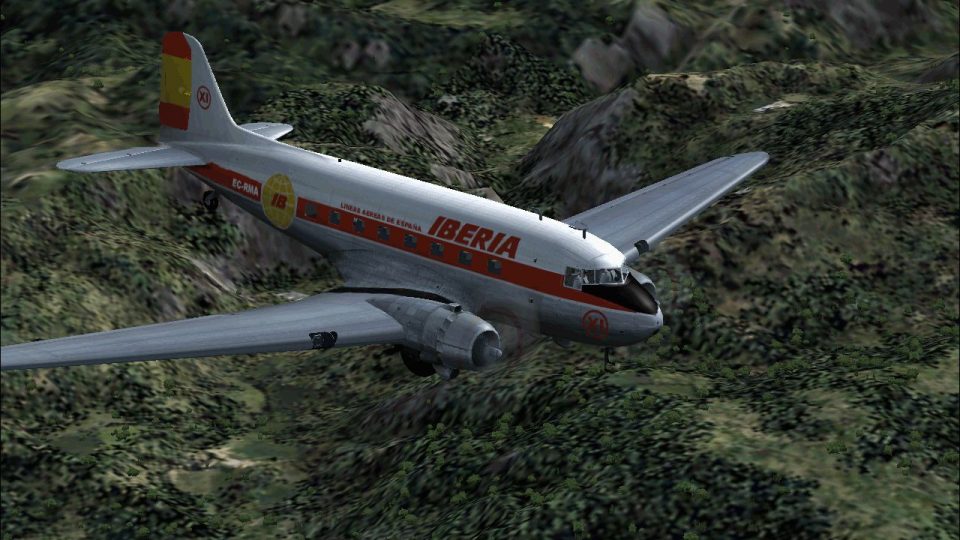
Iberia’s classic Douglas DC-3 livery brings authentic airline character to the default aircraft, with clean markings and period-style detailing that suit vintage routes and scenic flights. Designed for FS2004, this texture-only repaint requires the default Douglas DC-3 and integrates seamlessly with the existing virtual cockpit and aircraft configuration.
 Rate
Rate
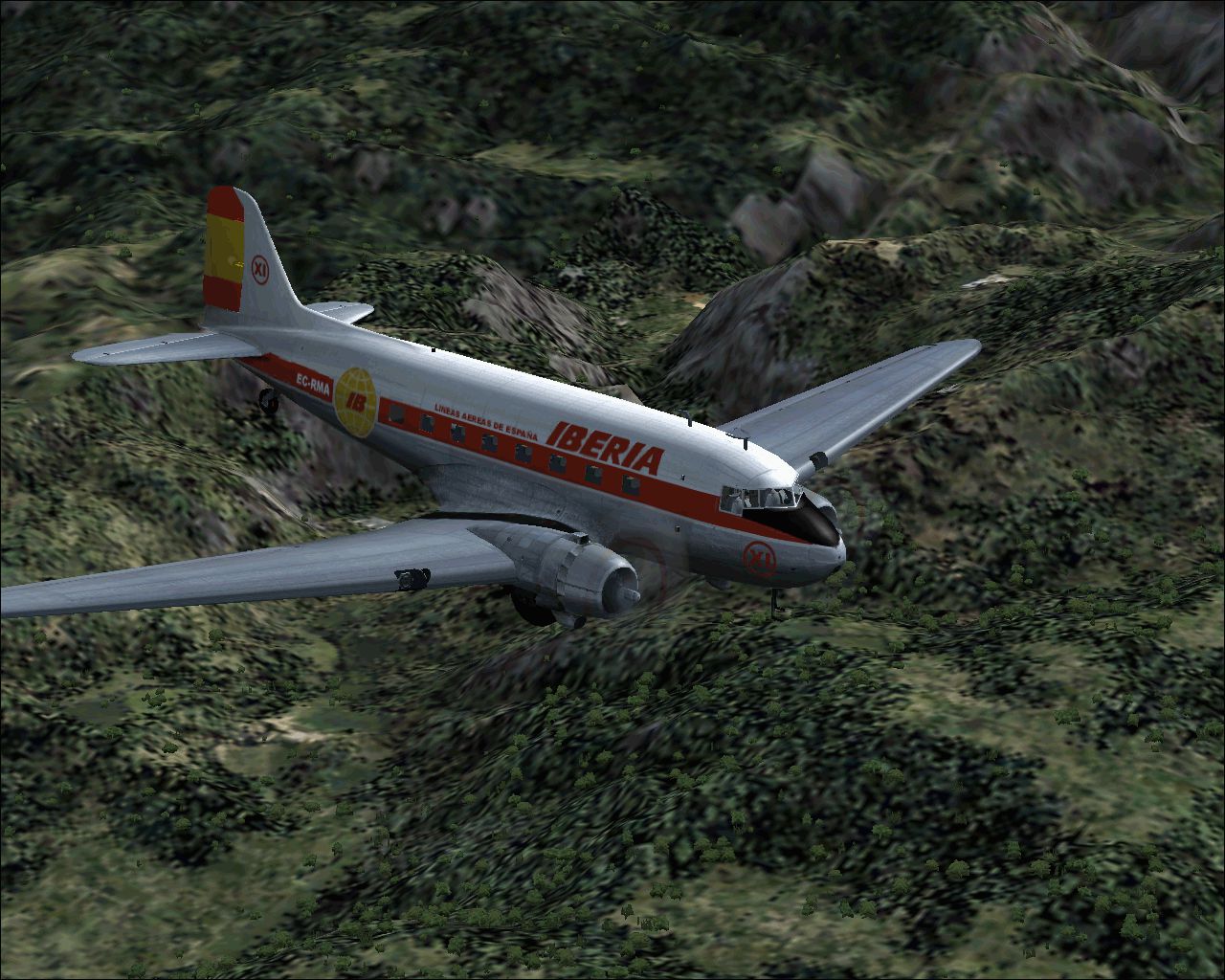
Textures only for the default DC3. Repainted by Raul Munoz Argudo.
Screenshot of Iberia Douglas DC-3 in flight.
Installation:
[fltsim.xxx]

		title=Douglas DC-3 IBERIA

		sim=Douglas_DC3

		model=

		panel=

		sound=

		texture=IBERIA

		kb_checklists=Douglas_DC3_check

		kb_reference=Douglas_DC3_ref

		atc_id=

		ui_manufacturer=Douglas

		ui_type="DC-3"

		ui_variation="IBERIA"

		description="DC-3 Iberia colors painted by Raul Munoz Argudo"
Free for all simmers · 2.56 MB · Scanned clean Oct 2026
Download speed: Free tier is capped at 0.5 Mbps. PRO members download at full line speed.
FS9\Aircraft\, FS9\Addon Scenery\, FS9\Gauges\, or FS9\Effects\.readme.txt or README file. It tells you exactly where files go, what dependencies are needed, and any quirks specific to this add-on.The archive dc3iber.zip has 12 files and directories contained within it.
This list displays the first 500 files in the package. If the package has more, you will need to download it to view them.
| Filename/Directory | File Date | File Size |
|---|---|---|
| DC-3 IBERIA.gif | 10.19.03 | 750.06 kB |
| README.txt | 10.19.03 | 684 B |
| TEXTURE.IBERIA | 10.19.03 | 0 B |
| douglas_dc3_1_c.bmp | 04.29.03 | 682.74 kB |
| douglas_dc3_1_d.bmp | 03.19.03 | 682.74 kB |
| douglas_dc3_1_t.bmp | 10.19.03 | 1.33 MB |
| douglas_dc3_2_c.bmp | 04.29.03 | 170.74 kB |
| douglas_dc3_2_t.bmp | 04.28.03 | 341.40 kB |
| douglas_dc3_3_c.bmp | 04.29.03 | 42.74 kB |
| prop_dc3.bmp | 11.28.02 | 341.40 kB |
| flyawaysimulation.txt | 10.29.13 | 959 B |
| Go to Fly Away Simulation.url | 01.22.16 | 52 B |
Only PRO members can place votes.
More FS2004 add-ons hand-picked based on this download.
FS2004 Propeller Aircraft
Based on original textures by Gerard Kranenbarg and Jan Visser, this texture …
 FS2004 Propeller Aircraft
registration EC-HEI. Includes aircraft, sound and panel package. Original by …
 FS2004 Propeller Aircraft
"Santa Maria". Iberia, the Spanish national line, used seven Super Constellat…
 FS2004 Propeller Aircraft
Circa 1956. Textures only for the model by Manfred Jahn and the Super Constel…
 FS2004 Propeller Aircraft
Iberia Bristol 170 Mk. 21 freighter using Mike Stone's model. Textures only; …
 FS2004 Propeller Aircraft
Iberia (1954) Bristol 170 MK31-E, registration EC-AHJ. Texture only; requires…
 FS2004 Propeller Aircraft
Iberia 1954 Bristol 170 MK 31 E textures for Mike Stone's Bristol 170. Requir…
 FS2004 Propeller Aircraft
These layered PSD files can be used in Paint Shop Pro or Photoshop to allow e…
Read what other simmers think, or add your own.

Hi my friends Is the DC3iber.zip for FS2004 compatible for FSX
thanks for your help
Lucas