

 FSX Historic & Vintage Aircraft
Ford Tri-Motor
Ford Tri-Motor converted from the FS2004 default TriMotor. Includes many new …
Grand Canyon Airlines livery for the Ford Tri-Motor brings classic desert air-tour character to your hangar with period-correct markings and a polished finish across exterior details. Designed for FSX, it requires the payware Cr1 Software Ford Tri-Motor and pairs neatly with the aircraft’s vintage virtual cockpit and early airline atmosphere.
 Rate
Rate
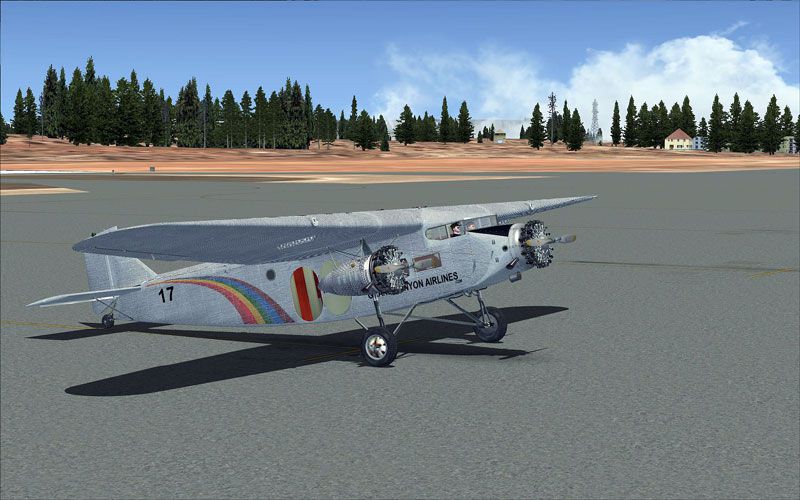
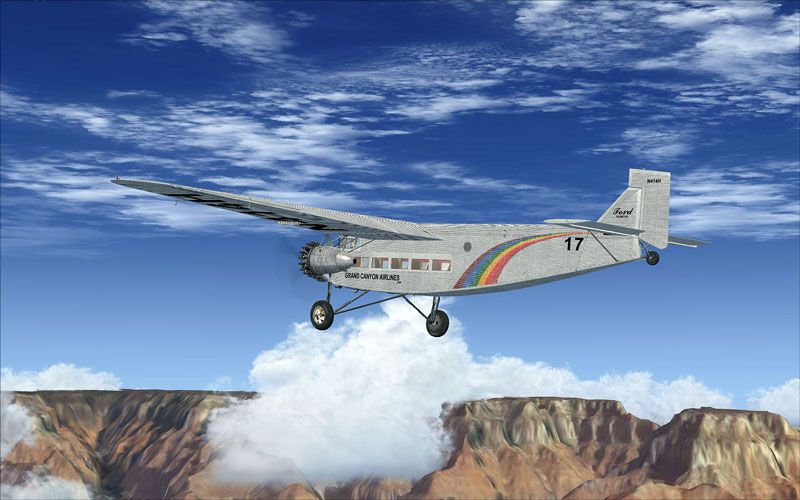
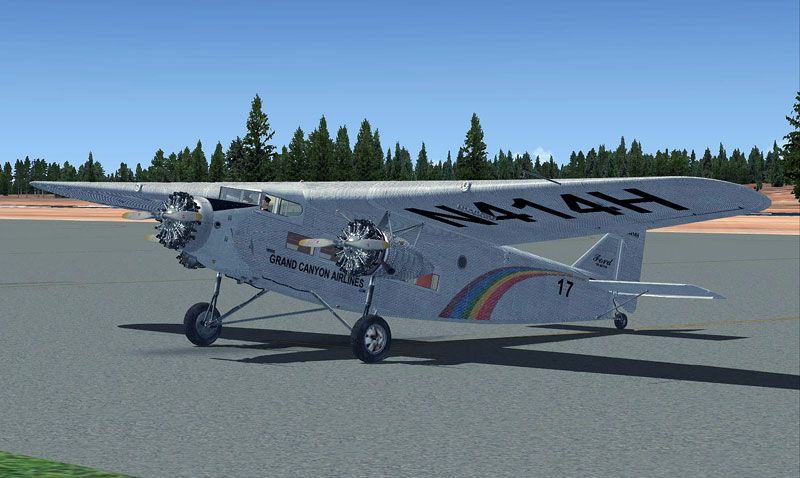
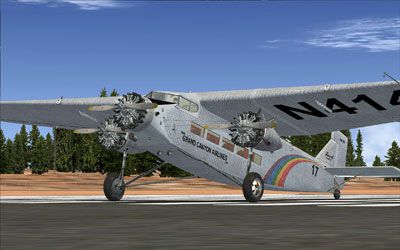
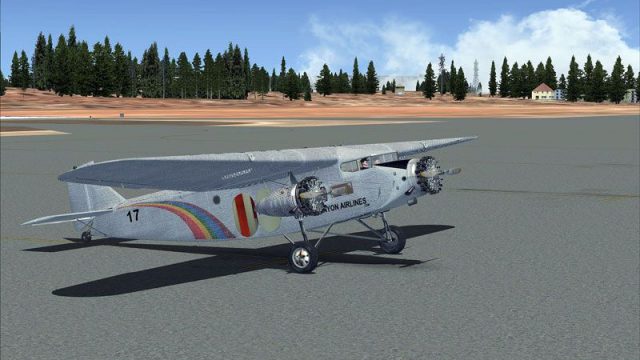
The paint represents a Ford TriMotor used by Grand Canyon Airlines. The repaint is for the payware Ford Tri-Motor from Cr1 Software. Repaint by Caz Dalton.
Screenshot of Grand Canyon Airlines Ford Tri-Motor on the ground.
My thanks to CR1 for allowing me to test all the Beta examples of this aircraft.
Installation:
Open the CR1-Ford Trimotor folder in FSX > SimObjects and copy either of the default texture there. Paste it back and rename the folder texture.Grand Canton Airlines. Open the texture.Grand Canyon Airlines folder in the zip and copy the contents of it to the texture.Grand Canyon Airlines folder and overwrite when prompt.
Copy and paste the below information into the CR1-Ford Trimotor aircraft.cfg below the last entry and change the ** in each to the next appropriate numbers.
[fltsim.**]

title=CR-1 Software.Ltd "Ford Tri-Motor 4-AT-E Grand Canyon Airlines"

sim=ford_tri

model=

panel=

sound=

texture=Grand Canyon Airlines

kb_checklists=Ford_Trimotor_check

kb_reference=Ford_Trimotor_ref

atc_id=N414H

ui_manufacturer=CR-1 Software.Ltd

ui_type="Ford Tri"

ui_variation="Ford Tri-Motor Grand Canyon Airlines"

description="Nicknamed the "Tin Goose," the Ford 4-AT Tri-Motor pioneered early airline and air transport routes. In 1925, the Ford Motor Company bought the Stout Metal Plane Company to gain rights to the Tri-Motor design. In all, 198 Ford Tri-Motors were built. During its years of regular service in the late 1920s and early 1930s, the Ford Tri-Motor helped popularize commercial flight and promote the safety of flying to travelers."
Free for all simmers · 10.67 MB · Scanned clean Oct 2026
Download speed: Free tier is capped at 0.5 Mbps (this file takes approximately 3 mins at the cap). PRO members download at full line speed.
texture.{airline}) inside FSX\SimObjects\Airplanes\{base-aircraft}\.aircraft.cfg in Notepad. Add a new [fltsim.X] section per the readme.readme.txt or README file. It tells you exactly where files go, what dependencies are needed, and any quirks specific to this add-on.The archive grandcanyonairlines_trimotor.zip has 18 files and directories contained within it.
This list displays the first 500 files in the package. If the package has more, you will need to download it to view them.
| Filename/Directory | File Date | File Size |
|---|---|---|
| Grand Canyon Airlines | 04.01.11 | 0 B |
| texture.Grand Canyon Airlines | 03.31.11 | 0 B |
| fordpaint.dds | 04.01.11 | 16.00 MB |
| fordparts.dds | 03.31.11 | 16.00 MB |
| fordpod.dds | 03.31.11 | 4.00 MB |
| fordVC10.dds | 03.01.11 | 4.00 MB |
| fordVC12.dds | 02.26.11 | 5.33 MB |
| texture.cfg | 11.13.10 | 158 B |
| Thumbs.db | 02.16.11 | 5.00 kB |
| Thumbnail.jpg | 04.01.11 | 22.97 kB |
| tri_fs_2.jpg | 04.01.11 | 77.07 kB |
| tri_fs_3.jpg | 04.01.11 | 80.55 kB |
| tri_fs_1.jpg | 04.01.11 | 88.78 kB |
| Thumbnail_fs.jpg | 04.01.11 | 22.97 kB |
| Read Me.txt | 04.01.11 | 1.52 kB |
| File_ID.diz | 04.01.11 | 293 B |
| flyawaysimulation.txt | 10.29.13 | 959 B |
| Go to Fly Away Simulation.url | 01.22.16 | 52 B |
Only PRO members can place votes.
More FSX & P3D add-ons hand-picked based on this download.
FSX Historic & Vintage Aircraft
Ford Tri-Motor converted from the FS2004 default TriMotor. Includes many new …
 FSX Historic & Vintage Aircraft
Swissair Ford Tri-Motor. This is a repaint of Cr1-Software Ford Tri-Motor (fi…
 FSX Historic & Vintage Aircraft
A British repaint for the payware Lionheart Creations Piper TriPacer. G-ARFD …
 FSX Historic & Vintage Aircraft
for the default DC3. D Tarbox.
 FSX Historic & Vintage Aircraft
Bluegrass Airlines Bristol F2B. Bluegrass textures only for Robert Bruce's F2…
 FSX Historic & Vintage Aircraft
Now version 3.14 (V3.1406). This package includes the latest Douglas C-47 Sky…
 FSX Historic & Vintage Aircraft
This is A.F. Scrub's Submarine MK-22 Spitfire Updated For Flight Simulator X.…
 FSX Historic & Vintage Aircraft
Note this aircraft originally was made by Gary Herbert due to the fact that h…
Be the first to leave a comment on this download.
Be the first to share your thoughts on this download.