

 FSX Civil Aircraft
Aeromexico Boeing 777-2Q8(ER)
Complete package of the Project Open Sky B777-200ER in Aeromexico livery, reg…
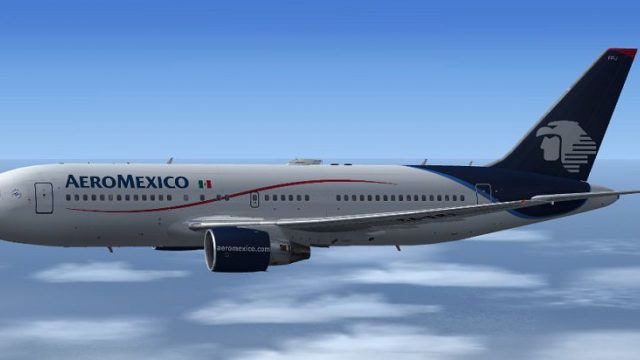
Aeromexico’s Boeing 767-283/ER (XA-FRJ) comes to life with a finely weathered classic livery, detailed exterior modeling, and refined wing flex for more believable motion in Microsoft Flight Simulator X. The package uses the default 737-800 virtual cockpit and includes the Posky Utility Panel for animated doors, cargo access, and ground service extras.
 Rate
Rate


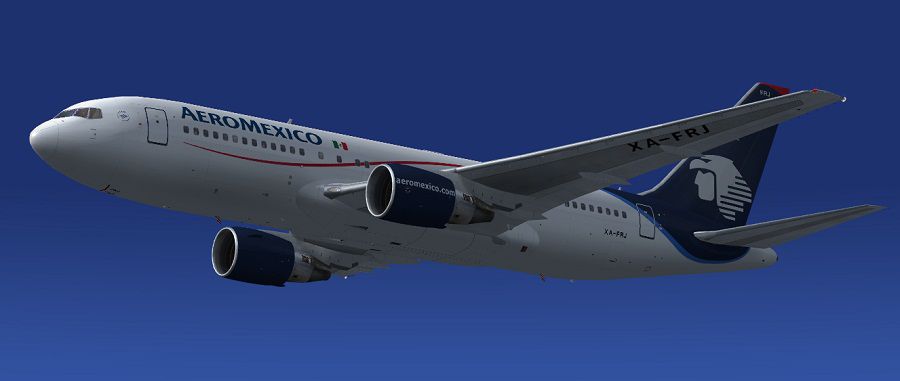
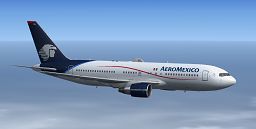
Immerse yourself in a fully realized Boeing 767-283/ER customized with Aeromexico’s classic markings, prepared as a comprehensive freeware release for Microsoft Flight Simulator X. This package integrates authentic features, utility panels, and a detailed repaint produced by Skyspirit2010’s development team and Paul Craig, blending advanced functionality with precise visual detail.
The underlying aircraft model originates from the Skyspirit2010 Boeing 767-200ER series, identified by registration XA-FRJ (c/n 24728/305). Aeromexico, revered as Mexico’s flag carrier, once operated the Boeing 767 family for both domestic and long-range international services. In this simulation package, every exterior detail has been meticulously replicated, reflecting the airline’s iconic logo and color schemes. Paul Craig’s repaint work preserves subtle nuances such as fuselage shading, engine detailing, and precise airline markings, ensuring that the signature Aeromexico look remains consistent with real-world references.
Included is the default Boeing 737-800 virtual cockpit (VC) and 2D panel from Microsoft Flight Simulator X, adapted to function seamlessly with this 767 model. This setup features the Posky Utility Panel (often referred to as the Posky utility), which governs additional ground and inflight animations, including cargo handling vehicles, tow trucks, and catering systems. The panel.cfg has been updated to incorporate dedicated animation XML files that enable these expanded utilities.
Aileron and wing flex responses have been refined to better simulate realistic aerodynamic motion. To manipulate the aircraft’s doors and cargo hatches, either utilize the assigned keyboard shortcuts or the Posky Utility Panel directly:
An existing quirk pertains to the Satcom dome on the fuselage roof. Within the native FSX model, this fixture cannot be masked out through the alpha channel technique applied to the Antenna texture file. This limitation arises from the specific FSX model structure. Although FS9 variants do not exhibit the same issue, the FSX model is required here to preserve virtual cockpit functionality.
An icon in the cockpit panel layout lets you reveal or hide the Posky Utility Panel as you prefer.
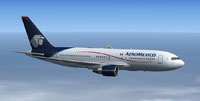
Screenshot of Aeromexico Boeing 767-283/ER in flight.
Free for all simmers · 14.98 MB · Scanned clean Oct 2026
Download speed: Free tier is capped at 0.5 Mbps (this file takes approximately 4 mins at the cap). PRO members download at full line speed.
FSX\SimObjects\Airplanes\. The folder must contain an aircraft.cfg file. Effects go into FSX\Effects\; gauges go into FSX\Gauges\.readme.txt or README file. It tells you exactly where files go, what dependencies are needed, and any quirks specific to this add-on.The archive ssp2010_aeromexico_b767-283er.zip has 139 files and directories contained within it.
This list displays the first 500 files in the package. If the package has more, you will need to download it to view them.
| Filename/Directory | File Date | File Size |
|---|---|---|
| Aeroméxico B767-283 ER Screenshot (1).jpg | 01.16.13 | 64.64 kB |
| Aeroméxico B767-283 ER Screenshot (2).jpg | 01.16.13 | 65.88 kB |
| Aeroméxico B767-283 ER Screenshot (3).jpg | 01.16.13 | 48.22 kB |
| Effects | 01.16.13 | 0 B |
| Opensky_747_vclight.fx | 10.02.02 | 1.31 kB |
| Opensky_767_Nose_Gear.fx | 12.12.10 | 1.31 kB |
| Opensky_beacon.fx | 02.12.02 | 3.04 kB |
| Opensky_conden.fx | 10.04.02 | 3.15 kB |
| Opensky_condens.fx | 09.08.02 | 2.71 kB |
| Opensky_logo_light.fx | 10.04.02 | 1.31 kB |
| Opensky_nacelle_refl.fx | 09.29.02 | 1.29 kB |
| Opensky_nav_yellow.fx | 03.24.04 | 3.07 kB |
| Opensky_sparks.fx | 09.08.02 | 7.05 kB |
| Opensky_vortex.fx | 10.08.03 | 1.23 kB |
| Opensky_wing_light.fx | 09.29.02 | 1.31 kB |
| FILE_ID.DIZ | 01.16.13 | 320 B |
| Installation Readme.txt | 01.16.13 | 2.18 kB |
| SSP2010 Boeing 767-200ER PW | 01.16.13 | 0 B |
| 767-200ER-PW-JT9D-7A.air | 07.15.05 | 8.76 kB |
| Aircraft.cfg | 01.16.13 | 15.97 kB |
| model.AL | 01.16.13 | 0 B |
| Model.cfg | 01.13.13 | 91 B |
| OSX762ERV5_PW4000--AL.MDL | 04.22.12 | 2.45 MB |
| panel | 01.16.13 | 0 B |
| 737_compass.BMP | 05.12.06 | 95.51 kB |
| 737_Panel_Decals_2.bmp | 05.12.06 | 257.05 kB |
| 737-800_panel_background.bmp | 05.12.06 | 769.05 kB |
| 737-800_panel_background_night.bmp | 05.12.06 | 769.05 kB |
| B737_800.cab | 05.11.07 | 2.01 MB |
| panel.cfg | 01.16.13 | 7.30 kB |
| Pky_util | 01.16.13 | 0 B |
| install.txt | 03.25.08 | 143 B |
| Pky_Init.xml | 04.26.08 | 621 B |
| Pky_Timer.xml | 10.30.09 | 1.92 kB |
| Pky_Util.xml | 11.09.10 | 7.30 kB |
| posky_sw_close.bmp | 03.25.08 | 2.30 kB |
| posky_sw_off.bmp | 03.25.08 | 2.30 kB |
| posky_sw_on.bmp | 03.25.08 | 2.30 kB |
| posky_sw_open.bmp | 03.25.08 | 2.30 kB |
| posky_tow_0.bmp | 11.05.10 | 3.05 kB |
| posky_tow_100.bmp | 11.05.10 | 3.05 kB |
| posky_utilbase.bmp | 11.09.10 | 60.05 kB |
| Thumbs.db | 11.09.10 | 19.50 kB |
| Posky762 | 01.16.13 | 0 B |
| Pky_AdvInit.xml | 04.26.11 | 1.50 kB |
| Pky_PB_Towhead.xml | 10.22.08 | 809 B |
| Pky6WINGFLEX.xml | 12.19.11 | 2.05 kB |
| PkyAileronL.xml | 04.28.12 | 410 B |
| PkyAileronR.xml | 04.28.12 | 421 B |
| PkyAPUDoor.xml | 05.21.11 | 644 B |
| PkyCALC.xml | 01.11.11 | 2.10 kB |
| Pkycondassign.xml | 12.10.10 | 433 B |
| PkyEngRev.xml | 05.18.08 | 699 B |
| PkyFlasher.xml | 06.09.10 | 2.51 kB |
| Pkygearcalc.xml | 04.19.12 | 1.91 kB |
| PkyLSAileron.xml | 12.03.09 | 724 B |
| PkyNosegearsteerling.xml | 09.23.10 | 1.21 kB |
| PkySEA.xml | 11.09.09 | 1.41 kB |
| PkySpoiler.xml | 04.24.08 | 3.64 kB |
| poskydebug.xml | 05.21.11 | 353 B |
| poskydebug2.xml | 12.07.09 | 439 B |
| poskydebug3.xml | 12.07.09 | 468 B |
| PU_ICON | 01.16.13 | 0 B |
| PU_Icon.bmp | 04.09.12 | 3.05 kB |
| PU_Icon.xml | 04.09.12 | 297 B |
| upper_640.bmp | 05.12.06 | 18.99 kB |
| Sound | 01.16.13 | 0 B |
| sound.cfg | 03.18.09 | 32 B |
| texture.Aeroméxico | 01.16.13 | 0 B |
| DECAL_OS762V5TAILLOGO.bmp | 01.13.13 | 4.00 MB |
| OS762V5_LFUSE_Front_L.BMP | 01.09.13 | 4.00 MB |
| OS762V5_LFUSE_Front_T.bmp | 01.13.13 | 4.00 MB |
| OS762V5_LFUSE_Mid_L.BMP | 01.14.13 | 4.00 MB |
| OS762V5_LFUSE_Mid_T.bmp | 01.13.13 | 4.00 MB |
| OS762V5_LFUSE_Rear_L.bmp | 01.09.13 | 4.00 MB |
| OS762V5_LFUSE_Rear_T.bmp | 01.13.13 | 4.00 MB |
| OS762V5_RFUSE_Front_L.BMP | 01.09.13 | 4.00 MB |
| OS762V5_RFUSE_Front_T.bmp | 01.13.13 | 4.00 MB |
| OS762V5_RFUSE_Mid_L.BMP | 01.14.13 | 4.00 MB |
| OS762V5_RFUSE_Mid_T.bmp | 01.13.13 | 4.00 MB |
| OS762V5_RFUSE_Rear_L.bmp | 01.09.13 | 4.00 MB |
| OS762V5_RFUSE_Rear_T.bmp | 01.13.13 | 4.00 MB |
| OS767Antenna.bmp | 01.13.13 | 256.07 kB |
| Os767PW4000_fan.bmp | 01.13.13 | 1.00 MB |
| Os767PW4000_T.bmp | 01.13.13 | 4.00 MB |
| OS767Wing_L_T.BMP | 01.13.13 | 4.00 MB |
| OS767Wing_R_T.BMP | 01.13.13 | 4.00 MB |
| OS767Wing2_L_T.bmp | 01.07.13 | 1.00 MB |
| OS767Wing2_R_T.bmp | 01.07.13 | 1.00 MB |
| texture.cfg | 01.10.13 | 153 B |
| thumbnail.jpg | 01.16.13 | 9.30 kB |
| texture.Shared Textures | 01.16.13 | 0 B |
| 737_Refection.dds | 09.04.06 | 170.79 kB |
| B737_800_1_C.dds | 09.04.06 | 682.79 kB |
| B737_800_1_night_C.dds | 02.03.12 | 512.12 kB |
| B737_800_2_C.dds | 09.04.06 | 682.79 kB |
| B737_800_2_night_C.dds | 02.03.12 | 512.12 kB |
| B737_800_3_C.dds | 09.04.06 | 682.79 kB |
| B737_800_3_night_C.dds | 02.03.12 | 512.12 kB |
| B737_800_4_C.dds | 09.04.06 | 682.79 kB |
| B737_800_4_night_C.dds | 02.03.12 | 512.12 kB |
| B737_800_5_C.dds | 09.04.06 | 170.79 kB |
| B737_800_5_night_C.dds | 09.04.06 | 170.79 kB |
| B737_800_C.bmp | 05.12.06 | 682.74 kB |
| B737_800_Interior.dds | 09.04.06 | 170.79 kB |
| DECAL_OS762V5.bmp | 12.28.12 | 4.00 MB |
| Os_wt500e_l.bmp | 12.25.12 | 1.00 MB |
| Os_wt500e_t.bmp | 12.25.12 | 1.00 MB |
| Os763V5_FLCARGOBAY_T.BMP | 12.25.12 | 1.00 MB |
| OS763V5_FSCARGOBAY_T.BMP | 12.25.12 | 1.00 MB |
| Os763V5_RSCARGOBAY_T.BMP | 12.25.12 | 1.00 MB |
| Os767_chock.bmp | 12.25.12 | 256.07 kB |
| Os767_Container_T.BMP | 12.25.12 | 4.00 MB |
| Os767_Interior_L.BMP | 12.25.12 | 4.00 MB |
| Os767_Interior_T.BMP | 12.25.12 | 4.00 MB |
| OS767_SPRING_T.BMP | 12.25.12 | 16.07 kB |
| OS767_Wheel1_T.bmp | 04.29.12 | 1.00 MB |
| OS767_Wheel2_T.bmp | 04.29.12 | 1.00 MB |
| OS767Antenna.bmp | 01.10.13 | 256.07 kB |
| OS767GSU1_T.BMP | 12.25.12 | 4.00 MB |
| OS767GSU2_T.BMP | 12.26.12 | 4.00 MB |
| Os767PW4000_fan.bmp | 10.23.10 | 1.00 MB |
| Os767PW4000_L.bmp | 06.22.11 | 4.00 MB |
| OS767V5_Parts_L.bmp | 03.25.07 | 1.07 kB |
| OS767V5_Parts_T.BMP | 12.25.12 | 4.00 MB |
| OS767V5_Parts2_L.bmp | 12.25.12 | 4.00 MB |
| OS767V5_Parts2_T.bmp | 12.25.12 | 4.00 MB |
| OS767V5_Parts3_T.bmp | 12.25.12 | 4.00 MB |
| Os767v5_wheeltire_t.bmp | 05.15.12 | 4.00 MB |
| OS767Wing_L_L.BMP | 04.29.12 | 4.00 MB |
| OS767Wing_R_L.BMP | 04.29.12 | 4.00 MB |
| OS767Wing2_L_L.bmp | 04.29.12 | 1.00 MB |
| OS767Wing2_R_L.bmp | 04.29.12 | 1.00 MB |
| Pilots_737.dds | 09.04.06 | 42.79 kB |
| texture.cfg | 01.10.13 | 153 B |
| SSP2010 Readme.txt | 01.16.13 | 5.92 kB |
| thumbnail.png | 01.16.13 | 36.27 kB |
| flyawaysimulation.txt | 10.29.13 | 959 B |
| Go to Fly Away Simulation.url | 01.22.16 | 52 B |
Only PRO members can place votes.
More FSX & P3D add-ons hand-picked based on this download.
FSX Civil Aircraft
Complete package of the Project Open Sky B777-200ER in Aeromexico livery, reg…
 FSX Civil Aircraft
This complete freeware package brings an Aeromexico Boeing 767-3Y0ER/WL regis…
 FSX Civil Aircraft
Complete package of the Skyspirit2010 B767-300ER in Aeromexico livery, regist…
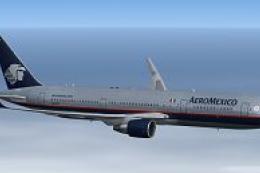 FSX Civil Aircraft
Replacement textures for the Skyspirit2010 B767-300ER Aeromexico package (SSP…
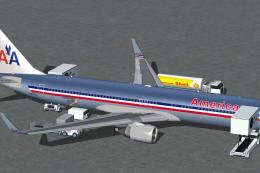 FSX Civil Aircraft
FSX American Airlines Boeing 767-300 ER with blended winglets and Animated Gr…
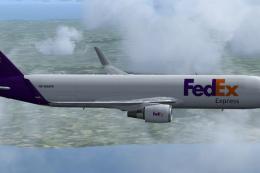 FSX Civil Aircraft
Complete package for FSX only of the Skyspirit2010 B767-300F in FedEx livery.…
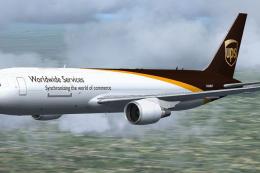 FSX Civil Aircraft
Complete package for FSX only of the Skyspirit2010 Boeing 767-300F in UPS liv…
 FSX Civil Aircraft
Complete package of the Skyspirit2010 B767-300 in KLM Royal Dutch Airlines li…
Be the first to leave a comment on this download.
Be the first to share your thoughts on this download.