

 FSX Civil Aircraft
Cathy Pacific Airbus A350-1000 V4
This refined rendition of the Cathy Pacific Airbus A350-1000 for FSX focuses …
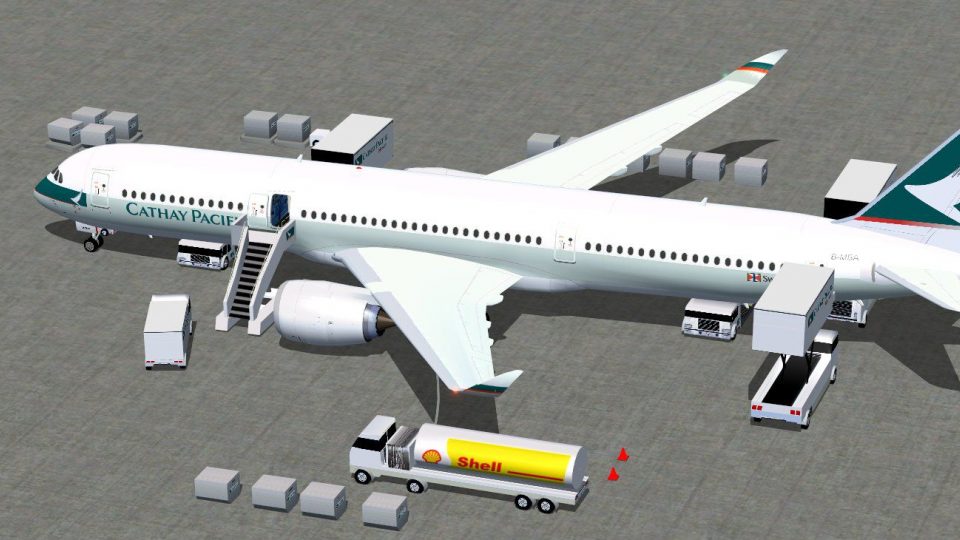
Cathy Pacific’s Airbus A350-900 brings CamSim’s V4 wide-body model to FSX with crisp exterior paint, refined visual detailing, and a functional virtual cockpit suited to long-haul flying. Animated ground servicing adds connecting trailers, ramp vehicles, and interactive passenger and cargo doors with integrated stairs for realistic turnaround scenes.
 Rate
Rate

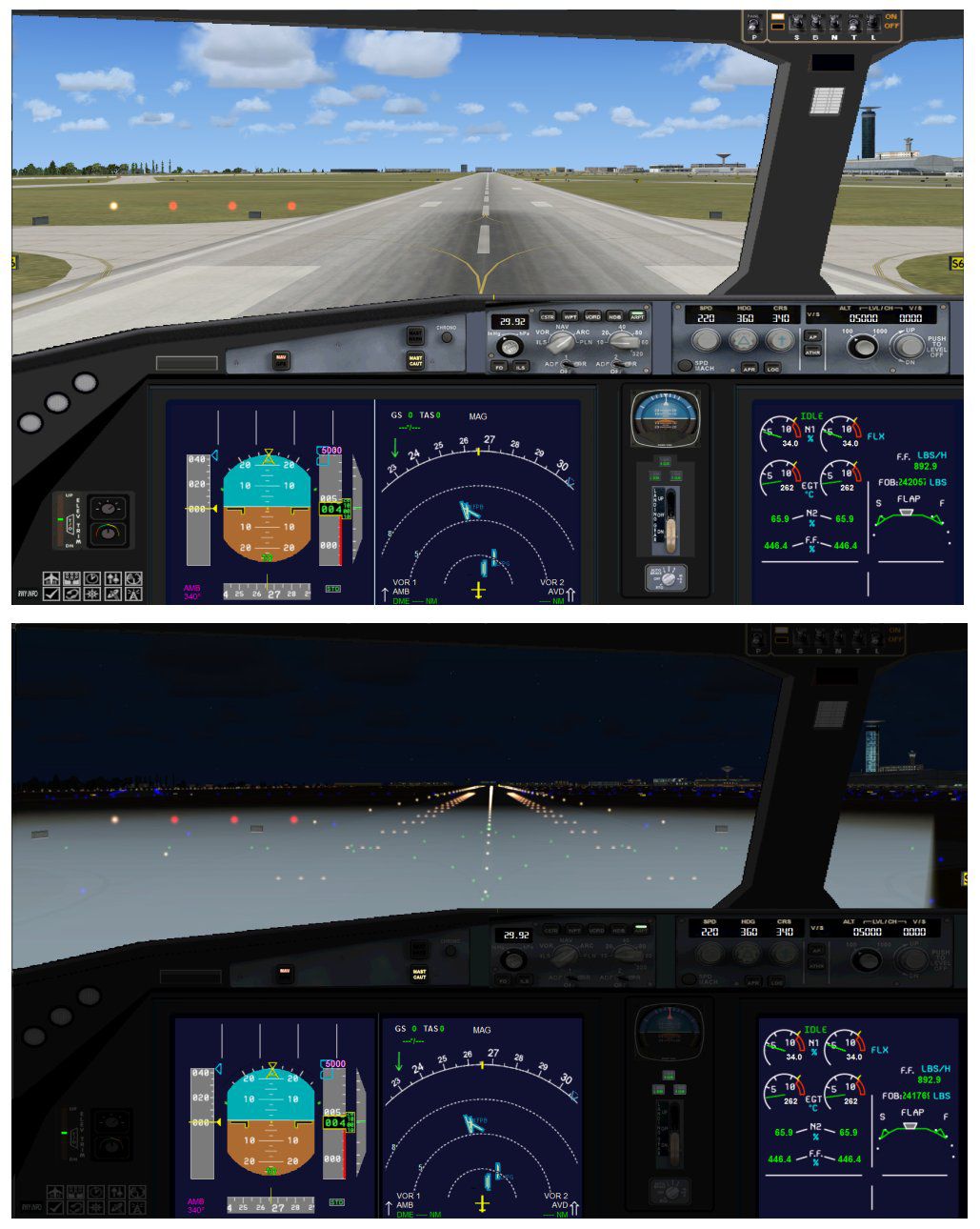

This freeware package brings together CamSim’s fourth rendition of the wide-bodied Airbus A350-900 in the familiar Cathy Pacific livery. It integrates animated service vehicles, new visual details, and a range of interactive features specifically tuned for FSX. The model design and exterior paintwork are crafted by Camil Valiquette, and the overall structure provides a comprehensive representation of the airliner’s long-distance capabilities.
In this updated release, you will see additional Animated Ground Servicing elements. Trucks now connect and disconnect trailers, and more static components enrich the ramp environment. These enhancements create a busier ramp scene that closely mirrors real-world turnaround operations.
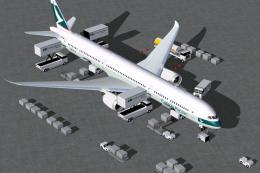
Captured image highlighting the Cathy Pacific Airbus A350-900 with service support vehicles.
The following key inputs control various movable doors and service equipment:
To ensure these commands function properly, adjust your button/key settings under FSX by navigating to Options > Settings > Controls > Buttons/Keys > Change Assignment:
The Airbus A350-900 is a twin-engine, wide-body design often employed for extensive long-haul routes. Cathy Pacific’s adaptation showcases a distinctive blend of aerodynamic refinements and efficient engines. This virtual edition aims to replicate the operational authenticity by integrating dynamic service vehicles, as well as interactive doors and stairways. Each component is intended to enhance immersion for simmers who value realistic ground operations.
With the base model included, you can install and fly without additional downloads or dependencies. Thanks to Camil Valiquette for delivering yet another rendition of this aircraft, ensuring advanced detail and a faithful depiction of its exterior features. Pilots and enthusiasts can enjoy a free-to-use package with highly detailed animations that remain fully compatible with FSX standards.
Free for all simmers · 5.2 MB · Scanned clean Oct 2026
Download speed: Free tier is capped at 0.5 Mbps (this file takes approximately 1 min at the cap). PRO members download at full line speed.
This add-on may require the following files to function properly. If this is a repaint, the dependency below is likely the base aircraft package.
FSX\SimObjects\Airplanes\. The folder must contain an aircraft.cfg file. Effects go into FSX\Effects\; gauges go into FSX\Gauges\.readme.txt or README file. It tells you exactly where files go, what dependencies are needed, and any quirks specific to this add-on.The archive 359v4cxx.zip has 35 files and directories contained within it.
This list displays the first 500 files in the package. If the package has more, you will need to download it to view them.
| Filename/Directory | File Date | File Size |
|---|---|---|
| CamSim Airbus 350-900 V4 Cathy Pacific | 07.19.12 | 0 B |
| 350-900.air | 02.28.12 | 12.75 kB |
| 359v4cx ags_.jpg | 07.16.12 | 191.08 kB |
| 359v4cx_.jpg | 07.18.12 | 90.83 kB |
| aircraft.cfg | 07.18.12 | 15.26 kB |
| Effects.zip | 03.25.06 | 1.80 kB |
| file_id.diz | 07.18.12 | 237 B |
| model.350-900 ags v4 | 07.19.12 | 0 B |
| 350-900 ags v4.mdl | 07.04.12 | 2.70 MB |
| Model.cfg | 06.11.12 | 33 B |
| PANEL | 07.19.12 | 0 B |
| 787_350_panel_background.bmp | 02.25.10 | 2.25 MB |
| 787_350_panel_background_night.bmp | 02.25.10 | 2.25 MB |
| Airbus_A321.cab | 09.04.06 | 2.72 MB |
| panel.cfg | 02.25.10 | 5.48 kB |
| panel camsim 787-350 afx_2.jpg | 04.09.10 | 182.86 kB |
| Read Me_FSX.txt | 07.18.12 | 2.34 kB |
| SOUND | 07.19.12 | 0 B |
| Sound.cfg | 11.04.09 | 35 B |
| texture.cx | 07.19.12 | 0 B |
| 359fuse_t.bmp | 08.05.10 | 1.00 MB |
| 35eng_t.bmp | 07.16.12 | 1.00 MB |
| 35int_l.bmp | 08.09.10 | 4.00 MB |
| 35int_t.bmp | 07.18.12 | 1.00 MB |
| 35tail_t.bmp | 08.05.10 | 1.00 MB |
| 35wings_t.bmp | 08.05.10 | 1.00 MB |
| 787ext_L.bmp | 08.09.10 | 4.00 MB |
| 787ext_t.bmp | 07.18.12 | 1.00 MB |
| gris_t.bmp | 12.09.09 | 16.07 kB |
| pilot1.bmp | 09.11.09 | 257.05 kB |
| pilot1_l.bmp | 12.06.06 | 1.00 MB |
| thumbnail.jpg | 08.09.10 | 6.14 kB |
| w_t.bmp | 12.06.08 | 16.07 kB |
| flyawaysimulation.txt | 10.29.13 | 959 B |
| Go to Fly Away Simulation.url | 01.22.16 | 52 B |
Only PRO members can place votes.
More FSX & P3D add-ons hand-picked based on this download.
FSX Civil Aircraft
This refined rendition of the Cathy Pacific Airbus A350-1000 for FSX focuses …
 FSX Civil Aircraft
This freeware release simulates the latest variant of a popular wide-body jet…
 FSX Civil Aircraft
This package introduces a refined iteration of the Airbus A350-900 XWB in Cat…
 FSX Civil Aircraft
Experience a carefully modeled Vietnam Airlines Airbus A350-900 package for F…
 FSX Civil Aircraft
This updated freeware package delivers a meticulously modeled Lufthansa Airbu…
 FSX Civil Aircraft
The Airbus A350-900 in Iberia's livery, presented here as a fully integrated …
 FSX Civil Aircraft
This comprehensive freeware package offers a fully modeled Airbus A350-900, c…
 FSX Civil Aircraft
The latest freeware rendition of American Airlines’ Airbus A350-900 from CamS…
Be the first to leave a comment on this download.
Be the first to share your thoughts on this download.