

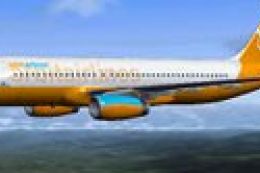
 FSX Civil Aircraft
Orbit Airlines Airbus A320
Enhance your short-to-medium range operations in Microsoft Flight Simulator X…
Orbit Airlines’ Airbus A319 brings a polished fictional narrow-body to Microsoft Flight Simulator X, combining the Project Airbus external model with wing flex, detailed gear, and convincing lighting effects. It uses the default A321 virtual cockpit, sounds, and cabin textures for dependable systems, paired with a crisp, expertly finished livery.
 Rate
Rate
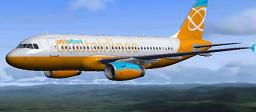
This comprehensive Airbus A319 package introduces a fictional Orbit Airlines variant for Microsoft Flight Simulator X. Built around the renowned Project Airbus base model and paint kit, it also integrates the default A321 cockpit elements, audio, and internal textures. The livery, expertly crafted by Frank Leser, showcases a polished finish that is ready for both casual flyers and enthusiasts who enjoy short- to medium-haul missions.
The A319, part of the popular A320 family, is widely recognized for its efficient performance and flexibility across various airline operations. In this rendition, developers at Project Airbus have meticulously replicated the aircraft’s external geometry, complete with high-resolution mapping. Project Airbus (developers) ensured the aerodynamic modeling delivers authentic flight handling, making it suitable for busy flight routes and foundation training in virtual skies. Meanwhile, Frank Leser applied the distinctive Orbit Airlines livery, blending crisp new textures with structural details that accurately represent the narrow-body airliner’s shape.
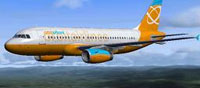
Screenshot of Orbit Airlines Airbus A319 in flight.
To make the A319 fully operational within the simulator:
Following these steps ensures the visuals and special effects, such as unique light placements, are displayed correctly.
Free for all simmers · 9.52 MB · Scanned clean Oct 2026
Download speed: Free tier is capped at 0.5 Mbps (this file takes approximately 3 mins at the cap). PRO members download at full line speed.
FSX\SimObjects\Airplanes\. The folder must contain an aircraft.cfg file. Effects go into FSX\Effects\; gauges go into FSX\Gauges\.readme.txt or README file. It tells you exactly where files go, what dependencies are needed, and any quirks specific to this add-on.The archive orbita319fsx.zip has 46 files and directories contained within it.
This list displays the first 500 files in the package. If the package has more, you will need to download it to view them.
| Filename/Directory | File Date | File Size |
|---|---|---|
| thumbnail.JPG | 06.05.12 | 12.74 kB |
| Aircraft.cfg | 06.06.12 | 18.83 kB |
| effects | 06.06.12 | 0 B |
| fx_beacon3202pa.fx | 07.24.02 | 3.03 kB |
| fx_beacon320pa.fx | 07.24.02 | 3.01 kB |
| fx_contrail_320.fx | 07.24.02 | 1.17 kB |
| fx_navgre320pa.fx | 07.24.02 | 4.56 kB |
| fx_navred320pa.fx | 07.24.02 | 4.56 kB |
| fx_navwhi320pa.fx | 07.24.02 | 3.03 kB |
| fx_strobe2320pa.fx | 07.24.02 | 2.44 kB |
| fx_strobe320pa.fx | 07.24.02 | 4.80 kB |
| fx_tchdwn320.fx | 07.24.02 | 4.54 kB |
| model.iae | 06.06.12 | 0 B |
| A319_100_IAE_NoVC.mdl | 11.14.09 | 2.14 MB |
| Model.cfg | 06.06.12 | 89 B |
| pa319-v2524.air | 11.23.07 | 8.71 kB |
| panel | 06.06.12 | 0 B |
| panel.cfg | 06.24.07 | 37 B |
| Project Airbus paint kit readme.txt | 06.06.12 | 3.03 kB |
| Project Airbus readme.txt | 06.06.12 | 2.02 kB |
| Readme.txt | 06.06.12 | 459 B |
| sound | 06.06.12 | 0 B |
| Sound.cfg | 06.24.07 | 35 B |
| texture.orbit | 06.06.12 | 0 B |
| A319_1_IAE_l.bmp | 11.27.09 | 1.00 MB |
| A319_1_IAE_t.bmp | 06.05.12 | 5.33 MB |
| A319_2_IAE_l.bmp | 11.27.09 | 1.00 MB |
| A319_2_IAE_t.bmp | 06.05.12 | 5.33 MB |
| A319_fuse_1_l.bmp | 11.27.09 | 1.00 MB |
| A319_fuse_1_t.bmp | 06.05.12 | 5.33 MB |
| A319_fuse_2_l.bmp | 11.27.09 | 1.00 MB |
| A319_fuse_2_t.bmp | 06.05.12 | 5.33 MB |
| A319_fuse_3_l.bmp | 11.27.09 | 1.00 MB |
| A319_fuse_3_t.bmp | 06.05.12 | 5.33 MB |
| A319_misc_1.bmp | 11.27.09 | 1.00 MB |
| A319_misc_2.bmp | 11.27.09 | 4.00 MB |
| A319_wing_1_l.bmp | 11.27.09 | 256.07 kB |
| A319_wing_1_t.bmp | 06.05.12 | 5.33 MB |
| A319_wing_2_l.bmp | 11.27.09 | 256.07 kB |
| A319_wing_2_t.bmp | 06.05.12 | 5.33 MB |
| Jetheat_t.bmp | 11.27.09 | 16.07 kB |
| texture.cfg | 06.06.12 | 152 B |
| thumbnail.JPG | 06.05.12 | 12.74 kB |
| Thumbs.db | 11.27.09 | 12.00 kB |
| flyawaysimulation.txt | 10.29.13 | 959 B |
| Go to Fly Away Simulation.url | 01.22.16 | 52 B |
Only PRO members can place votes.
More FSX & P3D add-ons hand-picked based on this download.
FSX Civil Aircraft
Enhance your short-to-medium range operations in Microsoft Flight Simulator X…
 FSX Civil Aircraft
Orbit Airlines Boeing 777-300 ER. The Project Open Sky B777-300ER repainted …
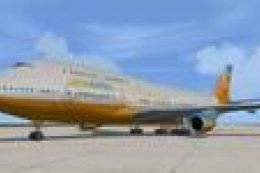 FSX Civil Aircraft
For use in the FSX Demo - now you can see how this classic airliner handles a…
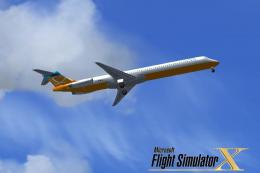 FSX Civil Aircraft
This freeware repaint brings a refreshed look to the default Orbit Airlines f…
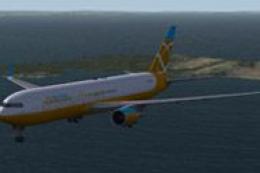 FSX Civil Aircraft
The payware Captain Sim B767-300 in Orbit Airlines livery. Includes cabin com…
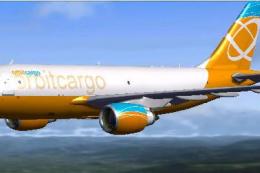 FSX Civil Aircraft
Orbit Cargo Airbus A310-300 based on the MS Orbit airlines colors. This is a …
 FSX Civil Aircraft
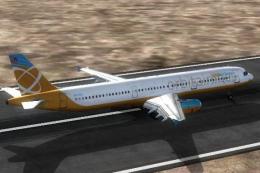
This is the FSX Orbit Airlines Airbus with IAE engines, for the Overland SMS …
 FSX Civil Aircraft
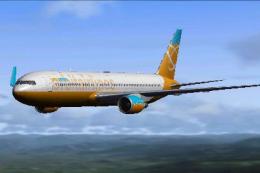
This is a complete Skyspirit2010 FSX aircraft but it uses the default Microso…
Read what other simmers think, or add your own.

Please also make the Airbus A318 for Orbit Airlines for FSX and FSX: SE and also the Airbus A320, Airbus A318, and Airbus A319 for World Travel Airlines and Pacifica Airlines thanks.