



 Brazil



 MSFS Scenery
Dubai, UAE City Building & Pack
A large freeware scenery add-on pack put together by the developer who goes b…
Rio de Janeiro City Scenery brings the whole city into sharp focus with high-resolution photogrammetry, replacing generic autogen with dense, true-to-life 3D buildings, terrain, and waterfront detail. In Microsoft Flight Simulator, expect standout landmark views such as Christ the Redeemer and Sugarloaf, plus immersive approaches into Santos Dumont and Galeão.
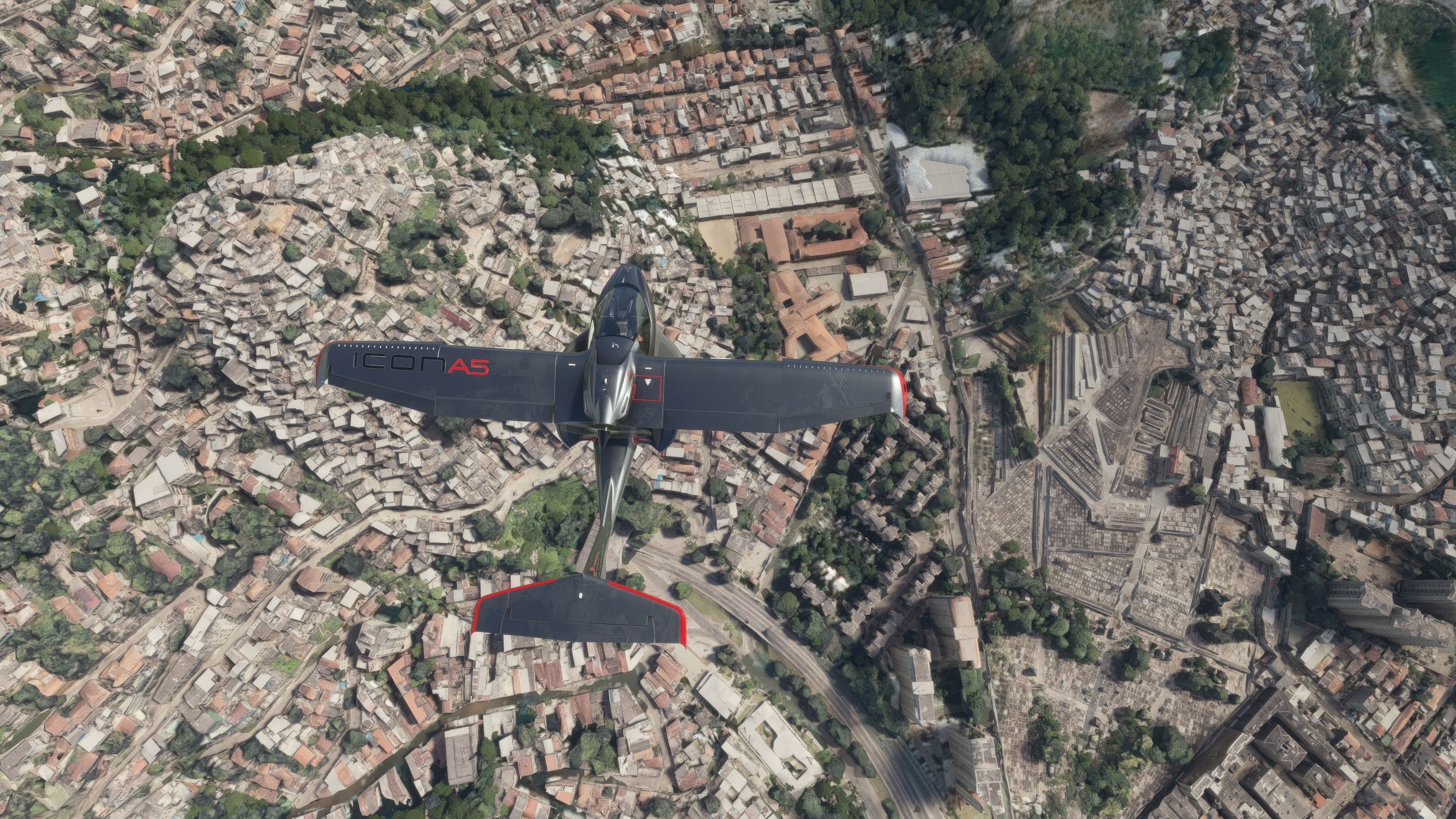
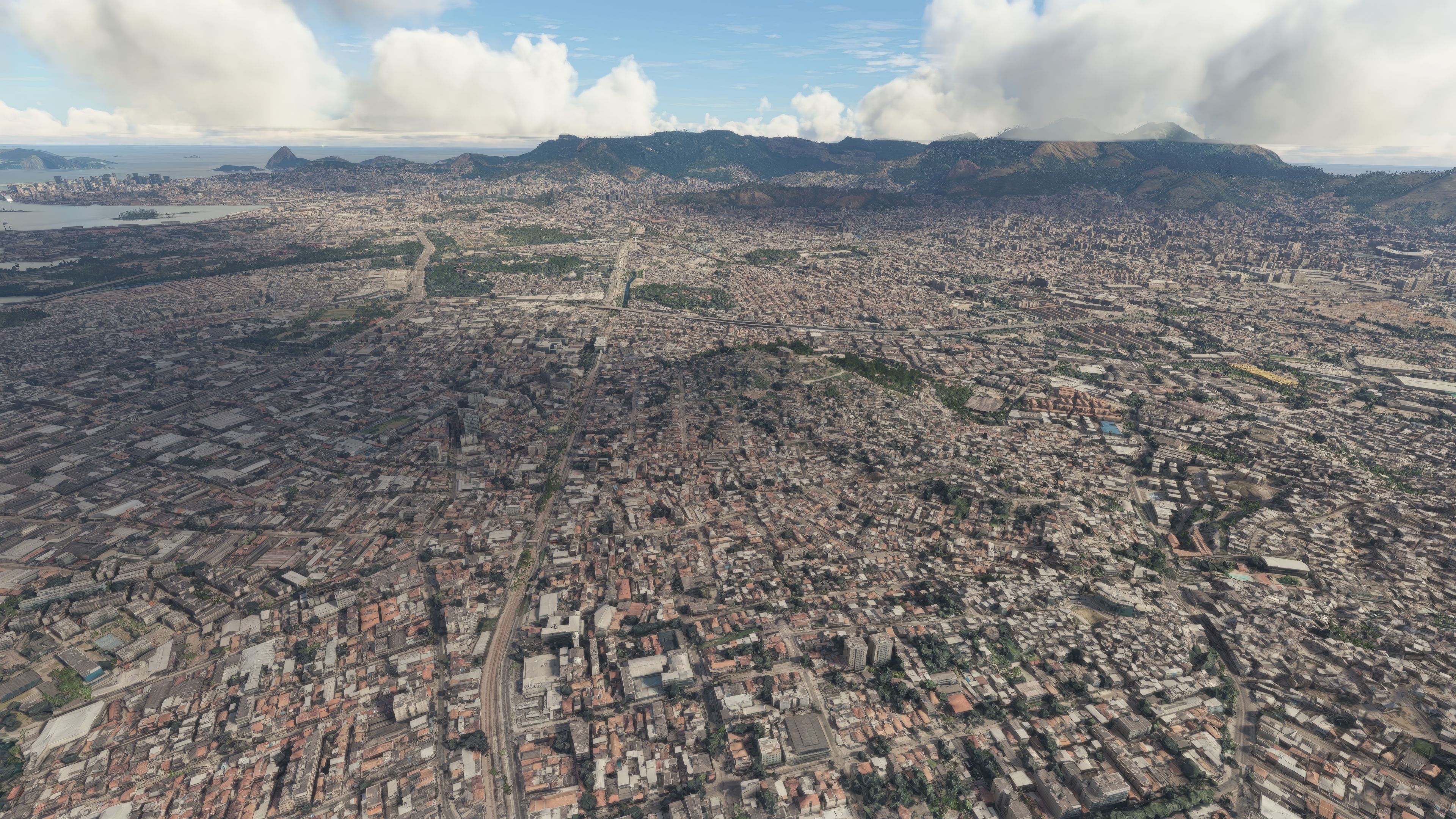
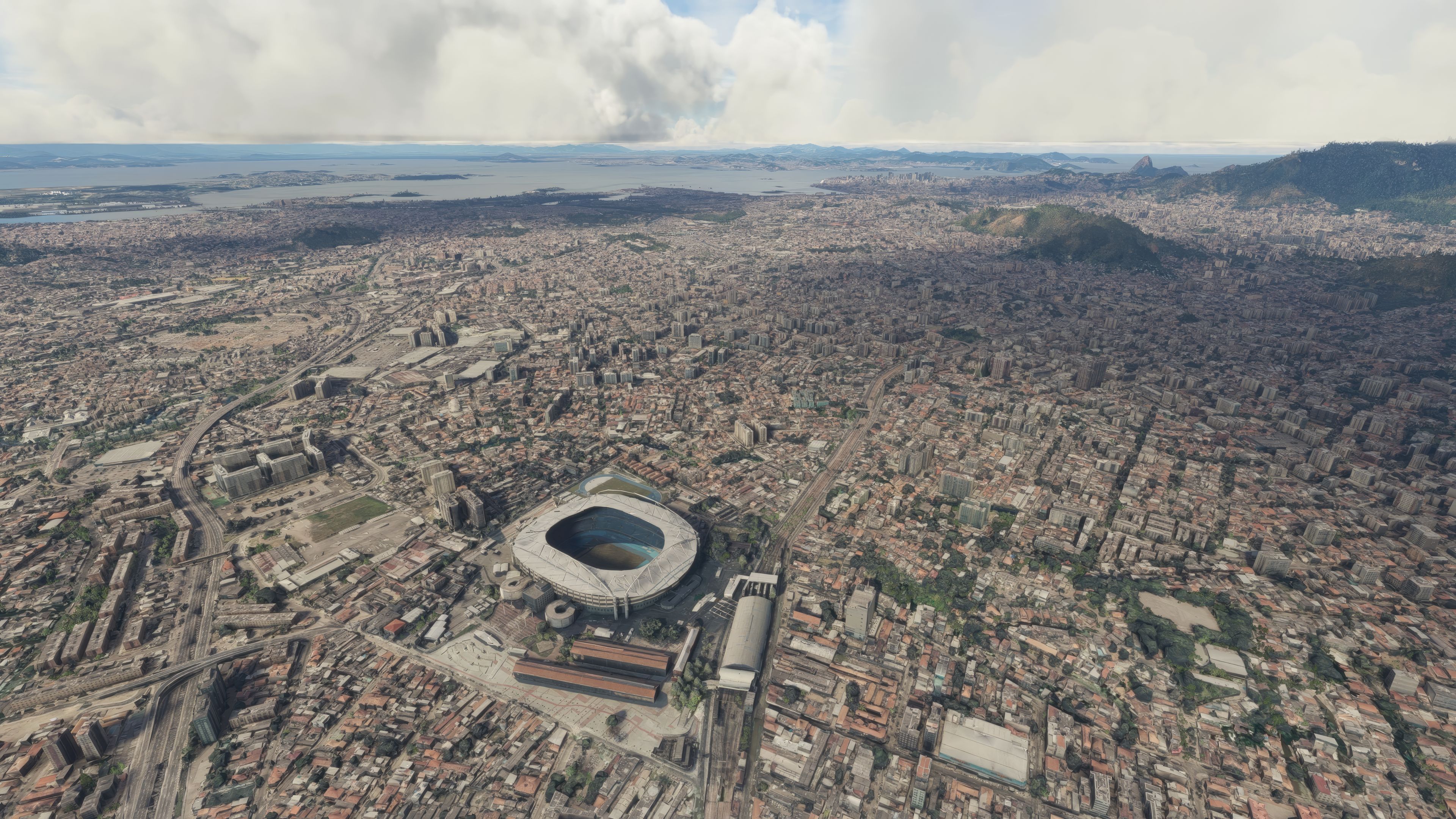
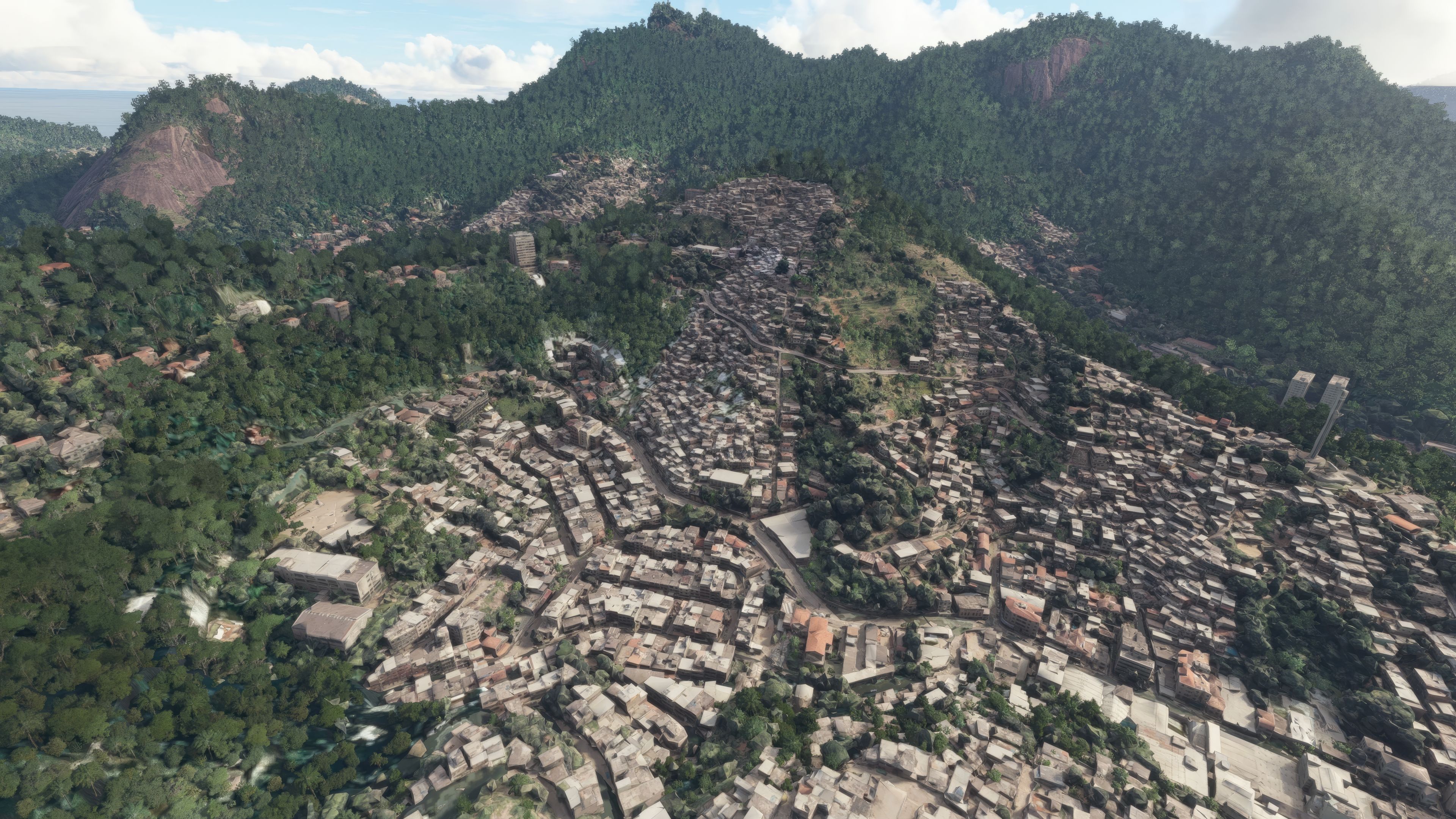
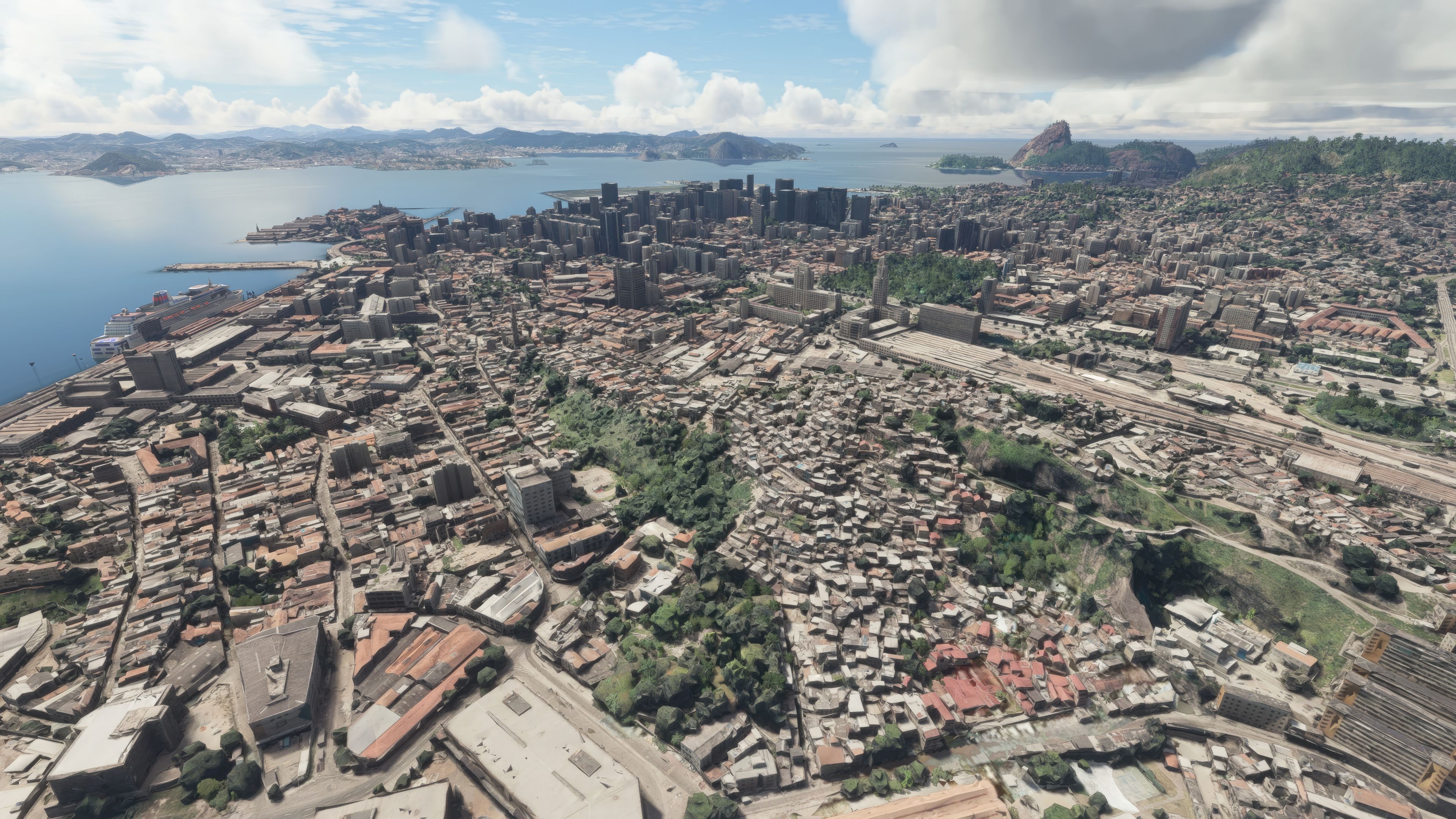
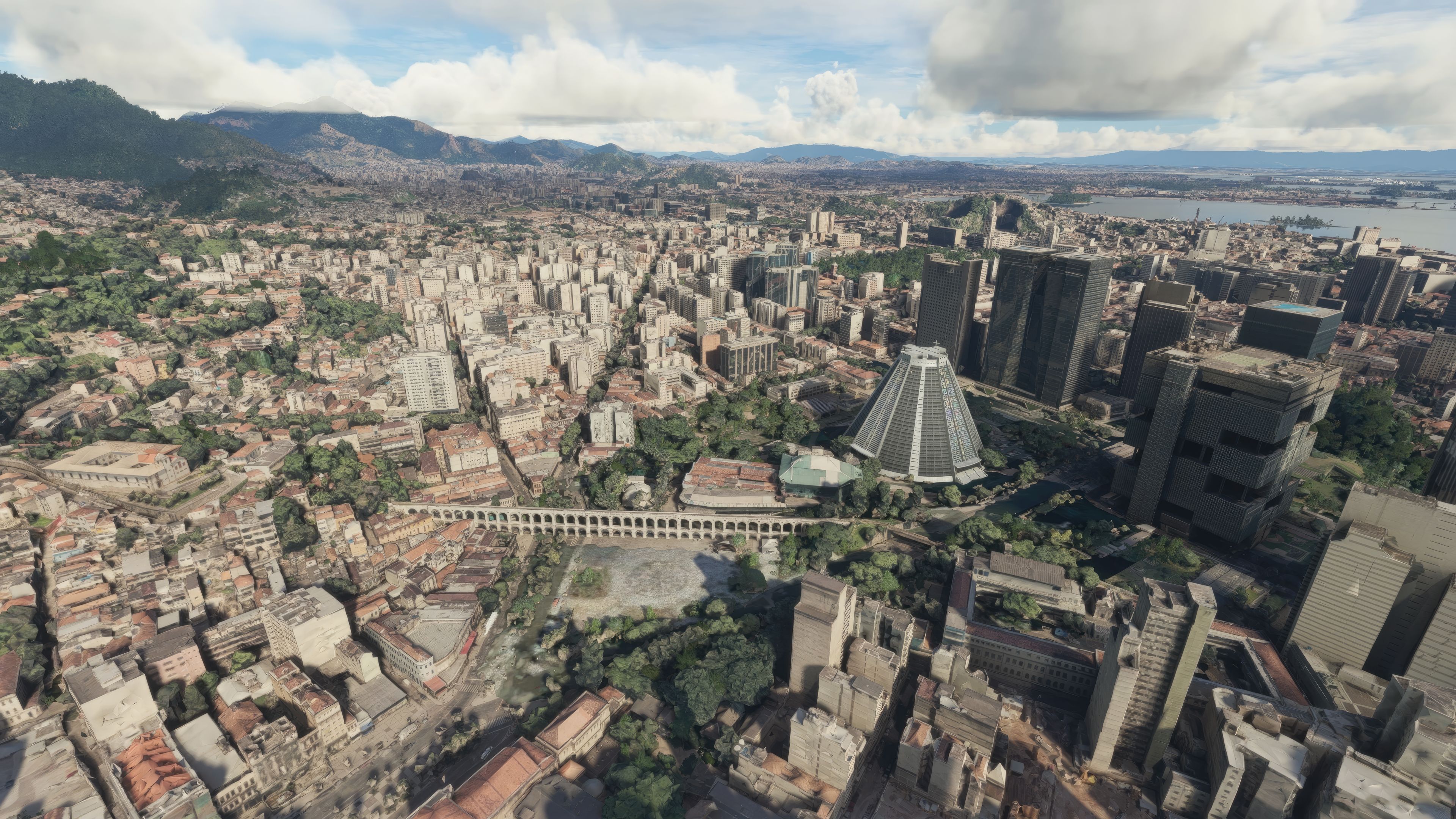
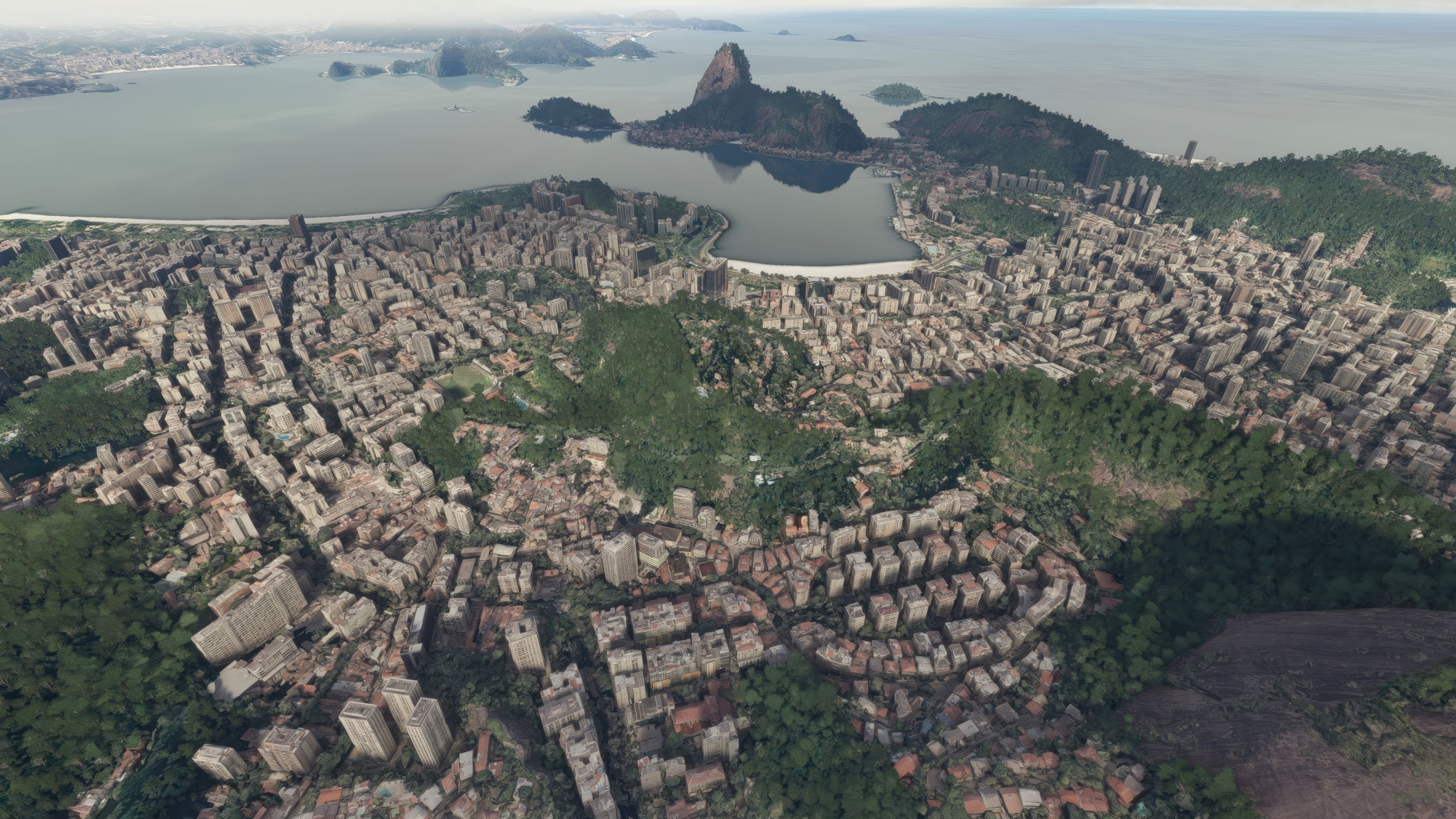
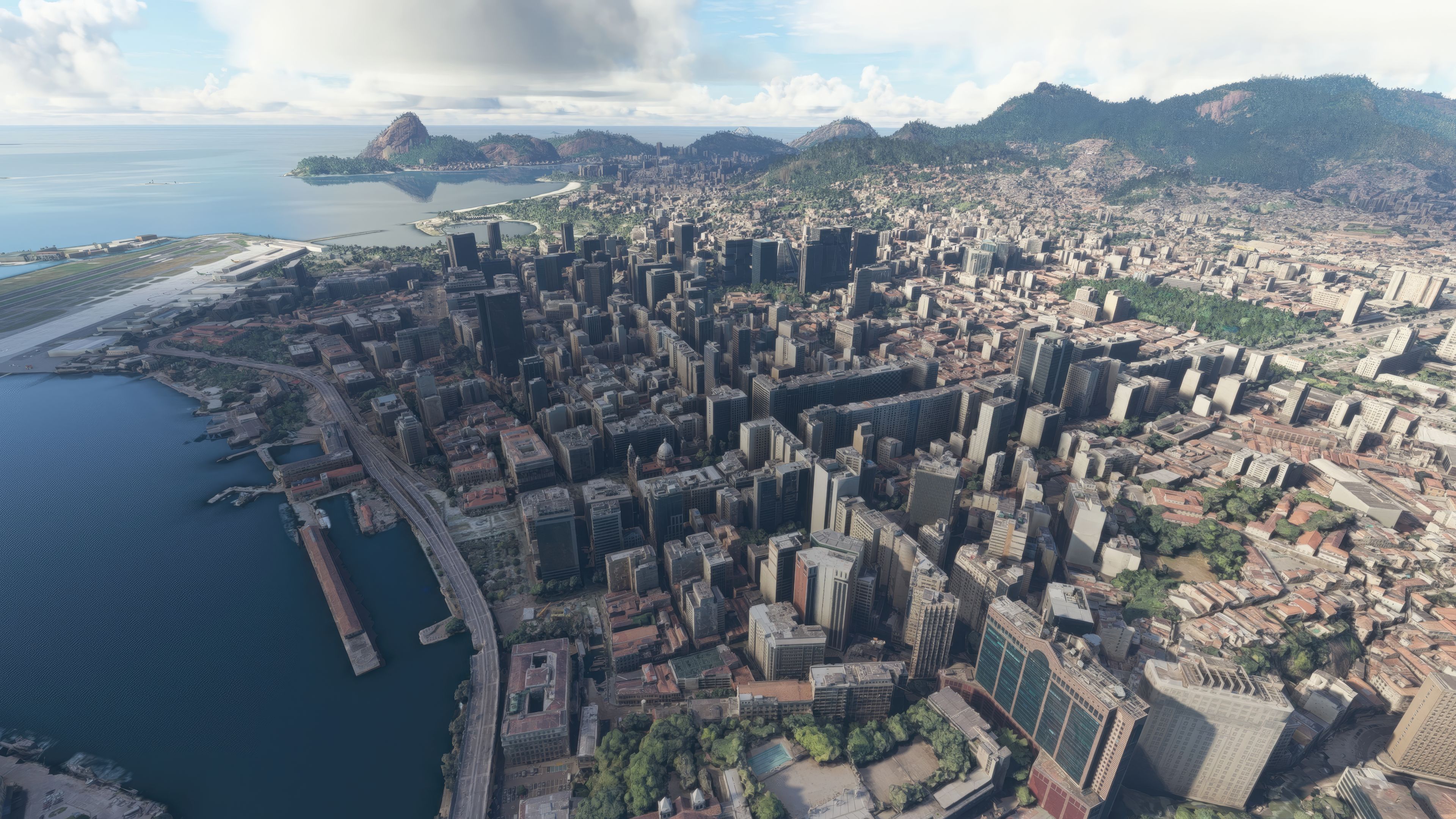
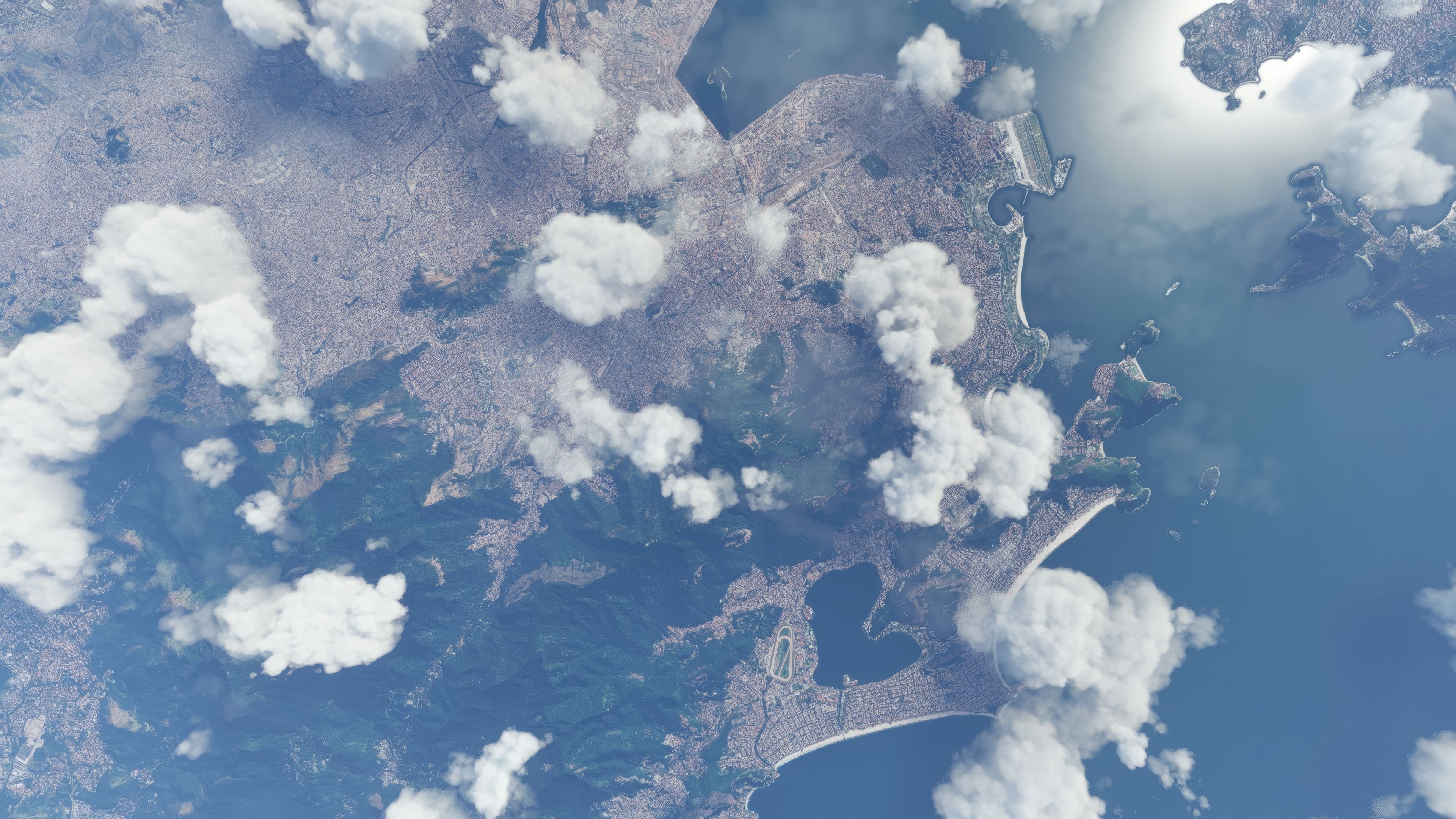
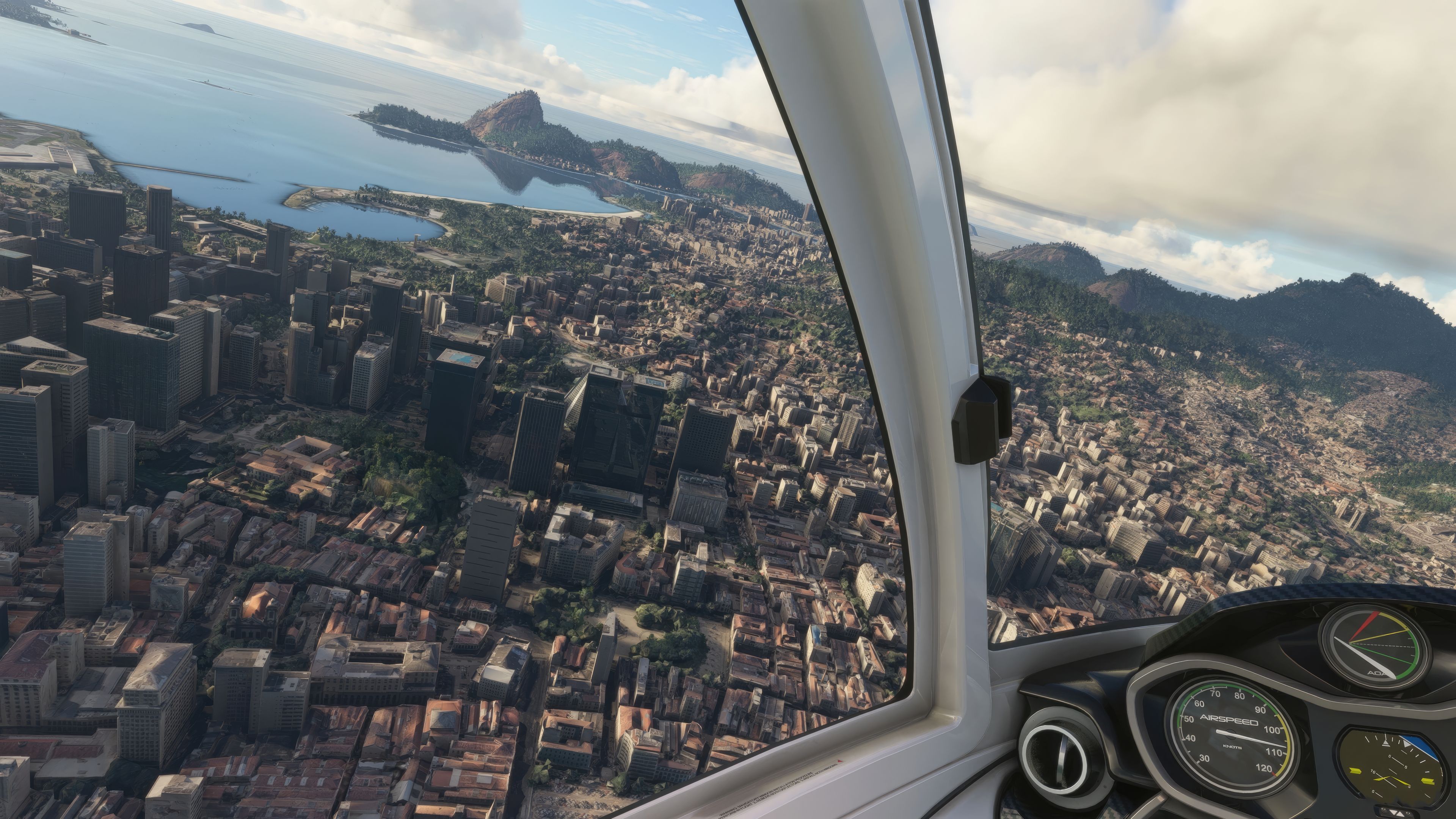
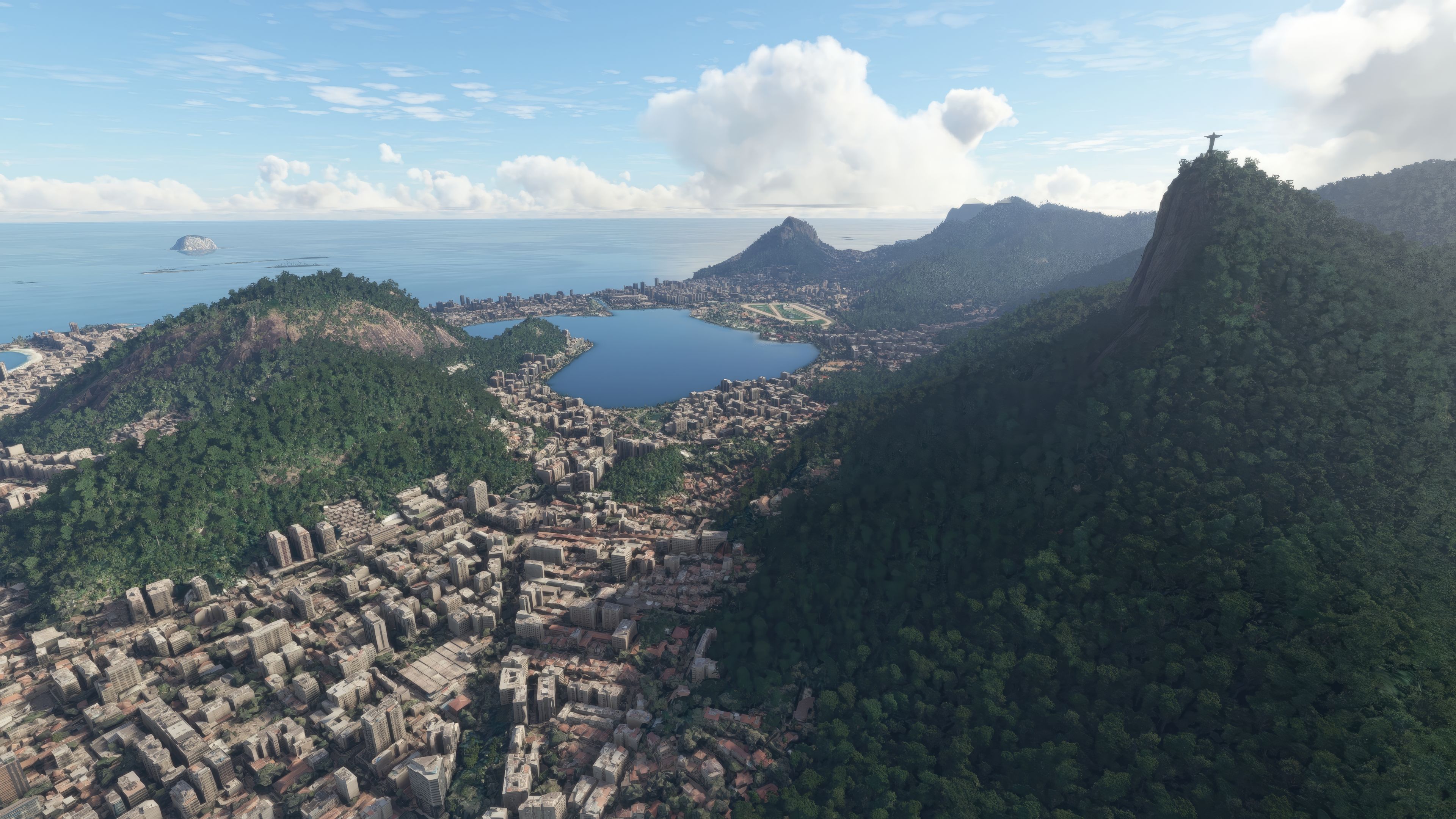
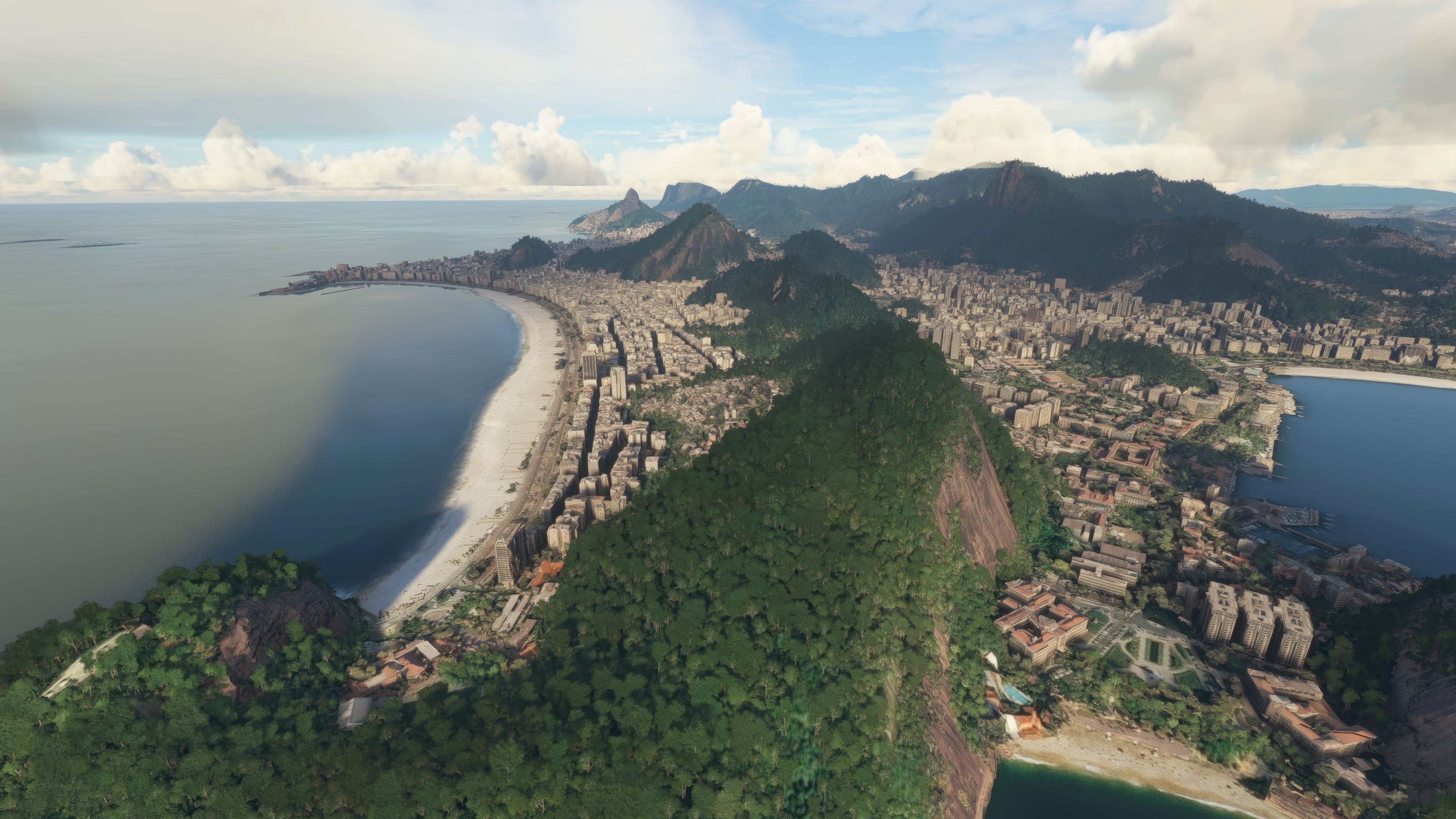
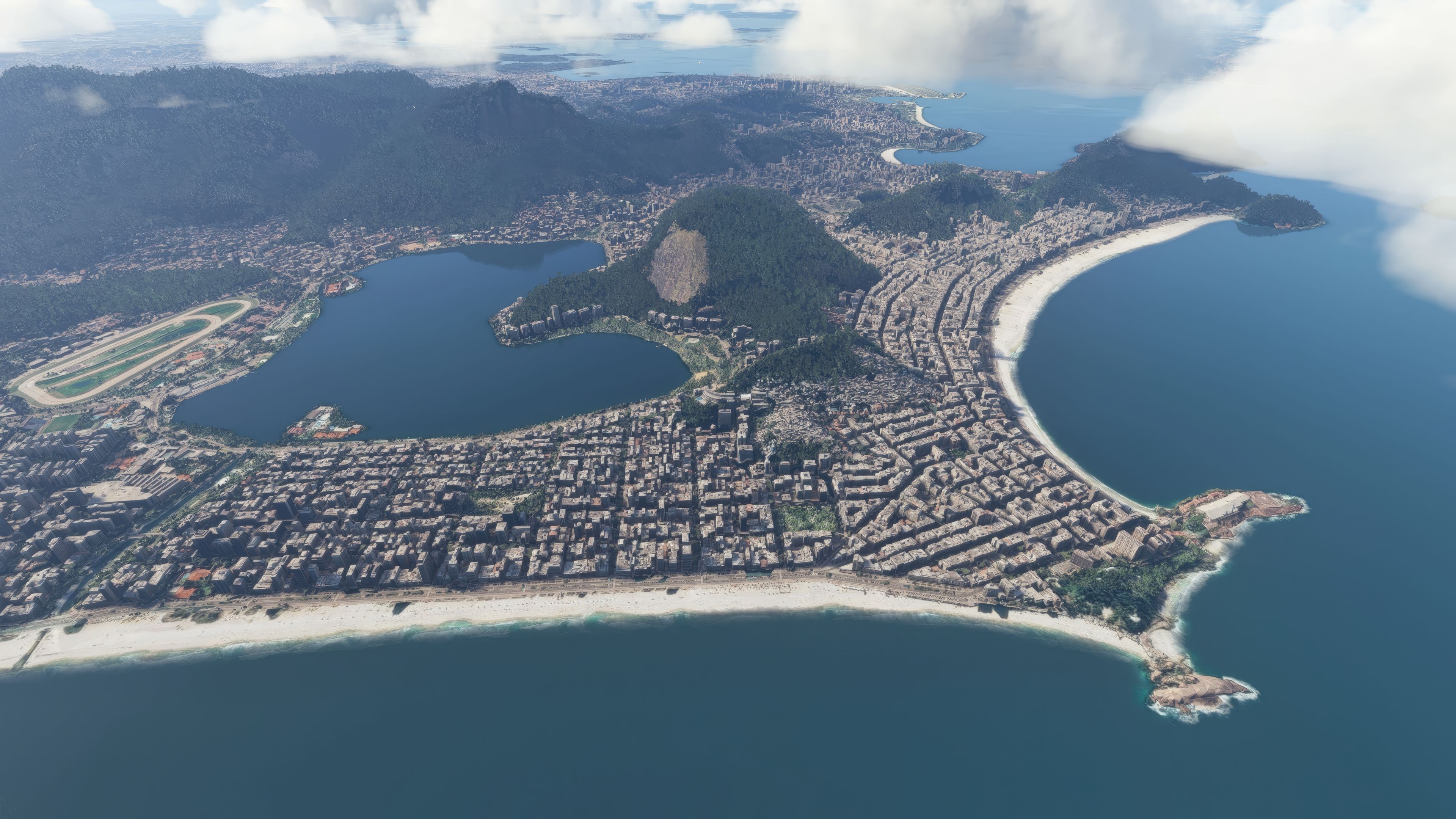
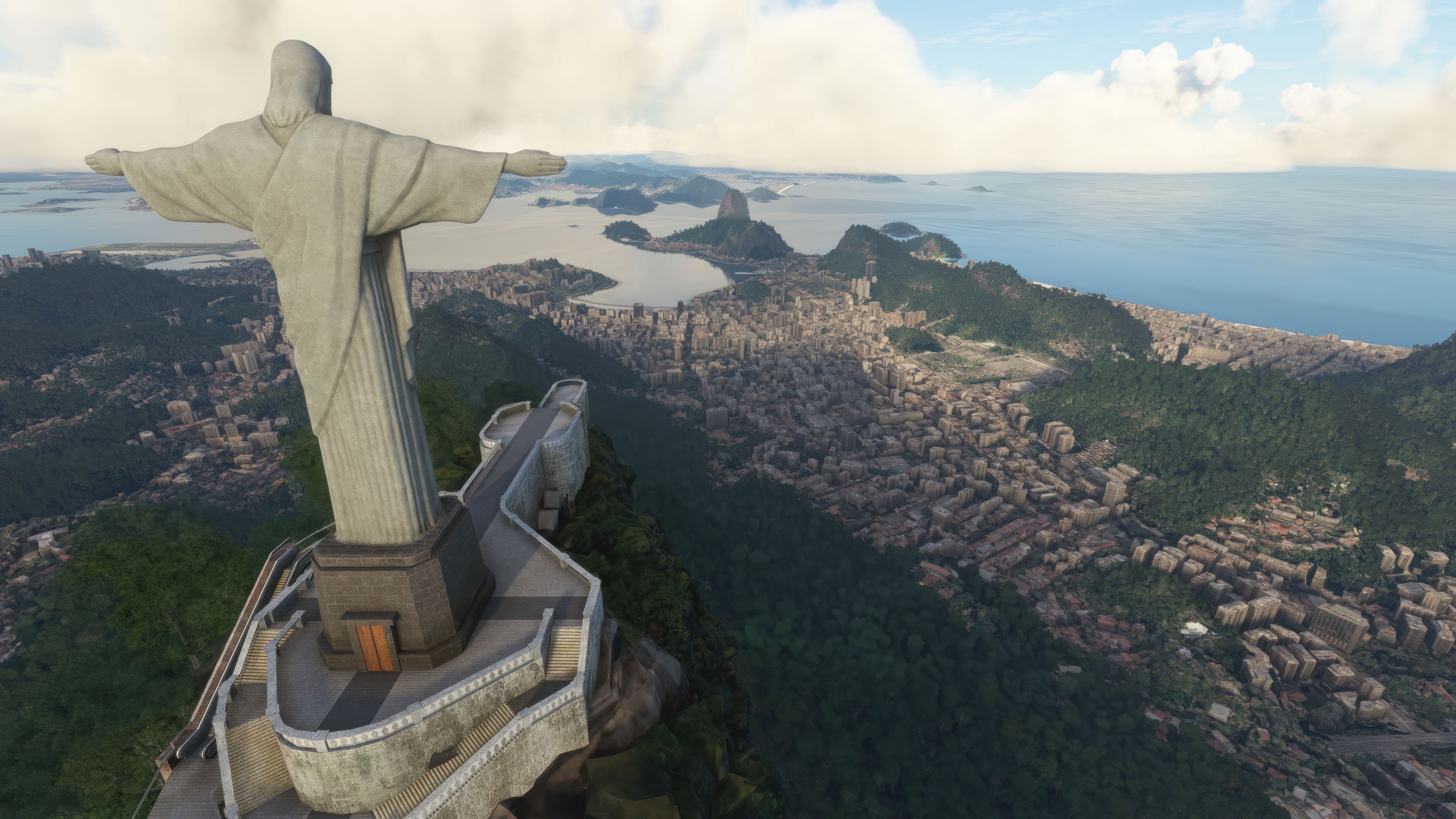
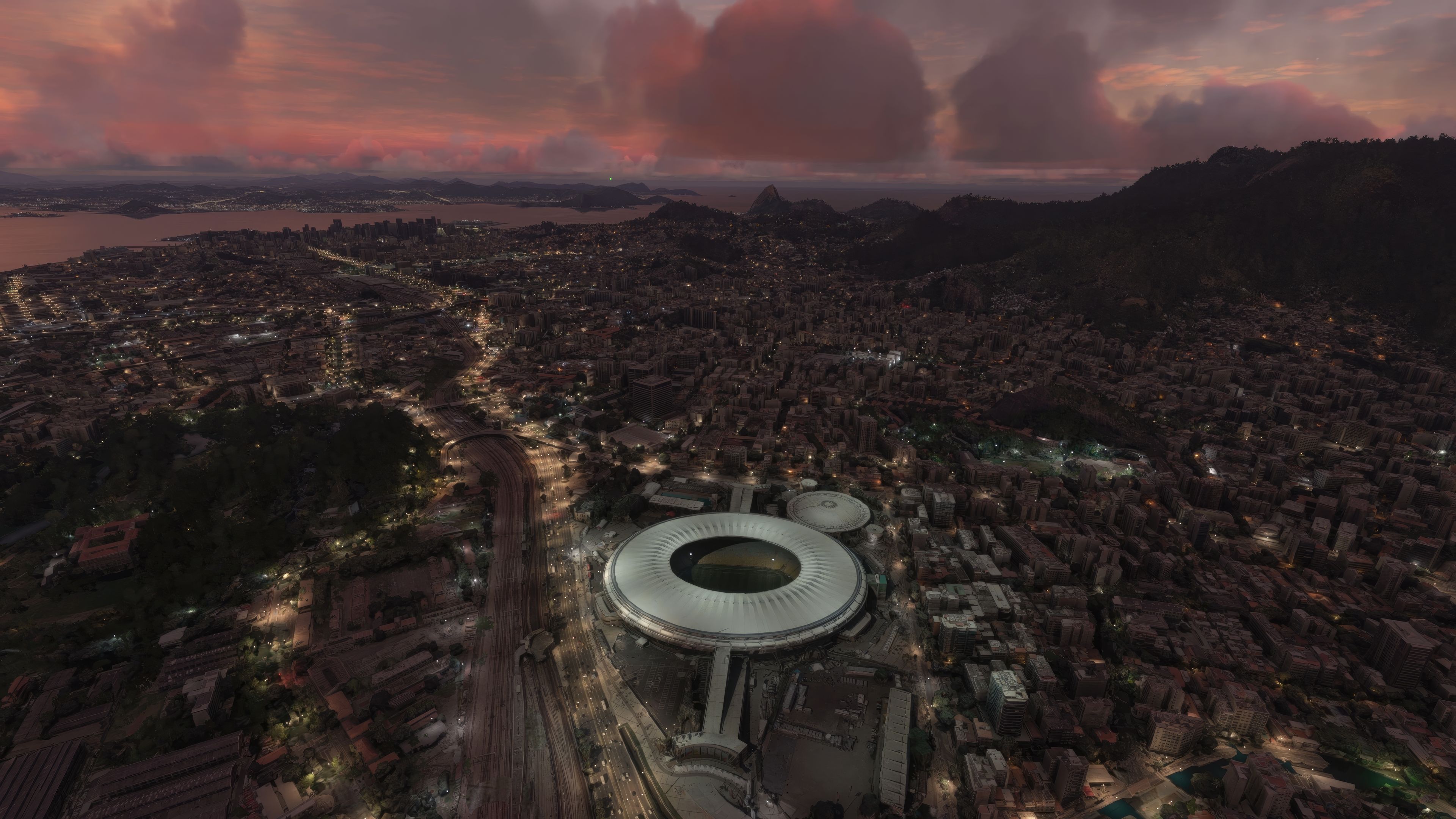
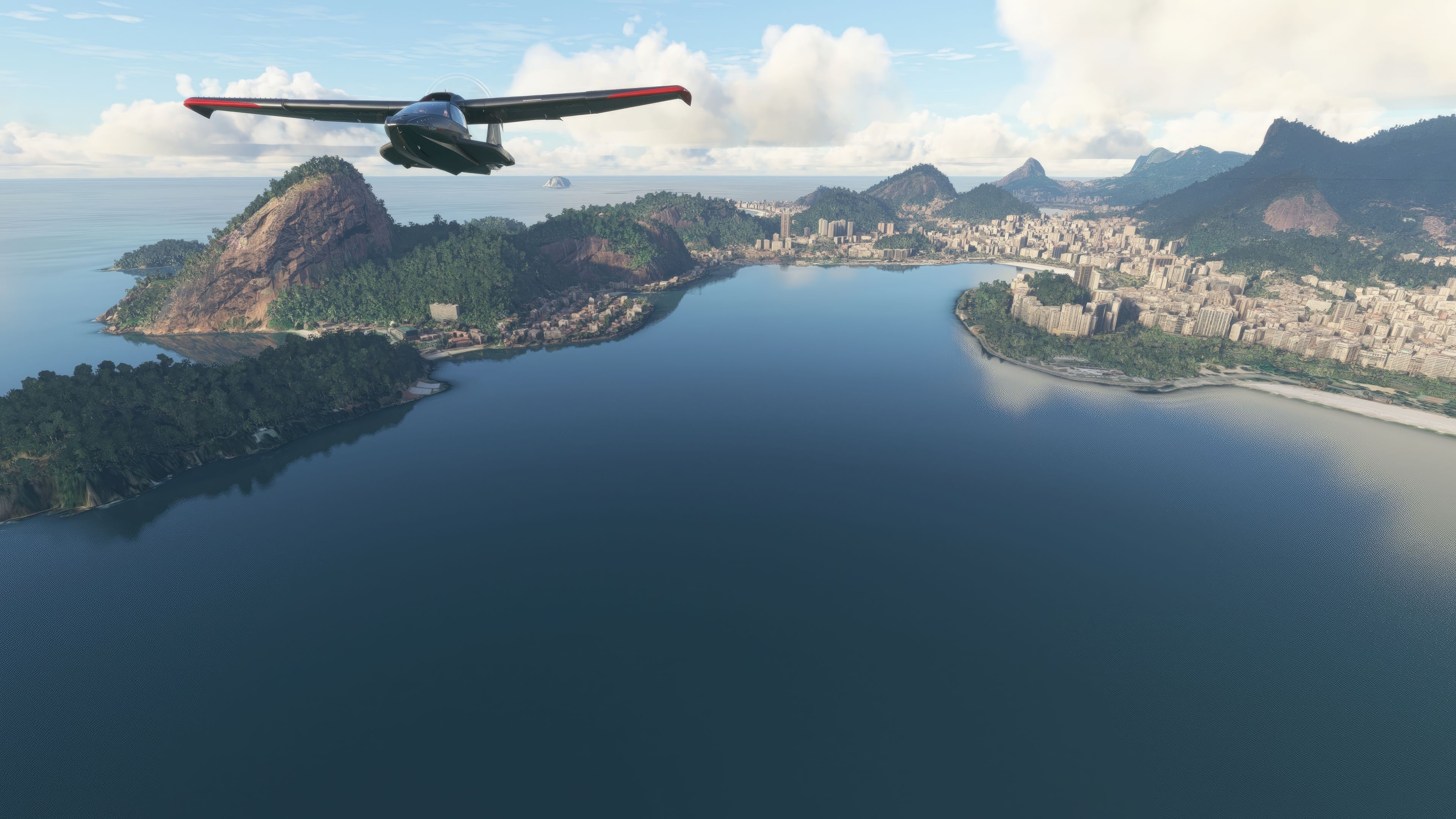
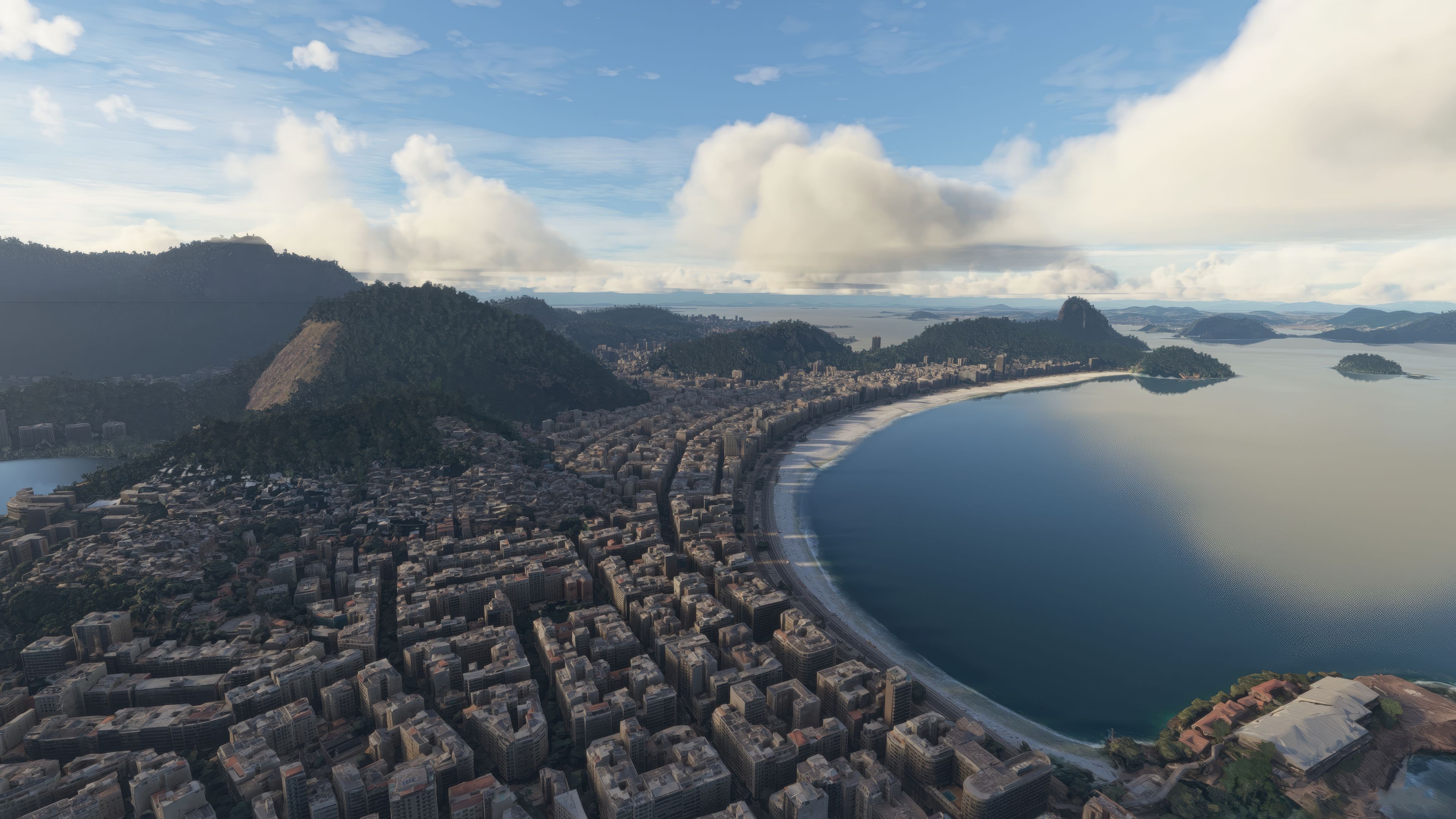
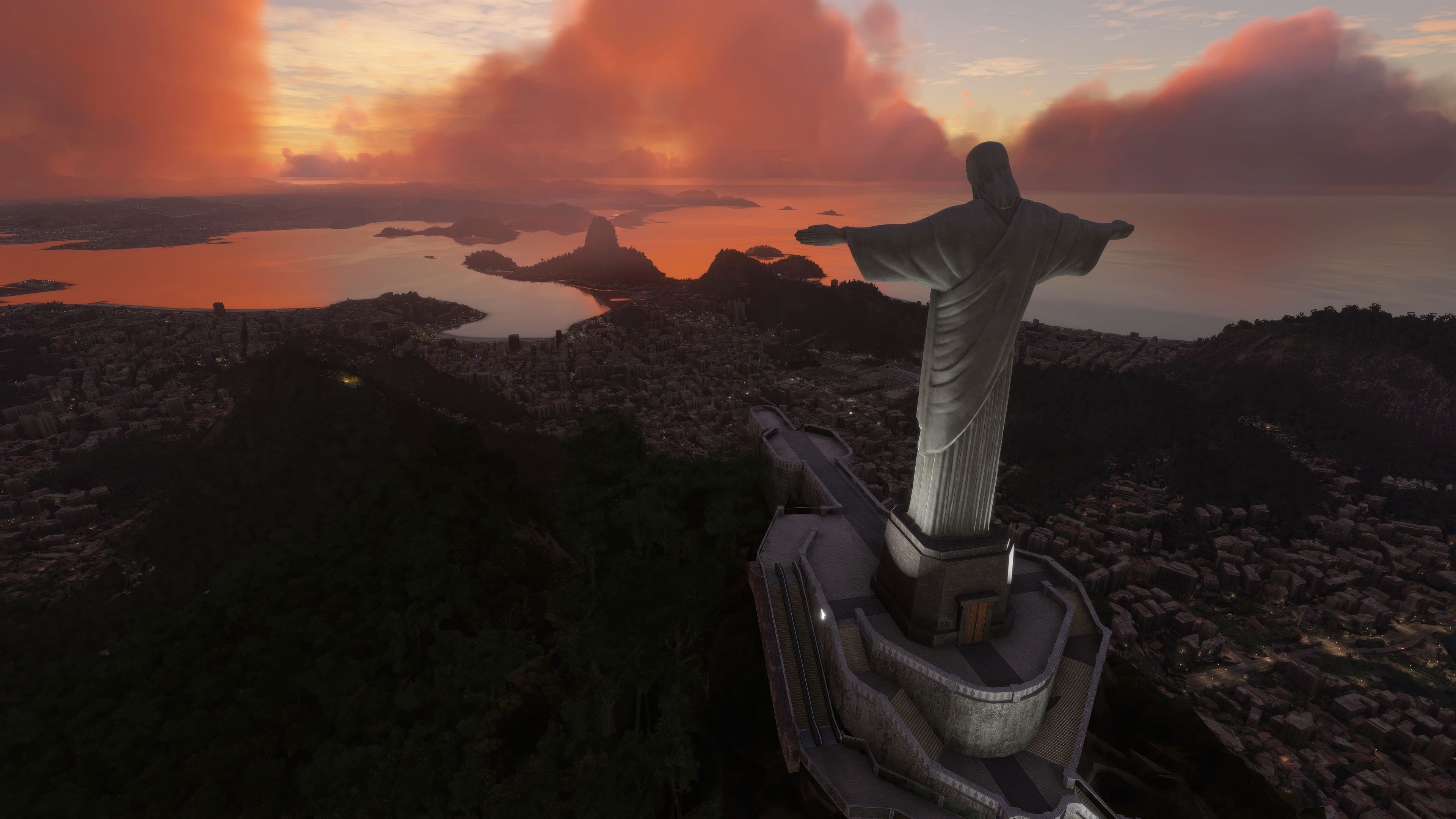


As a veteran in PC flight simulation, I’ve tested the MSFS Rio de Janeiro City Scenery mod and can confirm it brings a spectacular level of realism to the simulator. Developed by Thalixte, this unified package employs advanced photogrammetry to recreate Rio’s signature skyline, merging all previously segmented releases into a cohesive and highly detailed portrayal of one of Brazil’s most iconic cities.
From the cockpit, you’ll see authentic 3D structures, a more vibrant landscape, and crisp textures that truly capture the city’s character. Landmarks like Christ the Redeemer and the dramatic coastline appear in stunning clarity, transforming your approach into a breathtaking visual feast. This mod is a must-have for any enthusiastic flight simmer seeking an immersive, true-to-life tour of Rio de Janeiro in Microsoft Flight Simulator.
Discover the MSFS Rio de Janeiro City Scenery add-on, a photogrammetry masterpiece that transforms your flight simulation experience with its unparalleled detail and accuracy. Explore the vibrant streets, iconic landmarks, and breathtaking landscapes of Rio de Janeiro from your cockpit.
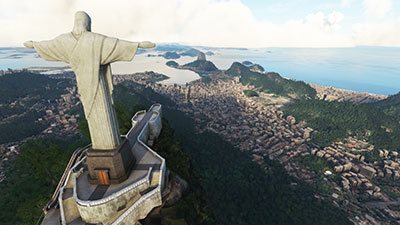 In the vibrant realm of Microsoft Flight Simulator (MSFS) 2020, it's our delight to introduce you to a delightful treat - the Rio de Janeiro City Scenery add-on.
This remarkable photogrammetry scenery package extends its coverage over the entire realm of Rio de Janeiro, adding a new dimension of realism to your virtual flight experience. This is not just a supplement to your MSFS environment; consider it a transformative enhancement that supersedes the default Microsoft detailing with superior textures and an abundance of 3D data.
In simple terms, photogrammetry refers to the process of collecting measurements from photographs to create an exact three-dimensional model of the environment. In this case, our sprawling cityscape of Rio.
Developed by the esteemed Thalixte, this scenery add-on previously saw segmented releases on different platforms. Now, however, we are pleased to bring you the comprehensive, full-featured version in one convenient download file.
All the unique parts and sections that were distributed piece by piece are now harmoniously unified into one cohesive scenery package. We encourage you to extend your support to Thalixte by considering a donation via the links provided in the bio section below.
To dive directly into the heart of this scenic masterpiece, key in the GPS coordinates 22° 54' 40" S, 43° 12' 20" W into your MSFS flight planner. But the magic of Rio extends beyond its city limits. Below, we have outlined several key airports that are worthy of your exploration.
Photogrammetry is a technique that holds transformative potential in the world of flight simulation. It refers to the science of making precise measurements from photographs, and, when applied to flight simulation, creates immersive 3D models of the real world. The use of photogrammetry in MSFS allows for an unprecedented level of detail and realism.
Scenery developed using photogrammetry means that instead of relying on generic or procedurally generated models, developers are able to use photographs of the actual locations to create highly detailed and accurate representations of buildings, terrain, and other features. This has a tremendous impact on the immersive nature of the simulator, bringing the virtual world much closer to the real one.
This add-on stands as a testament to the power of photogrammetry. With this method, Thalixte has meticulously crafted an accurate representation of the city, with its unique architecture, vibrant streets, and stunning landscapes. By using real-world data, this add-on enhances the flight simulator environment with an unparalleled level of detail and authenticity.
In sum, the adoption of photogrammetry in MSFS signifies a new era of realism in flight simulation. It's no longer about just flying; it's about experiencing the world as it is, from the comfort of your cockpit. And the Rio de Janeiro City Scenery add-on is an impressive demonstration of this capability.
A gem nestled between lush mountains and the azure Atlantic, Rio de Janeiro is more than just a city; it's a sweeping panorama of life. Renowned for its lively culture, stunning landscapes, and captivating history, Rio has also been a pivotal chapter in aviation history.
This city was a strategic pit-stop during the era of transatlantic seaplane flights and still thrives as a buzzing aviation hub. From Santos Dumont, a pioneer in aviation, to modern airlines connecting continents, the Rio de Janeiro City Scenery add-on brings this rich narrative to life, right on your screen.
Firstly, if the simulator is running, close it down.
Then, simply extract the downloaded archive and copy all four folders inside the Scenery Files folder into your MSFS community folder.
Those four folders are;
thalixte-rio1thalixte-rio2thalixte-rio3thalixte-rio4Once copied in, load the simulator - the scenery will be present.
Free for all simmers · 9.41 GB · Scanned clean Oct 2026
Download speed: Free tier is capped at 2 Mbps (this file takes approximately 11h 14m at the cap). PRO members download at full line speed.
%LOCALAPPDATA%\Packages\Microsoft.FlightSimulator_8wekyb3d8bbwe\LocalCache\Packages\Community\. Steam version: %APPDATA%\Microsoft Flight Simulator\Packages\Community\. Tip: enable Developer Mode in MSFS to see your exact Community folder path.readme.txt or README file. It tells you exactly where files go, what dependencies are needed, and any quirks specific to this add-on.Thalixte is a developer that has focused on creating photogrammetry and scenery packs for the latest Microsoft Flight Simulator (MSFS) 2020 release. All of this developer's releases have received fantastic feedback from many users on various flight sim websites including Fly Away Simulation.
Based in France, the developer tends to focus on creation of European packs however some "further afield" packs have also been created.
Are you Thalixte? Sign in to Fly Away Creators for download stats, comment replies and updates. Make add-ons? Publish them here.
Only PRO members can place votes.
More MSFS add-ons hand-picked based on this download.
MSFS Scenery
A large freeware scenery add-on pack put together by the developer who goes b…
 MSFS Scenery
A complete replacement using newer (and more detailed) photogrammetric data c…
 MSFS Scenery
A brand new, version 2 (enhanced) scenery pack covering the entire area of th…
 MSFS Scenery
A complete rework and replacement freeware scenery mod for the city of Budape…
 MSFS Scenery
Step into a world of historical authenticity and stunning detail with the Car…
 MSFS Scenery
A complete pack for Microsoft Flight Simulator (MSFS) 2020 release bringing A…
 MSFS Scenery
Explore Cardiff like never before with the MSFS Cardiff City Scenery add-on f…
 MSFS Scenery
Immerse yourself in the vibrant and dynamic environment of Mexico City Intern…
Be the first to leave a comment on this download.
Be the first to share your thoughts on this download.