

 FSX Missions
US Navy Pullout Mission
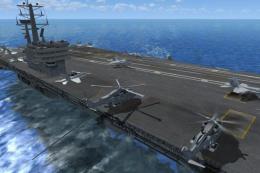
US Navy Pullout. Terrorist factions have taken over Sharm El Sheikh Internati…
US Navy Pullout (Fix) refines the USNAVYPL mission with a corrected carrier-landing proximity trigger, ensuring the landing reward triggers reliably during the extraction at Sharm El Sheikh. Fly cover from the carrier as bombs draw attention and friendlies evacuate under pressure in FSX; requires the Acceleration Pack.
 Rate
Rate
US Navy Pullout Fix, for use with USNAVYPL.ZIP. Terrorist factions have taken over Sharm El Sheikh International Airport. Friendlies need extraction immediately. Your mission off the carrier will be to cover BigBird2. BigBird1 will fly out immediatley for a seperate pickup. Eagle1 and Eagle2 will be dropping bombs on the airport to get the terrorist attention and create a diversion. Three rewards possible. Requires FSX Acceleration Pack. By Ed Olander.
US Navy Pullout Mission.
Please copy the USNavyPullout.XML into your USNavyPullout Directory, ie -
C:\Program Files\Microsoft Games\Microsoft Flight Simulator X\Missions\Emergency\USNavyPullout
This should replace the Current XML -
This will fix the Carrier Landing, pointed a Prox Trigger to the Wrong Rectangle Area, ie. I messed up, So Sorry.
This will allow you to Obtain the Carrier Landing Reward, Yea I was able to finally do it, Hmm Must make more !!
Cheers Ed O........;-)
Free for all simmers · 52.45 KB · Scanned clean Oct 2026
Download speed: Free tier is capped at 0.5 Mbps. PRO members download at full line speed.
This add-on may require the following files to function properly. If this is a repaint, the dependency below is likely the base aircraft package.
FSX\Missions\ as a sub-folder. The folder must contain an XML file describing the mission.readme.txt or README file. It tells you exactly where files go, what dependencies are needed, and any quirks specific to this add-on.The archive usnavyfx.zip has 5 files and directories contained within it.
This list displays the first 500 files in the package. If the package has more, you will need to download it to view them.
| Filename/Directory | File Date | File Size |
|---|---|---|
| car1.gif | 01.28.08 | 10.15 kB |
| Installfix.txt | 01.28.08 | 471 B |
| USNavyPullout.xml | 01.28.08 | 292.98 kB |
| flyawaysimulation.txt | 10.29.13 | 959 B |
| Go to Fly Away Simulation.url | 01.22.16 | 52 B |
Only PRO members can place votes.
More FSX & P3D add-ons hand-picked based on this download.
FSX Missions
US Navy Pullout. Terrorist factions have taken over Sharm El Sheikh Internati…
 FSX Missions
Madagascar Mission. The Madagascarian Military pays you for a transport fligh…
 FSX Missions
Experience a daring alpine approach with this immersive mission set amid the …
 FSX Missions
Discover a daring and immersive freeware add-on that challenges your landing …
 FSX Missions
United States Navy Training Mission. You will be flying the T-45C Goshawk and…
 FSX Missions
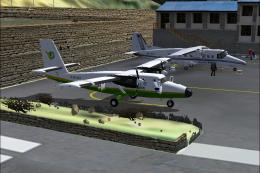
The Most Dangerous Airports: Lukla. The next in The Most Dangerous Airport Mi…
 FSX Missions
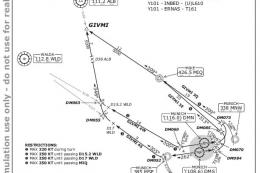
Hurricane Landing. Your task is to fly an Airbus A320 from Munich to Hamburg …
 FSX Missions
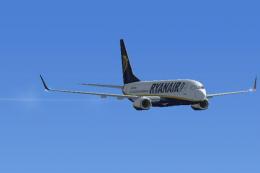
Welcome, Sir. In this mission you try to get from Gatwick to Dublin. It's ver…
Be the first to leave a comment on this download.
Be the first to share your thoughts on this download.