


 United States of America
  FSX Scenery
Princess Juliana International Airport
Princess Juliana International Airport (TNCM) in Saint Marteen, Netherlands A…
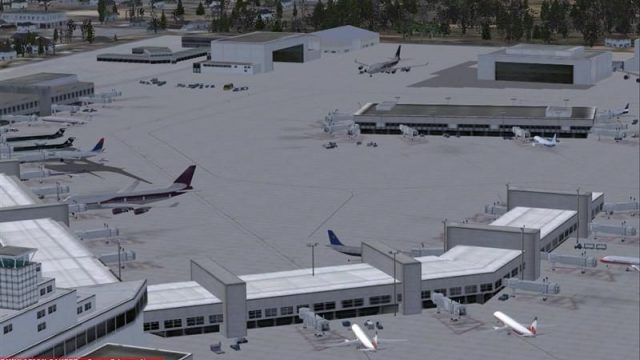
Seattle-Tacoma International Airport (KSEA) for FSX brings the terminal and general aviation ramps to life with carefully placed static aircraft and service vehicles, adding visual activity without relying on heavy AI traffic. Built with SDK object placement, it helps the field feel busy at low traffic settings while keeping performance smooth.
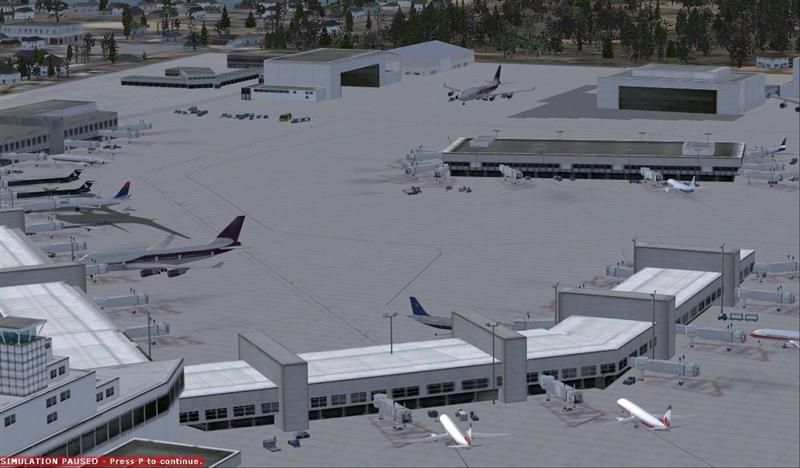
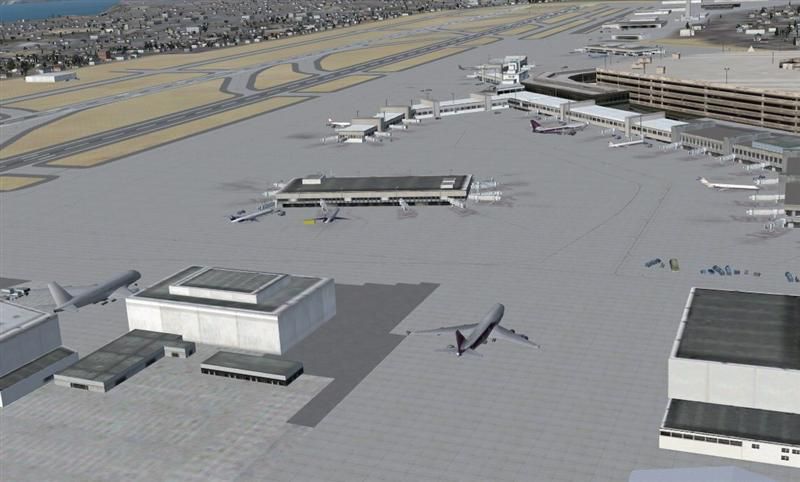
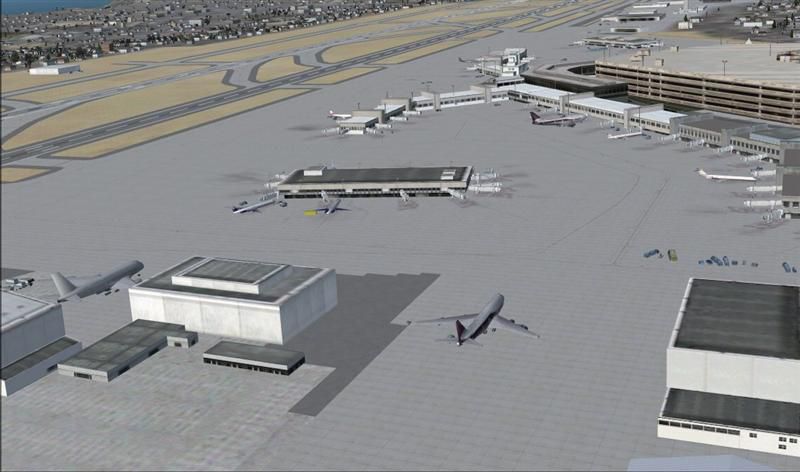
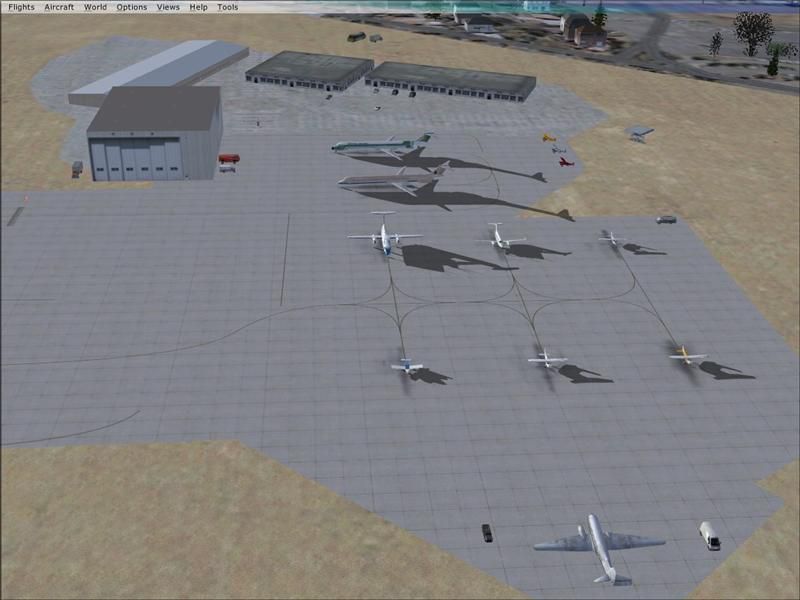
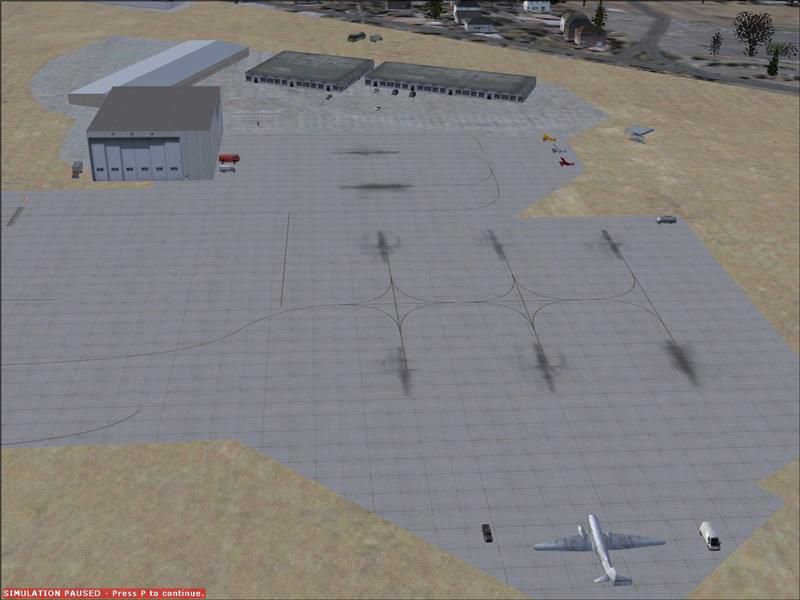
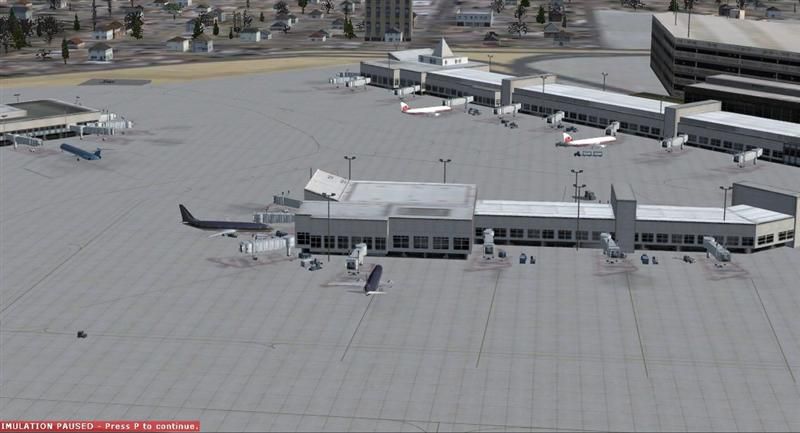
Seattle-Tacoma International airport (KSEA), Washington (WA). This scenery adds static aircraft and vehicles to the terminal and general aviation areas of the airport. By Vince Marrone. (See also SEATAC2.ZIP).
Seattle-Tacoma International Scenery.
This scenery adds static aircraft and vehicles to the terminal and general aviation areas of the airport.
This scenery was created using the "object placement tool" included in the FSX SDK software and "Abacus Scenery Shortcut” software.
I think static aircraft & vehicles are a great way to add interest to an airport without the frame rate penalty of cranking up the traffic sliders. The Seattle airport looks very barren with the aircraft traffic turned all the way down. The static aircraft have almost no impact on frame rates on my machine. I have tested this scenery with the aircraft traffic sliders at 0 and at 100%. I have found that occasionally with the sliders at !00% FSX will load a AI aircraft in the same gate as a static aircraft. It is not very noticeable and does not cause any problems. The whole purpose of the static scenery is so you don't have to have the traffic cranked up with the accompanying performance hit. My system gives me good
frame rates with the static scenery and the traffic sliders at around 50% .I have included the HTML document for those that want modify the scenery.
Installation:
Unzip the file to a temporary folder. There are a couple of ways to install this scenery. The simplest is to drop the BGL file "seatac" into the FSX/Addon scenery/scenery folder and open and close the scenery library in FSX. I have also included a folder titled "seatac" which also contains the bgl "seatac" file. Copy this folder into the FSX/Addon scenery folder and activate it in the scenery library. The second method makes it easier to find and remove or deactivate the scenery.
The scenery is freeware and you may do anything you want with it except make money.
Vince Marrone
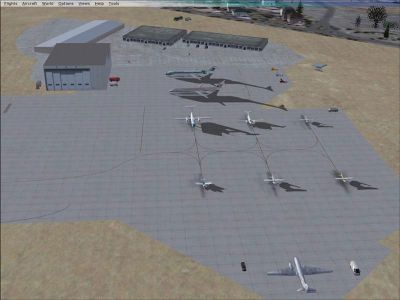
Seattle-Tacoma International Scenery.
Free for all simmers · 669.62 KB · Scanned clean Oct 2026
Download speed: Free tier is capped at 0.5 Mbps. PRO members download at full line speed.
This add-on may require the following files to function properly. If this is a repaint, the dependency below is likely the base aircraft package.
FSX\Addon Scenery\ containing scenery and texture sub-folders.readme.txt or README file. It tells you exactly where files go, what dependencies are needed, and any quirks specific to this add-on.Use these coordinates to fly directly to this location once the mod is installed.
47.44900000,-122.30900000
Launch FSX or Prepar3D and use Flights → Load to open the downloaded .pln file. Your aircraft will be positioned at this location.
The archive seatac.zip has 34 files and directories contained within it.
This list displays the first 500 files in the package. If the package has more, you will need to download it to view them.
| Filename/Directory | File Date | File Size |
|---|---|---|
| seatac1 | 02.02.08 | 0 B |
| FILE_ID.DIZ..txt | 02.02.08 | 209 B |
| readme.txt | 02.02.08 | 1.87 kB |
| seatac | 02.02.08 | 0 B |
| scenery | 02.02.08 | 0 B |
| setac.bgl | 02.02.08 | 2.71 kB |
| seatac.bgl | 02.02.08 | 2.71 kB |
| setac4.xml | 02.02.08 | 20.12 kB |
| static & AI traffic 1.JPG | 02.02.08 | 54.75 kB |
| static & AI traffic 2.jpg | 02.02.08 | 49.88 kB |
| static aircraft 1.JPG | 02.02.08 | 51.73 kB |
| static aircraft 2.JPG | 02.02.08 | 51.16 kB |
| static aircraft 3.JPG | 02.02.08 | 46.43 kB |
| static aircraft 4.jpg | 02.02.08 | 47.17 kB |
| thumbnail gif.GIF | 02.02.08 | 10.96 kB |
| Thumbs.db | 02.02.08 | 25.00 kB |
| Thumbs.db | 02.02.08 | 25.00 kB |
| seatac1 | 02.02.08 | 0 B |
| FILE_ID.DIZ..txt | 02.02.08 | 209 B |
| readme.txt | 02.02.08 | 1.87 kB |
| seatac | 02.02.08 | 0 B |
| scenery | 02.02.08 | 0 B |
| setac.bgl | 02.02.08 | 2.71 kB |
| seatac.bgl | 02.02.08 | 2.71 kB |
| setac4.xml | 02.02.08 | 20.12 kB |
| static & AI traffic 1.JPG | 02.02.08 | 54.75 kB |
| static & AI traffic 2.jpg | 02.02.08 | 49.88 kB |
| static aircraft 1.JPG | 02.02.08 | 51.73 kB |
| static aircraft 2.JPG | 02.02.08 | 51.16 kB |
| static aircraft 3.JPG | 02.02.08 | 46.43 kB |
| static aircraft 4.jpg | 02.02.08 | 47.17 kB |
| thumbnail gif.GIF | 02.02.08 | 10.96 kB |
| flyawaysimulation.txt | 10.29.13 | 959 B |
| Go to Fly Away Simulation.url | 01.22.16 | 52 B |
Only PRO members can place votes.
More FSX & P3D add-ons hand-picked based on this download.
FSX Scenery
Princess Juliana International Airport (TNCM) in Saint Marteen, Netherlands A…
 FSX Scenery
Barbados International Airport (TBPB). Grantley Adams International Airport f…
 FSX Scenery
Dubai International Airport (OMDB), Dubai. Includes a new passenger terminal …
 FSX Scenery
Soekarno-Hatta International Airport (WIII), Jakarta, Indonesia. An update to…
 FSX Scenery
San Diego International Airport, California (CA), USA. This photoreal scenery…
 FSX Scenery
Suvarnabhumi International Airport (VTBS), Bangkok, Thailand, v1.1. Includes …
 FSX Scenery
Scenery Miami International Airport (KMIA), Florida (FL). Includes updated ta…
 FSX Scenery
Dallas-Fort Worth International Airport (KDFW), Texas (TX), with Terminal D. …
Be the first to leave a comment on this download.
Be the first to share your thoughts on this download.