

 FSX Scenery
Mont Blanc Photorealistic
This freeware add-on places a highly detailed photorealistic rendition of Mon…
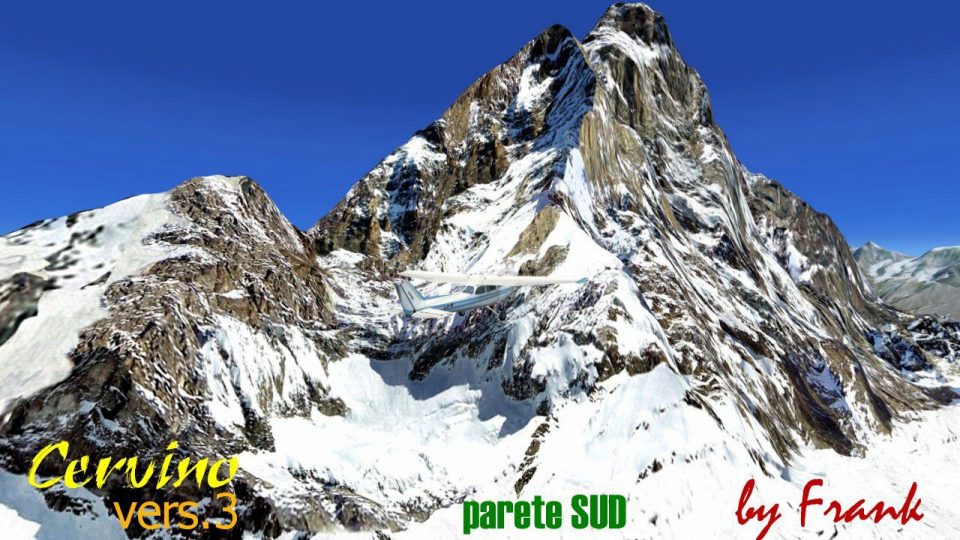
Matterhorn (Cervino) photorealistic scenery V3 brings the iconic Alpine peak to life in FSX using real aerial photography and carefully corrected textures that reduce slope stretching on near-vertical faces. It works as a standalone upgrade and layers cleanly with ItalVFR regional photo coverage for a broader, seamless mountain environment.
 Rate
Rate
 Global (World)
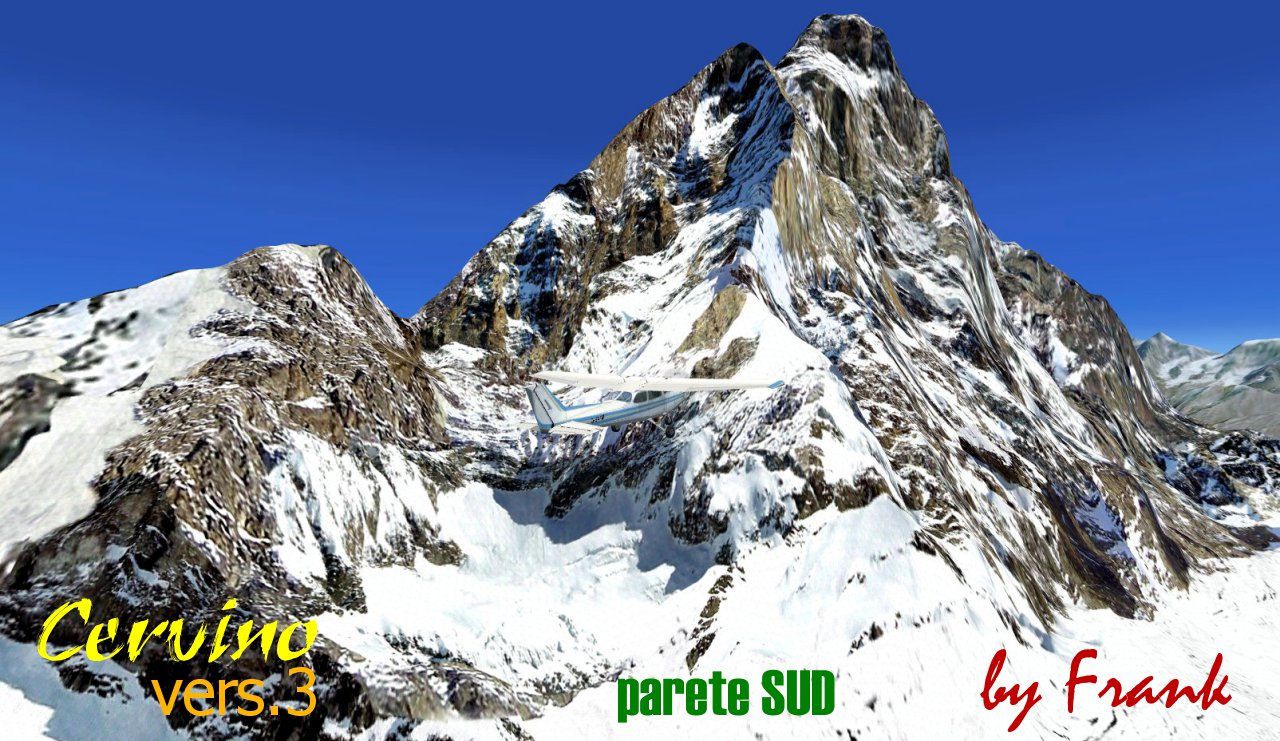
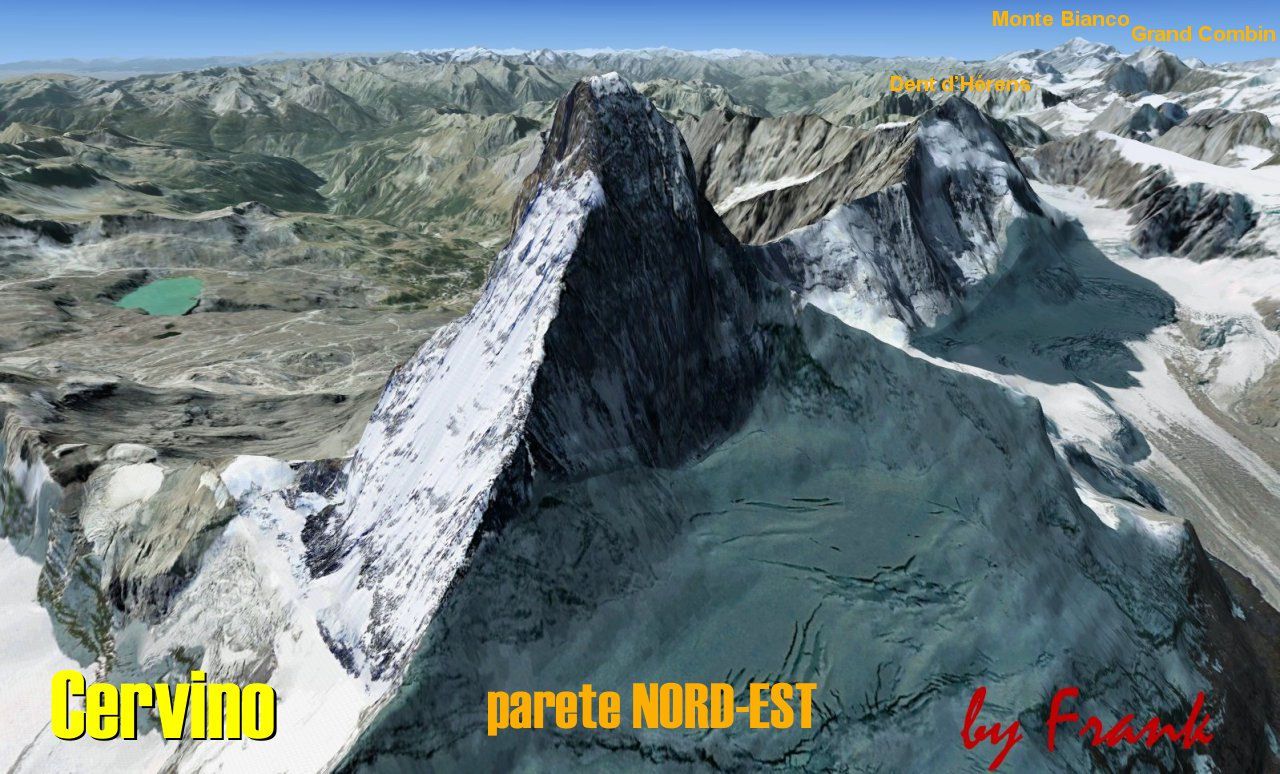
This latest release of the Matterhorn Photorealistic Scenery (Version 3) for FSX, developed by Frank and brought together by Raimondo, offers a highly detailed depiction of the famous Matterhorn mountain (also referred to as Cervino). It employs real aerial photography captured by local pilots to deliver exceptionally authentic imagery. The enhanced coverage stands on its own, yet it can also be integrated with ItalVFR’s broader photorealistic packages such as Liguria and Valled D’Aosta to expand your alpine environment.
One defining element of this package is the use of an advanced graphical method intended to reduce visual stretching that commonly appears on steep slopes. By focusing on vertical surfaces, the developers carefully adjusted the photorealistic textures to ensure minimal distortion. This helps maintain the scenic clarity around mountain faces, allowing users to enjoy rock formations and rugged edges that more accurately reflect the real-world landscape.
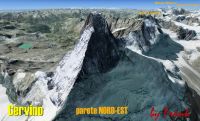
Matterhorn Photorealistic Scenery.
While this add-on can be installed on its own, it is also designed to work alongside ItalVFR’s Italian regions, which feature 2 m resolution base imagery. For instance, Trentino is a freeware region that showcases the same photorealistic strategy. Frank has produced additional alpine peak enhancements—such as the Tofane range—that can be layered above these regional packages to enrich the mountainous areas even more deeply.
When using this Matterhorn package with other coverage sets (like Liguria or Valled D’Aosta), position Frank’s scenery at a higher layer in the FSX Scenery Library. This ensures that the specialized mountain textures override the broader base packages, preserving the crisp visuals and distinctive rock surfaces around the Matterhorn. In practice, if the main ItalVFR region is placed at layer 2, simply configure Frank’s scenery at layer 1.
By following these steps, you can integrate Frank’s high-resolution model with or without the existing regional scenery. If you have a previous version of this Matterhorn scenery, be sure to replace it with Version 3 to benefit from the latest refinements and imagery updates.
This mod showcases handpicked photographic elements collected from actual vantage points around the Alps, reconstructing the ridges and valleys of the Matterhorn with clarity. Developers Frank and Raimondo have collaborated extensively on photorealistic modules for iconic Italian mountains. Their seamless layering makes it possible for you to immerse yourself in a more realistic flight experience, especially when exploring high-altitude routes or practicing mountain approaches.
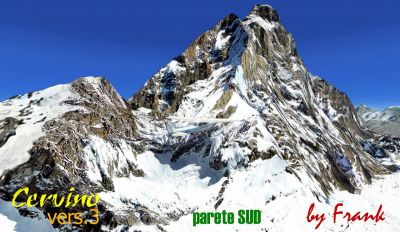
Matterhorn Photorealistic Scenery.
Enjoy your virtual journey around the breathtaking peaks, and always keep in mind that letting this add-on reside on top of your existing ItalVFR layers guarantees the maximum photorealistic effect. Best wishes from Raimondo and Frank, and have a safe flight around the majestic Matterhorn.
Free for all simmers · 13.91 MB · Scanned clean Oct 2026
Download speed: Free tier is capped at 0.5 Mbps (this file takes approximately 4 mins at the cap). PRO members download at full line speed.
FSX\Addon Scenery\ containing scenery and texture sub-folders.readme.txt or README file. It tells you exactly where files go, what dependencies are needed, and any quirks specific to this add-on.The archive matrhrnx.zip has 7 files and directories contained within it.
This list displays the first 500 files in the package. If the package has more, you will need to download it to view them.
| Filename/Directory | File Date | File Size |
|---|---|---|
| install.txt | 02.10.08 | 6.41 kB |
| cervino3.bgl | 02.10.08 | 13.53 MB |
| Image2.jpg | 02.10.08 | 237.43 kB |
| Image1.jpg | 02.10.08 | 255.40 kB |
| matterhorn.gif | 02.10.08 | 18.63 kB |
| flyawaysimulation.txt | 10.29.13 | 959 B |
| Go to Fly Away Simulation.url | 01.22.16 | 52 B |
Only PRO members can place votes.
More FSX & P3D add-ons hand-picked based on this download.
FSX Scenery
This freeware add-on places a highly detailed photorealistic rendition of Mon…
 FSX Scenery
Riviera Maya Photorealistic Scenery. By Leslie Luna Cepeda and Fernando Rodri…
 FSX Scenery
This photorealistic scenery enhancement captures the dramatic details of the …
 FSX Scenery
Los Angeles Airport Scenery v3, California (CA). This photoreal scenery is a …
 FSX Scenery
Scenery La Guardia Airport (KLGA), New York (NY), v3.0. This scenery is for F…
 FSX Scenery
Bagram Air Force Base V3 Update 1. Bagram, Afghanistan (AF). Portions of some…
 FSX Scenery
This add-on comes with extra effects, animated people, the proper runway used…
 FSX Scenery
Located in the foothills of the Adirondack Mountains in upstate New York (NY)…
Be the first to leave a comment on this download.
Be the first to share your thoughts on this download.