


 United States of America
  FSX Scenery
Dover AFB
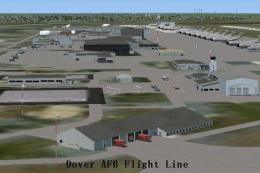
Dover Air Force Base or Dover AFB (IATA: DOV, ICAO: KDOV, FAA LID: DOV) is a …
Pope Air Force Base (KPOB) scenery refresh for Microsoft Flight Simulator X brings Fayetteville’s military airfield closer to its real-world layout with repositioned tower, rebuilt taxiways, refined aprons, and expanded parking tuned for cargo and combat operations. New base structures, fire station assets, static vehicles, lighting, and default-object design deliver immersion without external libraries.
This freeware add-on by Jim Cook enhances Pope Air Force Base (ICAO: KPOB) in Fayetteville, North Carolina. It offers carefully placed structures, expanded parking, and additional details that reflect the real-world facility more convincingly. Pope Field has long served as a prominent U.S. Air Force installation adjacent to Fort Bragg, and it hosts extensive transport operations and tactical airlift training. This release integrates new objects, adjusted taxiways, and refined ground layouts constructed with standard FSX elements, ensuring minimal resource conflicts and no external dependency requirements.
This update replaces many default hangars with more appropriate military-style buildings, while adding a dedicated fire station, associated fire trucks, and other functional structures. To achieve an authentic configuration, Jim Cook moved the default control tower to its correct position and incorporated parking lots populated by static cars and practical lighting. These additions capture the base’s operational feel and contribute to greater immersion during virtual flights.

Pope AFB Scenery.
The creator inserted Military_Cargo and Military_Combat parking assignments to accommodate a range of transport jets and combat-operated aircraft. This approach aligns with Pope Field’s real-world mission of supporting paratroop deployment and aerial resupply. The static fuel trucks and repositioned aprons ensure a more seamless operational flow in the simulator. Additionally, compatibility with expansions such as Just Flight’s Military Plus Packs was considered, though these are optional for extended realism.
Jim Cook employed AirNav charts, Google Earth comparisons, and Flight 1’s AFX/Instant Scenery toolset to reconfigure this base with improved accuracy. The taxiway network and apron dimensions were fine-tuned to correct default inconsistencies. This release remains fully usable with common scenery complements like Ultimate Terrain and FSGenesis, but no third-party libraries are strictly needed because all objects originate from default FSX assets.
Upon loading, you will notice the enhanced Pope AFB layout and its added realism. Jim Cook has also shared intentions to further upgrade other military installations, time allowing, so keep an eye out for future releases if you enjoy this level of detail.
Developer: Jim Cook
Free for all simmers · 20.84 KB · Scanned clean Oct 2026
Download speed: Free tier is capped at 0.5 Mbps. PRO members download at full line speed.
FSX\Addon Scenery\ containing scenery and texture sub-folders.readme.txt or README file. It tells you exactly where files go, what dependencies are needed, and any quirks specific to this add-on.Use these coordinates to fly directly to this location once the mod is installed.
35.17090000,-79.01450000
Launch FSX or Prepar3D and use Flights → Load to open the downloaded .pln file. Your aircraft will be positioned at this location.
The archive pope.zip has 6 files and directories contained within it.
This list displays the first 500 files in the package. If the package has more, you will need to download it to view them.
| Filename/Directory | File Date | File Size |
|---|---|---|
| AFX_KPOB_JC.bgl | 06.29.08 | 43.05 kB |
| KPOB_JC.bgl | 07.03.08 | 1.73 kB |
| pope_read_me.txt | 07.03.08 | 1.08 kB |
| FILE_ID.DIZ | 07.09.08 | 221 B |
| flyawaysimulation.txt | 10.29.13 | 959 B |
| Go to Fly Away Simulation.url | 01.22.16 | 52 B |
Only PRO members can place votes.
More FSX & P3D add-ons hand-picked based on this download.
FSX Scenery
Dover Air Force Base or Dover AFB (IATA: DOV, ICAO: KDOV, FAA LID: DOV) is a …
 FSX Scenery
Custom built hangars and buildings for Altus AFB, Oklahoma (OK), USA. AFCAD f…
 FSX Scenery
Scenery Edwards AFB Additions (KEDW), California (CA). Adds two refuel statio…
 FSX Scenery
Charleston AFB / International Airport (KCHS), South Carolina (SC). A complet…
 FSX Scenery
Scenery Griffiss AFB New York (NY) as it was back in the late 1980's before i…
 FSX Scenery
This freeware package refines the stock representation of Nellis Air Force Ba…
 FSX Scenery
Mountain Home AFB (KMUO), Idaho (ID). The Air Force has been consolidating ai…
 FSX Scenery
(KCOS), CO. Custom built detailed terminal, hangars, nearby buildings, hotels…
Be the first to leave a comment on this download.
Be the first to share your thoughts on this download.