

 FSX Scenery
Locher/Sarentino Airfield
A complete package covering the Locher/Sarentino Airfield for Microsoft Fligh…
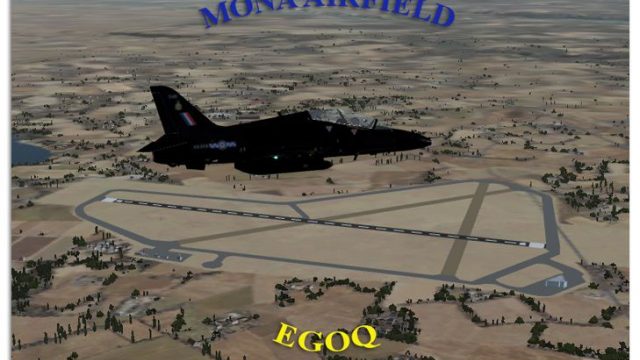
Mona Airfield RAF Mona (EGOQ) on Anglesey, Wales is recreated for FSX with 2010-era layout, capturing its role as a relief landing ground for RAF Valley and a circuit base for BAE Hawk training. Taxiways and building placement follow contemporary satellite reference, bringing the military station and on-field civilian activity to life.
 Rate
Rate
 United Kingdom

Mona Airfield RAF Mona (ICAO: EGOQ) is a Royal Air Force station on the island of Anglesey, Wales. It is primarily used as a relief landing ground for RAF Valley. Mona was opened as a Royal Naval Air Service airship base in 1915. During World War II it was used as an air gunnery school, flying Avro Ansons. Today, Mona is used for circuit practice by BAE Hawks from RAF Valley. Both a civilian flying club and 2474 (Cefni) Air Training Corps operate from the airfield. By Gordon Barnes.
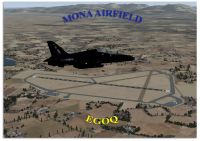
Mona Airfield Scenery.
I have tried to recreate the airport as it is today in 2010.
All taxi ways and building possitions are taken from Google Earth.
----------- Installation Instructions ----------
Just place the two files into the Addon Scenery folder, within the Scenery folder.
eg.
c:\Games\FSX\Addon Scenery\Scenery
G Barnes
UK.
Free for all simmers · 322.86 KB · Scanned clean Oct 2026
Download speed: Free tier is capped at 0.5 Mbps. PRO members download at full line speed.
FSX\Addon Scenery\ containing scenery and texture sub-folders.readme.txt or README file. It tells you exactly where files go, what dependencies are needed, and any quirks specific to this add-on.Use these coordinates to fly directly to this location once the mod is installed.
53.25830000,-4.37330000
Launch FSX or Prepar3D and use Flights → Load to open the downloaded .pln file. Your aircraft will be positioned at this location.
The archive mona.zip has 7 files and directories contained within it.
This list displays the first 500 files in the package. If the package has more, you will need to download it to view them.
| Filename/Directory | File Date | File Size |
|---|---|---|
| Mona | 02.03.10 | 0 B |
| EGOQ_ADEX_GB.BGL | 01.22.10 | 8.48 kB |
| EGOQ_ADEX_GB_CVX.bgl | 01.22.10 | 448 B |
| Mona.jpg | 02.03.10 | 332.19 kB |
| ReadMe.txt | 02.03.10 | 858 B |
| flyawaysimulation.txt | 10.29.13 | 959 B |
| Go to Fly Away Simulation.url | 01.22.16 | 52 B |
Only PRO members can place votes.
More FSX & P3D add-ons hand-picked based on this download.
FSX Scenery
A complete package covering the Locher/Sarentino Airfield for Microsoft Fligh…
 FSX Scenery
ADEX Wangen-Lachen Airfield (LSPV), Switzerland. Wangen-Lachen is a small air…
 FSX Scenery
Trabzon Airfield. VFR scenery of Turkey Trabzon (LTCG) Airfield and the surro…
 FSX Scenery
Istanbul Hezarfen Airfield Scenery. A detailed re-creation of the Istanbul He…
 FSX Scenery
Rossfeld Glider Airfield, south of Stuttgart, Germany, on a hilltop. You will…
 FSX Scenery
Center And Southern Italy Airfield. A list of 146 airstrips, covering the Ita…
 FSX Scenery
FSX/SP2 Newtownards Airfield (EGAD), UK, for use with default scenery. Built …
 FSX Scenery
Duxford Airfield for FSX SP2/Acceleration. Some scenery for Duxford Airfield,…
Be the first to leave a comment on this download.
Be the first to share your thoughts on this download.