


 Brazil
  FSX Scenery
San Antonio International Airport TX
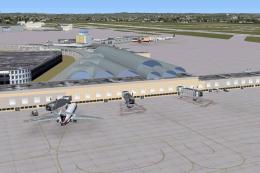
San Antonio International Airport, modern era, Texas (TX). KSAT before the re…
Galeão–Antonio Carlos Jobim International Airport (SBGL) for Rio de Janeiro upgrades the default layout with corrected taxi signage, smoother hold-short behavior, smarter gate and parking assignments, and expanded ground-service routing for livelier AI operations. Two configurations let FSX users keep the standard runway scheme or enable a working crosswind setup for simultaneous arrivals and departures.
Experience a meticulously upgraded version of Galeão–Antonio Carlos Jobim International Airport (SBGL) in Rio de Janeiro, Brazil, tailored exclusively for FSX enthusiasts. This freeware package by Ray Smith refines numerous elements of the default airport—all to ensure a thoroughly immersive departure and arrival experience. Two distinct configurations are available, one featuring a fully operational crosswind runway setup and the other preserving the standard layout. Everything from gate assignments to service pathways has been carefully adjusted, and the entire scenery improvement supports a more dynamic environment for both commercial and general aviation traffic.
Assigned Parking: Each parking position is curated to accommodate proper aircraft categories. This approach optimizes gate suitability and enhances traffic flow across all terminals.
Ground Services: Extra fuel trucks, newly adjusted support vehicle routes, and improved road layouts ensure a realistic portrayal of daily operations within the airport boundaries.
Taxiway Refinements: Missing signage on Runway 10/28 has been incorporated, and previous hold-short issues have been eliminated. This adjustment offers smoother transitions for both takeoff and landing procedures.
This release includes three BGL files:
SBGL_ADE_RS.BGL: Implements the default runway pattern.SBGL_ADE_CW_RS.BGL: Activates crosswind functionality, allowing both main runways to be used simultaneously for arrivals and departures.SBGL_ADE_OBJ.BGL: Supplies essential airport scenery objects and works in conjunction with either of the above.The crosswind option uses a method that reserves “fake” runway entries so that AI traffic can operate more fluidly. Consequently, your ATIS broadcasts may mention these fictional runways, which is normal behavior required to enable the dual-runway functionality. If this is distracting, you may revert to the default runway mode instead.
SBGL_ADE_RS.BGL or SBGL_ADE_CW_RS.BGL and place it into your Flight Simulator X/Addon Scenery/scenery folder.SBGL_ADE_OBJ.BGL into Flight Simulator X/Scenery/Global/scenery.Confirm that only one SBGL_RS.BGL file exists in the Addon Scenery/scenery directory at any time. Retaining multiple versions simultaneously could trigger unexpected airport overlaps, incorrect parking spots, or other conflicts.
If you decide to return to the default airport, remove all related SBGL BGL files from the specified directories. FSX will then revert to its original scenery configuration for Galeão–Antonio Carlos Jobim International Airport.
Ray Smith created this refined layout using ADE (Airport Design Editor) and employed Jim Vile’s crosswind activation technique. Special thanks go to Jon Masterson for providing the ADE Utility (Freeware), and, of course, gratitude is extended to Ray’s wife for her patience throughout development.
In tower view, adjust your control settings by mapping a key stroke to the View Track/Pan Toggle. Toggling this feature detaches your viewpoint from the user aircraft, granting a rotational 360-degree perspective of terminal buildings, runways, and ground traffic. Hitting the same key again returns you to the normal user-aircraft viewpoint.
This SBGL scenery refinement immerses pilots in the vibrant environment of one of Brazil’s major international gateways. By installing Ray Smith’s detailed package, you gain an enriched flight simulation experience, complete with refined operations and visually accurate surroundings. Happy flying!
Free for all simmers · 53.51 KB · Scanned clean Oct 2026
Download speed: Free tier is capped at 0.5 Mbps. PRO members download at full line speed.
FSX\Addon Scenery\ containing scenery and texture sub-folders.readme.txt or README file. It tells you exactly where files go, what dependencies are needed, and any quirks specific to this add-on.Use these coordinates to fly directly to this location once the mod is installed.
-22.81000000,-43.25000000
Launch FSX or Prepar3D and use Flights → Load to open the downloaded .pln file. Your aircraft will be positioned at this location.
The archive sbgl_ade_rs_fsx.zip has 7 files and directories contained within it.
This list displays the first 500 files in the package. If the package has more, you will need to download it to view them.
| Filename/Directory | File Date | File Size |
|---|---|---|
| ReadMe.txt | 07.23.10 | 3.05 kB |
| SBGL_ADE_CW_RS.BGL | 07.23.10 | 53.11 kB |
| SBGL_ADE_OBJ.BGL | 07.23.10 | 17.43 kB |
| SBGL_ADE_RS.BGL | 07.23.10 | 52.81 kB |
| FSX_sbgl_ade_rs | 07.23.10 | 0 B |
| flyawaysimulation.txt | 10.29.13 | 959 B |
| Go to Fly Away Simulation.url | 01.22.16 | 52 B |
Only PRO members can place votes.
More FSX & P3D add-ons hand-picked based on this download.
FSX Scenery
San Antonio International Airport, modern era, Texas (TX). KSAT before the re…
 FSX Scenery
San Antonio International Airport (KSAT), Texas (TX). This airport was design…
 FSX Scenery
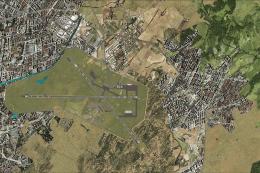
General Jose Antonio Anzoategui International Airport (SVBC) in Barcelona, Ve…
 FSX Scenery
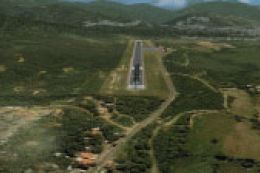
San Antonio Airport (SVSA), Venezuela. A national public commercial airport l…
 FSX Scenery
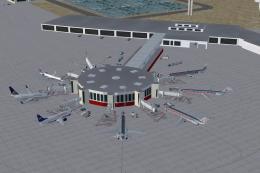
San Antonio Int'l Airport, Texas (TX). Many improvements have been made over …
 FSX Scenery
Princess Juliana International Airport (TNCM) in Saint Marteen, Netherlands A…
 FSX Scenery
Barbados International Airport (TBPB). Grantley Adams International Airport f…
 FSX Scenery
Dubai International Airport (OMDB), Dubai. Includes a new passenger terminal …
Be the first to leave a comment on this download.
Be the first to share your thoughts on this download.