

 FSX Helicopters
Piasecki H-21C
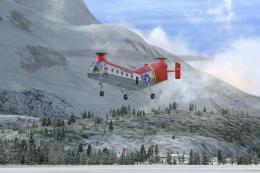
FSX Piasecki H-21C "Flying Banana". A major upgrade from the FS9 version. New…
Piasecki H-21C “Flying Banana” May 2012 upgrade refines the helicopter in Microsoft Flight Simulator X with a better starting external camera, smoother and more realistic flight dynamics, stronger high-altitude lift, and corrected fuel capacity and consumption. Requires PIASH21C.ZIP, adds a wider pilot view, fixes the New York Airways door window, and removes the pavement dust-storm effect.
 Rate
Rate
For use with PIASH21C.ZIP. May 2012 upgrade package for the FSX Piasecki H21C Flying Banana. Requires the original release. Features include: better initial external camera view (helicopter no longer appears too small when starting a flight), improved flight dynamics, improved lift at high altitude, realistic fuel consumption, and a few minor tweaks. By Mick Posch.
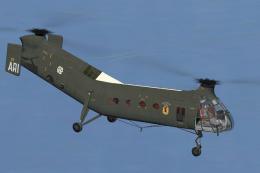
Screenshot of Piasecki H-21C in flight.
NEW FEATURES:
INSTALLATION:
ACKNOWLEDGEMENT:
Thanks to Arno Gerretsen, developer of the RADItor utility which was used to alter the initial external camera position
Free for all simmers · 10.68 MB · Scanned clean Oct 2026
Download speed: Free tier is capped at 0.5 Mbps (this file takes approximately 3 mins at the cap). PRO members download at full line speed.
This file is a repaint — the package below is the base model it paints onto. Install it first, or the textures will have nothing to load onto.
texture.{airline}) inside FSX\SimObjects\Airplanes\{base-aircraft}\.aircraft.cfg in Notepad. Add a new [fltsim.X] section per the readme.readme.txt or README file. It tells you exactly where files go, what dependencies are needed, and any quirks specific to this add-on.The archive h21-c_fsx_upgrade_5-2012.zip has 19 files and directories contained within it.
This list displays the first 500 files in the package. If the package has more, you will need to download it to view them.
| Filename/Directory | File Date | File Size |
|---|---|---|
| Model.Canadian | 05.04.12 | 0 B |
| H21C_FSX.MDL | 04.17.12 | 2.39 MB |
| Model.German | 05.04.12 | 0 B |
| H21C_FSX.MDL | 04.17.12 | 3.27 MB |
| Model.H21C_Civilian_1 | 05.04.12 | 0 B |
| H21C_FSX.MDL | 04.17.12 | 2.83 MB |
| Model.US_Army | 05.04.12 | 0 B |
| H21C_FSX.MDL | 04.17.12 | 2.40 MB |
| Model.USAF | 05.04.12 | 0 B |
| H21C_FSX.MDL | 04.17.12 | 2.41 MB |
| Model.V-44_Civilian_1 | 05.04.12 | 0 B |
| H21C_FSX.MDL | 04.17.12 | 3.38 MB |
| Model.V-44_NYAirways | 05.04.12 | 0 B |
| H21C_FSX.MDL | 04.17.12 | 3.38 MB |
| README.doc | 05.01.12 | 377.00 kB |
| README.txt | 05.14.12 | 3.27 kB |
| sim.cfg | 05.01.12 | 23.65 kB |
| flyawaysimulation.txt | 10.29.13 | 959 B |
| Go to Fly Away Simulation.url | 01.22.16 | 52 B |
Only PRO members can place votes.
More FSX & P3D add-ons hand-picked based on this download.
FSX Helicopters
FSX Piasecki H-21C "Flying Banana". A major upgrade from the FS9 version. New…
 FSX Helicopters
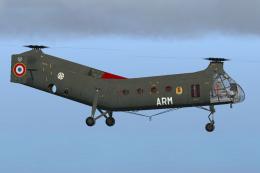
This add-on offers a fully detailed French Army Aviation (ALAT) repaint of th…
 FSX Helicopters
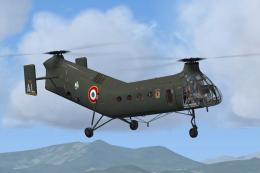
H-21C French Army (ALAT) GH2 Setif 1956. This is a repaint of Mick Posch's H-…
 FSX Helicopters
Experience a meticulously updated French Army H-21C, adapted for Microsoft Fl…
 FSX Helicopters
3D model, textures and virtual cockpit : Laurent Hadorn, Denis Allavena Sound…
 FSX Helicopters
FSX Bell UH-1 Huey. Model by Tolga Piskin. Adapted for FSX by Eric Buchmann.
 FSX Helicopters
This comprehensive update brings newly refined repaint textures, plus the ori…
 FSX Helicopters
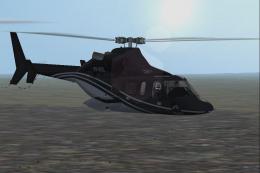
Comes in multi private liveries plus Medivac and NY Police Dept. Updated from…
Be the first to leave a comment on this download.
Be the first to share your thoughts on this download.