

 FSX AFCAD Files
AFCAD File For EGKK
Gatwick International Airport, London, UK. This airport update is for EGKK an…
Dubai World Central Airport (OMDW) comes to life in FSX with a fully rebuilt AFCAD featuring accurately positioned runway and taxiway infrastructure, sensible terminal building placement, and corrected gates and parking stands for realistic AI operations. A bonus AFCAD also updates nearby OMDM Al Minhad Air Base for cohesive traffic and ground flow.
 Rate
Rate
 United Arab Emirates
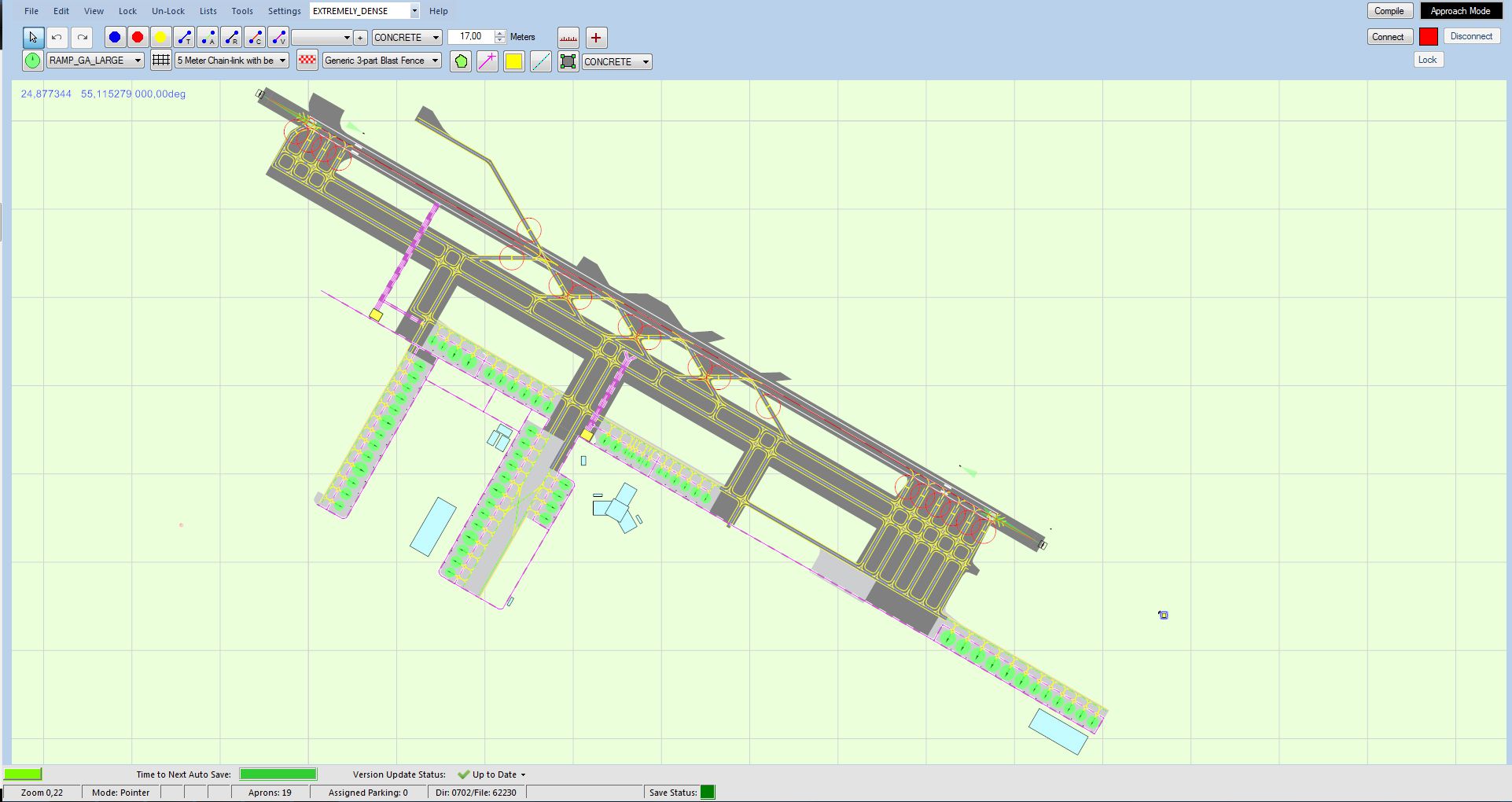
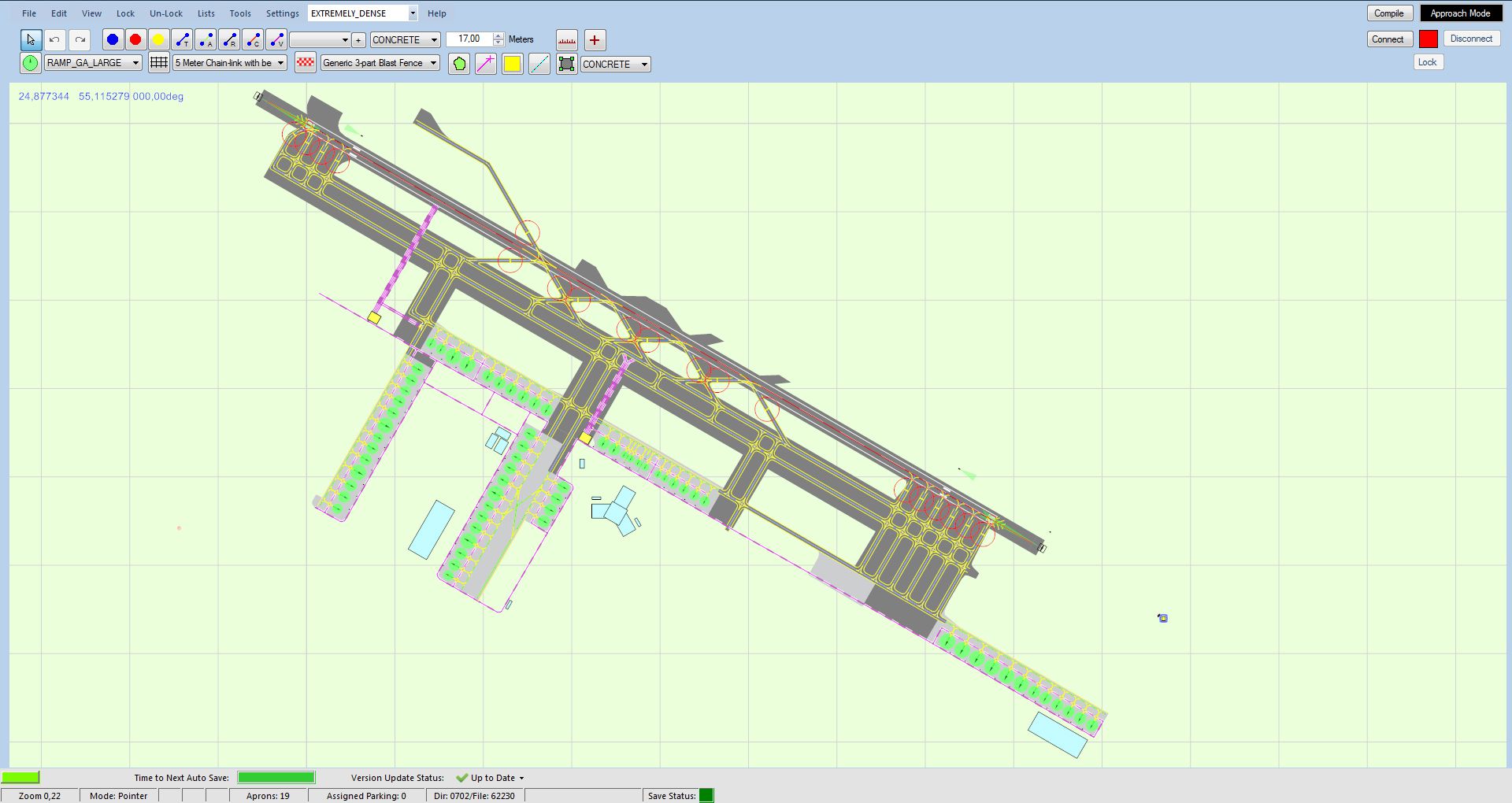
Dubai World Central Airport is a new airport that opened in June 2010. Therefore it is not present in FSX by default. Expect from the 13/14 winter schedules that passenger flights will be commenced. Until that there are only a handful of cargo flights. This will cause the airport to be empty until AI traffic starts to fly to this airport. Bonus added is a simple rendering of OMDM Al Minhad AB nearby. By Victor Nauta.
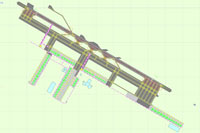
Overview of Dubai World Central Airport.
Main Changes:
Preparation, Verification and Testing:
Free for all simmers · 1.14 MB · Scanned clean Oct 2026
Download speed: Free tier is capped at 0.5 Mbps. PRO members download at full line speed.
AF2_*.bgl or AFX_*.bgl) go into FSX\Addon Scenery\Scenery\ or a dedicated AFCAD folder you create.readme.txt or README file. It tells you exactly where files go, what dependencies are needed, and any quirks specific to this add-on.Use these coordinates to fly directly to this location once the mod is installed.
24.89635600,55.16138900
Launch FSX or Prepar3D and use Flights → Load to open the downloaded .pln file. Your aircraft will be positioned at this location.
The archive omdw_adex.zip has 9 files and directories contained within it.
This list displays the first 500 files in the package. If the package has more, you will need to download it to view them.
| Filename/Directory | File Date | File Size |
|---|---|---|
| OMDM_ADEX_VNA.BGL | 06.03.13 | 7.87 kB |
| OMDM_ADEX_VNA_CVX.bgl | 06.03.13 | 244 B |
| OMDM-2.jpg | 06.10.13 | 793.90 kB |
| OMDW_ADEX_VNA.BGL | 06.09.13 | 105.91 kB |
| OMDW_ADEX_VNA_CVX.bgl | 06.09.13 | 228 B |
| OMDW-1.jpg | 06.10.13 | 779.19 kB |
| readme_OMDW.txt.txt | 06.10.13 | 2.72 kB |
| flyawaysimulation.txt | 10.29.13 | 959 B |
| Go to Fly Away Simulation.url | 01.22.16 | 52 B |
Only PRO members can place votes.
More FSX & P3D add-ons hand-picked based on this download.
FSX AFCAD Files
Gatwick International Airport, London, UK. This airport update is for EGKK an…
 FSX AFCAD Files
Chicago-O'Hare International Airport, Illinois (IL), USA. This airport update…
 FSX AFCAD Files
Warsaw Chopin Airport (Okecie) is the largest international airport in Poland…
 FSX AFCAD Files
This freeware add-on for Microsoft Flight Simulator X modernizes the default …
 FSX AFCAD Files
This comprehensive freeware package refines Auckland International Airport (N…
 FSX AFCAD Files
This freeware add-on, authored by Ray Smith, refines Seattle-Tacoma Internati…
 FSX AFCAD Files
This freeware release provides a refreshed AFCAD configuration for Portland I…
 FSX AFCAD Files
Nice/Cote d'Azur, France. This airport update is for LFMN and made only for t…
Read what other simmers think, or add your own.

Hey-
The airport is actually located incorrectly within FSX, compared to FMC AIRAC data (Navigraph/Aerosoft).
Could this be corrected please?
Luke