

 FSX Scenery
Pylon Race Course
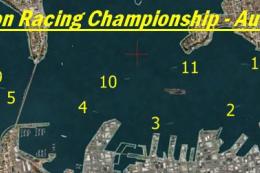
Pylon Race Course. Pylon race course in Auckland Harbour, New Zealand. By Rob…
Red Bull Air Race Course scenery brings Monument Valley, Utah to life with a flyable pylon layout, control tower, tents, and concession stands positioned near Oljato Airport (05UT). Built entirely from default objects in FSX, it adds an authentic race-day scene while keeping performance smooth for low-level aerobatic runs.
 Rate
Rate
 United States of America
Red Bull Air Race Course, Monument Valley, Utah (UT), v0.5. Includes the pylons for the course, a control tower and a few tents and concession stands. By Nick Mathews.
Please read the other Readme file if you have microsoft word, if not, use this readme.
Turn on WORD WRAP, "FORMAT, WORD WRAP"
Details:
I have added the pylons for the race course, a control tower and a few tents and concession stands. I plan to later add more details such as some roads near the course, more buildings and some details for Oljato Airport. All these objects are default and come with FSX, thus you are not installing any new models or anything, so you need not be worried about a low frame rate.
Installation:
This zip file contains only one file needed to install the course into FSX. The BGL file named “RB Mon Valley Race Course,” must be placed into FSX/Addon Scenery/.
Doing the following will automatically load the scenery into FSX. Or you can create a new folder inside the addon scenery folder, name it scenery. IE FSX/Addon Scenery/RedBullAirRaceUtah/Scenery.
Place the bgl in the last folder. By doing that you will have to add the scenery file in the FSX Settings/Scenery Library. Select “add scenery” and navigate to the BGL file.
Getting There:
Go to Oljato Airport, ICAO code 05UT in Utah, USA. Click this link to see 05UT details Take off from runway 14. Make a standard 20 degree turn left to a heading of 090 degrees. Climb to appx 6600 ft. Flying the Extra 300s at max power should take you a little less than five minutes. Keep looking out your left hand side to locate the airport.
Looking for people who want to create an online air racing community, if you have any skills, programming, html, modeling, painting, scenery design, ATC skills, and you want to contribute please email me!
Enjoy!
-Nick Mathews
IMPORTANT NOTICE:
These files may be uploaded to any other website. These files are FREEWARE and may not be sold, or put on any site that charges for downloading free files. The files found in this archive may not be distibuted on CD or ANY medium for any kind of fee, including the cost of production, materials or postage.
Free for all simmers · 223.68 KB · Scanned clean Oct 2026
Download speed: Free tier is capped at 0.5 Mbps. PRO members download at full line speed.
FSX\Addon Scenery\ containing scenery and texture sub-folders.readme.txt or README file. It tells you exactly where files go, what dependencies are needed, and any quirks specific to this add-on.Use these coordinates to fly directly to this location once the mod is installed.
37.00000000,-110.20000000
Launch FSX or Prepar3D and use Flights → Load to open the downloaded .pln file. Your aircraft will be positioned at this location.
The archive rbarmonv.zip has 6 files and directories contained within it.
This list displays the first 500 files in the package. If the package has more, you will need to download it to view them.
| Filename/Directory | File Date | File Size |
|---|---|---|
| README1.docx | 05.03.07 | 235.08 kB |
| README2.txt | 05.03.07 | 3.45 kB |
| RB Mon Valley Race Course.BGL | 05.03.07 | 1.96 kB |
| FILE_ID.DIZ | 05.07.07 | 189 B |
| flyawaysimulation.txt | 10.29.13 | 959 B |
| Go to Fly Away Simulation.url | 01.22.16 | 52 B |
Only PRO members can place votes.
More FSX & P3D add-ons hand-picked based on this download.
FSX Scenery
Pylon Race Course. Pylon race course in Auckland Harbour, New Zealand. By Rob…
 FSX Scenery
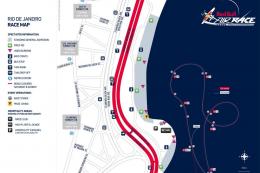
This add-on showcases the 2010 Red Bull Air Race course set against the iconi…
 FSX Scenery
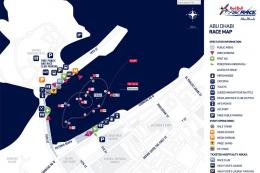
This freeware enhancement recreates the Red Bull Air Race environment held in…
 FSX Scenery
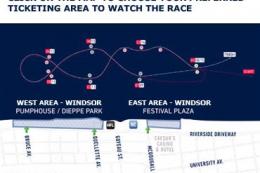
Experience the vibrant atmosphere of an authentic Red Bull Air Race setup in …
 FSX Scenery
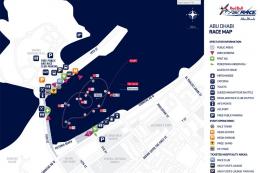
Experience the thrill of a fully realized Red Bull Air Race setup along Abu D…
 FSX Scenery
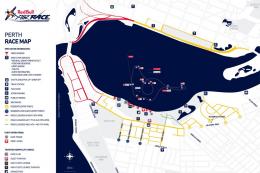
Immerse yourself in a custom-built Red Bull Air Race environment set along th…
 FSX Scenery
Red Bull Air Race Circuits. Includes Rio de Janeiro, Monument Valley, Istanbu…
 FSX Scenery
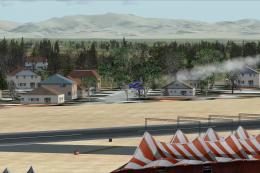
Red Bull Scenery For Christchurch Airport, New Zealand. Red Bull pylons and o…
Read what other simmers think, or add your own.

hi, how do you make these circuits? i'd like to try make one in Yosemite valley. thanks, steve
