

 FSX Scenery
Red Bull Air Race Abu Dhabi
Experience the thrill of a fully realized Red Bull Air Race setup along Abu D…
Red Bull Air Race Abu Dhabi 2010 scenery rebuilds the waterfront course near Al Bateen Executive Airport with correctly placed pylons, air gates, and custom objects for high-speed practice runs. Built for Microsoft Flight Simulator X, it captures the real event layout while keeping the Corniche excluded for smooth, fluid aerobatic racing.
 Rate
Rate
 United Arab Emirates
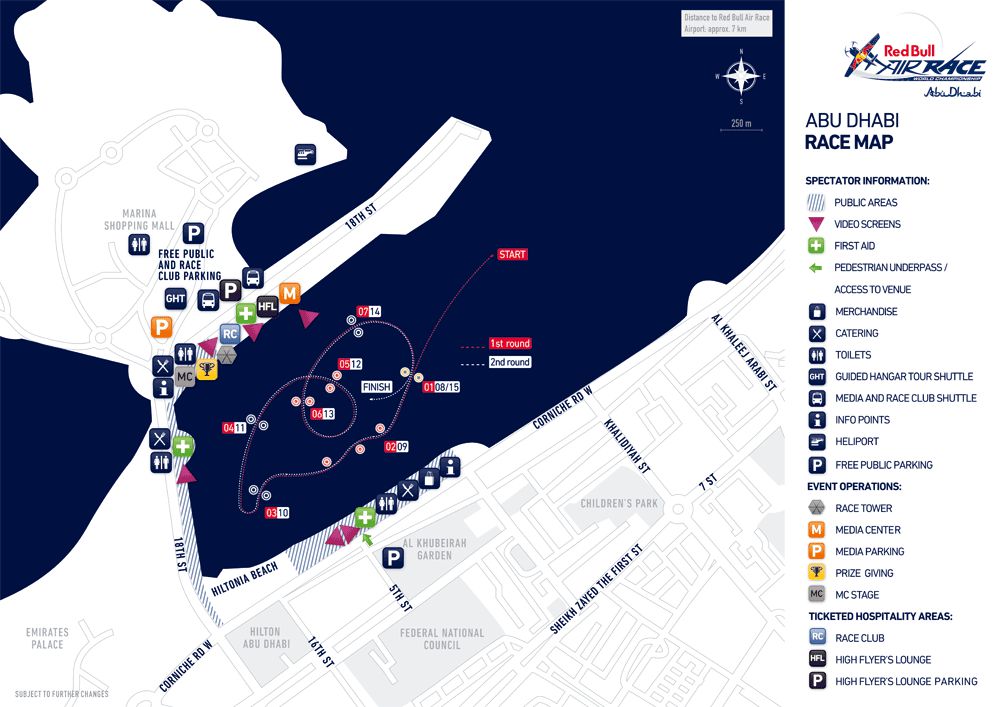
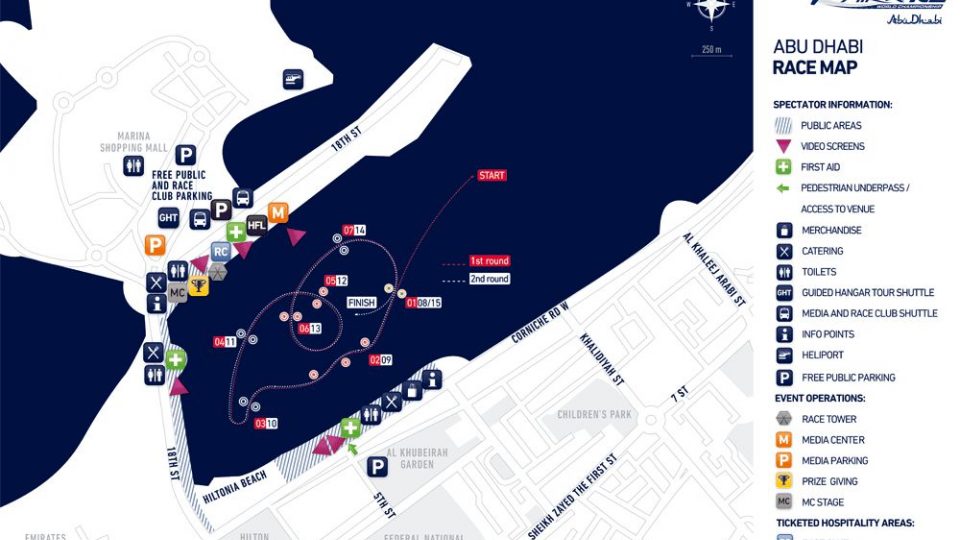
This freeware enhancement recreates the Red Bull Air Race environment held in Abu Dhabi during 2010. Initially developed by Syscot Yves and Carlos Santos, it provides a specialized course layout near OMAD, which Abu Dhabi’s aviation community often recognizes as Al Bateen Executive Airport. This package integrates portable pylons, race gates, and other custom objects into Microsoft Flight Simulator X, enabling virtual pilots to simulate high-speed aerobatic challenges along the Arabian Gulf.
The scenery positions dynamic race markers where the actual competition was hosted, capturing the unique circuit around Abu Dhabi’s waterfront. Pilots can expect an accurate series of air gates to maneuver through, replicating the tight turns and precision flying demanded by real-world aerobatic racing. The design omits elements of the Corniche area for performance considerations, ensuring smooth frame rates while preserving an authentic appearance. Additionally, the pylons have been carefully stationed to allow for practice of precise control inputs and race navigation.
-fsx1.jpg)
Red Bull Air Race Abu Dhabi Scenery.
C:\Program Files (x86)\Microsoft Games\Microsoft Flight Simulator X\Addon Scenery.C:\Program Files\Microsoft Games\Microsoft Flight Simulator X\Addon Scenery.This package is released as freeware. The accompanying text file must remain with the scenery if it is compressed and shared elsewhere. The authors, Syscot Yves and Carlos Santos, disclaim responsibility for any potential issues arising from its use. By installing this scenery, you accept all associated risks. It is intended solely for enhancing the simulated environment in Microsoft Flight Simulator X.
Enjoy exploring the immersive Red Bull Air Race circuit, and may you master each challenging turn in Abu Dhabi’s skies.
Free for all simmers · 601.66 KB · Scanned clean Oct 2026
Download speed: Free tier is capped at 0.5 Mbps. PRO members download at full line speed.
FSX\Addon Scenery\ containing scenery and texture sub-folders.readme.txt or README file. It tells you exactly where files go, what dependencies are needed, and any quirks specific to this add-on.Use these coordinates to fly directly to this location once the mod is installed.
24.42830000,54.45810000
Launch FSX or Prepar3D and use Flights → Load to open the downloaded .pln file. Your aircraft will be positioned at this location.
The archive sy-red_bull_air_race_abu_dhabi_2010_without_corniche_fsx.zip has 5 files and directories contained within it.
This list displays the first 500 files in the package. If the package has more, you will need to download it to view them.
| Filename/Directory | File Date | File Size |
|---|---|---|
| Readme sy.Red Bull Air Race Abu Dhabi 2010 without corniche FSX.txt | 05.16.10 | 3.13 kB |
| AD_10_AREAMAP.GIF | 05.08.10 | 108.99 kB |
| Sy-Red Bull Air Race Abu Dhabi without corniche FSX.exe | 05.16.10 | 498.70 kB |
| flyawaysimulation.txt | 10.29.13 | 959 B |
| Go to Fly Away Simulation.url | 01.22.16 | 52 B |
Only PRO members can place votes.
More FSX & P3D add-ons hand-picked based on this download.
FSX Scenery
Experience the thrill of a fully realized Red Bull Air Race setup along Abu D…
 FSX Scenery
Scenery Abu Dhabi International Airport (OMAA), Abu Dhabi, United Arab Emirat…
 FSX Scenery
Scenery of Abu Dhabi International Airport (OMAA). Includes night textures an…
 FSX Scenery
This add-on showcases the 2010 Red Bull Air Race course set against the iconi…
 FSX Scenery
Red Bull Air Race Course, Monument Valley, Utah (UT), v0.5. Includes the pylo…
 FSX Scenery
Experience the vibrant atmosphere of an authentic Red Bull Air Race setup in …
 FSX Scenery
Immerse yourself in a custom-built Red Bull Air Race environment set along th…
FSX Scenery
Red Bull Air Race Circuits. Includes Rio de Janeiro, Monument Valley, Istanbu…
Be the first to leave a comment on this download.
Be the first to share your thoughts on this download.